avatarNora

Free AI web copilot to create summaries, insights and extended knowledge, download it at here

2492

Abstract

t-on-demand sites such as Redbubble. Doesn't allows you to make an image with added foil-effect transparent.</li></ul><h2 id="b793">2. Photophea</h2><div id="43e5" class="link-block"> <a href="https://www.photopea.com/"> <div> <div> <h2>Photopea | Online Photo Editor</h2> <div><h3>Free online photo editor supporting PSD, XCF, Sketch, XD and CDR formats. ( Adobe Photoshop, GIMP, Sketch App, Adobe XD…</h3></div> <div><p>www.photopea.com</p></div> </div> <div> <div style="background-image: url(https://miro.readmedium.com/v2/resize:fit:320/0*uqFEjn8dougSQK4k)"></div> </div> </div> </a> </div><ul><li>A free alternative to photoshop, available completely online.</li><li><b>Disadvantages: </b>more technical and you need to familiarize yourself with the tools and features.</li><li><b>Favorite feature:</b> this allows you to design and download larger file sizes as big as 8000px x 8000 perfect for tapestries and puzzle designs on Redbubble.</li></ul><h2 id="f213">3. Snappa</h2><div id="d4a0" class="link-block"> <a href="https://snappa.com/"> <div> <div> <h2>Snappa - Create online graphics in a snap</h2> <div><h3>Never make the same stunning graphic more than once. In one click, you can turn your Twitter header into a Facebook…</h3></div> <div><p>snappa.com</p></div> </div> <div> <div style="background-image: url(https://miro.readmedium.com/v2/resize:fit:320/0*nvaK5Z_XSR9wIUBl)"></div> </div> </div> </a> </div><ul><li>Free and easy-to-use design website with built-in templates, images, and fonts.</li><li><b>Disadvantages</b>: limits you to only 3 downloads per month on a free account.</li><li><b>Favorite feature: </b>royalty-free images can be used in your designs, commercial rights, and over 5 million.</li></ul><p id="95b0">Below is a link to a great resource that can help you identify free canva alternatives to help you create stunning designs and promotional material.</p><div id="6371" class="link-block"> <a href="https://photolemur.com/blog/canva-alternatives"> <div> <div> <h2>20 Canva Alternatives Free [2021] for Mac, Windows</h2> <div><h3>Starting y

Options

our own company or business is a great responsibility. Branding is something that can make you number one…</h3></div> <div><p>photolemur.com</p></div> </div> <div> <div style="background-image: url(https://miro.readmedium.com/v2/resize:fit:320/0*2_YIKisEw8k7UIFz)"></div> </div> </div> </a> </div> <figure id="dfe4"> <div> <div> <img class="ratio" src="http://placehold.it/16x9"> <iframe class="" src="https://cdn.embedly.com/widgets/media.html?src=https%3A%2F%2Fwww.youtube.com%2Fembed%2Fk814M-5NL3M%3Ffeature%3Doembed&amp;display_name=YouTube&amp;url=https%3A%2F%2Fwww.youtube.com%2Fwatch%3Fv%3Dk814M-5NL3M&amp;image=https%3A%2F%2Fi.ytimg.com%2Fvi%2Fk814M-5NL3M%2Fhqdefault.jpg&amp;key=a19fcc184b9711e1b4764040d3dc5c07&amp;type=text%2Fhtml&amp;schema=youtube" allowfullscreen="" frameborder="0" height="480" width="854"> </div> </div> </figure></iframe></div></div></figure><h2 id="2c99">Resources</h2><ul><li><a href="https://www.canva.com/">Canva</a></li><li><a href="https://www.photopea.com/">Photopea</a></li><li><a href="https://ipiccy.com/">Ipiccy</a></li></ul><p id="ec8b">If you would like to <b>support my journey</b>, then kindly subscribe to my <b>youtube channel</b> where I will be sharing updates as well as step-by-step guides on my passive income journey as well as business strategies and tricks.<b> <a href="https://www.youtube.com/channel/UCAzFmLxHAVvuYt_4El6SPBA?sub_confirmation=1">Subscribe here</a>.</b></p><p id="279f">Access <b>unlimited high-quality </b>content on Medium by <a href="https://thatholisticmom.medium.com/membership">subscribing here</a>. By using my link, you support me in continuing to write on this platform and provide my strategies and tricks on building a passive online income.</p><h2 id="68ca">About The Author</h2><p id="6f1c"><i>Noor is a second-year business student at <a href="https://www.tredu.fi/">Tredu</a>. She is also studying for <a href="https://www.tuni.fi/en/study-with-us/international-smart-industry-continuous-transformation">Diploma of International Smart Industry </a>at Tampere University. She is passionate about marketing and content creation. She recently launched her <a href="https://www.youtube.com/channel/UCQQ2HmRtZCuSl1VkolINrMg">YouTube channel </a>specializing in holistic healing.</i></p></article></body>

Design

3 Free Alternatives I Rely On To Design Promotional & Print On Demand Products

Discover The Advantages & Disadvantages of Each Canva Alternative
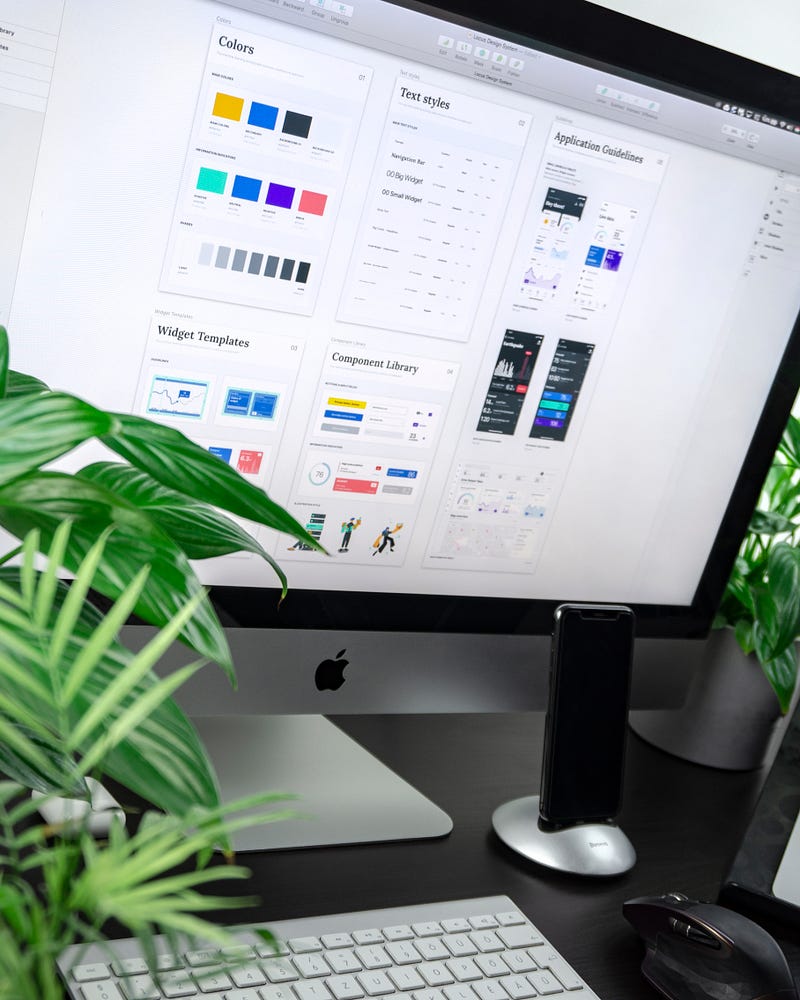
Photo by Balázs Kétyi on Unsplash

If there is one online app I have fully relied on for the last 3 years, it has to be Canva. Not only has it made my life by offering stunning and professional ready-made promotional material, but I also use it for everything from creating pins, video thumbnails, and presentation material for my studies.

I use Canva premium and get full commercial access to all the goodies inside. However, although it is easy to use, it's not always the best choice, especially if you are starting out with minimal money.

In this case, in order to step in and get your foot in the right direction in the world of passive income, you would need to use free resources to create and manage your designs.

Below are the best free alternatives I have tried in the earlier months of my side-hustle journey, and they all worked great.

*Listed according to priority*

1. Ipiccy :

  • Great free software that allows you to create an account and upload and save your work.
  • Built-in fonts.
  • Favorite feature: Adding a foiled effect to text and images
  • Disadvantages: restricts you to smaller file size of 4000px x 4000px. I’d need to switch to another program to design T-shirts and larger products for print-on-demand sites such as Redbubble. Doesn't allows you to make an image with added foil-effect transparent.

2. Photophea

  • A free alternative to photoshop, available completely online.
  • Disadvantages: more technical and you need to familiarize yourself with the tools and features.
  • Favorite feature: this allows you to design and download larger file sizes as big as 8000px x 8000 perfect for tapestries and puzzle designs on Redbubble.

3. Snappa

  • Free and easy-to-use design website with built-in templates, images, and fonts.
  • Disadvantages: limits you to only 3 downloads per month on a free account.
  • Favorite feature: royalty-free images can be used in your designs, commercial rights, and over 5 million.

Below is a link to a great resource that can help you identify free canva alternatives to help you create stunning designs and promotional material.

Resources

If you would like to support my journey, then kindly subscribe to my youtube channel where I will be sharing updates as well as step-by-step guides on my passive income journey as well as business strategies and tricks. Subscribe here.

Access unlimited high-quality content on Medium by subscribing here. By using my link, you support me in continuing to write on this platform and provide my strategies and tricks on building a passive online income.

About The Author

Noor is a second-year business student at Tredu. She is also studying for Diploma of International Smart Industry at Tampere University. She is passionate about marketing and content creation. She recently launched her YouTube channel specializing in holistic healing.

Design
Graphic Design
Entrepreneurship
Passive Income
Side Hustle
Recommended from ReadMedium