avatarDean Gee

Free AI web copilot to create summaries, insights and extended knowledge, download it at here

4467

Abstract

self, img</span>): height, width, channels = img.shape results = self.model.predict(source=img.copy(), save=<span class="hljs-literal">False</span>, save_txt=<span class="hljs-literal">False</span>) result = results[<span class="hljs-number">0</span>] segmentation_contours_idx = [] <span class="hljs-keyword">for</span> seg <span class="hljs-keyword">in</span> result.masks.segments: <span class="hljs-comment"># contours</span> seg[:, <span class="hljs-number">0</span>] *= width seg[:, <span class="hljs-number">1</span>] *= height segment = np.array(seg, dtype=np.int32) segmentation_contours_idx.append(segment) bboxes = np.array(result.boxes.xyxy.cpu(), dtype=<span class="hljs-string">"int"</span>) class_ids = np.array(result.boxes.cls.cpu(), dtype=<span class="hljs-string">"int"</span>) scores = np.array(result.boxes.conf.cpu(), dtype=<span class="hljs-string">"float"</span>).<span class="hljs-built_in">round</span>(<span class="hljs-number">2</span>) <span class="hljs-keyword">return</span> bboxes, class_ids, segmentation_contours_idx, scores</pre></div><h2 id="1088">4. Interpreting the codes</h2><p id="3a87">Let’s run the code and try to interpret it.</p><p id="cbca">It shows the size of image is 448x640 of class frisbee or sports ball</p><div id="6b8d"><pre><span class="hljs-keyword">for</span> bbox, class_id, seg, score <span class="hljs-keyword">in</span> zip(bboxes, classes, segmentations, scores): cv2.rectangle(img,(x,y), (x2, y2),(0,0,255),2) <span class="hljs-built_in">print</span>(bboxes)</pre></div><figure id="f0ba"><img src="https://cdn-images-1.readmedium.com/v2/resize:fit:800/1*H07F26athuNmWdqS6zYATQ.png"><figcaption></figcaption></figure><p id="b4ce"><b>5. Draw the Bounding Box</b></p><p id="dc45">Let’s draw the bounding box to ensure we have the correct object.</p><div id="faa6"><pre>for bbox, class_id, seg, score in <span class="hljs-built_in">zip</span>(bboxes, classes, segmentations, scores): cv2.<span class="hljs-built_in">rectangle</span>(img,(x,y), (x2, y2),(<span class="hljs-number">0</span>,<span class="hljs-number">0</span>,<span class="hljs-number">255</span>),<span class="hljs-number">2</span>)</pre></div><figure id="e4d1"><img src="https://cdn-images-1.readmedium.com/v2/resize:fit:800/1*Wd8CPiRMeTM8-X5dUjT5FA.png"><figcaption></figcaption></figure><p id="8507"><b>6. Draw polylines</b></p><p id="fa79">Here is the opencv format: <code>cv2.polylines(image, [pts], isClosed, color, thickness)</code></p><div id="2616"><pre>for bbox, class_id, seg, score in <span class="hljs-built_in">zip</span>(bboxes, classes, segmentations, scores): cv2.<span class="hljs-built_in">rectangle</span>(img,(x,y), (x2, y2),(<span class="hljs-number">0</span>,<span class="hljs-number">0</span>,<span class="hljs-number">255</span>),<span class="hljs-number">2</span>) cv2.<span class="hljs-built_in">polylines</span>(img,[seg], True, (<span class="hljs-number">255</span>,<span class="hljs-number">0</span>,<span class="hljs-number">0</span>), <span class="hljs-number">2</span>)</pre></div><figure id="186d"><img src="https://cdn-images-1.readmedium.com/v2/resize:fit:800/1*JBl0ztp8GVsxdxv6kbufNg.png"><figcaption></figcaption></figure><p id="37d3"><b>7. Display class_id in the images</b></p><div id="f77a"><pre>for bbox, class_id, seg, score in <span class="hljs-built_in">zip</span>(bboxes, classes, segmentations, scores): cv2.<span class="hljs-built_in">rectangle</span>(img,(x,y), (x2, y2),(<span class="hljs-number">0</span>,<span class="hljs-number">0</span>,<span class="hljs-number">255</span>),<span class="hljs-number">2</span>) cv2.<span class="hljs-built_in">polylines</span>(img,[seg], True, (<span class="hljs-number">255</span>,<span class="hljs-number">0</span>,<span class="hljs-number">0</span>), <span class="hljs-number">2</span>) cv2.<span class="hljs-built_in">putText</span>(img,<span class="hljs-built_in">str</span>(class_id), (x, y-<span class="hljs-number">10</span>), cv2.FONT_HERSHEY_PLAIN, <span class="hljs-number">2</span>, (<span class="hljs-number">0</span>,<span class="hljs-number">0</span>,<span class="hljs-number">255</span>),<span class="hljs-number">2</span>)</pre></div><figure id="541f"><img src="https://cdn-images-1.readmedium.com/v2/resize:fit:800/1*9u3k7CZJoWD0J8SFHr20kg.png"><figcaption></figcaption></figu

Options

re><h2 id="1682">8. To fill the shape, just use FillPoly</h2><div id="5f1b"><pre>for bbox, class_id, seg, score in <span class="hljs-built_in">zip</span>(bboxes, classes, segmentations, scores): cv2.<span class="hljs-built_in">rectangle</span>(img,(x,y), (x2, y2),(<span class="hljs-number">0</span>,<span class="hljs-number">0</span>,<span class="hljs-number">255</span>),<span class="hljs-number">2</span>) cv2.<span class="hljs-built_in">polylines</span>(img,[seg], True, (<span class="hljs-number">255</span>,<span class="hljs-number">0</span>,<span class="hljs-number">0</span>), <span class="hljs-number">2</span>) cv2.<span class="hljs-built_in">putText</span>(img,<span class="hljs-built_in">str</span>(class_id), (x, y-<span class="hljs-number">10</span>), cv2.FONT_HERSHEY_PLAIN, <span class="hljs-number">2</span>, (<span class="hljs-number">0</span>,<span class="hljs-number">0</span>,<span class="hljs-number">255</span>),<span class="hljs-number">2</span>) cv2.<span class="hljs-built_in">fillPoly</span>(img, pts=[seg], color=(<span class="hljs-number">255</span>, <span class="hljs-number">0</span>, <span class="hljs-number">0</span>))</pre></div><figure id="6535"><img src="https://cdn-images-1.readmedium.com/v2/resize:fit:800/1*5nI1CNwifDKx7yKpFwDovw.png"><figcaption></figcaption></figure><p id="fe5c"><b>9. Load in our own image now</b></p><p id="1255">Now add in the our own weights and image to the pycharm</p><figure id="5e22"><img src="https://cdn-images-1.readmedium.com/v2/resize:fit:800/1*885EJtYZDG9W9AQDeGFCOQ.png"><figcaption></figcaption></figure><p id="08b7">Change the following codes</p><p id="5651">img = cv2.imread(“rugby.jpg”)</p><p id="7436">→ img = cv2.imread(“container.jpg”)</p><p id="ecdc">ys = YOLOSegmentation(‘yolov8m-seg.pt’)</p><p id="00de">→ ys = YOLOSegmentation(‘best.pt’)</p><div id="95c2"><pre><span class="hljs-attr">img</span> = cv2.imread(<span class="hljs-string">"rugby.jpg"</span>) <span class="hljs-attr">ys</span> = YOLOSegmentation(<span class="hljs-string">'yolov8m-seg.pt'</span>)</pre></div><div id="e1a1"><pre><span class="hljs-attr">img</span> = cv2.imread(<span class="hljs-string">"container.jpg"</span>) <span class="hljs-attr">ys</span> = YOLOSegmentation(<span class="hljs-string">'best.pt'</span>)</pre></div><p id="09db"><b>10. Test the image</b></p><p id="5b61">Here are the test results in Pycharm. According to data.yaml file, the class id is 0 (blue), 1(gray), 2(green), 3(red) and 4(yellow)</p><figure id="03b8"><img src="https://cdn-images-1.readmedium.com/v2/resize:fit:800/1*nzDJrIVpkXtXb4pDO5mtvg.png"><figcaption></figcaption></figure><figure id="55a6"><img src="https://cdn-images-1.readmedium.com/v2/resize:fit:800/1*rmGcevWHaCQ18iCRO5Pifw.png"><figcaption></figcaption></figure><p id="ac3e"><b>9.1 scores</b></p><p id="c2ac">The scores are following the sequence in Roboflow which is generated into a data.yaml file.</p><figure id="ad6d"><img src="https://cdn-images-1.readmedium.com/v2/resize:fit:800/1*BgCDYQ8n37iHXgOdbzM5pw.png"><figcaption></figcaption></figure><p id="4b1f">We see that there is a duplicate gray colour with the left side considered as a gray object</p><p id="7364"><b>9.2 Scores</b></p><p id="ff1d">Scores show relatively detection scores are high for blue and yellow. The worst score is gray since there are overdetected one of them.</p><figure id="effc"><img src="https://cdn-images-1.readmedium.com/v2/resize:fit:800/1*Kdy0tXlZunTzuRsoRHkCGw.png"><figcaption></figcaption></figure><h2 id="17ec">10. Now convert to TFLite model</h2><p id="2632">To convert to TFlite model, just run the following command</p><p id="b5cc">!yolo export model=/content/runs/segment/train2/weights/best.pt format=tflite</p><h1 id="279c">Conclusion</h1><p id="8788">As you can see, we can get more precise location and bounding boxes with object segmentation. Try this out and see if you can use it with other OpenCV function!</p><h1 id="daa2">References</h1><p id="30d7">Ref1:<a href="https://nirmalamurali.medium.com/image-classification-vs-semantic-segmentation-vs-instance-segmentation-625c33a08d50">https://nirmalamurali.medium.com/image-classification-vs-semantic-segmentation-vs-instance-segmentation-625c33a08d50</a></p><p id="d045">Ref2:<a href="https://pysource.com/2023/02/21/instance-segmentation-yolo-v8-opencv-with-python-tutorial/">https://pysource.com/2023/02/21/instance-segmentation-yolo-v8-opencv-with-python-tutorial/</a></p></article></body>

3 Foods That Contribute to a 30% Death Rate, and Natural Remedies.
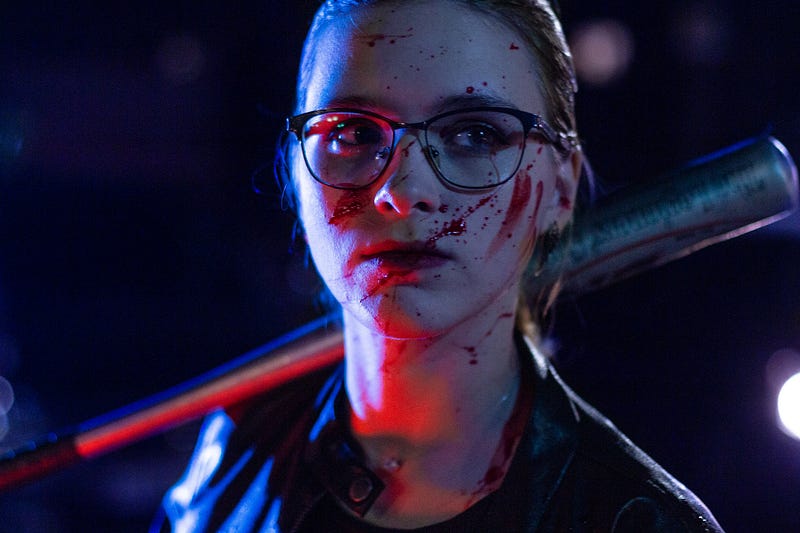
Photo by Peter Scherbatykh on Unsplash

I wasn’t aware that clotting blood in thrombosis is responsible for 30% of all deaths worldwide, according to the W.H.O. (World Health Organisation). Heart disease and strokes are how they manifest.

“The Life is in the blood” Leviticus 17:11

We all know that blood loss means death, but not only that, whenever we go to a doctor and have a general overall health assessment, the doctor usually requests some blood tests.

Blood not only brings nourishment and nutrients to the cells but also can harbour rare diseases and cause death through unwanted blood clots or hemorrhaging, amongst others.

So blood, depending on what processes and nutrients we find within it, can mean the healing of a wound through clotting or death through stroke.

Blood is a double-edged sword, yet one thing we do know, without it we cannot live.

Who are the baddies?

Fibrins and fibrinogen levels within our blood are very important to our overall health. These are, most times, baddies in our blood. None of us want high fibrinogen levels in our blood.

Fibrins are made in our blood through various processes, and fibrinogen levels are a key factor for blood clotting and inflammation and a number of health conditions such as cardiovascular disease, dementia, Alzheimer’s, and thrombosis.

What types of foods help the baddies?

They did a study that I have linked below, on Japanese people living in Hawaii versus Japanese people living in Japan. In the study, they compared the Fibrinogen levels of both groups.

The Japanese living in Hawaii and eating a Western-style diet had much higher fibrinogen levels than those living in Japan.

The two foods and one beverage that permeated the Western diet at greater levels than the traditional Japanese diet are red meat, sugar, and caffeine.

It seems that a combination of these three contributes to higher fibrinogen levels, which then contribute to cardiovascular disease, thrombosis, Alzheimer’s, and stroke.

What can we do to combat this?

Anticoagulant medication, also known as blood-thinning medication, has many side effects, the chief one being hemorrhaging, in many places of the body.

There are, however, some new encouraging results that are starting to emerge from the use of enzymes, specifically proteolytic enzymes, that can have a similar effect, however, the way they work is different from blood thinning medication.

The reason I am excited about what they have found is because these enzymes stop the process of fibrinogen formulation rather than just thinning the blood. It’s like having a sniper take out the main terrorist, rather than blow up all the innocent people in the building where the terrorist is hiding.

A more targeted response and preserving the surrounding structures and environment is always a better approach.

These enzymes that are available in supplement form have names that would be a wonderful challenge to say one after the other as a drinking game.

They are lumbrokinase, serrapeptase, and nattokinase. From what I have read, lumbrokinase has the greatest power in prohibiting fibrins from forming. These are natural anticoagulants, so they seem less risky than medication.

Also financially, these enzyme proteolytics are much less costly and therefore more accessible to the poorer people in society, so that’s very encouraging.

Recap

There are these bad entities called fibrins created in our blood that cause and lead to many debilitating diseases and instant death diseases like cardiovascular disease, Alzheimer’s, stroke, and thrombosis.

Three dietary factors in combination, namely caffeine, sugar, and red meat, seem to contribute to fibrins forming in the blood.

Blood-thinning drugs work, but at what cost to other body parts and overall health? Often, these drugs can cause severe side effects in other parts of the body or other organs.

There is hope in using proteolytic enzymes like nattokinase, serrapeptase, and lumbrokinase, the latter being the leader in prohibiting the formation of fibrins in our bloodstream.

I am not a doctor, so please find out more from your doctor if you are considering using anything, including supplements. I am merely sharing what I have uncovered while researching new products for a multinational food company, and I have a background in pharmaceutical product development.

Learn more:

https://journals.sagepub.com/doi/pdf/10.1177/0960327112467040

https://www.ahajournals.org/doi/10.1161/01.ATV.0000225701.20965.b9

Health
Healthy Lifestyle
Diet
Blood
Health Foods
Recommended from ReadMedium