
Set Up and Use MySQL in Create React App Environment
Detailed steps on how to manage MySQL for Node.js apps

SQL databases, developed in the 1970s, are tables with fixed rows and columns. The popular SQL databases are Oracle, MySQL, Microsoft SQL Server, and PostgreSQL.
NoSQL databases, developed in the late 2000s, are non-tabular databases, which store data differently from relational tables. MongoDB and CouchDB focus on documents, Redis and DynamoDB are for key-value pairs, Cassandra and HBase specialize in wide-column, and Neo4j and Amazon Neptune are designed for graphs.
Is SQL still relevant in 2022?
Yes. We are building an end-to-end project with React + Express + Node.js + MySQL.
MySQL is an open-source relational database management system (RDBMS). “My” is the name of co-founder Michael Widenius’s daughter, and SQL is the abbreviation for Structured Query Language. MySQL is the third most popular RDBMS in the world, which continues to power many existing and new projects.
In this article, we outline details on how to manage MySQL for Node.js apps.
Install Local MySQL
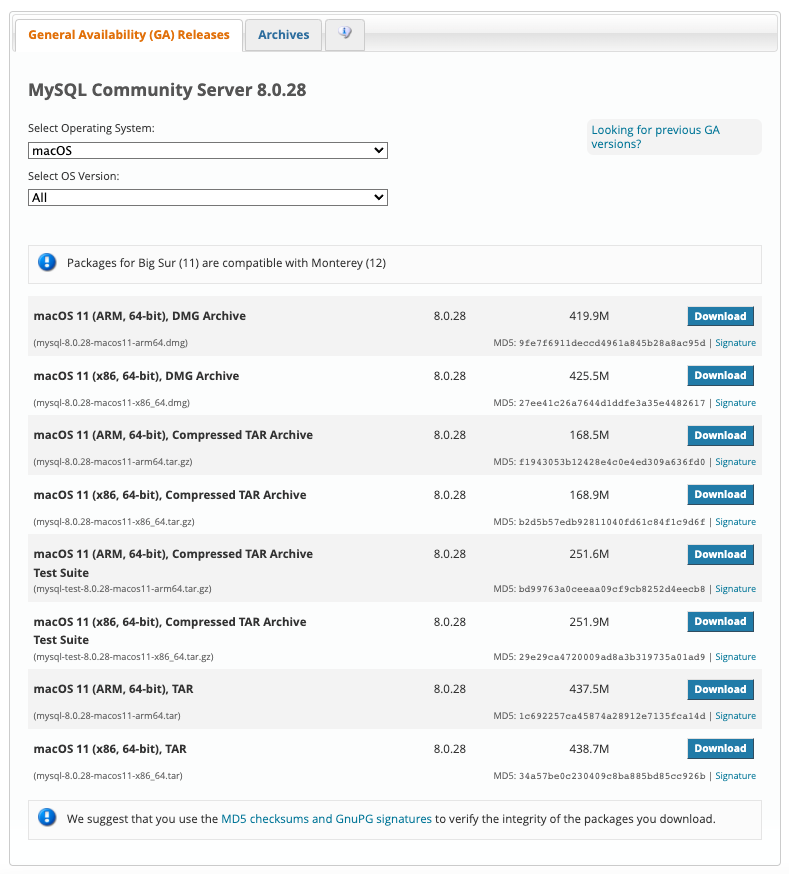
For this article, a community version (free) MySQL is downloaded on MacOS.
Go to the official website, choose the downloading package based on the operating system and OS version.
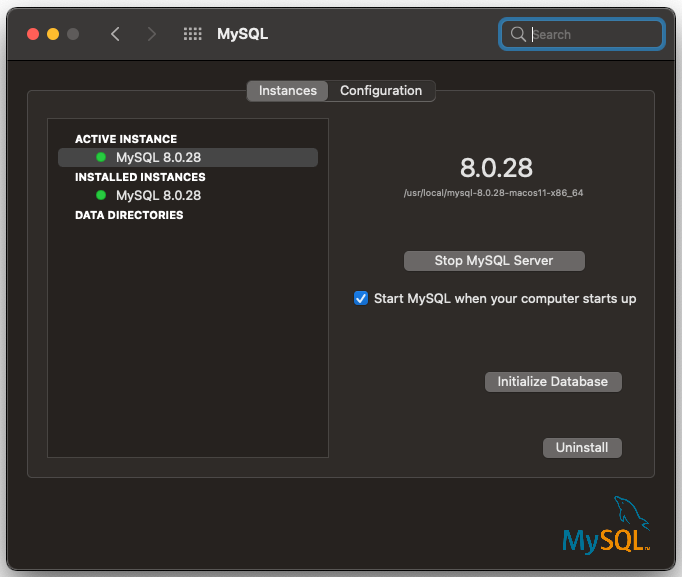
After MySQL is downloaded, open System Preferences... on MacOS. Click on the MySQL app, and it shows that the active instance is MySQL 8.0.28.
Use MySQL CLI
The CLI, mysql, can be used to manage the database:
Line 1 accesses mysql that is located at /usr/local/mysql/bin.
During installation, we have created a user, root, with a password. At line 11, we change the password to 'password', and at line 14 , privileges are refreshed for the new password.
The project requires the JavaScript client for MySQL protocol. There are two popular choices, mysql and mysql2. Without the above changes, mysql connection would show the following error:
ER_NOT_SUPPORTED_AUTH_MODE: Client does not support authentication protocol requested by server; consider upgrading MySQL clientHowever, these changes are not necessary for mysql2.
The CLI can also be used to operate the database:
Line 1 creates a database, named myDB.
Line 4 selects the database, myDB.
Line 7 shows all tables in myDB, which is an empty set (line 8).
Line 10 creates a table, named students. This table has columns of id, name, age, and grade. Besides name is a variable-length string with the maximal length of 255, other columns are integers.
Line 13 shows all tables in myDB. With the newly added students, it has 1 table (lines 14–19).
Line 21 inserts a new record into students.
Line 24 selects data from students. The newly added record is displayed (lines 25–30).
Create React App Environment
It is typical to create a Node.js project to manage a MySQL database. However, we choose Create React App as a base for the following two reasons:
- React is needed to build a UI, which is part of our project.
- Create React App includes the Express server that is needed for the project.
The following command creates a React project:
npx create-react-app my-app
cd my-app
Set up mysql (mysql2 works similarly), the JavaScript client for MySQL protocol:
npm i mysqlSet up inquirer, an intuitive prompt library for Node.js.
mysql and inquirer become part of dependencies in package.json.
In addition, we set type to "module" in package.json to use ES module, which is the ECMAScript standard to work with modules.
We are ready to manage MySQL in a Node.js app.
Manage MySQL in a Node.js App
server/index.js is created to manage MySQL:
Line 1 imports mysql for MySQL protocol.
Line 2 imports inquirer for the intuitive prompt.
Lines 4–8 define the user configuration.
Lines 10–12 create MySQL connection using the user configuration. Line 11 enables multiple statements, which is disabled by default to avoid possible SQL injection attacks.
Lines 14–23 define the query function, which query the SQL statement(s). If there is an error, it is logged on the console (line 17). Otherwise, the query result is printed (line 19). After the query, the app is ready for the next inquire (line 21).
Lines 25–41 define the inquire function, which prompts 'mysql>'. It takes the user input as the parameter to invoke the query function (line 38). If the input is 'quit' (line 34), the connection is ended (line 36) and the app exits.
Lines 43–52 define the connect function, which connects to the database. If there is an error, it is logged on the console (line 46). Otherwise, the inquire function is invoked (line 49).
Line 54 invokes the connect function.
Run the node app by 'node server'. It functions similar to mysql CLI.
Line 3 selects the database, myDB.
Line 14 shows all tables in myDB , which has the students table created by CLI.
Line 16 drops the students table.
Line 27 shows all tables in myDB, which is an empty set (line 28).
Line 29 creates a table, named students. This table has columns of id, name, age, and grade. Besides name is a variable-length string with the maximal length of 255, other columns are integers.
Line 40 shows all tables in myDB. With the newly added students, it has 1 table (line 41).
Line 42 inserts a new record into students.
Line 53 selects data from students. The newly added record is displayed (line 54).
Line 55 quits the app.
Remove Local MySQL
We have used a community version MySQL to test our code. As matter of fact, our project uses a MySQL instance in the cloud. The local MySQL can be stopped.
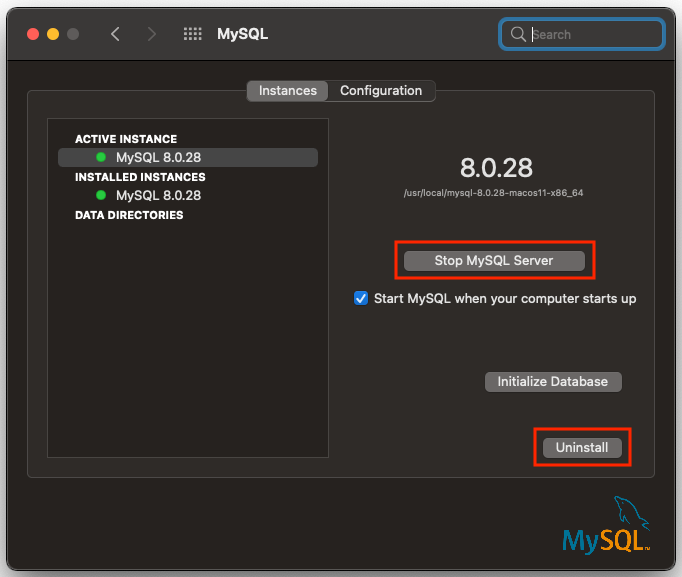
We may want to uninstall it.
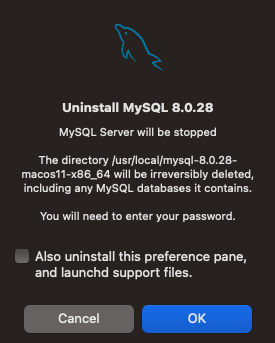
After the uninstallation, there are a few extra steps to clean up:
- Run
ps -ax | grep mysqlto check any MySQL processes. If there are any running, stop and terminate them. - Ensure all directories are cleaned up:
Conclusion
We have shown the detailed steps on how to manage MySQL for Node.js apps. It is the server side work on Node.js + MySQL. A community version MySQL is used to illustrate the work, where the node app functions similar to mysql CLI.
We also set up MySQL in Remix React Framework in another article.
Thanks for reading. I hope this was helpful. If you are interested, check out my other Medium articles.
Note: Thanks, Jialin Zhu and Xiaojun Zheng, for inviting me to work on this fun project with React + Express + Node.js + MySQL.


