
Useful Tips and Tricks for Python Programmers
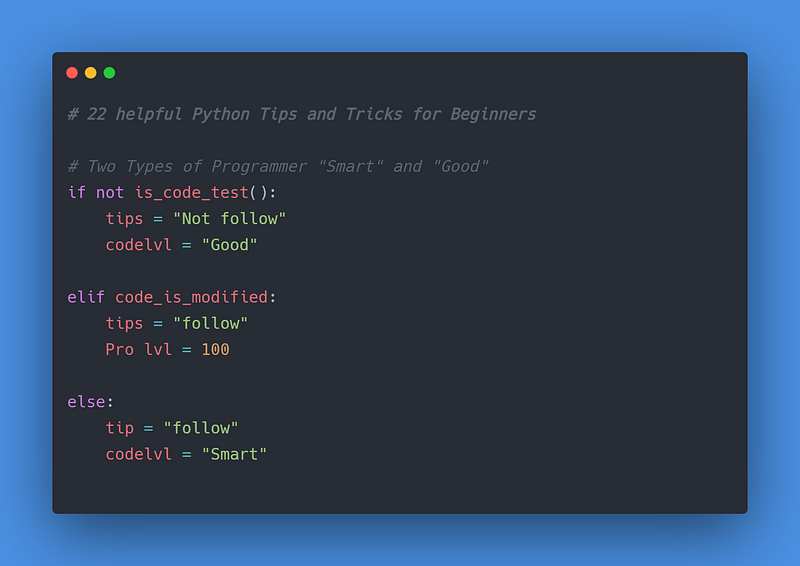
Python is no doubt a cool and famous language and every new developer wants to learn it. But to help you learn faster and code like a pro, I made some helpful tips and tricks for beginner programmers. That will help you to code faster, cleaner, and at a pro-level.
There are two types of developers — smart ones and good ones. These tips will make you a smart developer and a quick problem solver. This is more like a Python Tricks Course that you can get benefit from at various levels of difficulty and creativity. Following I had started to discuss our 22 helpful Python Tips and Tricks.
1. Swapping Numbers in Python
Swapping numbers in programming is usually done with an extra variable temp. But we had a trick for you for fast numbers swapping.
a = 5
b = 8
#Normal waytemp = a
a = b
b = temp#Tip and Trick waya, b = b, a
2. Reverse a String
These tips will help you to reverse a string in an easy and fast way.
string1 = "python"
string2 = "programming"print(string1[: : -1]) #nohtyp
print(string2[: : -1]) #gnimmargorp
3. Converting a list to Dictionary
This tip and trick are useful when you are required to convert a list into the dictionary. I will guide you in an easy and fast method of how to do that?.
names=["ferb", "Jenny", "John"]
salary=["45000", "65000", "75000"]employee=dict(zip(names,salary))
print(employee) #{'ferb': '45000', 'Jenny': '65000', 'John': '75000'}
4. Multiple User input
These tips will help you to take multiple user inputs. if you are thinking that is easy if we add two input function then you are right it’s easy but I had a fast and easy way to do that.
#normal way
a = input("Enter name: ")
b = input("Enter age: ")
print(a, b) # haider 22#Fast and Easy Way
a, b = input("Enter name and age: ").split()
print(a, b) # haider 22
5. Walrus (:=) Operator
This tip will help you to understand the walrus (:=) operator. This operator is recently added in the new version of python 3.8 and its Assignment expressions allow you to assign and return a value in the same expression. Take a look at the example below to understand this operator.
6. Shutting down your PC/Laptop
This tip and trick will help you to shut down your computer using operating systems and modules and python with only one line of code.
import os
os.system("window -s")
7. Multiple Arguments function
This is an awesome tip and trick, let say you are creating a function and don’t know how many arguments are coming from the user so that trick will help you to accept unlimited arguments from the user.
def number(*num):
    for n in num:
        print(n)number(2,3,5,6)
number(4,5,6,2,6,7,9,10)
8. Read Passwords as User input
This tip and trick are useful when you want to input a password from a user but you know the input function in python did not convert your user input in “*” asterisk form.
from getpass import getpassusern = input('Enter username : ')
passw = getpass('Enter password : ' )9. Calculate Execution Time
This tip will help you to measure your program running time. In simple words how much your program takes time to complete its execution.
import timedef add(a, b):
a = a + 3
b = b + 2
c = a + b
return cstartTime=time.time()add(5,4)endTime = time.time()totalTime = endTime - startTime
print(totalTime) # 0.03410. Duplicate Removing from List
This tip and trick will help you to remove duplicates from a list in a fast and easy way. check out the code example below.
my_list = [10, 10, 22, 23, 27, 22, 89, 56, 25, 89]#removing duplicates
my_list = list(set(my_list))
print(my_list) # [10, 22, 23, 56, 89, 27, 25]11. Manipulating (append) Tuples
In Python you know that tuples are immutable that means you can’t append them to add new values. But this tip and trick will help you to append tuples and add new values to them.
tuple1 = (1, 2, 3)
lst= list(tuple1)lst.append(4)
lst.append(5)tuple1 = tuple(lst)
print(tuple1) # (1, 2, 3, 4, 5)12. Palindrome checking
This trick is a one-line code to check the word is palindrome or not. Now you don’t need to write a long loop to check palindrome you can do it in a fast and easy way.
w = "mom"palindrome = bool(w.find(w[: : -1]) + 1)
print(palindrome)13. List Comprehension
This tip for list comprehension will help you to understand how it works and how it makes our work more easy and fast.
#normal way
x1= []
for x in range(1, 10):
    x1.append(x**2)
print(x1) # [1, 4, 9, 16, 25, 36, 49, 64, 81]
#List comprehension easy and fast
x1 = [x**2 for x in range(1, 10)]
print(x1) # [1, 4, 9, 16, 25, 36, 49, 64, 81]14. Dictionary Comprehension
This tip is helpful to understand dictionary comprehension.
dict1 = {x: x ** 2 for x in range(1, 4)}print(dict1) #{1: 1, 2: 4, 3: 9}15. Chain Operator Tip
This tip will help you to know what is chain operator how to use it to make your coding cleaner and faster.
num = 50result = 25 < num < 58
print(result) #True16. Breaking String
This trick will help you to break the string on basis of spaces. This is a fast and easy way to do that.
string = "Python Programming"print(string.split()) # ['Python', 'Programming']17. Handle speed of your Code
This tip I mostly used to handle my code speed. This tip will help you to slower your code speed.
import time
time.sleep(2) # wait for 2 sec here
print("Python tips and tricks")
18. Count Number of Word Appearance in a list
This tip will count the number of times the word appears in a list. check the code example below to know how it works.
from collections import Countercounter = Counter(['apple', 'mango', 'apple', 'pineapple', 'mango'])
print(counter) # Counter({'apple': 2, 'mango': 2, 'pineapple': 1})19. For loop with Else
You had usually use for loop alone but this tip will show you how you can use for loop with else statement.
for x in range(1, 4):
    print(x)
else:
    print("Python")
#output
# 1
# 2
# 3
# python20. Lambda
This lambda tip will help you to understand how lambda works. Lambda in Python is the user-defined one-line mini function.
num = lambda x: x**2
print(num(5))
21. Return multiple results from a function
This trick will show you how you can return multiple results from the function back to the function call.
def values():
    return 1, 2, 3
print(values()) #(1, 2, 3)22. Deep Copy
You can do a Shallow copy in python but how you can do a deep copy ?. Well, this tip will help you do a deep copy in Python in an easy way.
import copylist1 = ["ferb", "haider", "Jenny"]
list2 = copy.deepcopy(list1)Final Thoughts
I hope you enjoy and found these tips and tricks helpful and interesting. If I miss any important tips let me know in response. Moreover, python is a famous language and you can find the solution to the problem in a different way and it depends on which solution is suitable for you. You can leave your feedback and Happy Codding!.
Check out my other interesting articles on Python Programming. I hope you find them helpful also.
https://python.plainenglish.io/build-your-first-simple-django-web-app-with-python-9a4452157089
More content at plainenglish.io