
20 Underdog Python Built-in Libraries That Deserve Much More Attention
Time to go out of the shadows — the built-in library

Introduction
Most people think Python’s mass dominance is due to its powerful packages like NumPy, Pandas, Sklearn, XGBoost, etc. These are third-party packages written by professional developers, often with the help of other faster programming languages like C, Java, or C++.
So, one of the feeble arguments haters might throw against Python is that it won’t be as popular once you strip away all the glory these third-party packages bring. I am here to say otherwise and show that standard Python is already powerful enough to give a serious run for any language’s money.
I bring to your attention 20 lightweight packages that come built-in with your Python installation and are only a single line away from being unleashed.
1️. contextlib
Handling external sources like database connections, open files, or anything that requires manual open/close operations can become a giant pain in there. Context managers solve this issue elegantly.
Context managers are a defining feature of Python, not present in other languages, and highly sought after. You’ve probably seen the with keyword used with the open function, but you may not know that you can create custom functions that work as context managers.
Below, you can see a context manager that serves as a timer:
Wrapping a function written with special syntax under a contextmanager decorator from contextlib, converts it to a manager you can use with the with keyword. You can read more about custom context managers in my separate article.
📚 Documentation: https://docs.python.org/3/library/contextlib.html
💻 Demo: link
2️. functools
Want more powerful, shorter, and multi-functional functions? Then, functools has got you covered. This built-in library contains many methods and decorators you can wrap around existing ones to add additional features.
One of them is the partial, which can be used to clone functions while preserving some of their arguments with custom values. Below, we are copying the read_csv from Pandas so that we don't have to repeat passing the same arguments to read some CSV files with similar structures:
Another one of my favorites functions is a caching decorator. Once wrapped, cache remembers every output that maps to inputs so that the results are instantly available when the same arguments are passed to the function. The streamlit library greatly takes advantage of such a function.
📚 Documentation: https://docs.python.org/3/library/functools.html
3️. itertools
If you ever find yourself in a situation where you are writing nested loops or complicated functions to iterate through more than one iterable, check if there is already a function in itertools library. Maybe, you don't have to reinvent the wheel - Python thought of your every need.
Below are some handy iteration functions from the library:
📚 Documentation: https://docs.python.org/3/library/itertools.html
4️. glob
For users who love Unix-style pattern matching, the glob library should feel right at home:
glob contains all the relevant functions to work with multiple files simultaneously without headaches (or using a mouse).
📚 Documentation: https://docs.python.org/3/library/glob.html
5️. pathlib
The Python os module, to put it nicely, sucks... Fortunately, core Python developers heard the cries of millions and introduced the pathlib library in Python 3.4. It brings a convenient object-oriented approach to systems paths.
It also tries very hard to solve all the issues related to (put in the adjective) Windows path system:
Check out my viral article on it:
📚 Documentation: https://docs.python.org/3/library/pathlib.html
6️. sqlite3
To the delight of data scientists and engineers, Python comes with built-in support for databases and SQL through the sqlite3 package. Just hook up to any database (or create one) using a connection object and fire away SQL queries. The package performs obediently.
📚 Documentation: https://docs.python.org/3/library/sqlite3.html
7️. hashlib
Python has spawned deep, deep roots in the sphere of cybersecurity, not just in AI and ML. An example of this is the hashlib library that contains your most common (and secure) cryptographic hash functions like SHA256, SHA512, and so on.
📚 Documentation: https://docs.python.org/3/library/hashlib.html
8️. secrets
I love mystery novels. Have you ever read The Hound of Baskervilles? It is fantastic, go read it.
While it might be immense fun to implement your own message encoding functions, they won’t probably be up to the same standards as the battle-tested functions in the secrets library.
There, you will find everything you need to generate random numbers and characters for the hairiest of passwords, security tokens, and related secrets:
📚 Documentation: https://docs.python.org/3/library/secrets.html
9️. argparse
Are you good at the command line? Then, you are one of the few. Also, you will love the argparse library. With it, you can make your static Python scripts accept user input through CLI keyword arguments.
The library is rich in functionality, enough to create complex CLI applications for your script or even entire packages.
I highly recommend checking out the RealPython article for a comprehensive overview of the library.
📚 Documentation: https://docs.python.org/3/library/argparse.html
💻 Demo tutorial: Real Python
10. random
There are no coincidences in this world — Oogway.
Maybe that’s why scientists use pseudorandomness, that pure randomness doesn’t exist. (Not true)
Anyway, the random module in Python should be more than enough to simulate basic chance events:
📚 Documentation: https://docs.python.org/3/library/random.html
1️1. pickle
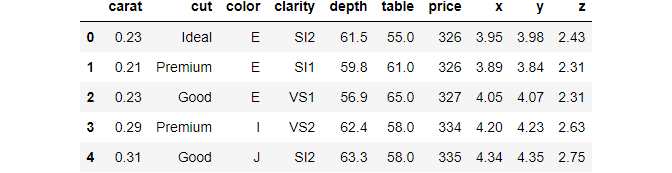
Just as dataset sizes are getting larger and larger, so are our needs to store them faster and more efficiently. One of the alternatives to flat CSV files that come natively with your Python installation is pickle file format. In fact, it is about 80 times faster than CSVs at IO and occupies smaller memory.
Here is an example that pickles a dataset and loads it back:
📚 Documentation: https://docs.python.org/3/library/pickle.html
💻 Comparison article by Dario Radecic: link
1️2. shutil
The shutil library, standing for shell utilities, is a module for advanced file operations. With shutil, you can copy, move, delete, archive, or do any file operation that you would typically perform in the file explorer or on the terminal:
📚 Documentation: https://docs.python.org/3/library/shutil.html
13. statistics
Who even needs NumPy or SciPy when there is the statistics module? (Actually, everyone does - I just wanted to write a dramatic sentence).
This module can come in handy to perform standard statistical computations on pure Python arrays. There is no need to install third-party packages if all you need is to make a simple calculation.
📚Documentation: https://docs.python.org/3/library/statistics.html
14. gc
Python really pulls out all the stops. It comes with everything — from package managers right up to garbage collectors.
Yeah, you read me right. The gc module serves as a garbage collector in Python programs once enabled. In lower-level languages, this irksome task is left to the developer, who has to allocate and release chunks of memory required in the program manually.
The collect function returns the number of unreachable objects found within the namespace and flushes them out. In simple terms, the function releases the memory slot of unused objects. You can read more about memory management of Python below.
📚Documentation: https://docs.python.org/3/library/gc.html
💻Memory management in Python — link
15. pprint
Some outputs coming from certain operations are just too horrific to look at. Do your eyes a favor and use the pprint package for intelligent indentations and pretty outputs:
For even more complex outputs and custom printing options, you can create printer objects with pprint and use them multiple times over. Details are in the docs.
📚 Documentation: https://docs.python.org/3/library/pprint.html
16. pydoc
Code is more often read than written — Guido Van Rossum.
Guess what? I love documentation and writing it for my own code (don’t be surprised; I am a bit of an OCD).
Hate it or love it — documenting your code is a necessary evil. It becomes essentially important for larger projects. In such cases, you can use the pydoc CLI library to automatically generate docs on the browser or save it to HTML using the docstrings of your classes and functions.
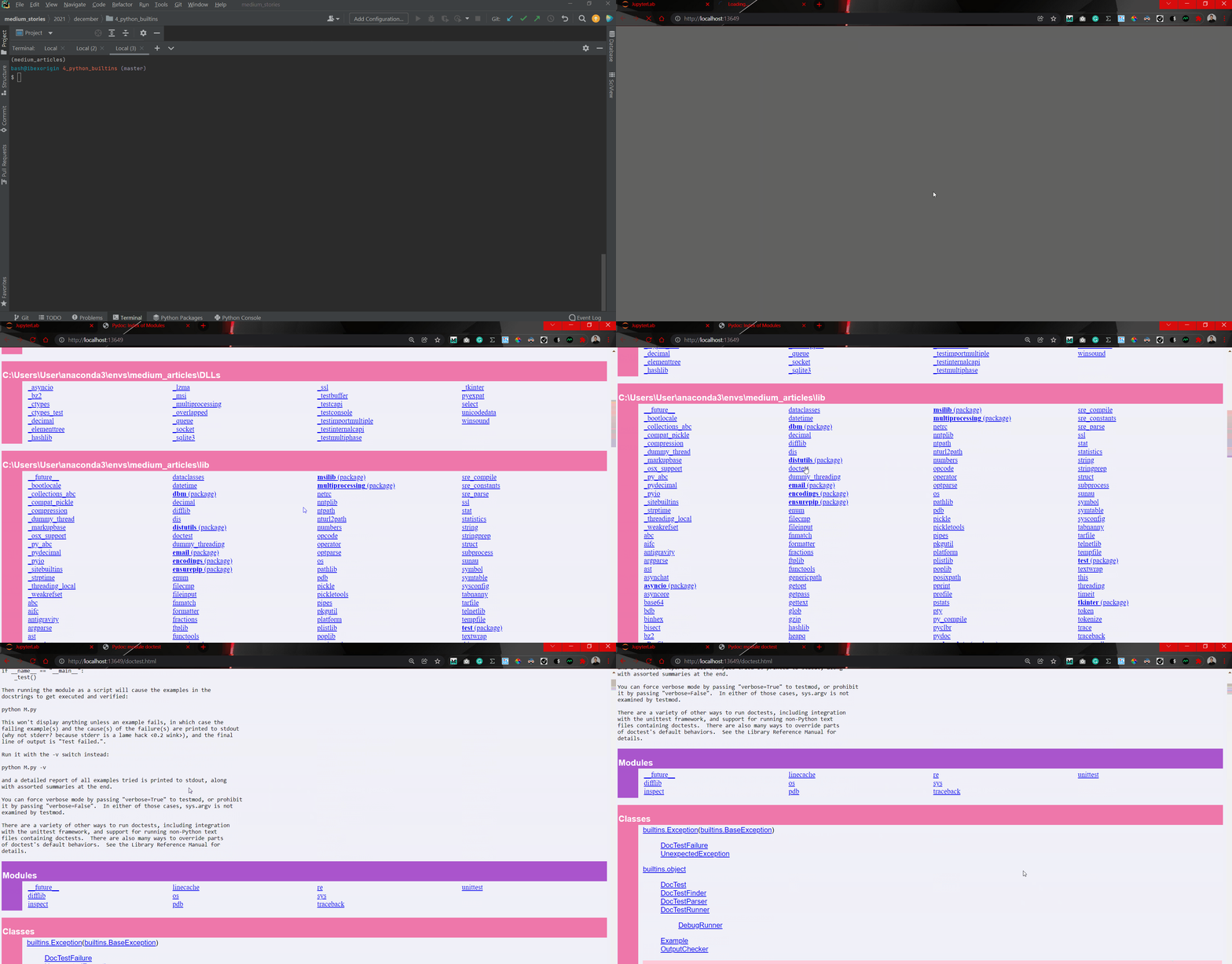
It can serve as a preliminary overview tool before deploying your docs to other services like Read the Docs.
📚Documentation: https://docs.python.org/3/library/pydoc.html
💻 Guide to documenting your code — Real Python
17. calendar
What the HECK was going on during the September of 1752?

Apparently, there were 19 days in September 1752 in the UK. Where did 3, 4, … 13 go? Well, it is all about the giant mess about switching from the Julian Calendar to Gregorian, which the UK was very stubborn about till the 1750s. You can watch it here.
This was the case only in the UK. The rest of the world had sense and was following through the correct course of time, as can be seen using the calendar module:
Python takes time seriously.
📚Documentation: https://docs.python.org/3/library/calendar.html
18. webbrowser
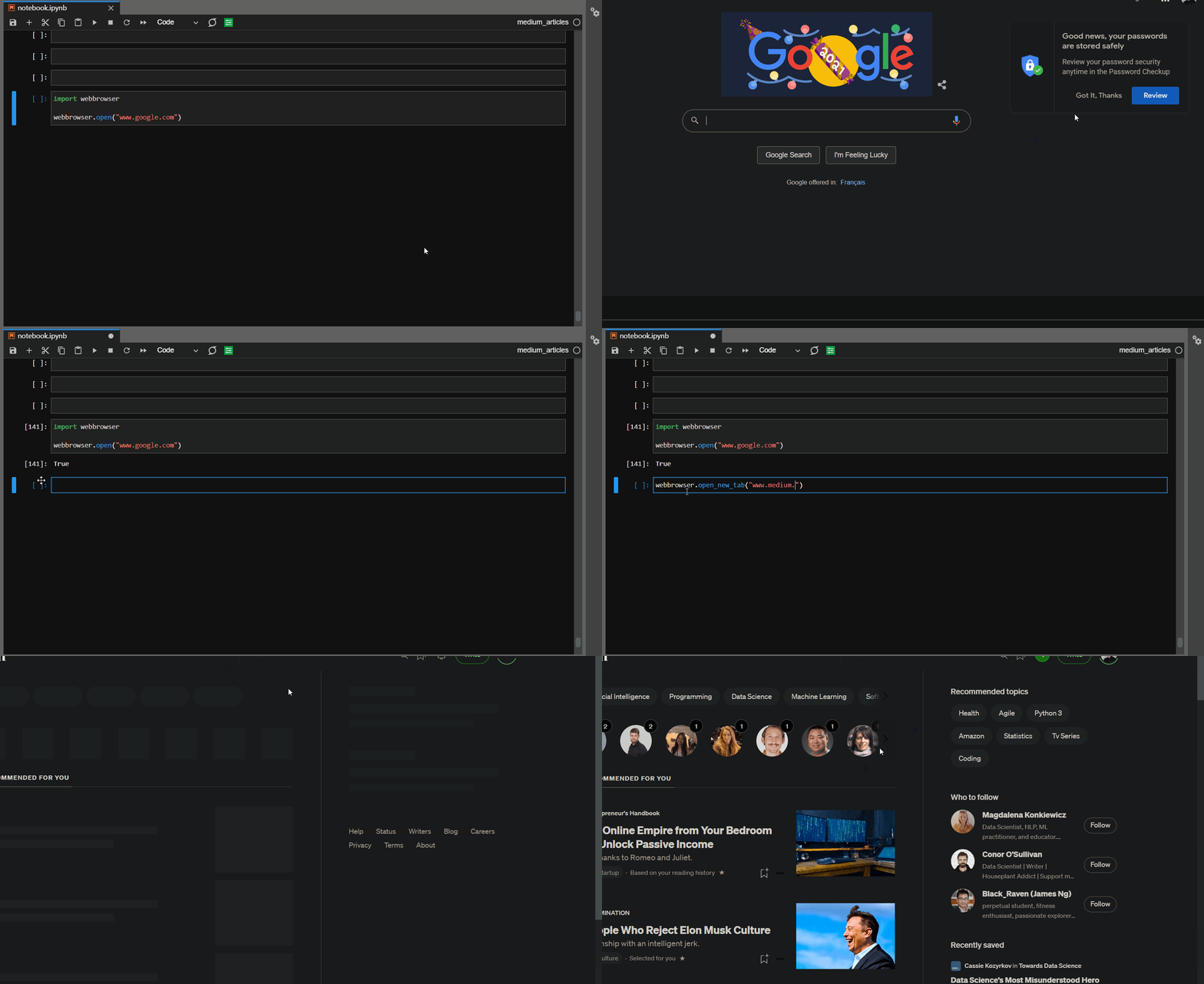
Imagine jumping straight to StackOverflow from your Jupyter Notebook or your Python script. Why would you even do that?
Well, because you CAN… with the webbrowser module.
📚Documentation: https://docs.python.org/3/library/webbrowser.html
19. logging
One of the signs that you are looking at a seasoned developer is the lack of print statements in their code. The vanilla print function won't just cut it for the myriad of use-cases you have to deal with while coding and debugging. You need to use more sophisticated tools like logging.
This module lets you log messages with different priorities and custom formatted timestamps. Here is the one I use daily:
📚 Documentation: https://docs.python.org/3/library/logging.html
💻 Excellent tutorial on logging in Python: Real Python
20. concurrent.futures
I have left something juicy for the end. This library is about executing operations concurrently, as in multithreading.
Below, I send 100 GET requests to a URL and get back the response. The process is slow and tedious as the interpreter waits until each request comes back, and that’s what you get when you use loops.
A much smarter approach is to use concurrency and use all the cores on your machine. The concurrent.futures package enables you to do this. Here is the basic syntax:
The runtime decreased 12 times, as concurrency allowed sending multiple requests simultaneously using all the cores. You can read more about concurrency in the below tutorial.
📚 Documentation: https://docs.python.org/3/library/concurrent.futures.html
💻 Demo tutorial: Article by Dario Radecic
Conclusion
There is no need to overcomplicate things. If you don’t need them, there is no need to saturate your virtual environment with heavy packages. Having a few built-in packages up your sleeve might just be enough. Remember, “Simple is better than complex” — the Zen of Python.
Loved this article and, let’s face it, its bizarre writing style? Imagine having access to dozens more just like it, all written by a brilliant, charming, witty author (that’s me, by the way :).
For only 4.99$ membership, you will get access to not just my stories, but a treasure trove of knowledge from the best and brightest minds on Medium. And if you use my referral link, you will earn my supernova of gratitude and a virtual high-five for supporting my work.


