20% of Pandas Functions that Data Scientists Use 80% of the Time
Putting Pareto’s Principle to work on the Pandas library

Mastering an entire Python library like Pandas can be challenging for anyone. However, if we take a step back and think, do we really need to be aware of every minute detail of a specific library, especially when we live in a world governed by Pareto’s Principle? For those who don’t know, Pareto’s Principle (also known as the 80–20 rule) says that 20% of your inputs will always contribute towards generating 80% of your outputs.
Therefore, this post is my attempt to apply the Pareto’s Principle to the Pandas library and introduce you to 20% of those specific Pandas functions you are likely to use 80% of your time working with DataFrames. The methods mentioned below are what I have found myself utilizing repeatedly in my day-to-day work and feel are necessary and sufficient to be acquainted with for anyone getting started with Pandas.
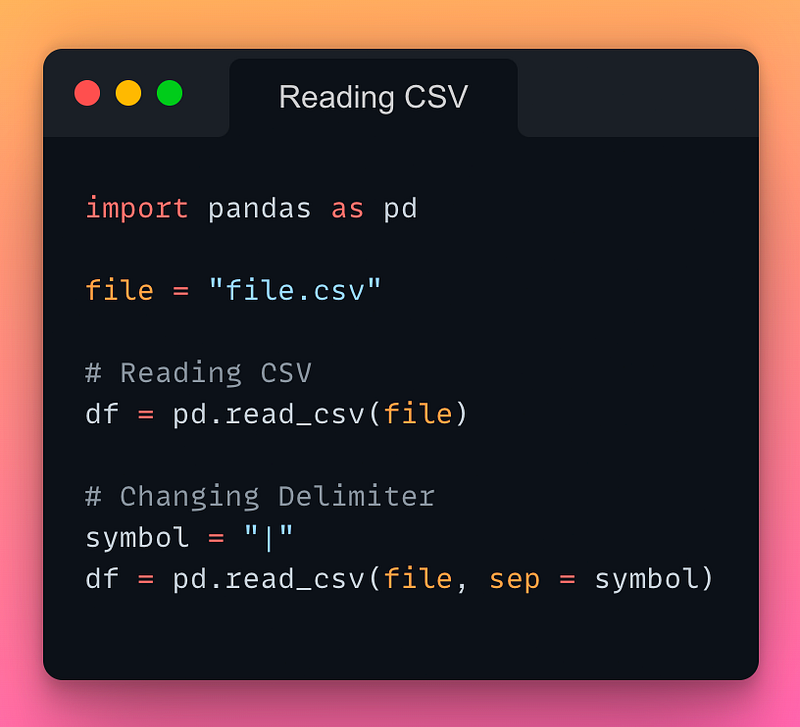
1/n: Reading a CSV file:
If you want to read a CSV file in Pandas, use the pd.read_csv() method as demonstrated below:
Read the documentation here.
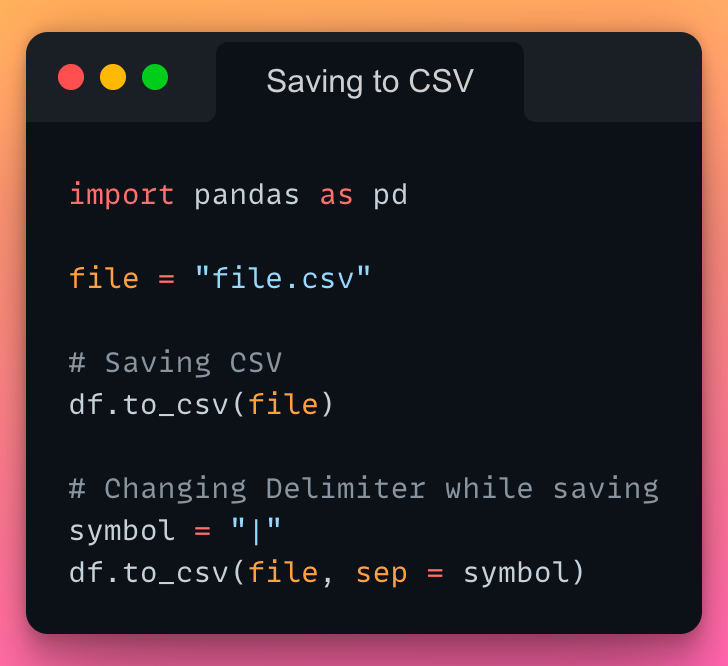
2/n: Saving a DataFrame to a CSV file:
If you want to save DataFrame to a CSV file, use the to_csv() method as demonstrated below:
Read the documentation here.
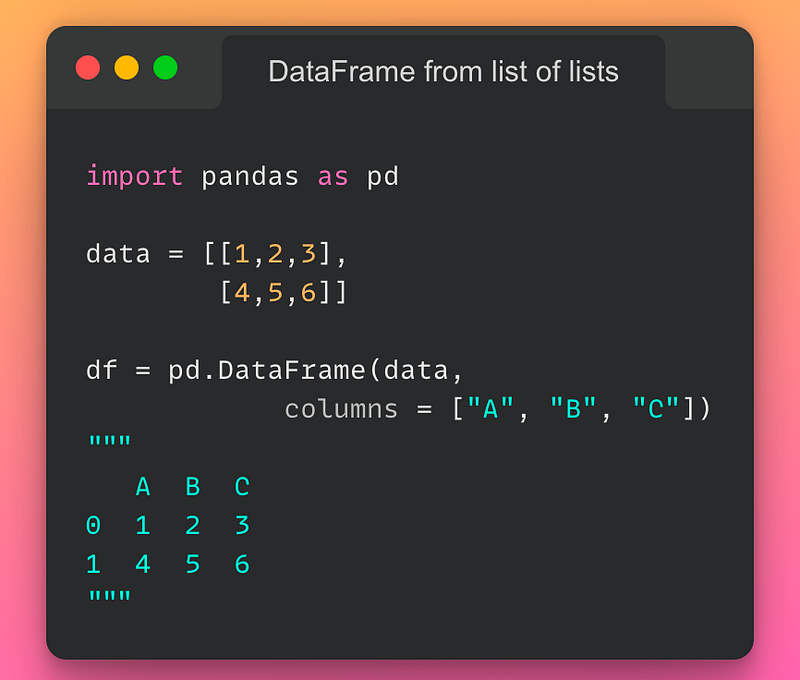
3/n: Creating a DataFrame from a list of lists:
If you want to create a DataFrame from a list of lists, use the pd.DataFrame() method as demonstrated below:
Read the documentation here.
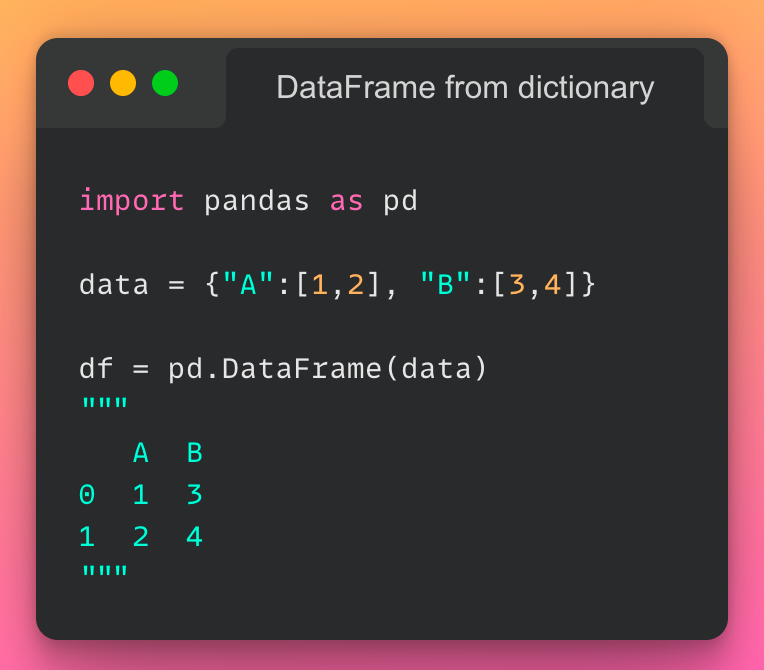
4/n: Creating a DataFrame from a dictionary:
If you want to create a DataFrame from a dictionary, use the pd.DataFrame() method as demonstrated below:
Read the documentation here.
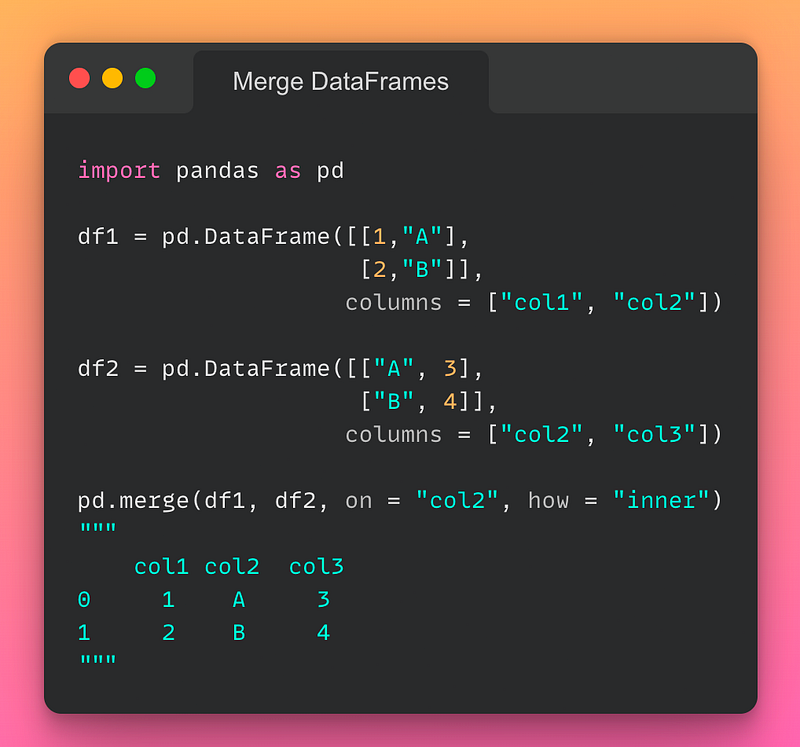
5/n: Merging DataFrames:
Merge operation in DataFrames is the same as the JOIN operation in SQL. We use it to join two DataFrames on one or more columns. If you want to merge two DataFrames, use the pd.merge() method as demonstrated below:
Read the documentation here.
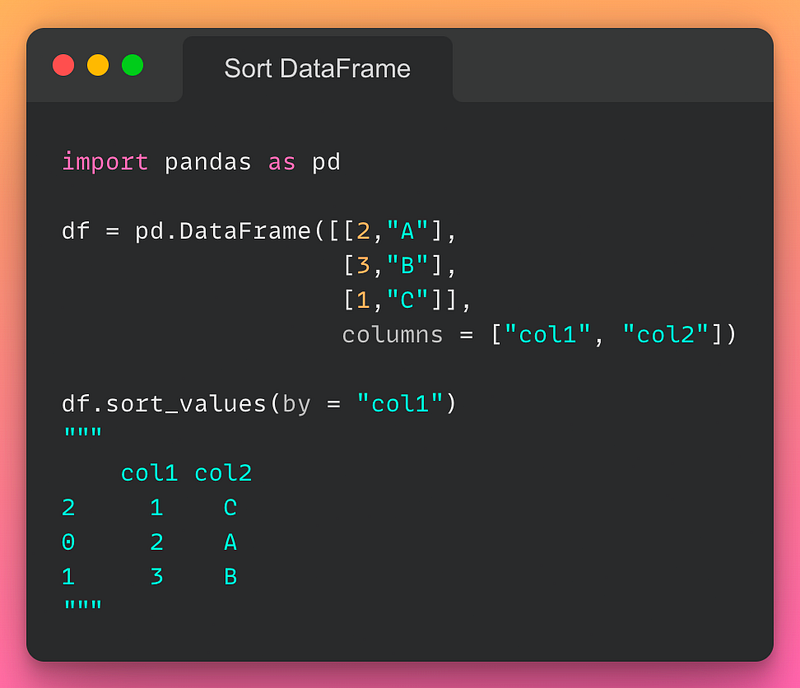
6/n: Sorting a DataFrame:
If you want to sort a DataFrame based on the values in a particular column, use the sort_values() method as demonstrated below:
Read the documentation here.
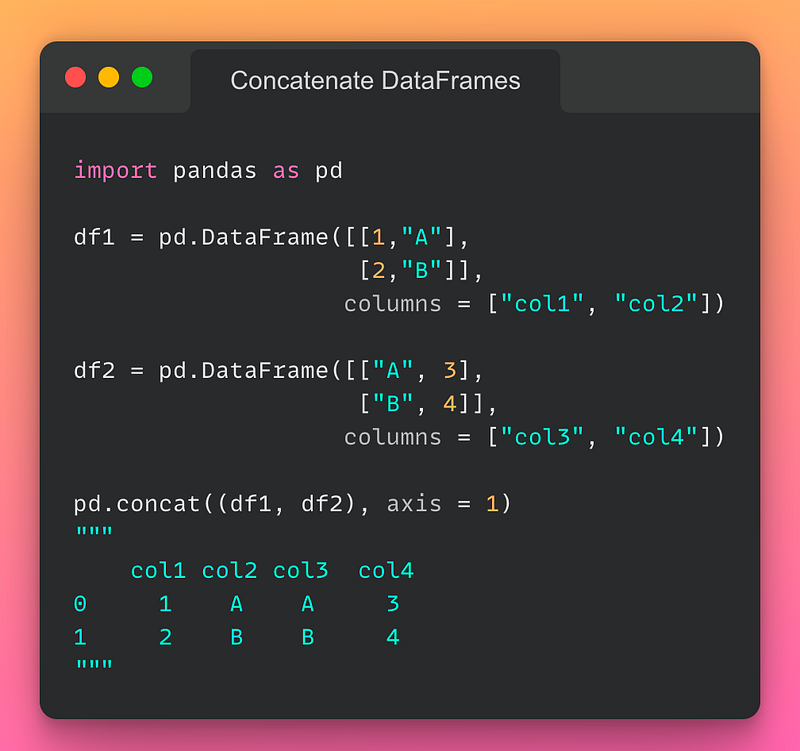
7/n: Concatenating DataFrames:
If you want to concatenate DataFrames, use the pd.concat() method as demonstrated below:
Read the documentation here.
- axis = 1 stacks columns together.
- axis = 0 stacks rows together, provided column header match.
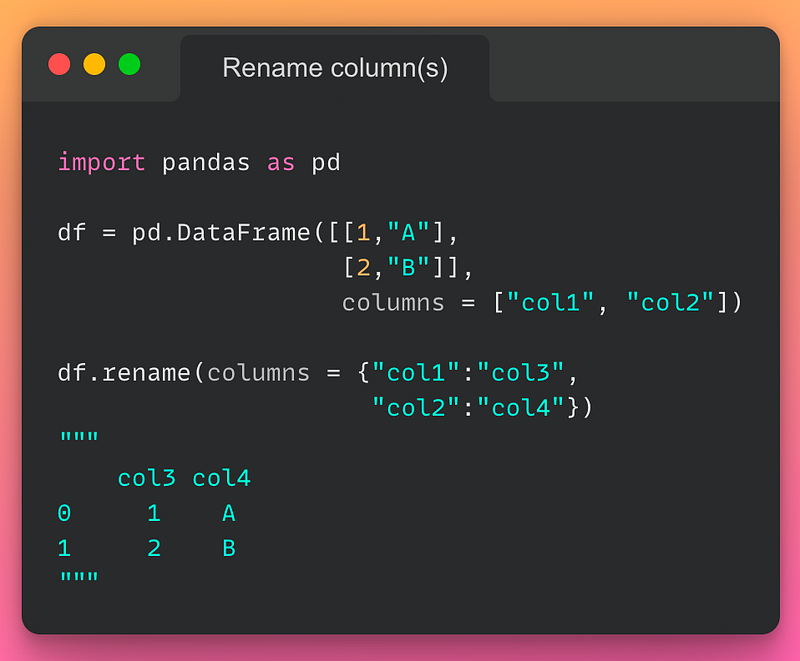
8/n: Rename column name:
If you want to rename one or more columns in a DataFrame, use the rename() method as demonstrated below:
Read the documentation here.
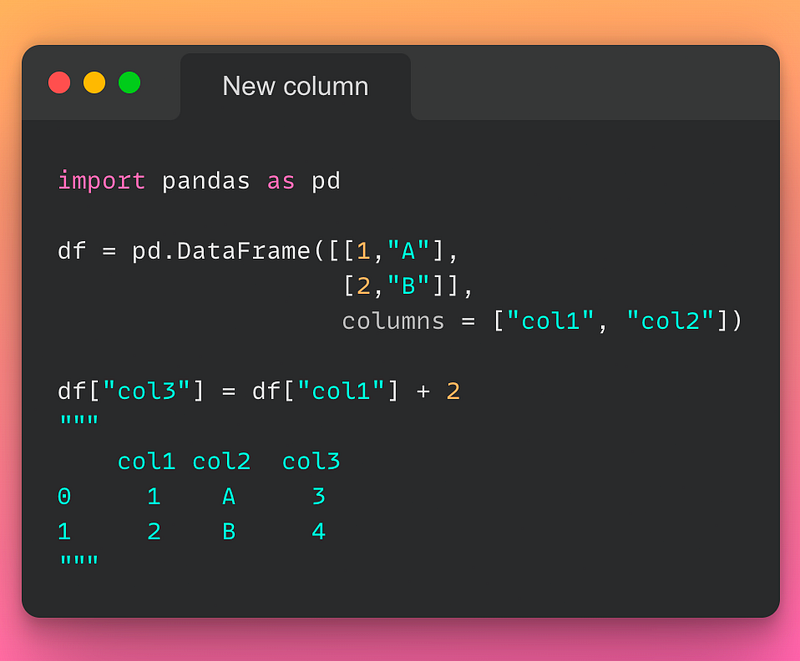
9/n: Add New Column:
If you want to add a new column to a DataFrame, you can use the usual assignment operation as demonstrated below:
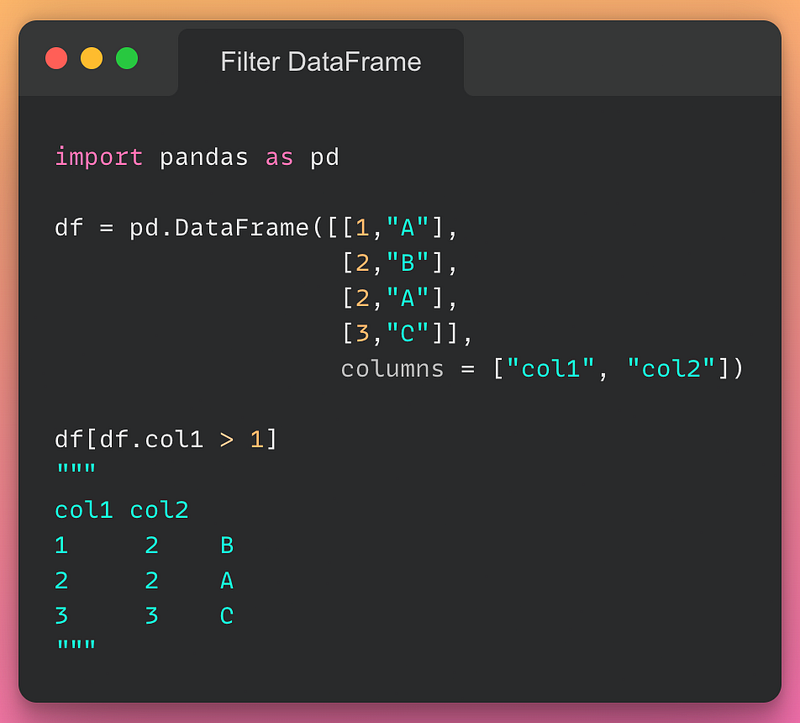
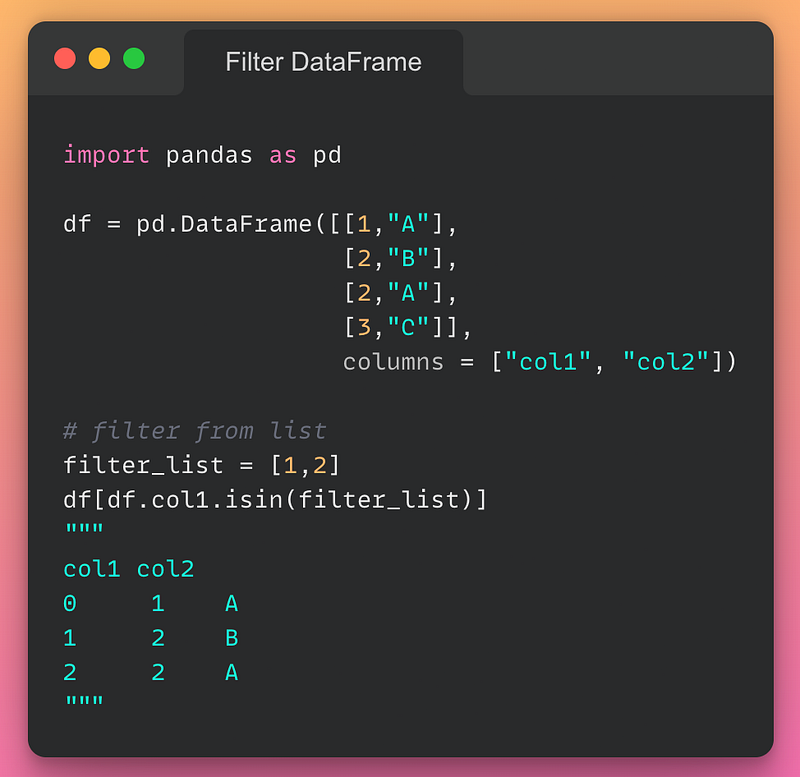
10/n: Filter DataFrame based on condition:
If you want to filter rows from a DataFrame based on a condition, you can do so as shown below:
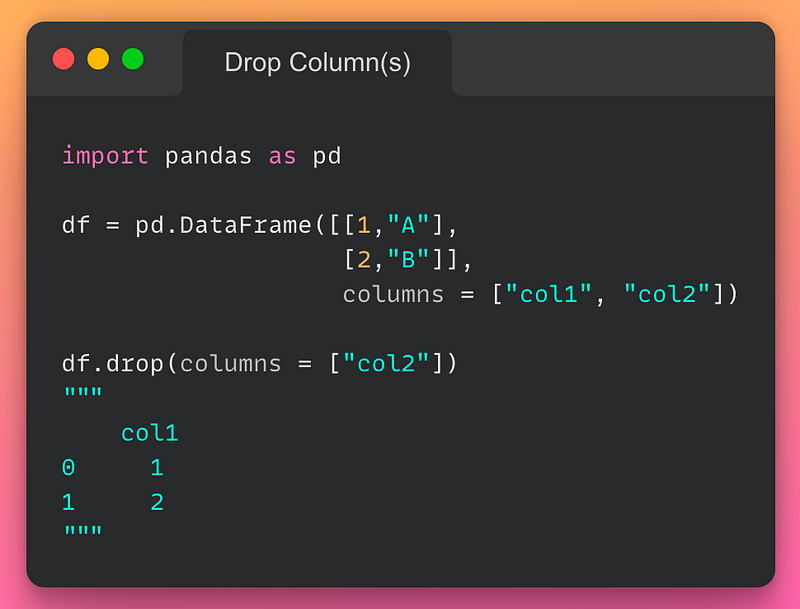
11/n: Drop Column(s):
If you want to drop one or more columns from a DataFrame, use the drop() method as demonstrated below:
Read the documentation here.
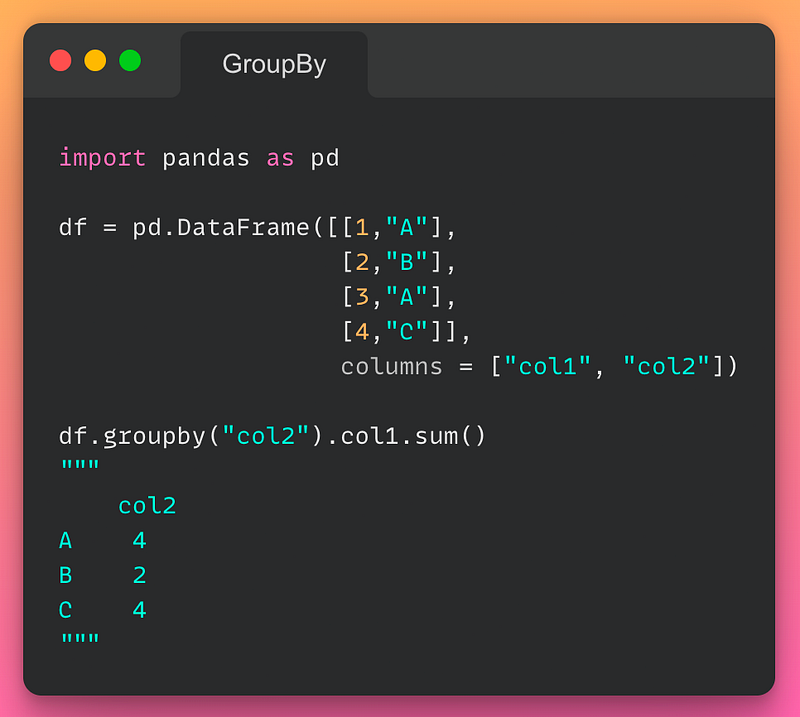
12/n: GroupBy:
If you want to perform an aggregation operation after grouping, use the groupby() method as demonstrated below:
Read the documentation here.
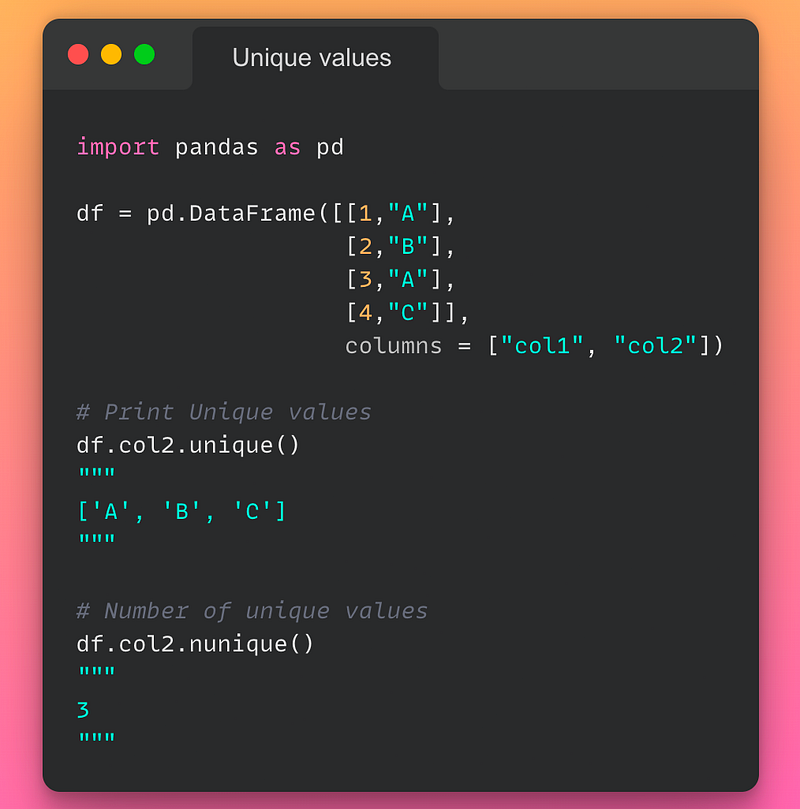
13/n: Unique Values in a column:
If you want to count or print the unique value in a column of a DataFrame, use the unique() or unique() method as demonstrated below:
Read the documentation here.
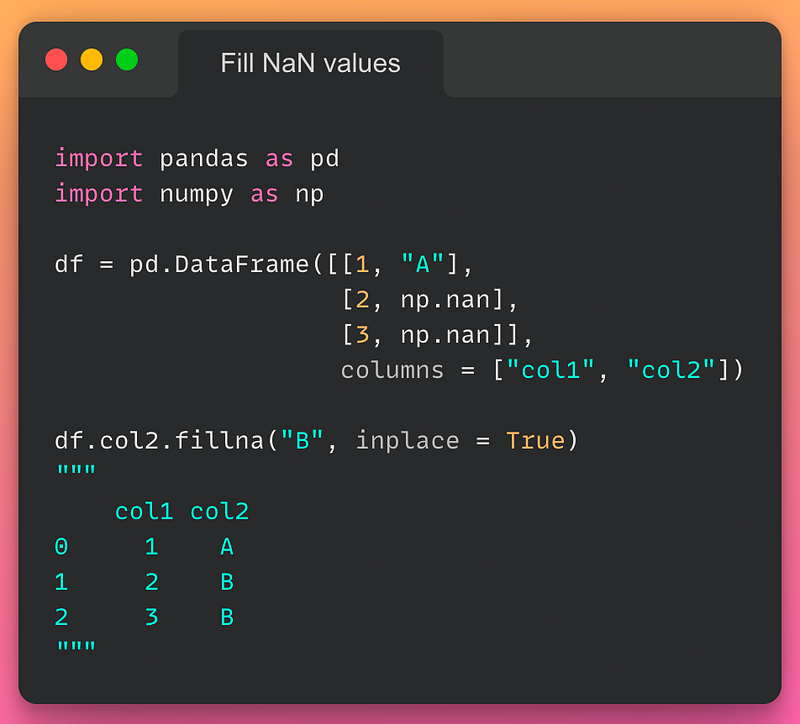
14/n: Fill NaN values:
If you want to replace NaN values in a column with some other value, use the fillna() method as demonstrated below:
Read the documentation here.
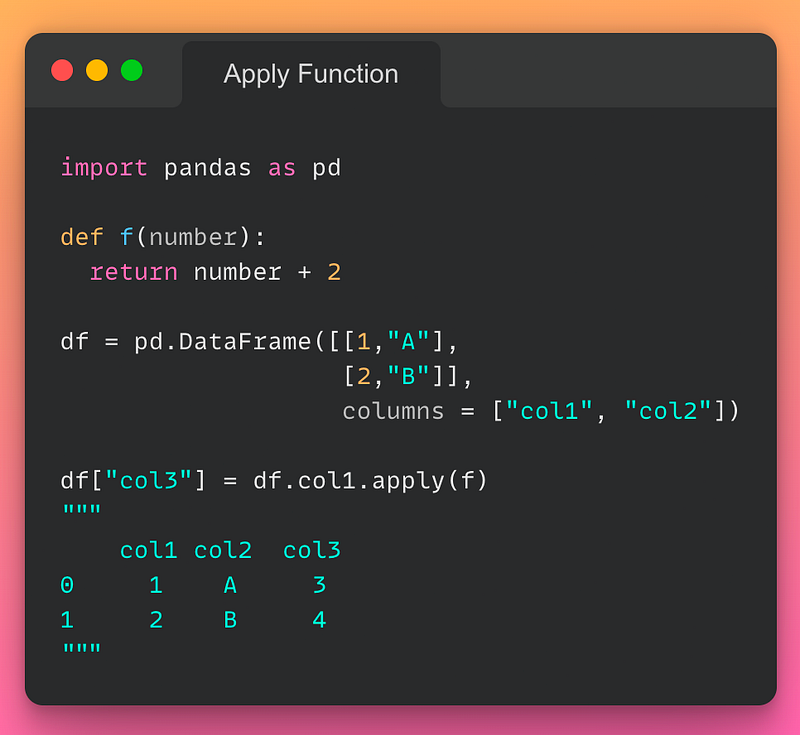
15/n: Apply Function on a column:
If you want to apply a function to a column, use the apply() method as demonstrated below:
Read the documentation here.
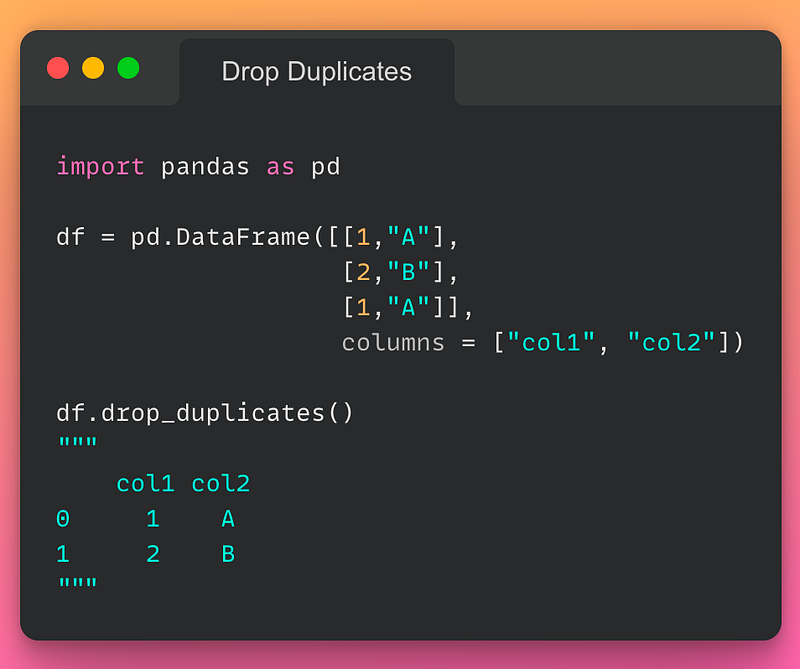
16/n: Remove Duplicates:
If you want to remove duplicate values, use the drop_duplicates() method as demonstrated below:
Read the documentation here.
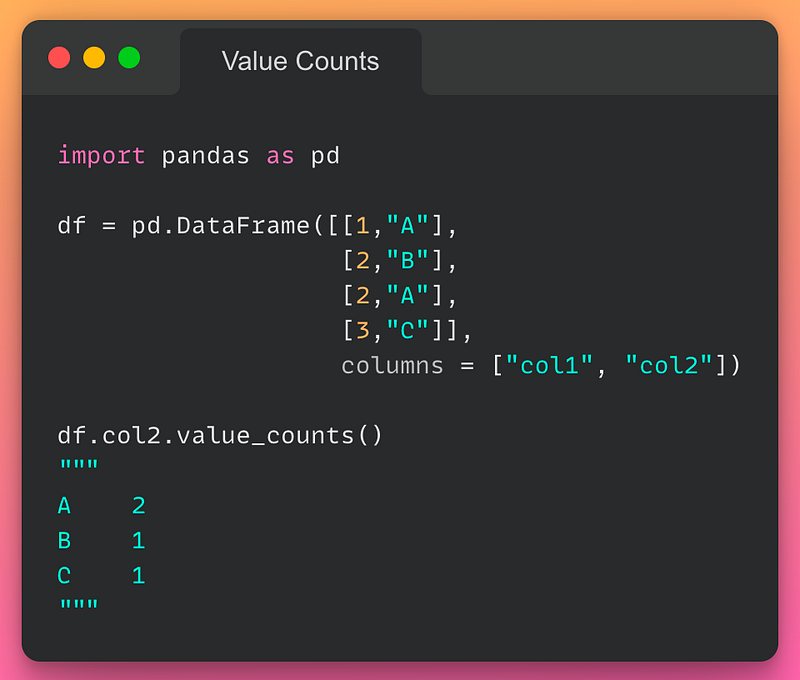
17/n: Value Counts:
If you want to find the frequency of each value in a column, use the value_counts() method as demonstrated below:
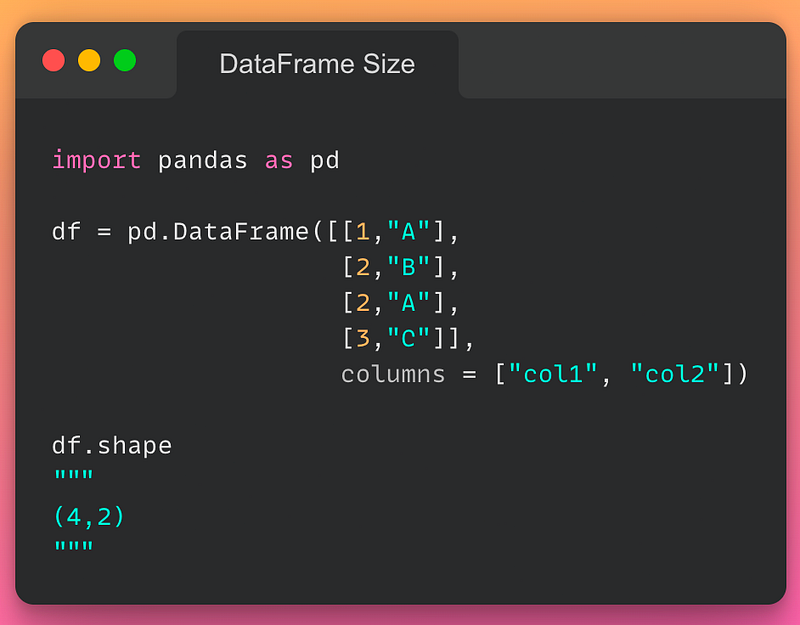
18/n: Size of a DataFrame:
If you want to find the size of a DataFrame, use the .shape attribute as demonstrated below:
To conclude, in this post, I covered some of the most commonly used functions/methods in Pandas to help you get started with this library. Though this post will be helpful for you to make you comfortable with the syntax, I would highly recommend creating a dummy DataFrame of your own and experimenting with it in a jupyter notebook.
Further, there is no better place than referencing the official Pandas documentation available here to acquire fundamental and practical knowledge of various methods in Pandas. Pandas official documentation provides a detailed explanation of each of the arguments accepted by a function along with a practical example, which in my opinion, is an excellent way to acquire Pandas expertise.
Thanks for reading. I hope this post was helpful.