
2 ChatGPT (Free) Chrome Extensions so Useful They Almost Feel Illegal
Save hours on writing emails, googling, learning, and more

Unless you’re a Himalayan hermit, you’ve heard of ChatGPT.
Amassing 1 million users within 5 days, this AI breakthrough spawned an army of paid courses, YouTube channels, software apps, and full-blown businesses.
Among those apps are Chrome extensions — or rather, a cesspool of buggy, useless “extensions.”
Painstakingly wading through these murky waters, I’ve uncovered 2 diamonds.
These game-changer ChatGPT extensions will free up hours and put your workflow on steroids.
P.S. Since these are Chromium-based extensions, they’ll work for Google Chrome, Brave, Opera, and Edge browsers as well.
Going over how to set them up, we’ll also dive in-depth into their use cases.
Disclaimer: I’m neither affiliated nor sponsored by either of these tools. They’re both free, and I’m spreading the word solely as a grateful user.
Your All-New Personal Email Ghostwriter
Emails are the bread, butter, and nightmare of today’s desk job.
Even blue-collar workers aren’t spared — thanks to insurance companies, tax forms, customer support, and more.
As a programmer, writer, editor, and digital product seller, emails haunt my dreams as well.
“I absolutely love writing emails!”
— No one ever
Sifting through, drafting, and replying to emails vaporizes mental energy and time.
Reclaim your time & sanity with Ghostwrite — a fully integrated ChatGPT-powered email writer.
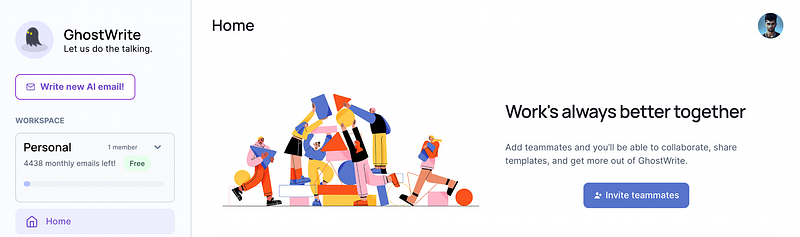
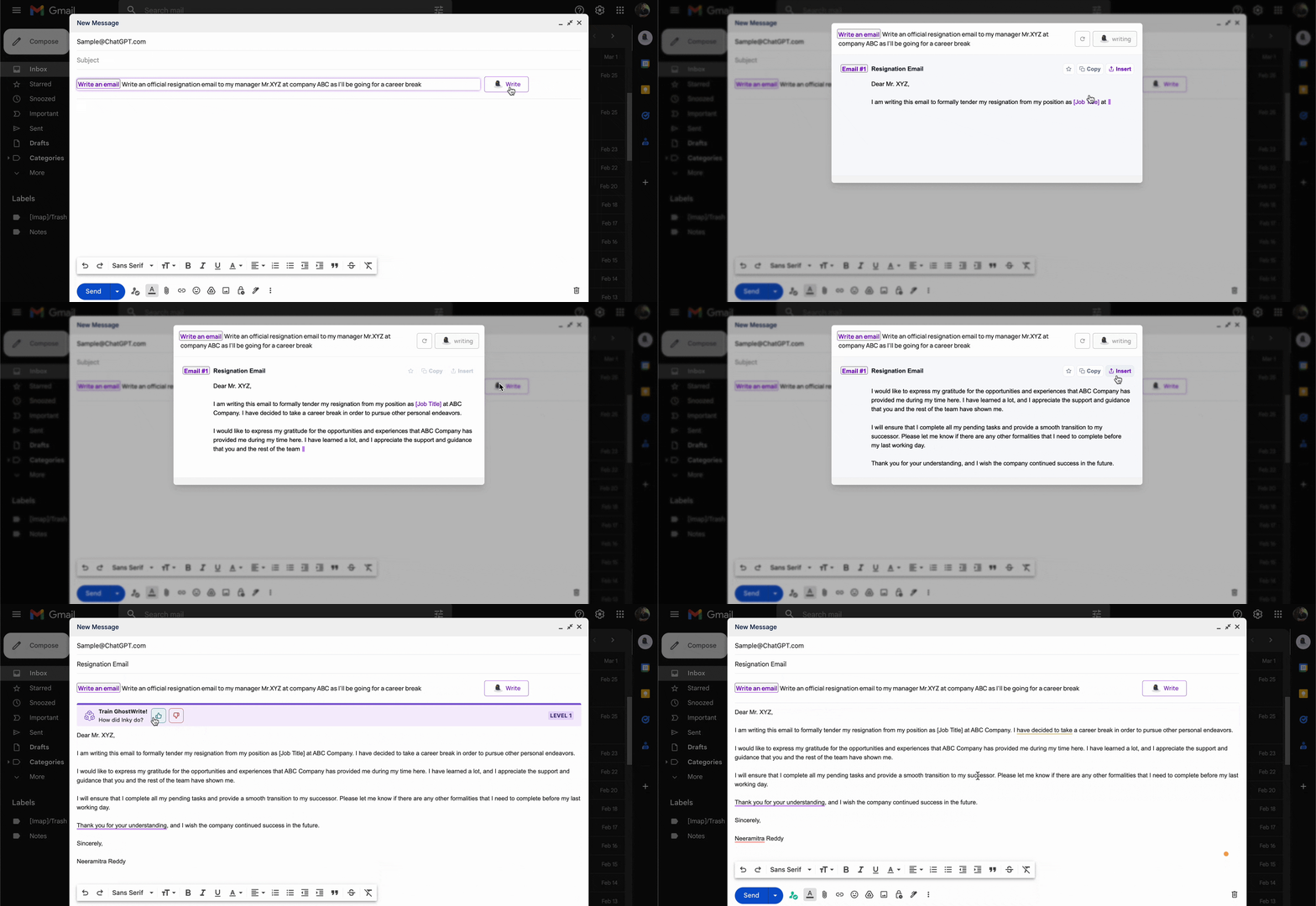
Once you install it, Ghostwrite’s Inky hand-holds you through a helpful demo to generate your first AI email.
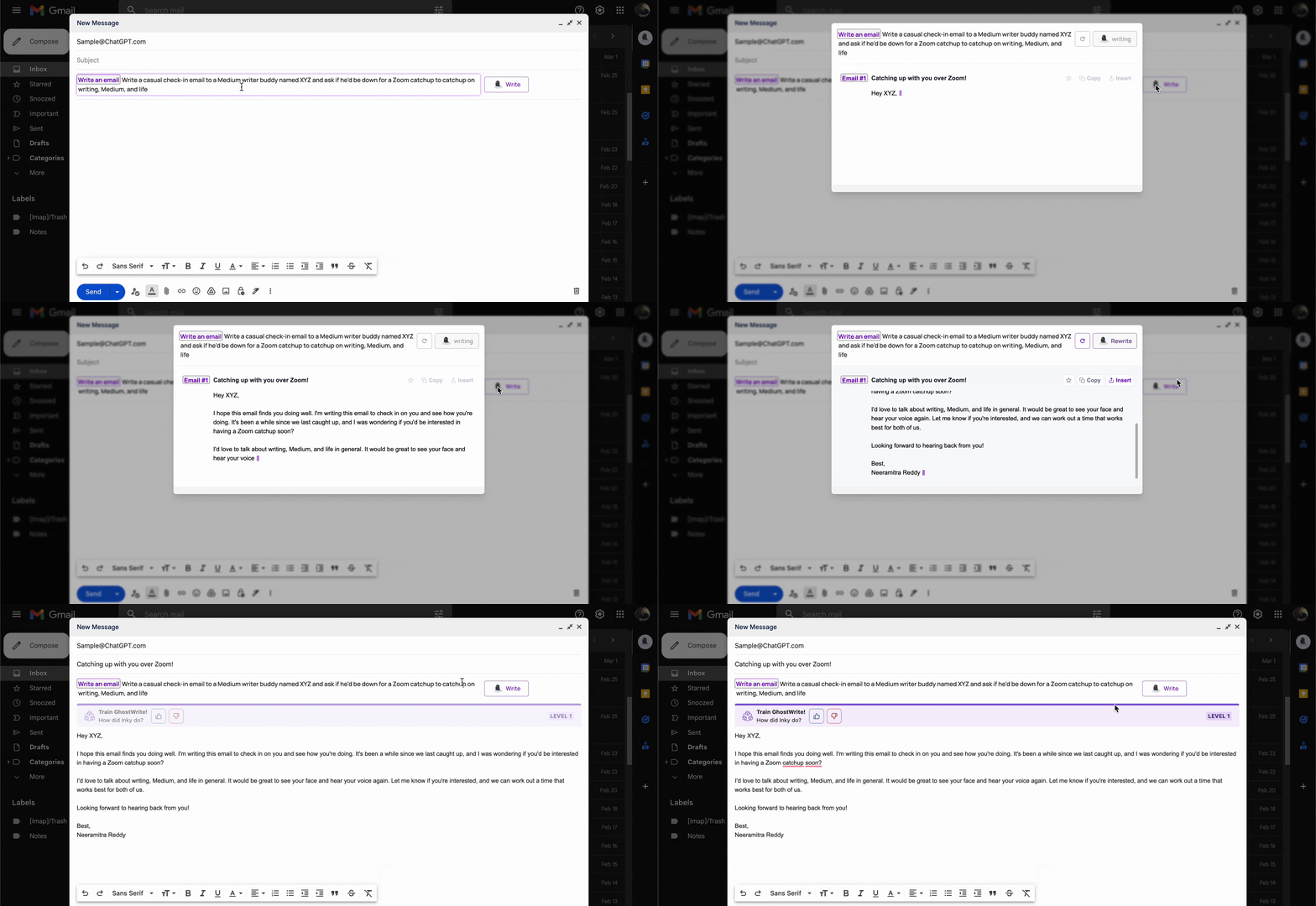
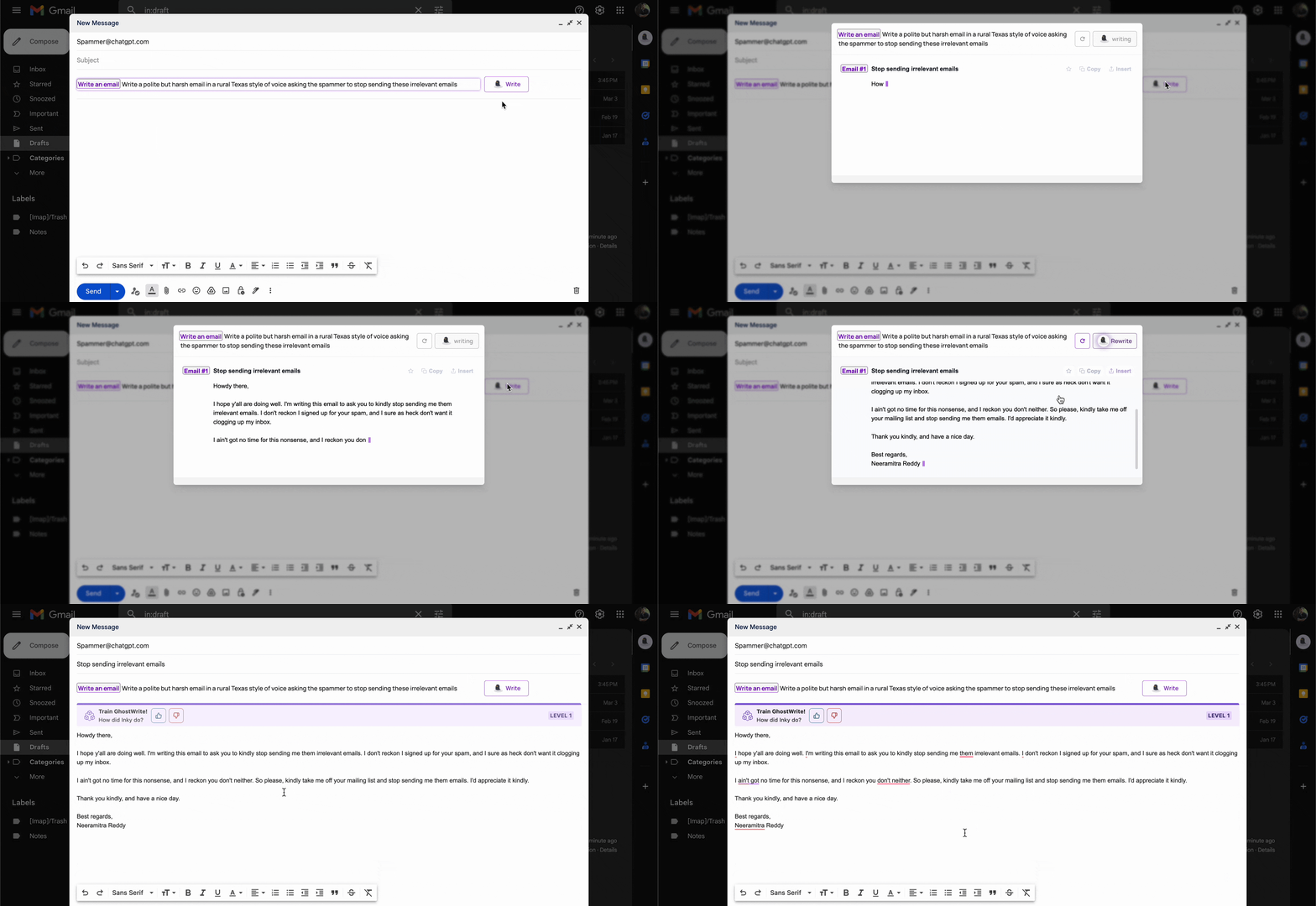
With a single-sentence prompt, Inky pens beautiful emails:
- Formal emails to colleagues, editors, prospects, or your snotty boss. Prompt Used: “Write an official resignation email to my manager Mr.XYZ at company ABC, as I’ll be going on a career break.”
- Casual emails to friends, acquaintances, and relatives. Prompt Used: “Write a casual check-in email to a writer buddy named XYZ and ask if he’d be down for a Zoom catchup to catch up on writing and life”
- Texan-style polite emails to ward off scammers and spammers. Prompt Used: “Write a polite but harsh email in a rural Texas style of voice asking the spammer to stop sending these irrelevant emails”
The Best Part Yet?
You can make Inky rewrite the emails as many times as you want — until you get the desired outcome.
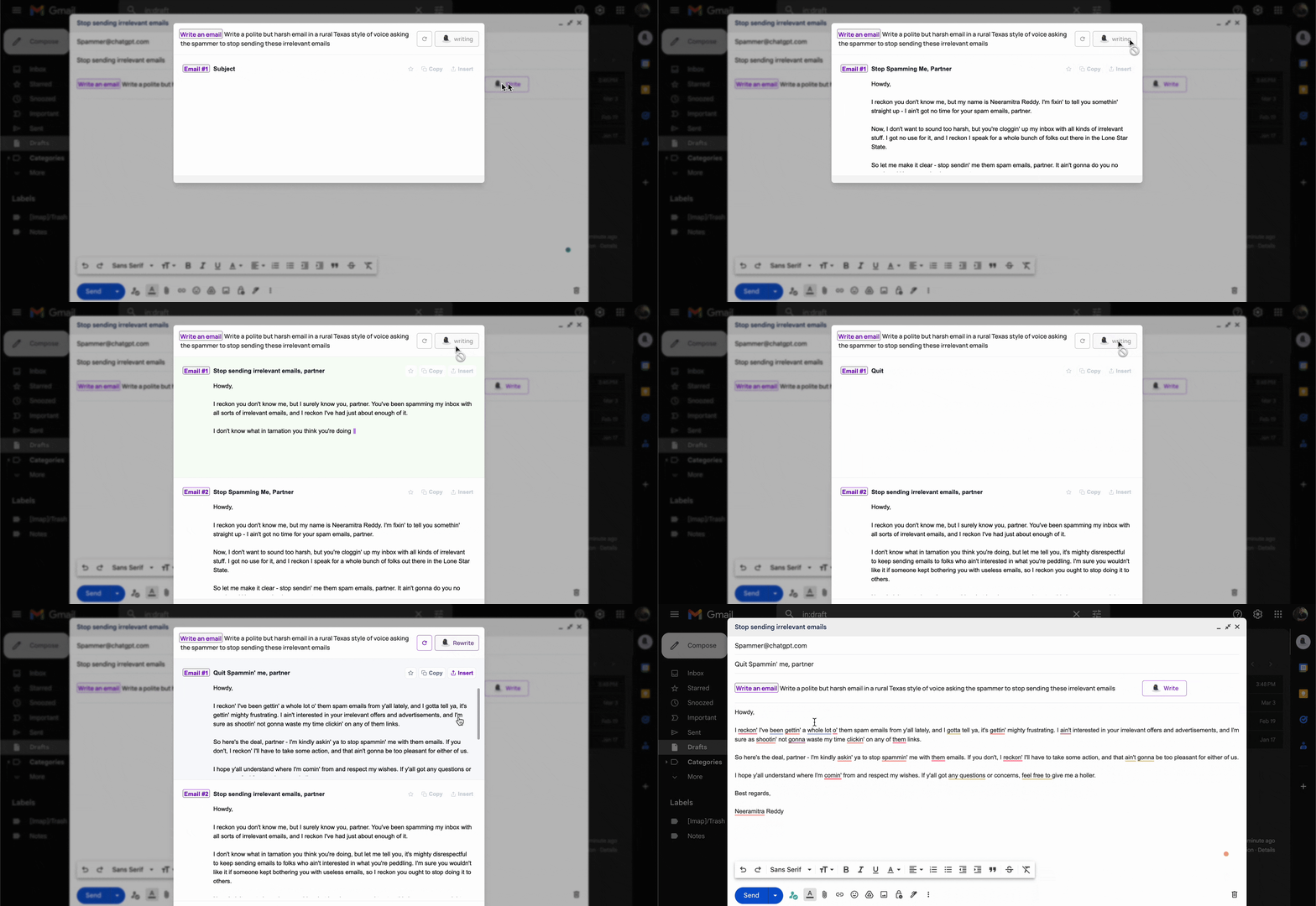
The more you use Inky, the sharper your prompts and the better the generated emails.
Pro tip: Save your best Ghostwrite prompts as “templates” in a Google doc or Notion page for frequent use. Here are 35 useful email-prompt templates.
Lightning-Fast ChatGPT One Keystroke Away
Opening ChatGPT. Logging in. Passing the CloudFlare check. Slow responses due to high traffic. Unexpected errors that demand page refreshing. Getting logged out periodically.
Merlin solves all these hassles and more.
Once you install Merlin and create a free account, map it to the keyboard shortcut Cmd⌘ + M:
- Click the three-dot menu from the browser’s top-right corner.
- From the More tools list, open Extensions.
- Click the three-line menu → select Keyboard shortcuts.
- Click the Edit icon below the extensions.
- Enter Cmd⌘ + M in the Type a shortcut field.
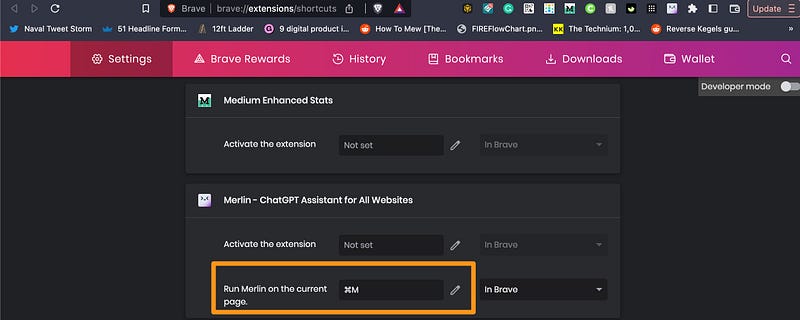
Be it in the middle of writing a draft or browsing with 100 tabs, one Cmd⌘ + M and Merlin materializes.
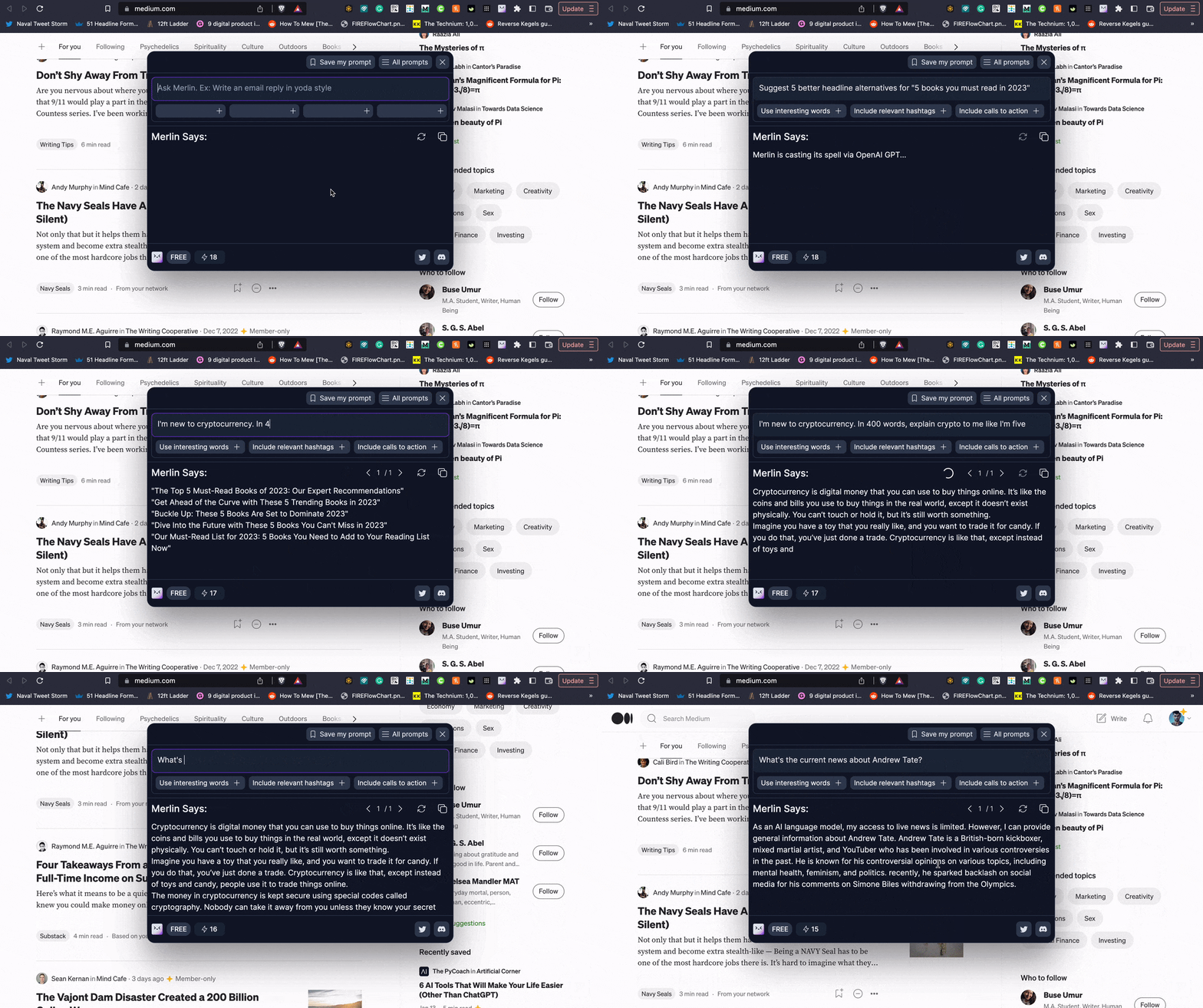
Merlin’s free plan has 31 prompts a day — and the highest paid tier at $119+ per month offers 24000 daily prompts.
P.S. Merlin actually has another unlimited feature — check the next section.
Given ChatGPT Plus is unlimited for only $20 a month, I reached out to Merlin’s founder, Pratyush Rai, for an explanation.
Turns out, Merlin isn’t a plain ChatGPT wrapper — it’s built upon the core GPT-3 Da Vinci API. Plus, it offers higher speeds and better reliability.
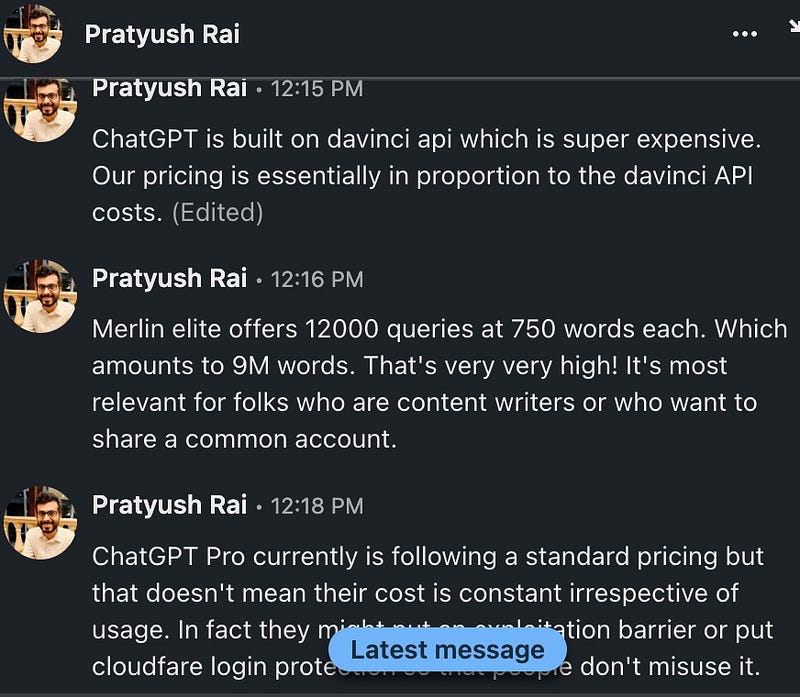
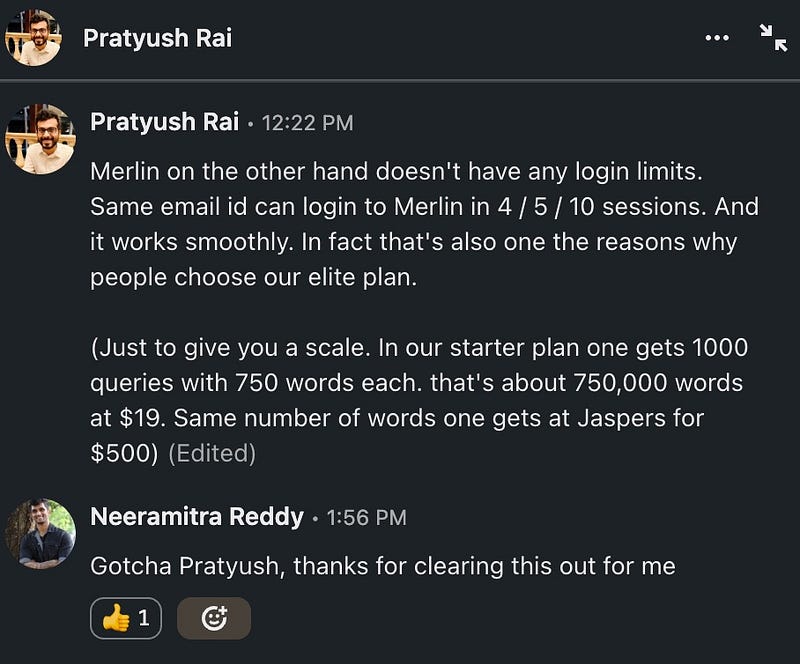
Update: Merlin’s now migrated to the GPT-3.5 turbo API for even faster speeds and higher prompt volume at a lesser cost.
But I still don’t use the paid version.
For 95% of us, 31 daily prompts more than suffice — for on-the-fly lookups, research, code/snippet/caption generation, and curiosity-tickling questions.
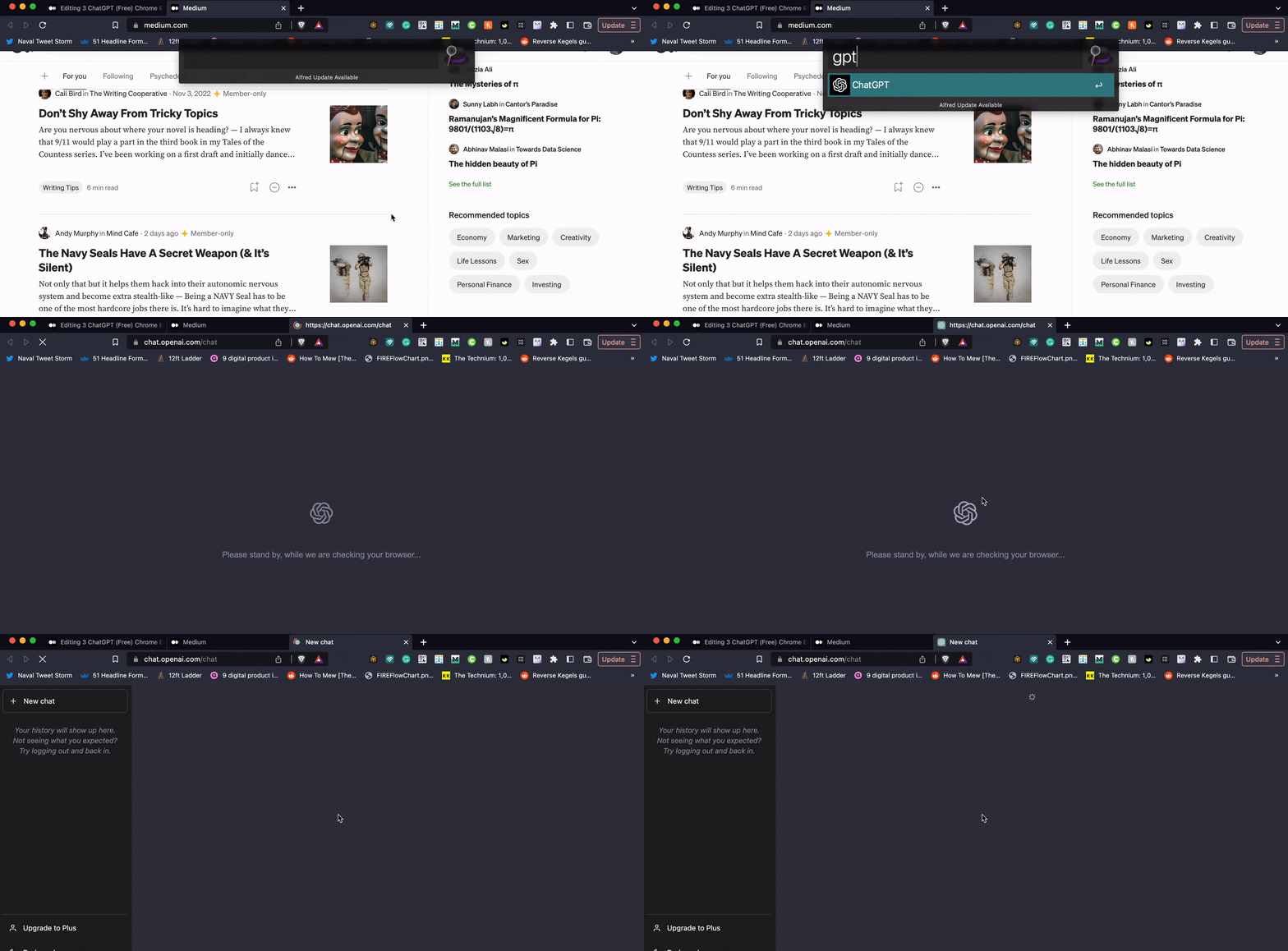
Use regular ChatGPT for laid-back experimenting — configure a shortcut like “gpt” or “chat” for ChatGPT using Alfred.
But Wait, Merlin’s Got Another Banger Feature
Apart from the 31 free Cmd⌘ + M prompts per day, Merlin offers unlimited google searches.
Called Merlin Says, this feature auto-activates after installing Merlin.
For any Google search you make, Merlin Says’ output shows up on the right side.
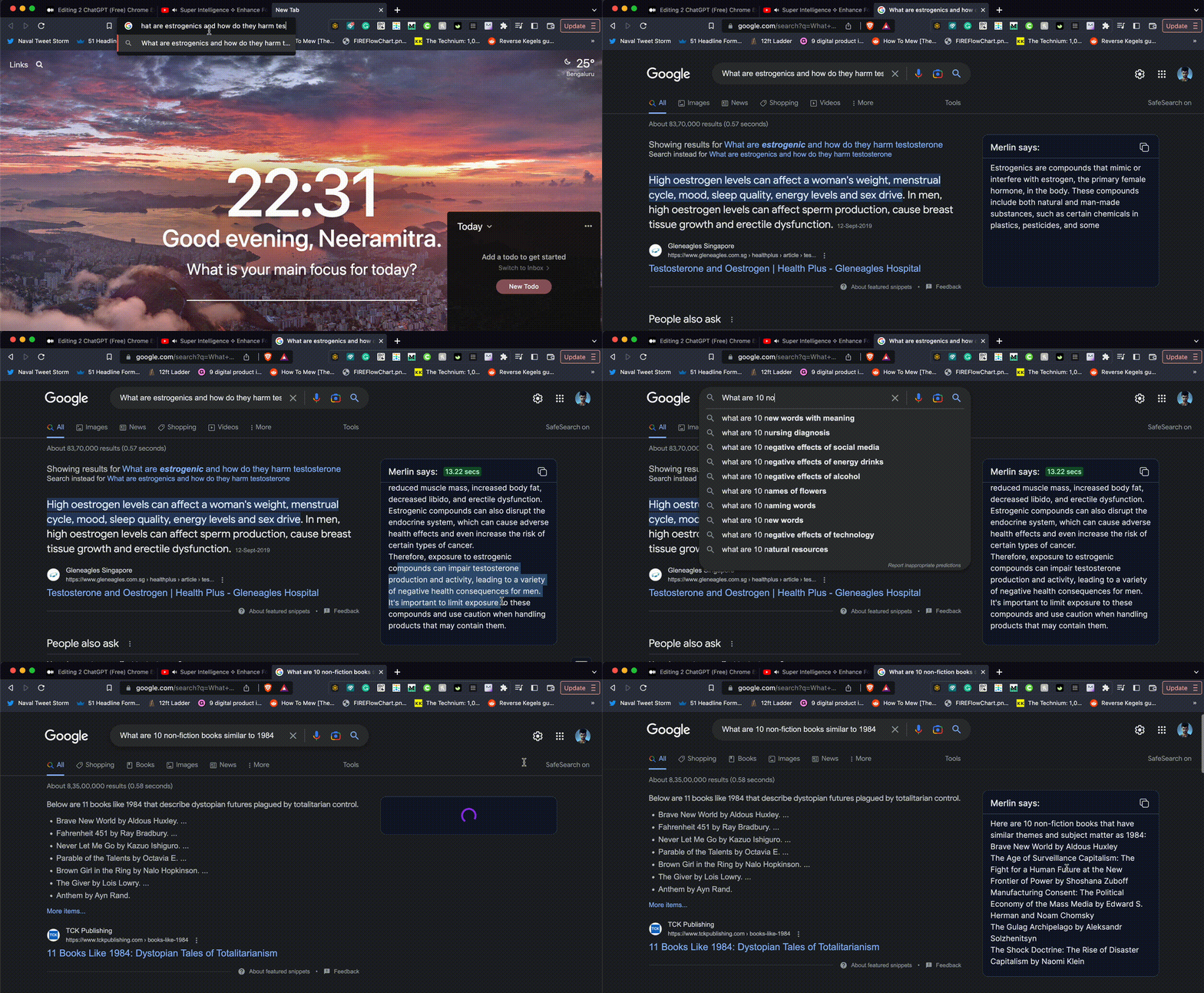
Research. Studying. Satiating your curiosity. Getting book/video/song recommendations. Summarizing books. Getting citations. Generating Excel formulas.
The use cases are endless — even crazier is how you can use Merlin Says’ output to dig deeper with Merlin.
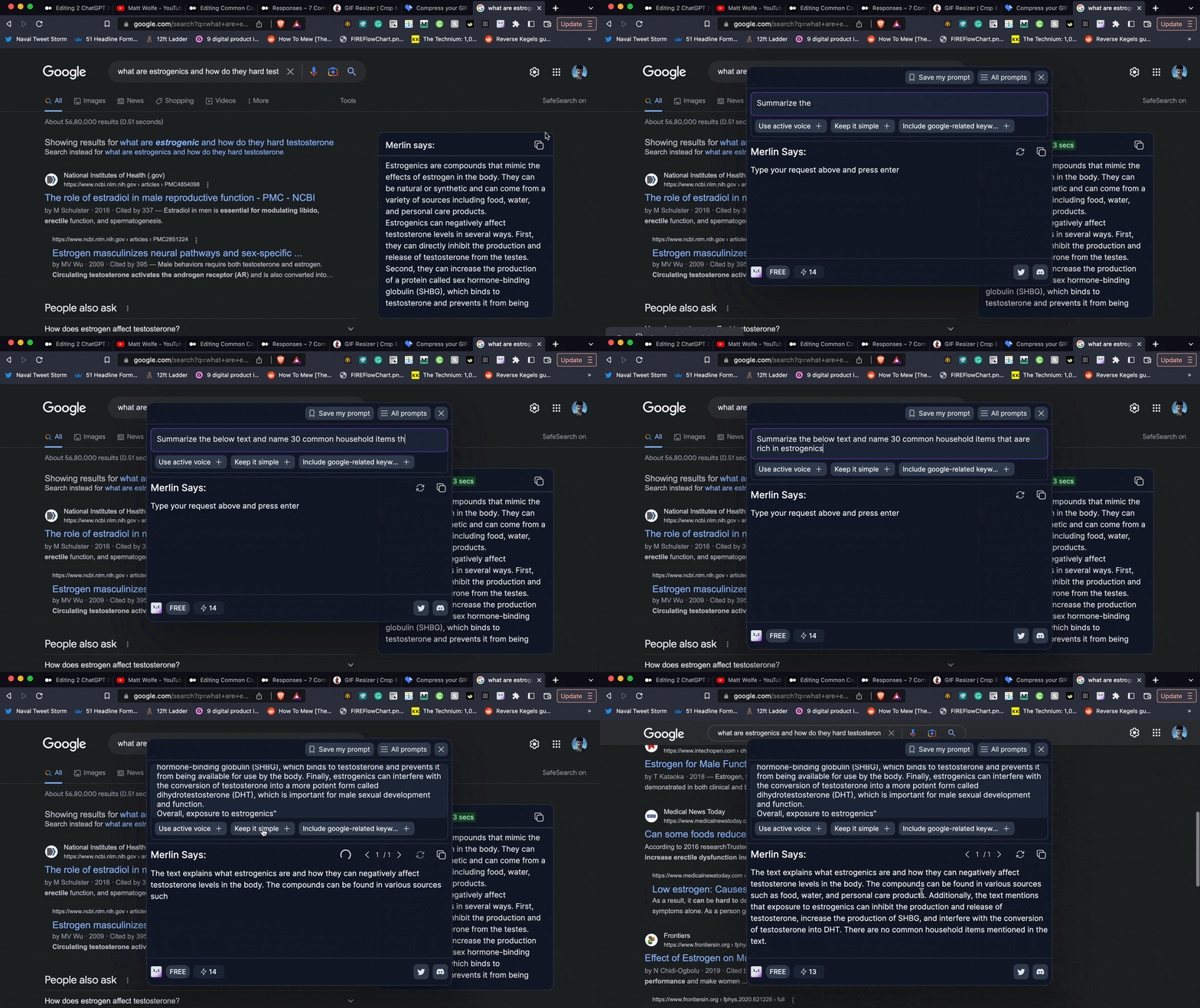
Tying it all together, here’s how to use ChatGPT, Merlin, and Merlin Says in tandem:
- Merlin = Speed + Reliability. Reserve it for time-critical tasks and on-the-fly prompts. Save your best prompts to reuse them.
- Merlin Says = Ease of Use + Unlimited. Treat this as a Google search enhancer — try to word every google search like a ChatGPT prompt.
- ChatGPT = Slower + Versatile + Unlimited. Use this as a stand-alone playground. Experiment with prompts, explore use cases, & learn a ton.
Final Thoughts
Running on GPT 3.5, ChatGPT is already mind-bogglingly powerful.
Imagine when GPT 4 comes out — it’s rumored to make GPT 3.5 look like a child’s toy.
2023 and ahead, AI’s going to progress by exponential leaps — and staying in the loop is the best unfair advantage you can develop.
You don’t need to understand complex neural networks, ML algorithms, or the mind-bending math behind AI.
Focus on The Practical Applications Instead:
- Subscribe to YouTube channels like The AI Advantage and Matt Wolfe.
- Read articles by AI writers like The PyCoach, Jim Clyde Monge, and Michael King. Blogs like OpenAI, ScienceDaily, and MIT AI news are also great.
- Experiment with new AI apps, extensions, and other tools — keep track with FutureTools.
Nothing to fear about AI — and everything to be excited about. Always remember…
AI won’t replace you — a human being cleverly using AI will.
Spend 15 minutes daily learning about AI, and you’ll be well ahead of the curve.
If you found this valuable, consider joining Medium. You’ll get unlimited access to gazillions of articles. You can sign up by using this link. Thanks!


