avatarHenrique Centieiro & Bee Lee

Free AI web copilot to create summaries, insights and extended knowledge, download it at here

6224

Abstract

<a href="https://bootcamp.uxdesign.cc/exciting-updates-of-midjourney-v6-a-brand-new-pan-feature-is-out-its-pretty-amazing-%EF%B8%8F-%EF%B8%8F-f5a086cda3c1"> <div> <div> <h2>Exciting Updates of MidJourney V6: A Brand-New “Pan” Feature is OUT &amp; It’s Pretty Amazing!⬅️➡️</h2> <div><h3>MidJourney Office Hours on Jan 24: 3 features have been added to V6 Alpha; Brand-new “Describe” &amp; “Style Consistency”…</h3></div> <div><p>bootcamp.uxdesign.cc</p></div> </div> <div> <div style="background-image: url(https://miro.readmedium.com/v2/resize:fit:320/1*uHZEKtBkWAvuyYfNgGAYVA.png)"></div> </div> </div> </a> </div><p id="f426">You can now find these features underneath your upscaled V6 images:</p><figure id="c886"><img src="https://cdn-images-1.readmedium.com/v2/resize:fit:800/1*VW3A3r_uq4f9QG8TmOQ-oA.png"><figcaption></figcaption></figure><h2 id="ce6f">2) Brand-New Niji Version 6 Released</h2><ul><li>Niji is a MidJourney model specifically tuned for Eastern and anime aesthetics. A brand-new Niji version 6 has just been released on Jan 30.</li><li>You can enable Niji 6 in 2 ways:</li></ul><p id="b946">1 — Type <code>--niji 6</code> in your prompts to activate Niji Version 6, or 2 — Type <code>/settings</code> in your prompt box and choose <code>Niji Model V6 [ALPHA]</code>:</p><figure id="fe21"><img src="https://cdn-images-1.readmedium.com/v2/resize:fit:800/1*C8VrAMCrv4agkDvTV0Jw6w.png"><figcaption></figcaption></figure><ul><li>According to the MidJourney announcement, the new Niji 6 model has a stronger style than the previous Niji models.</li><li>Use Style Raw by adding <code>--style raw</code> to your prompts, which will ‘tame’ down the style if you’d like it to be more ‘subtle’.</li><li>Let’s take a look at some images I created for you:</li></ul><figure id="2fb6"><img src="https://cdn-images-1.readmedium.com/v2/resize:fit:800/0*-WsstrnJAdOgDepi"><figcaption>Image created on MidJourney Niji 6 by the author</figcaption></figure><figure id="012e"><img src="https://cdn-images-1.readmedium.com/v2/resize:fit:800/0*zB-3TYyzcXN0qAL9"><figcaption>Image created on MidJourney Niji 6 by the author</figcaption></figure><p id="b8e0">Niji 6 also works well with the new <a href="https://henriquecentieiro.medium.com/midjourney-v6-deep-dive-series-your-essential-guide-to-text-generation-797fc5d51db7">Text Generation</a> feature:</p><figure id="381a"><img src="https://cdn-images-1.readmedium.com/v2/resize:fit:800/0*7ZekMDS_ji41aOE-"><figcaption>Image created on MidJourney Niji 6 by the author</figcaption></figure><blockquote id="a14e"><p><b><i>💁🏻‍♀️</i></b><i> <b>Personal Side Note: </b></i><b> </b>I honestly am so excited the Impainting “Vary (Region)” feature is back; this is one of my most-used features on MidJourney V5.2 to create the perfect images!</p></blockquote><blockquote id="50da"><p>The new Niji 6 is pretty exciting as it listens to your prompts way better than before, so don’t hesitate to describe what you want in detail on Niji 6. Text generation on Niji 6 is also a big bonus; I’d highly recommend you play around with it! <i>😊</i></p></blockquote><h1 id="5a74">📝 A New /describe Feature is on the way!</h1><blockquote id="285a"><p>The <code>/describe</code> feature is a long-existing MidJourney feature: You can upload an image to MidJourney, and the AI will “describe” the image to give you a reference of what should be included in the prompt if you want to duplicate a similar image.</p></blockquote><p id="07ad">❌ However, it didn’t always work as well as intended.</p><p id="8009"><i>If you want to understand more about <code>/describe</code>, I’ve explored it in-depth under Section 4 in this article:</i></p><div id="1cd1" class="link-block"> <a href="https://levelup.gitconnected.com/6-awesome-midjourney-tips-tricks-that-nobody-talks-about-ab991d812777"> <div> <div> <h2>6 Awesome MidJourney V5 / V5.1/ V5.2 Tips &amp; Tricks That Nobody Talks About!</h2> <div><h3>If you’re a MidJourney AI Text-To-Image Generator user, you certainly don’t want to skip this one!</h3></div> <div><p>levelup.gitconnected.com</p></div> </div> <div> <div style="background-image: url(https://miro.readmedium.com/v2/resize:fit:320/1*vNIP3rj0EQv0iKsyODcVZQ.png)"></div> </div> </div> </a> </div><p id="9bd2">✔️ To fix the problem, the MidJourney team is working on an entirely brand-new <code>/describe</code> feature, the goal is to have it able to duplicate images a lot more and way more accurately.</p><p id="a035">From the MidJourney Office Hours today, David updated that:</p><ul><li>It’s currently under training and looking good;</li><li>It’s still not perfect, but a lot more powerful and accurate than before;</li><li>David said this new <code>/describe</code> feature can “<i>help people learn how to prompt better</i>”.</li><li>The new feature will be tested with MidJourney guides and mods next week;</li><li>Estimate release: Sometime next week.</li></ul><blockquote id="3e82"><p><i>💁🏻‍♀️ <b>Personal Side Note: </b></i>Now that the style consistency feature “Style References” is out, combined with this upcoming /describe feature, we no longer need to worry about encountering images we like and struggle to recreate something in a similar style or context because we have no idea how to describe that in words! <i>😍</i></p></blockquote><figure id="1db0"><img src="https://cdn-images-1.readmedium.com/v2/resize:fit:800/0*gO6in5Nhx0qTZ5ST"><figcaption><a href="https://medium.com/@henriquecentieiro/list/midjourney-v6-deepdive-series-53121b6fe935">Image created on MidJourney V6 by the author</a></figcaption></figure><h1 id="7894">🧑🏻‍💻 Other Exciting Things MidJourney is Working On</h1><h2 id="9f99">✨ One last V6 Style Update before it turns to Beta</h2><ul><li>MidJourney V6 is getting close to the official Beta release;</li><li>Before it turns to Beta, there will be one last style update to V6;</li><li>David Holz s # Options aid he wants “a more balanced style” for the current MidJourney V6 as it still has some “<i>older male bias</i>”;</li><li>If all goes well, MidJourney V6 will officially become the default version by the end of this week/early next week.</li></ul><h2 id="7276">💻 New Version of the Alpha Website</h2><ul><li>The MidJourney Alpha website with the image generation feature and updated Explore Page will soon be available to more users who generated over 2.5K/ 1K images; (<i>to check how many generations you have, type <code>/info</code> to find out</i>)</li><li>Outpainting features like “Zoom” and “<a href="https://bootcamp.uxdesign.cc/exciting-updates-of-midjourney-v6-a-brand-new-pan-feature-is-out-its-pretty-amazing-%EF%B8%8F-%EF%B8%8F-f5a086cda3c1">Pan</a>” will soon be available on the website.</li></ul><h2 id="6438">🤯 MidJourney V7</h2><ul><li>The MidJourney team is already working on the next new version — MidJourney V7, which is set to be released in 3 months. (Wow!)</li></ul><p id="5f29" type="7">😊 Thank you for staying with me till the end. I hope I’ve brought you some exciting MidJourney news today!</p><p id="4c6b" type="7">Stay Tuned for the upcoming ‘Essential Guide to Style Consistency Feature “Style References”’!</p><p id="dbf9" type="7">— Bee Lee 💃🏻</p><blockquote id="604d"><p><i>🥰 <b>If you found any value in this article, why not throw me some Medium love? </b></i><b>To support my work:<i> </i></b><i> Clap up to 50, leave a message to share your thoughts &amp; <a href="https://henriquecentieiro.medium.com/subscribe">Be sure to follow</a> for more future content like this one! <b>💌</b></i></p></blockquote><h1 id="a36e">🤗 Hiya! I’m Bee Lee — An 8X Top Writer on Medium and a (really) Passionate Enthusiast of Generative AI.</h1><blockquote id="3cd8"><p><i>My love for creating beautiful things and exploring the creative possibilities of Generative AI and MidJourney is unmatched, and sharing my wealth of experience and knowledge with you gives me great joy. 😊 I invite you to come <a href="https://medium.com/@henriquecentieiro">join me</a> as we dive deeper into the fascinating world of AI together! 🎨🤖⛵ <a href="https://medium.com/@henriquecentieiro/about"></a></i><a href="https://medium.com/@henriquecentieiro/about">Know more about me here.</a></p></blockquote><figure id="709d"><img src="https://cdn-images-1.readmedium.com/v2/resize:fit:800/0*4NGuOSixZ0Bu1XSa"><figcaption><a href="https://medium.com/@henriquecentieiro/list/midjourney-v6-deepdive-series-53121b6fe935">Image created on MidJourney V6 by the author</a></figcaption></figure><blockquote id="2d7f"><p><b>If you like any of the images in this article and want to know the prompts I used to create them, feel free to leave me a message in the comment session, and I’ll send it your way! 📩</b></p></blockquote><p id="307c">Don’t forget to check out the newly published in-depth guide to the new MidJourney feature “Style References”, which includes an easy step-by-step guide, attractive visual examples &amp; 5 pro-tips to master this powerful feature:</p><div id="a3e6" class="link-block"> <a href="https://levelup.gitconnected.com/midjourney-v6-your-essential-guide-to-style-references-recreate-any-art-style-you-want-092e28968a8b"> <div> <div> <h2>Your Ultimate Guide to MidJourney’s “Style References” Feature — Replicate ANY Art Style You…</h2> <div><h3>Consistent Styles Made Simple: Step-by-Step Guide, Visual Aids &amp; Pro-Tips to Master this Powerful New Feature “Style…</h3></div> <div><p>levelup.gitconnected.com</p></div> </div> <div> <div style="background-image: url(https://miro.readmedium.com/v2/resize:fit:320/0*D66QJRhUpL80omrT)"></div> </div> </div> </a> </div><p id="ef3d">Meanwhile, feel free to check out all my other articles here to learn more Tips and Tricks on using MidJourney:</p><div id="661c" class="link-block"> <a href="https://henriquecentieiro.medium.com/list/47509142d455"> <div> <div> <h2>All About MidJourney!</h2> <div><h3>All the latest MidJourney Updates; Comprehensive Guides to different MidJourney Versions; Tips &amp; Tricks and Cheat…</h3></div> <div><p>henriquecentieiro.medium.com</p></div> </div> <div> <div style="background-image: url(https://miro.readmedium.com/v2/resize:fit:320/0*5b87ad3db34a1ef9897cd68366a91d9093a00106.jpeg)"></div> </div> </div> </a> </div><p id="1483">Here is the folder for all the previous MidJourney weekly Office Hours comprehensive recap:</p><div id="2215" class="link-block"> <a href="https://henriquecentieiro.medium.com/list/4ce2616fa58c"> <div> <div> <h2>All About MidJourney: MidJourney Weekly Office Hours Updates</h2> <div><h3>Bringing you the comprehensive recap of the latest MidJourney weekly Office Hours (David Holz, the MidJourney founder…</h3></div> <div><p>henriquecentieiro.medium.com</p></div> </div> <div> <div style="background-image: url(https://miro.readmedium.com/v2/resize:fit:320/0*7348861bf2179b3463ed5436d66c2c2b8934da12.jpeg)"></div> </div> </div> </a> </div><p id="c7c7">🌞<b> Stay in touch:</b></p><div id="2abe" class="link-block"> <a href="https://linktr.ee/cryptohenri"> <div> <div> <h2>Your Place for Crypto, AI, Blockchain &amp; Investment Knowledge | Linktree</h2> <div><h3>Click to check *Limited Discount Vouchers* for all my online courses where I have over 55,000 students, my social media…</h3></div> <div><p>linktr.ee</p></div> </div> <div> <div style="background-image: url(https://miro.readmedium.com/v2/resize:fit:320/0*ce7z0mEzLBP9L2h8)"></div> </div> </div> </a> </div></article></body>
Image created on MidJourney V6 by the author

Weekly MidJourney Office Hours Recap

Exciting Updates of MidJourney V6: NEW Style Consistency Feature “Style References” is Here! 🖼️✨

MidJourney Office Hours (Jan 31): The powerful feature “Style References” is out, which will allow you to replicate ANY styles!

If later you find any value in this article, throw me some Medium love! 🥰 To support my work: Clap up to 50 times, leave a message to share your thoughts & Be sure to follow for more future content like this one! 💌

Hey, it’s great to see you lovely creatives, including all the new joiners! Thank you for visiting this creative and exploratory space with MidJourney. 😊🎨✨

Welcome to another weekly Exciting Updates of MidJourney”: I’m here every single week to bring you a comprehensive recap of the latest MidJourney Office Hours. (David Holz, the MidJourney founder, giving updates and answering community questions on MidJourney Discord every Wednesday)

In the MidJourney Office Hours today on Jan 31, David has made the following exciting updates:

  • The brand-new Style Consistency feature — “Style References” has just been released, which will allow you to replicate style of ANY image you encounter; 🤯
  • The powerful new ‘Describe’ feature is just around the corner;
  • MidJourney V6 will become the Beta version next week.

Sounds exciting? Let me share everything with you all! ✨
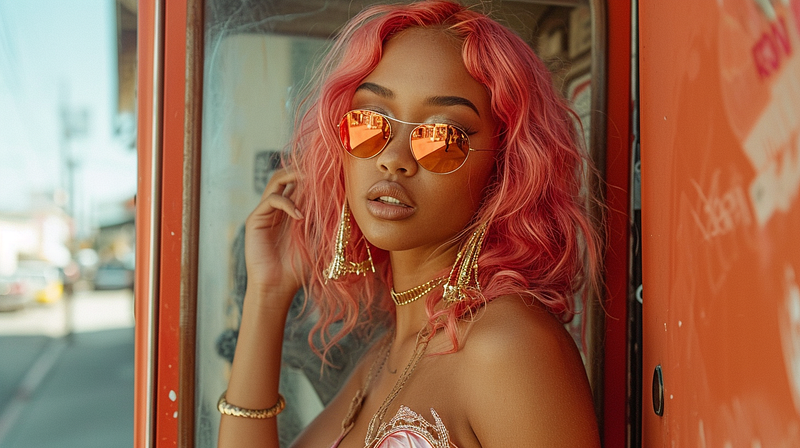
Image created on MidJourney V6 by the author

✨ Brand-New Style Consistency Feature: “Style References” is OUT!

  • “Style References” has just been released at the time of writing!
  • This new feature will allow users to replicate styles from any images to your new creations.
  • As David explained, “If you see an image and want to create something new in the style of this image, you can now give MidJourney that image, and it will try to make everything visually consistent with that image.
  • It’s very flexible as you can use your own MidJourney AI images from V6 or previous versions, your own photos, or even something you see on the internet!

💁🏻‍♀️ Personal Side Note: I’ve immediately start playing around with “Style References” once it’s released (literally 20 minutes ago at the time of writing), and I must say this new feature is insanely powerful and works VERY well. 😲

I’ve started working on an in-depth guide dedicated to this new “Style References” feature. (Updated: It’s already published! Check the Guide here.)

Just a little teaser of how well it works:
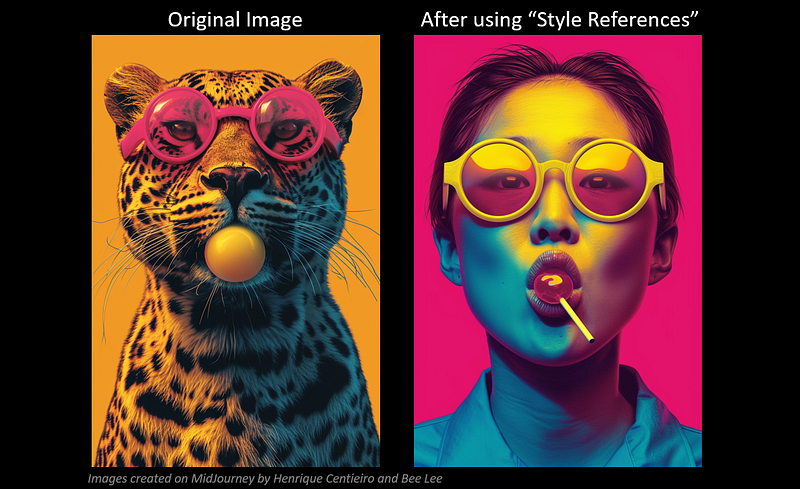
On the left (leopand) is an image I created on MidJourney V6 last month, and I used it as the image reference.

The image on the right is a new one that I just created using “Style References” to replicate the same style, with an added prompt: “An Asian woman facing the camera, lollipop in her mouth”.

As you can see, the style of the new image is almost identical to my reference image. It’s pretty insane!

✨ I’ve just published an in-depth guide to this new MidJourney feature “Style References”, which includes an easy step-by-step guide, attractive visual examples & 5 pro-tips to master this powerful feature:

🎊 Major Updates to MidJourney V6 Last Week:

1) Three well-loved MidJourney V5.2 features are added to V6

You can now find these features underneath your upscaled V6 images:

2) Brand-New Niji Version 6 Released

  • Niji is a MidJourney model specifically tuned for Eastern and anime aesthetics. A brand-new Niji version 6 has just been released on Jan 30.
  • You can enable Niji 6 in 2 ways:

1 — Type --niji 6 in your prompts to activate Niji Version 6, or 2 — Type /settings in your prompt box and choose Niji Model V6 [ALPHA]:
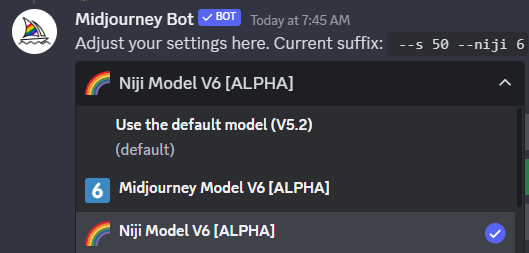
  • According to the MidJourney announcement, the new Niji 6 model has a stronger style than the previous Niji models.
  • Use Style Raw by adding --style raw to your prompts, which will ‘tame’ down the style if you’d like it to be more ‘subtle’.
  • Let’s take a look at some images I created for you:
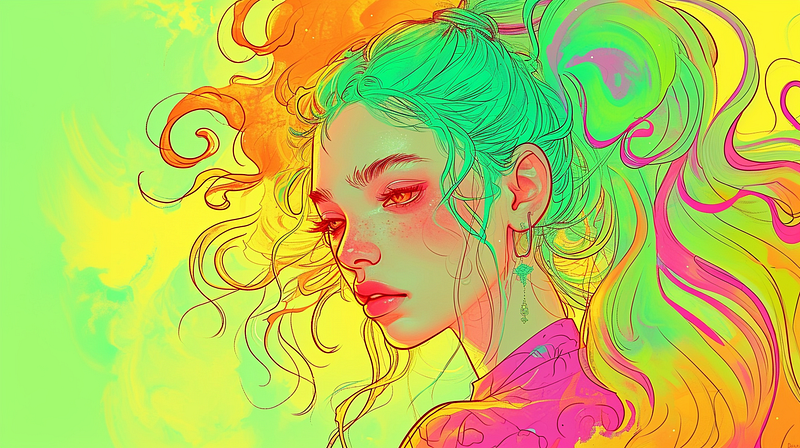
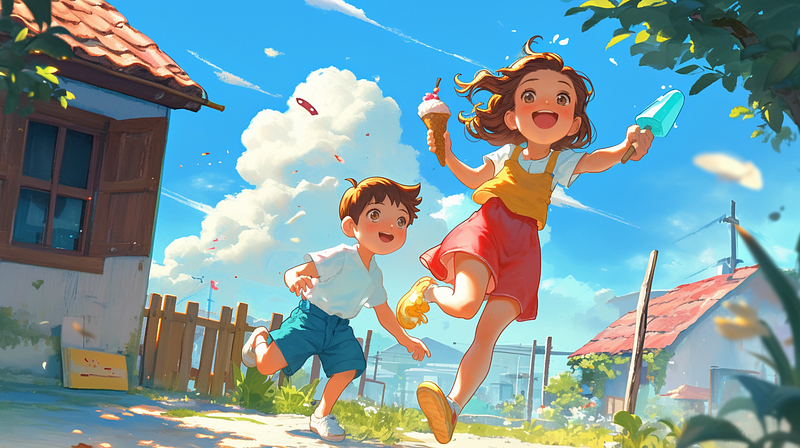
Image created on MidJourney Niji 6 by the author

Niji 6 also works well with the new Text Generation feature:
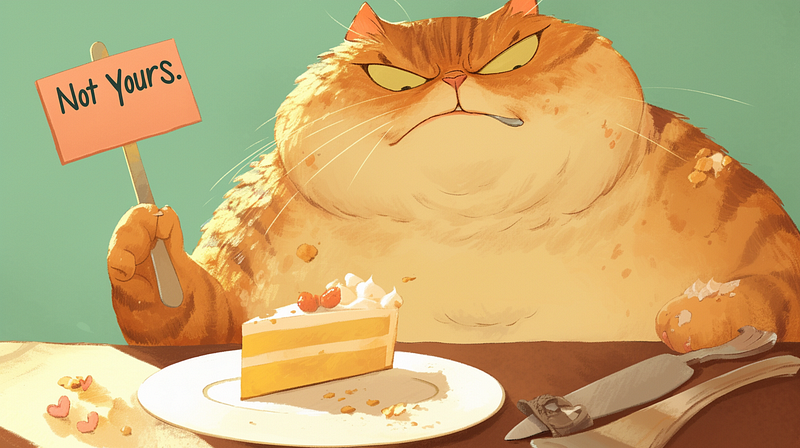
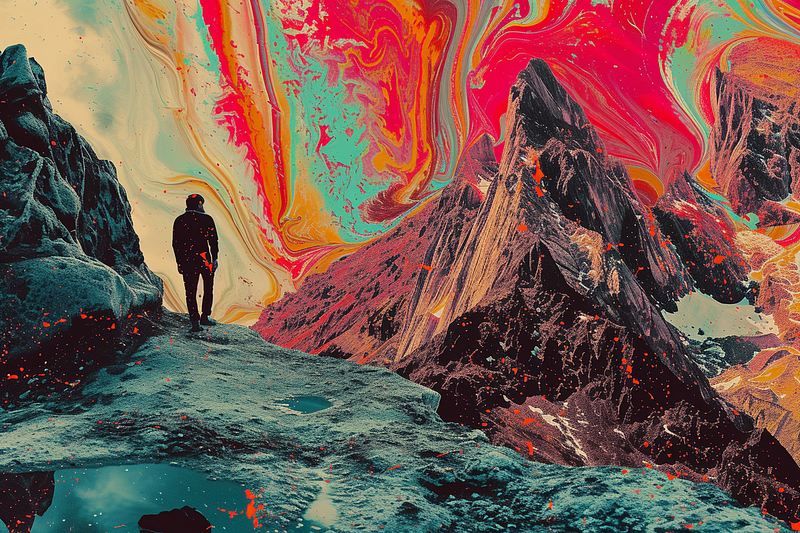
Image created on MidJourney Niji 6 by the author

💁🏻‍♀️ Personal Side Note: I honestly am so excited the Impainting “Vary (Region)” feature is back; this is one of my most-used features on MidJourney V5.2 to create the perfect images!

The new Niji 6 is pretty exciting as it listens to your prompts way better than before, so don’t hesitate to describe what you want in detail on Niji 6. Text generation on Niji 6 is also a big bonus; I’d highly recommend you play around with it! 😊

📝 A New /describe Feature is on the way!

The /describe feature is a long-existing MidJourney feature: You can upload an image to MidJourney, and the AI will “describe” the image to give you a reference of what should be included in the prompt if you want to duplicate a similar image.

❌ However, it didn’t always work as well as intended.

If you want to understand more about /describe, I’ve explored it in-depth under Section 4 in this article:

✔️ To fix the problem, the MidJourney team is working on an entirely brand-new /describe feature, the goal is to have it able to duplicate images a lot more and way more accurately.

From the MidJourney Office Hours today, David updated that:

  • It’s currently under training and looking good;
  • It’s still not perfect, but a lot more powerful and accurate than before;
  • David said this new /describe feature can “help people learn how to prompt better”.
  • The new feature will be tested with MidJourney guides and mods next week;
  • Estimate release: Sometime next week.

💁🏻‍♀️ Personal Side Note: Now that the style consistency feature “Style References” is out, combined with this upcoming /describe feature, we no longer need to worry about encountering images we like and struggle to recreate something in a similar style or context because we have no idea how to describe that in words! 😍
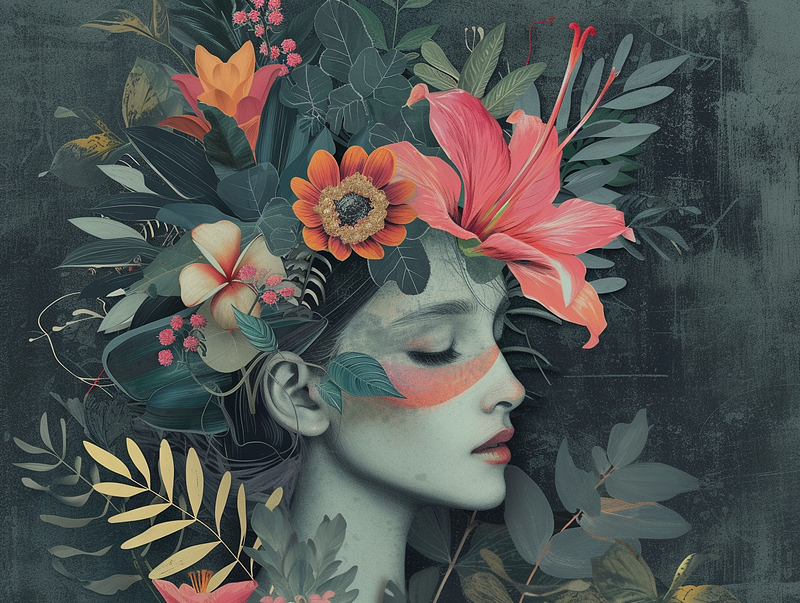
Image created on MidJourney V6 by the author

🧑🏻‍💻 Other Exciting Things MidJourney is Working On

✨ One last V6 Style Update before it turns to Beta

  • MidJourney V6 is getting close to the official Beta release;
  • Before it turns to Beta, there will be one last style update to V6;
  • David Holz said he wants “a more balanced style” for the current MidJourney V6 as it still has some “older male bias”;
  • If all goes well, MidJourney V6 will officially become the default version by the end of this week/early next week.

💻 New Version of the Alpha Website

  • The MidJourney Alpha website with the image generation feature and updated Explore Page will soon be available to more users who generated over 2.5K/ 1K images; (to check how many generations you have, type /info to find out)
  • Outpainting features like “Zoom” and “Pan” will soon be available on the website.

🤯 MidJourney V7

  • The MidJourney team is already working on the next new version — MidJourney V7, which is set to be released in 3 months. (Wow!)

😊 Thank you for staying with me till the end. I hope I’ve brought you some exciting MidJourney news today!

Stay Tuned for the upcoming ‘Essential Guide to Style Consistency Feature “Style References”’!

— Bee Lee 💃🏻

🥰 If you found any value in this article, why not throw me some Medium love? To support my work: Clap up to 50, leave a message to share your thoughts & Be sure to follow for more future content like this one! 💌

🤗 Hiya! I’m Bee Lee — An 8X Top Writer on Medium and a (really) Passionate Enthusiast of Generative AI.

My love for creating beautiful things and exploring the creative possibilities of Generative AI and MidJourney is unmatched, and sharing my wealth of experience and knowledge with you gives me great joy. 😊 I invite you to come join me as we dive deeper into the fascinating world of AI together! 🎨🤖⛵ Know more about me here.
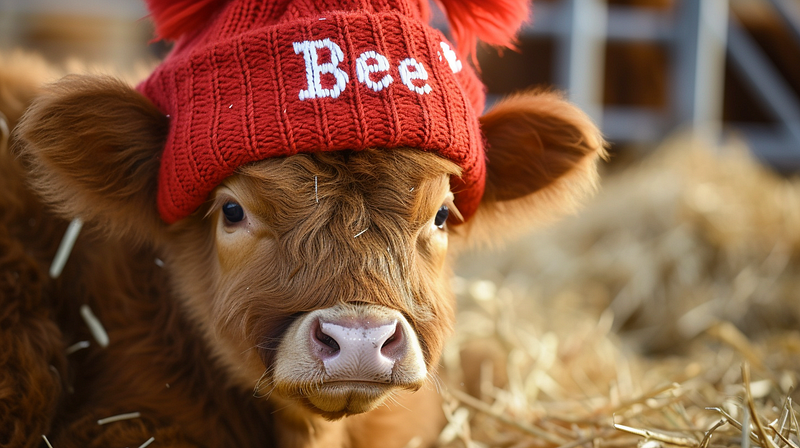
Image created on MidJourney V6 by the author

If you like any of the images in this article and want to know the prompts I used to create them, feel free to leave me a message in the comment session, and I’ll send it your way! 📩

Don’t forget to check out the newly published in-depth guide to the new MidJourney feature “Style References”, which includes an easy step-by-step guide, attractive visual examples & 5 pro-tips to master this powerful feature:

Meanwhile, feel free to check out all my other articles here to learn more Tips and Tricks on using MidJourney:

Here is the folder for all the previous MidJourney weekly Office Hours comprehensive recap:

🌞 Stay in touch:

Midjourney
Midjourney Prompts
Artificial Intelligence
Design
Creativity
Recommended from ReadMedium