avatarGSquared

Free AI web copilot to create summaries, insights and extended knowledge, download it at here

2624

Abstract

caption></figure><p id="801a">If you want to stay productive and focused while browsing the web, Momentum is for you.</p><p id="7c34">This extension replaces your new tab page with a beautiful, motivational photo and quick links to your most-visited sites.</p><h2 id="937d">Pushbullet</h2><figure id="0e3b"><img src="https://cdn-images-1.readmedium.com/v2/resize:fit:800/0*kMCbeQaB1183UX_y.png"><figcaption>Screenshot of Pushbullet Hero Image</figcaption></figure><p id="fd37">If you use your phone a lot throughout the day, you’ll love Pushbullet.</p><p id="dea4">This extension lets you send and receive SMS messages, view phone notifications, and even transfer files between your phone and desktop.</p><h2 id="987d">Ghostery</h2><figure id="d825"><img src="https://cdn-images-1.readmedium.com/v2/resize:fit:800/0*B4hypPjSHIKn2IE6"><figcaption>Screenshot of Ghostery Hero Image</figcaption></figure><p id="f134">Ghostery is an extension that protects your privacy by blocking trackers and scripts that follow you around the web, gathering data about what you do and where you go.</p><h2 id="effb">Evernote Web Clipper</h2><figure id="f9c1"><img src="https://cdn-images-1.readmedium.com/v2/resize:fit:800/0*VkBpu1JkF3Cz5v4C"><figcaption>Screenshot of Evernote Web Clipper Hero Image</figcaption></figure><p id="fb49">Evernote is one of the best note-taking apps out there, and with the Web Clipper extension, you can add anything you find online to your notes in just a few clicks.</p><h2 id="432b">StayFocusd</h2><figure id="931a"><img src="https://cdn-images-1.readmedium.com/v2/resize:fit:800/0*IuDLHSyEPFZ05xUZ"><figcaption>Screenshot of StayFocusd Hero Image</figcaption></figure><p id="6713">Do you find yourself getting sucked into social media or other time-wasting sites when you should be working?</p><p id="e5fe">StayFocusd limits the amount of time you can spend on certain sites, helping you stay focused.</p><h2 id="1bff">Postlight Reader</h2><figure id="19a1"><img src="https://cdn-images-1.readmedium.com/v2/resize:fit:800/0*Y-pyGT-xeqOvsOQ9"><figcaption>Screenshot of Postlight Reader Hero Image</figcaption></figure><p id="9d0e">Sometimes when you’re reading an article, there’s a lot of clutter on the page that can be distracting.</p><p id="c364">Postlight Reader lets you strip away all that clutter and just read the text in a clean, distraction-free interface.</p><h2 id="987c">Google Dictionary</h2><figure id="c282"><img src="https://cdn-images-1.readmedium.com/v2/resize:fit:800/0*HC8cgDixRpJ353DX"><figcaption>Screenshot of Google Dictionary Hero Image</figcaption></figure><p id="74ab">If you’re

Options

ever unsure about the meaning of a word, Google Dictionary is a great extension to have.</p><p id="f7d1">It lets you look up words just by double-clicking on them.</p><h2 id="9016">QuillBot</h2><figure id="f030"><img src="https://cdn-images-1.readmedium.com/v2/resize:fit:800/0*AJvH4eMuYvlfibJN.png"><figcaption>Screenshot of QuillBot Interface</figcaption></figure><p id="6590">QuillBot is a web application that also has a Chrome Extension that you can use to enhance your writing anywhere on the web.</p><p id="42cf">QuillBot has multiple options that can help you paraphrase, check for plagiarism, generate citations, and summarize content.</p><h2 id="1e7b">Zoom Scheduler</h2><figure id="21a5"><img src="https://cdn-images-1.readmedium.com/v2/resize:fit:800/0*o63nA48xRP2ctnbf"><figcaption>Screenshot of Zoom Scheduler Hero Image</figcaption></figure><p id="f516">With more and more people working from home, video calls have become an essential part of our lives.</p><p id="966a">Zoom Scheduler is an extension that integrates with your calendar and lets you schedule Zoom calls with just a few clicks.</p><h2 id="c8cc">Tampermonkey</h2><figure id="7da2"><img src="https://cdn-images-1.readmedium.com/v2/resize:fit:800/0*genbD20r_KCkdZw3"><figcaption>Screenshot of Tampermonkey Hero Image</figcaption></figure><p id="606c">Tampermonkey is a script manager that allows you to run user scripts on web pages.</p><h2 id="3632">AutoPagerize</h2><figure id="49cf"><img src="https://cdn-images-1.readmedium.com/v2/resize:fit:800/0*H-hE88HjxZTdjl6f"><figcaption>Screenshot of AutoPagerize Hero Image</figcaption></figure><p id="de59">AutoPagerize is a Chrome extension that automatically loads the next page of content when you reach the end of a web page.</p><h1 id="bd4a">How will You Improve Your Productivity in 2023?</h1><p id="5472">There are countless Chrome extensions to choose from, but these 15 are some of the best for 2023.</p><p id="ab71">Whether you want to stay productive, protect your privacy, or save money online, there’s an extension out there for you.</p><p id="8cae">So, download a few and see for yourself how much they can improve your browsing experience.</p><p id="6006">If you enjoyed reading this, I plan on covering more Google product tips and tricks, so shoot me a follow and I promise to keep filling your feed with some sauce that will turn you into a superstar.</p><p id="82e0">If you are into AI, you will love my other article that covers <a href="https://readmedium.com/4-life-changing-chatgpt-powered-chrome-extensions-81945b119d73">AI powered chrome extensions</a>!</p></article></body>

15 Must-Have Chrome Extensions to Boost Your Productivity in 2023

Streamline your Daily Tasks and Save Time with these Essential Tools

Most Useful Chrome Extensions for 2023

When it comes to Chrome extensions, there are countless options to choose from.

Some are incredibly useful, while others are downright useless.

So, what are the best Chrome extensions for 2023?

Let’s take a closer look.

Productivity Boosting Chrome Extensions for 2023

Grammarly
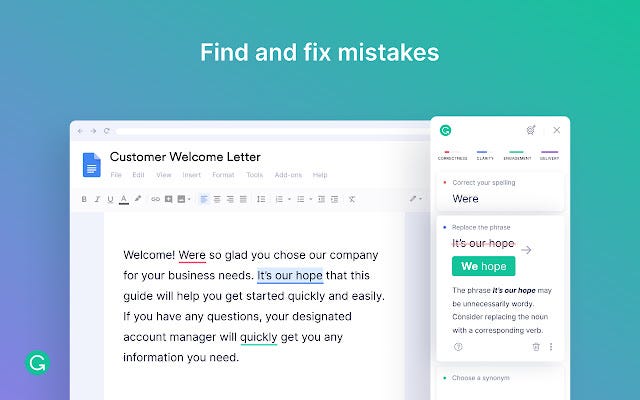
Screenshot of Grammarly Interface

If you’re notorious for making grammatical errors, Grammarly can save you a ton of embarrassment.

Its intuitive interface is fantastic at detecting spelling and grammar mistakes in real-time.

Honey

Screenshot of Honey Hero Image

If you’re the type of person that always wants to get the best possible deal, Honey is for you.

This extension automatically finds the best discounts and coupon codes for whatever you’re shopping for.

OneTab
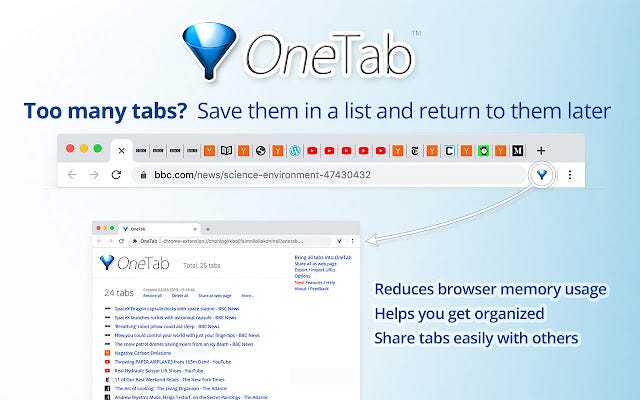
Screenshot of OneTab Hero Image

If you’re someone who’s always multitasking in your browser, you know how quickly tabs can pile up.

OneTab is an extension that helps you turn all your open tabs into a list, freeing up memory and making your browser more organized.
Pocket

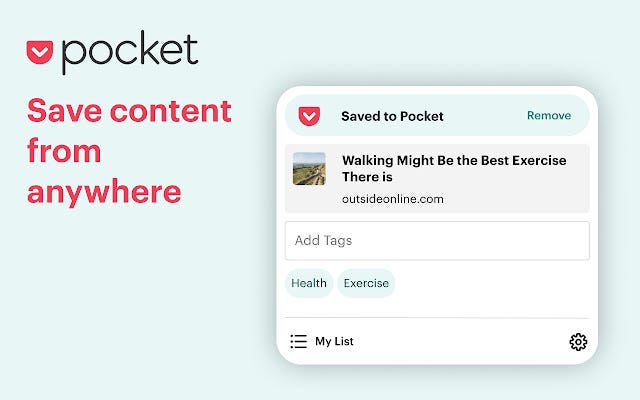
Screenshot of Pocket Hero Image

Sometimes when you’re browsing the web, you stumble upon an interesting article, but you don’t have time to read it.

That’s where Pocket comes in. It lets you save articles and videos to view later.

Momentum

Screenshot of Momentum Hero Image

If you want to stay productive and focused while browsing the web, Momentum is for you.

This extension replaces your new tab page with a beautiful, motivational photo and quick links to your most-visited sites.

Pushbullet
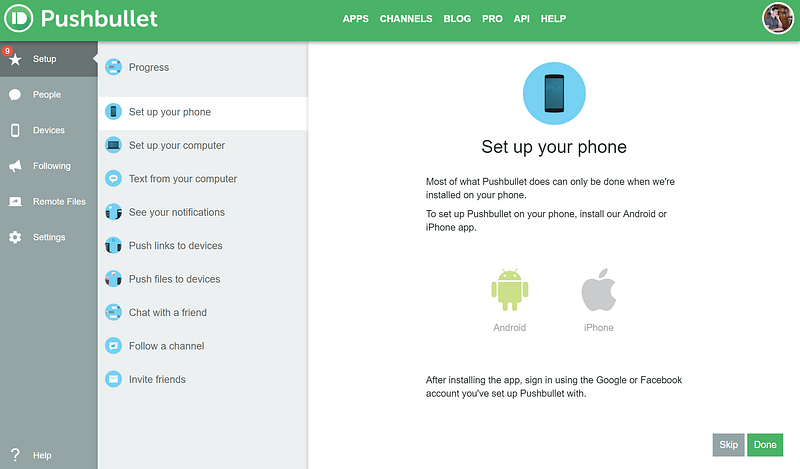
Screenshot of Pushbullet Hero Image

If you use your phone a lot throughout the day, you’ll love Pushbullet.

This extension lets you send and receive SMS messages, view phone notifications, and even transfer files between your phone and desktop.

Ghostery

Screenshot of Ghostery Hero Image

Ghostery is an extension that protects your privacy by blocking trackers and scripts that follow you around the web, gathering data about what you do and where you go.

Evernote Web Clipper
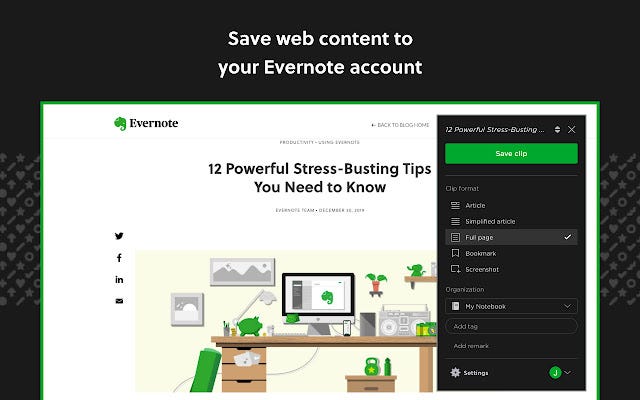
Screenshot of Evernote Web Clipper Hero Image

Evernote is one of the best note-taking apps out there, and with the Web Clipper extension, you can add anything you find online to your notes in just a few clicks.

StayFocusd
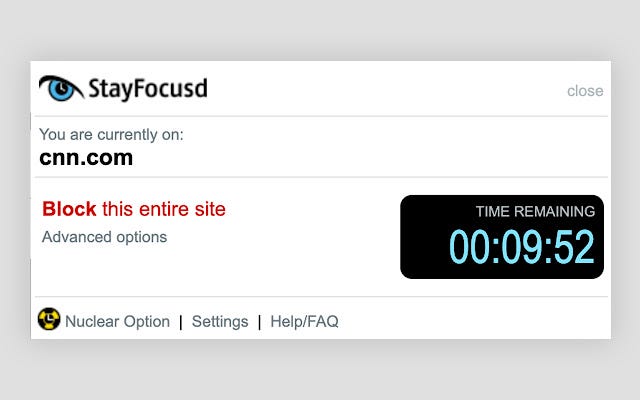
Screenshot of StayFocusd Hero Image

Do you find yourself getting sucked into social media or other time-wasting sites when you should be working?

StayFocusd limits the amount of time you can spend on certain sites, helping you stay focused.

Postlight Reader
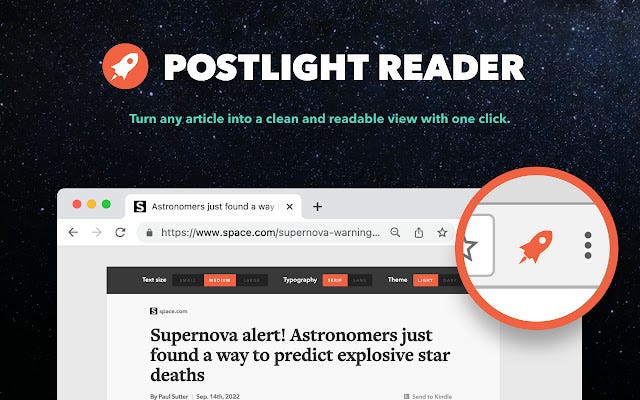
Screenshot of Postlight Reader Hero Image

Sometimes when you’re reading an article, there’s a lot of clutter on the page that can be distracting.

Postlight Reader lets you strip away all that clutter and just read the text in a clean, distraction-free interface.

Google Dictionary
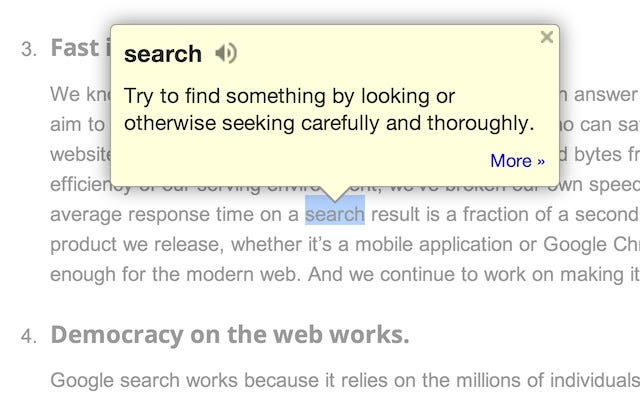
Screenshot of Google Dictionary Hero Image

If you’re ever unsure about the meaning of a word, Google Dictionary is a great extension to have.

It lets you look up words just by double-clicking on them.

QuillBot
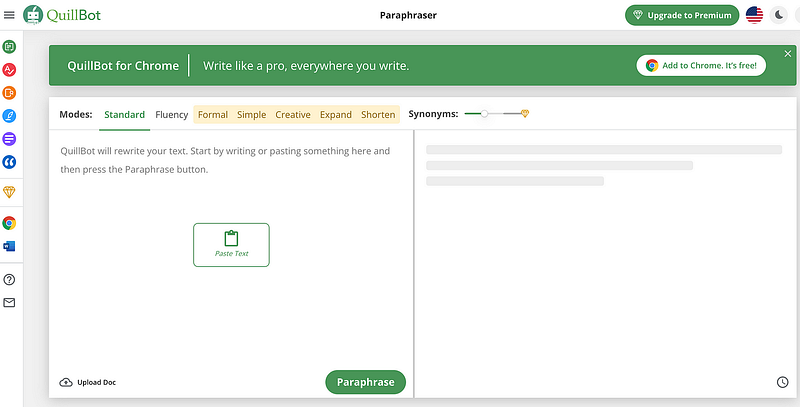
Screenshot of QuillBot Interface

QuillBot is a web application that also has a Chrome Extension that you can use to enhance your writing anywhere on the web.

QuillBot has multiple options that can help you paraphrase, check for plagiarism, generate citations, and summarize content.

Zoom Scheduler
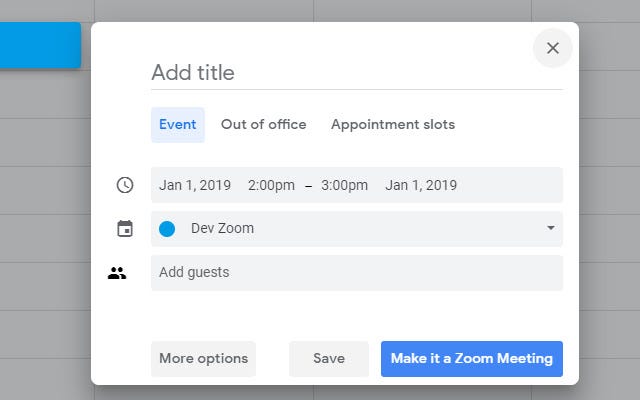
Screenshot of Zoom Scheduler Hero Image

With more and more people working from home, video calls have become an essential part of our lives.

Zoom Scheduler is an extension that integrates with your calendar and lets you schedule Zoom calls with just a few clicks.

Tampermonkey
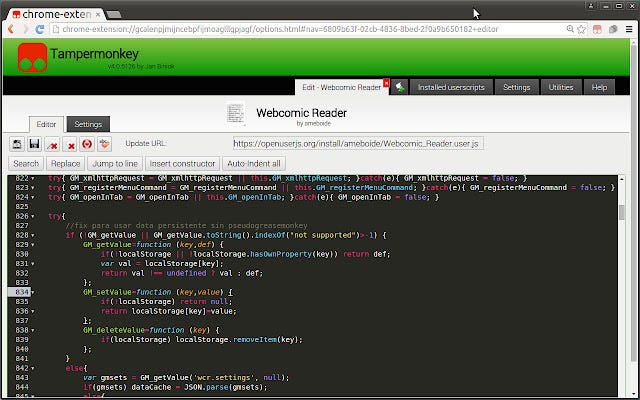
Screenshot of Tampermonkey Hero Image

Tampermonkey is a script manager that allows you to run user scripts on web pages.

AutoPagerize
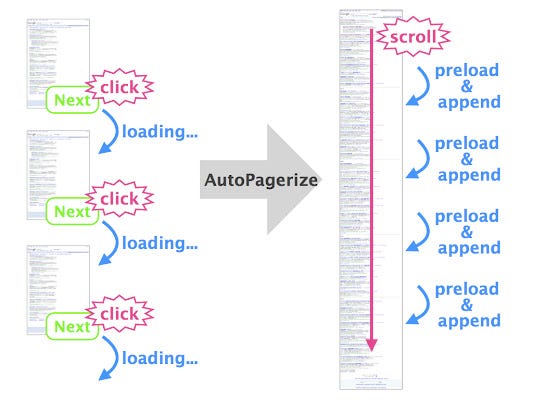
Screenshot of AutoPagerize Hero Image

AutoPagerize is a Chrome extension that automatically loads the next page of content when you reach the end of a web page.

How will You Improve Your Productivity in 2023?

There are countless Chrome extensions to choose from, but these 15 are some of the best for 2023.

Whether you want to stay productive, protect your privacy, or save money online, there’s an extension out there for you.

So, download a few and see for yourself how much they can improve your browsing experience.

If you enjoyed reading this, I plan on covering more Google product tips and tricks, so shoot me a follow and I promise to keep filling your feed with some sauce that will turn you into a superstar.

If you are into AI, you will love my other article that covers AI powered chrome extensions!

Chrome
Chrome Extension
Productivity
Web
Personal Development
Recommended from ReadMedium