
15 Insane AI Tools For Creators Must Use
I researched and found 15AI tools that are insane and every creator needs to use this tool to grow faster
When researching AI tools on the internet, one cannot fathom the extent of innovation happening in the AI industry. It is much larger than we realize, and those who are not keeping up with AI advancements are unaware of the potential it holds.
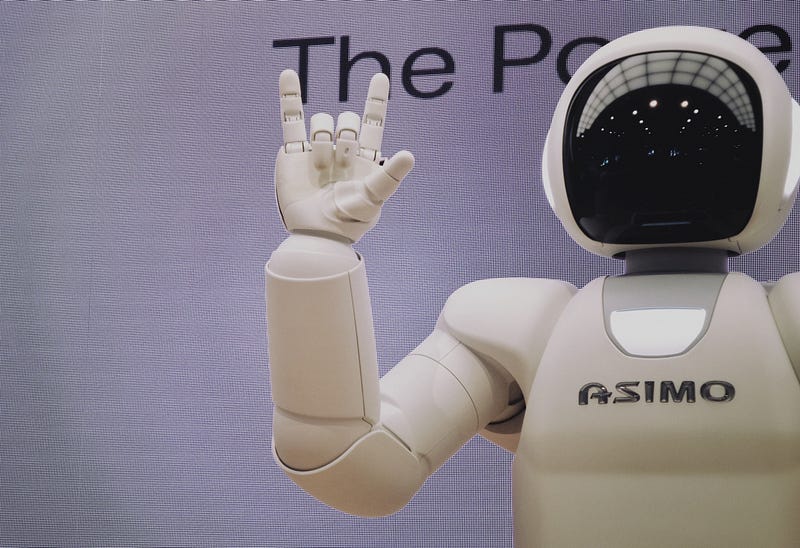
Nowadays, many people fear that AI will take over their jobs, and this fear is not unfounded, as AI is already replacing artists, coders, and some white-collar jobs. This development is concerning for many of us. However, it is essential to accept the emergence of AI and adapt to it. Failing to do so can lead to job loss. It is imperative to understand that AI can replace jobs at any time, and we must embrace it rather than resist it.
Moreover, with AI’s emergence, new job opportunities are also arising, such as prompt engineering and AI-related coding jobs. As creators, we can leverage AI tools to enhance our work and take advantage of its growing presence in the industry.
Creators can put in a lot of effort to create content. However, utilizing AI tools can greatly enhance the quality of the content and accelerate the content creation process. This is the point of using AI — to get assistance in creating better and faster content. There are now numerous AI tools available for creators, and exploring their potential can yield significant benefits.
these 15 Tools can save your time, save work, save money and help you to make more money.
1. ChatGPT
As a creator, I frequently rely on ChatGPT to generate content for my YouTube channel and conduct research. If I encounter any questions, I immediately turn to ChatGPT for answers. This helps me stay up-to-date and saves me valuable time on research. ChatGPT is an excellent tool for learning new things
For instance, I recently attempted to learn a new language and requested ChatGPT’s assistance in generating a roadmap for learning Spanish or Japanese. I also asked ChatGPT questions on how to speak and other language-related inquiries.
2. Japser.ai
Jasper.ai is a tool designed specifically for content creators. You might wonder why one should opt for Jasper when ChatGPT is available for free. While ChatGPT is suitable for everyone, if you are a content creator, you need more than just free content. You require quality, plagiarism-free, well-organized content that is optimized for different platforms. Unfortunately, ChatGPT may not be able to provide this kind of content.
Jasper.ai, on the other hand, can generate plagiarism-free content and offers hundreds of templates for different social media platforms. For example, if you need to write a tweet for your personal account, you can input your preferred writing tone, and Jasper.ai will generate a tweet that matches it. This is the magic of this tool. Jasper.ai also provides additional features such as a chatbot and image generator.
3. MidJourney
Midjourney is a popular tool that most creators are aware of. Creators require an abundance of content to post across various social media platforms. This is where Midjourney comes in. It enables creators to generate AI-generated images that they can use for creating thumbnails, Instagram posts, Pinterest posts, and other social media posts.
All you need to do is write a prompt that provides relevant information related to the photo. If the prompt is well-written and accurate, Midjourney will generate appropriate photos. The tool also offers options for selecting and enhancing the images by providing additional instructions. With Midjourney, creators can save time and create eye-catching visuals for their content.
4. Notion.AI
Notion is platform for everyone who want productive and manage work and life. Notion.ai is a productivity tool that helps individuals and teams organize and manage their work. It offers a variety of features, including task management, note-taking, and project planning. One of its notable features is its plagiarism detection tool, which uses advanced algorithms to compare the content of a document to a vast database of sources on the internet.
Content creation: Notion’s note-taking and writing features make it an excellent tool for creating and organizing content. Creators can use Notion to draft and refine their ideas, collaborate with others, and create outlines and templates.
5. Adobe Podcast
Learn about audio recording techniques: Adobe Podcasts features a range of episodes that cover audio recording techniques and best practices. Creators can learn about topics like microphone placement, EQ and compression settings, and room acoustics to improve the quality of their recordings.
6. Premiere Scene Detection
If you are video editor then you know premier pro, in premier pro there are many ai features are added for smooth and fast editing so one of these tool are premiere scene detection.
Premiere scene dection is for cutting scenes from footages if you are editing then you know there is more time get to cut the scenes on editing but this tools can help you to cut scene when camera or scene change in picture it will automatically dectect changing scene within frames it cut automatically.
This tool can save more time for editing video, there are also sum of video editing tools that automatically generate videos and next tool is about that.
7. Pictory.ai
Pictory.ai is an artificial intelligence-powered platform video editing. I has multiple features for bloggers who want to promote blog using video but not having budget to make videos for them you can use pictory it has feature called article to video and text to video these features can help you to make video without any effort and money.
Pictory.ai, creators can save time and streamline their workflow, allowing them to focus on the creative aspects of their work.
8. Youtube & Article Summary by ChatGPT
This is a Chrome extension that helps generate summaries for YouTube videos or articles. Whenever I consume content, I use this extension to get more information in less time.
Watching a 30-minute video to get only 3 minutes of value is not worth my time. Most of the time, creators talk about simple things and don’t get to the point directly. Therefore, this tool helps get summaries for videos and audios, which is very helpful for me. You can use this tool for free on the Chrome extension.
9. Cleanup.pictures
This tool is for removing objects in photos, you can use this tool for removing objects from images and upload on social media.
10. Beatoven.ai
this tool can help you to make background music for videos and if you are making videos in daily life then you know background music is need and for finding better background music is so difficult and it also need royalty free, using this tool you can make royalty free music for youtube videos.
So, this tool is really useful for creators.
11. captions.ai
For making video creator always need captions and here is one of the tool can give you captions for your videos and it will optimize with trend like motivational video on instgram and tiktok.
12. Get Munch
This AI tool can help you to segment your large content into smaller pieces. For instance, many people shoot podcasts and cut small clips to upload on various channels for people to watch. With this tool, you can create similar types of videos for your different platforms or YouTube channel.
13. Animate from Audio
This is an adobe product it incredible not that much good but you can get some views using this, you can get lot’s characters you need to choose one of those and you can give them voice and make reels or videos.
14. Looka.com
if you want to make branding then it will help you in that case it give you logo and optizime it using this tool.
15. Futurepedia.io
This website can give you all tools information and using this website you can find multiple AI tools in any niche.
These are the 15 AI tools for creator you can use this to save time and energy on creating content So, use this and save time.


