
12 things I wish I knew before starting to work with Hugging Face LLM
Insights and Tips for Navigating the Hugging Face LLM Landscape
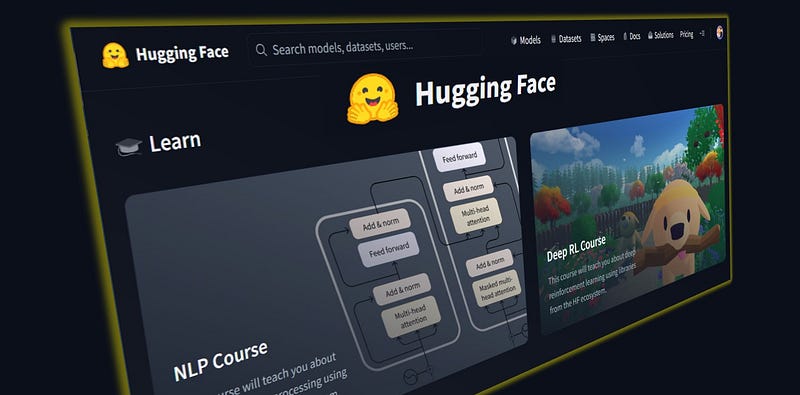
Hugging Face has become one of the most popular open-source libraries for Artificial Intelligence.
It is a treasure for every enthusiast of Natural Language Processing tasks.
When you access the Hugging Face’s Language Model Hub you are in a complete new world of possibilities.
I started to experiment on my Google Colab Notebook every new feature I could. But the number of failures were greater than the success! When you run your code, following tutorials and examples, and 8/10 times you get an error you just want to give up! 😒
If you want to learn new tool or library, it is beneficial to know beforehand the potential issues that may arise: things that one wishes they had known before diving in.
In this article we will explore 12 things every beginner should know. These tips will help you avoid common frustration and improve your progress with Hugging Face LLMs. They are split into 4 main topics:
1. 📚 Training course
2. 🧰Transformers and Pipelines
3. 🤖 What Model sohuld I pick?
4. 🦜🔗 LangChain and Text2Text-generation
1. 📚 Training course
The Hugging Face Free Course is a free course on NLP using the HuggingFace ecosystem. It focuses on teaching the ins and outs of NLP and how to accomplish state-of-the-art tasks in NLP.
When you register to their portal the first thing you are asked for is to joining the free training course. I immediately clicked on yes (it is free…).
The course is divided into three major modules, each divided into chapters or subsections.
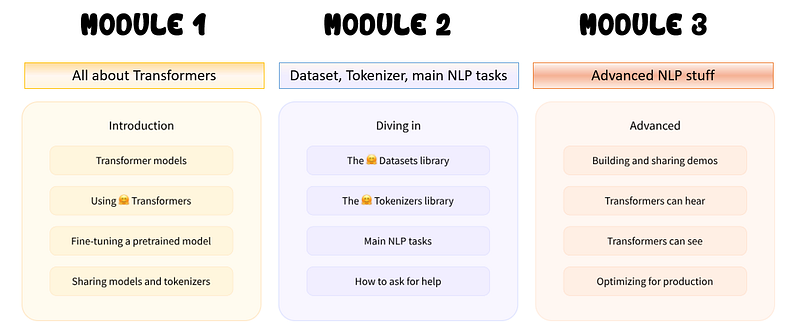
The course is available in Pytorch and Tensorflow and can be followed along with Google Colab notebook.
The training course is extensive and well organized. There are also quizzes at the end of each chapter to test understanding
I whish I knew…
- If you are a beginner, you can start using pre-trained models with the Hugging Face Transformers library: follow few tutorials and that is enough.
- If you are a more advanced user you can even fine-tune and customize these models for specific NLP tasks: in this scenario it is a good idea to complete the entire course.
- The best way to understand is to test yourself on a Google Colab Notebook, experimenting new things. If you only follow this long course without testing things yourself you will not benefit from it. Use the material as a reference and refer to the official documentation as much as you can.
2. 🧰 Transformers and Pipelines
Transformers are your toolbox to interact with all the Hugging Face models. You don’t even have to download them: if you create an API Token you can call the Inference API to do your job (like you may have done with ChatGPT).
With transformers you don’t need to know immediately complicated techniques to use LLMs. With the pretrained models you can perform many common tasks:
📝 Natural Language Processing: text classification, named entity recognition, question answering, language modeling, summarization, translation, multiple choice, and text generation. 🖼️ Computer Vision: image classification, object detection, and segmentation. 🗣️ Audio: automatic speech recognition and audio classification. 🐙 Multimodal: table question answering, optical character recognition, information extraction from scanned documents, video classification, and visual question answering.
I whish I knew…
4. Use AutoTokenizer and AutoModelForSeq2Seq: initially I thought that you need to use specific Transformers and Tokenizers for each Model family (for example if you use a T5 model family, you need to use specific transformers for them)
from transformers import T5Tokenizer, T5ForConditionalGeneration

tokenizer = T5Tokenizer.from_pretrained("t5-small")
model = T5ForConditionalGeneration.from_pretrained("t5-small")
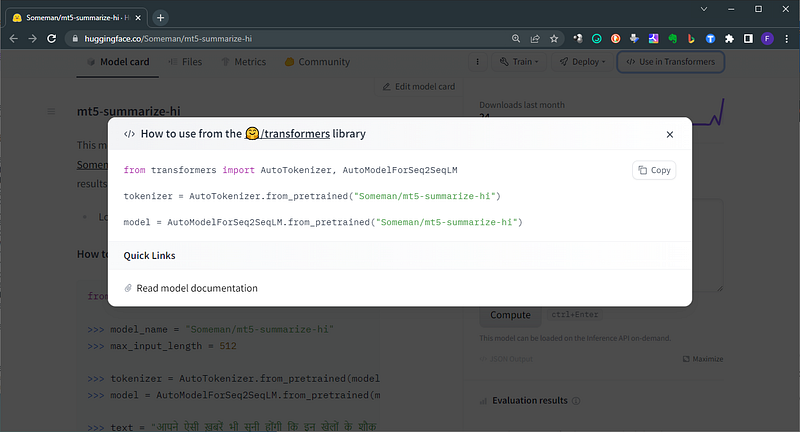
But not all models have clear indication on Hugging Face model card to how to use them. For all pre-trained model you can declare a simple statement:
from transformers import AutoTokenizer, AutoModelForCausalLM

#replace "databricks/dolly-v2-3b" with "yourpathto/hfmodel..."
tokenizer = AutoTokenizer.from_pretrained("databricks/dolly-v2-3b")
model = AutoModelForCausalLM.from_pretrained("databricks/dolly-v2-3b")
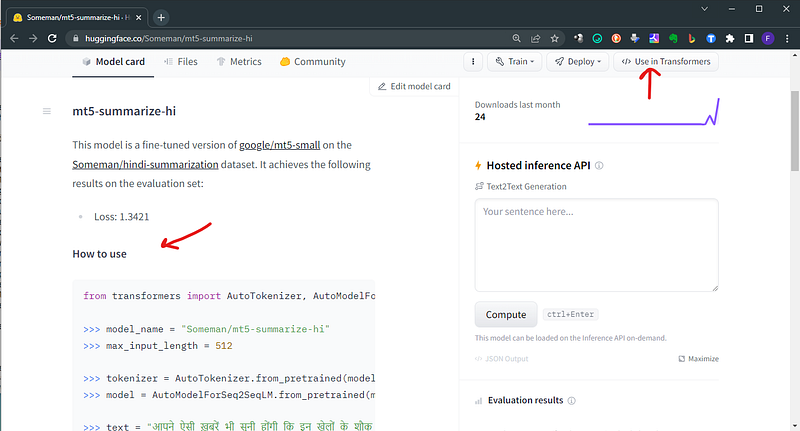
5. On the model card of every model, you have a quick guide to use in transformers
3. 🤖 What Model should I pick?
The Hugging Face Hub is a platform with over 120k models, 20k datasets, and 50k demo apps (Spaces), all open source and publicly available, in an online platform where people can easily collaborate and build ML together.
With such a huge number it is difficult to pick the right one. In the beginning I was browsing trough them at random. Testing them this way, was a big mistake and a waste of time.
I whish I knew…
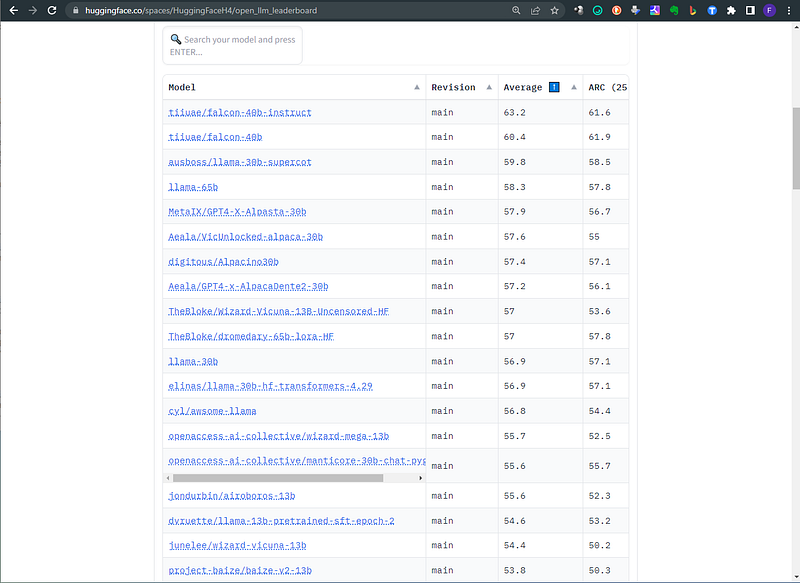
6. You can start from the Leaderboard to understand the more performing models in the community.
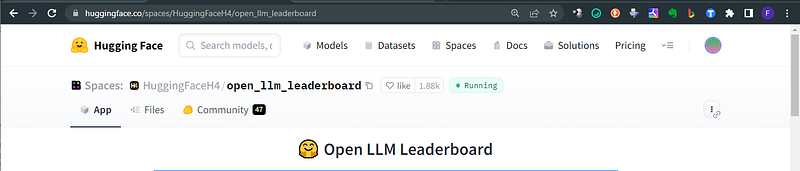
📐 With the plethora of large language models (LLMs) and chatbots being released week upon week, often with grandiose claims of their performance, it can be hard to filter out the genuine progress that is being made by the open-source community and which model is the current state of the art. The 🤗 Open LLM Leaderboard aims to track, rank and evaluate LLMs and chatbots as they are released.
Check on the best hits your favorite and try it with the inference API
7. Your hardware is the constraint: if you don’t have a GPU you must stick to small models. Go to the file section and look at the weight of the .bin file.
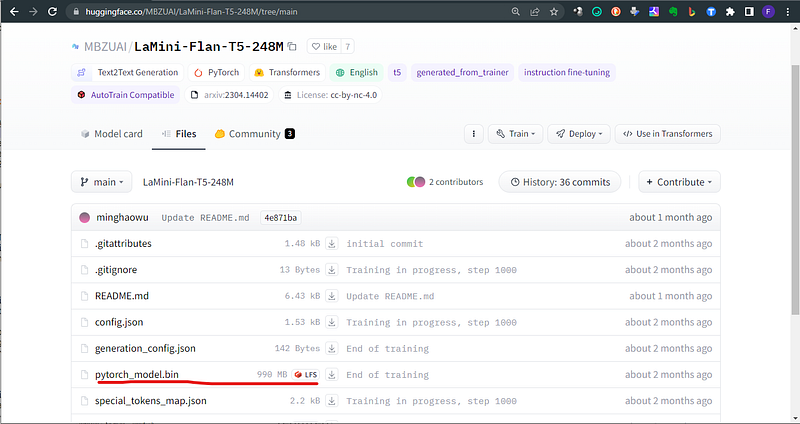
This is my favorite model: consider that if you run on CPU only, your free VRAM required is doubled the size of the model.bin file.
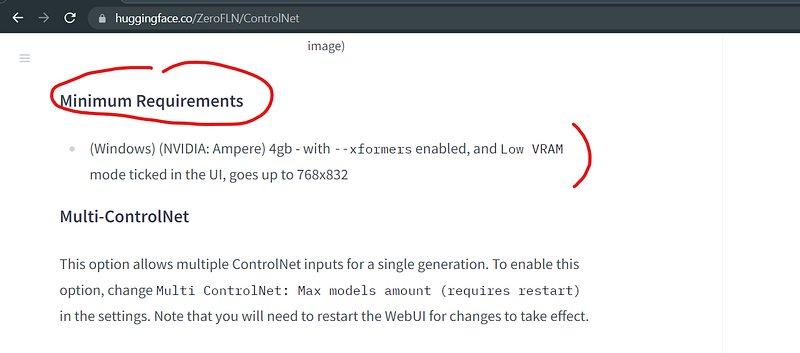
Sometimes in the model card it is also mentioned the minimum spec required.
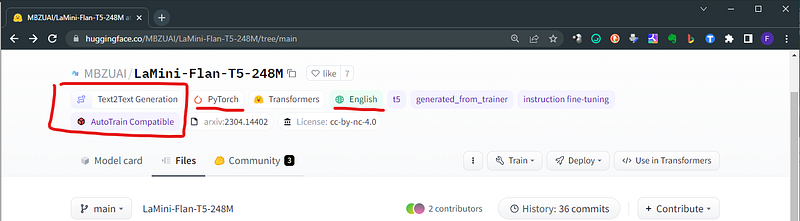
8. Pick your model based on the task you want to perform! You cannot have on your PC ChatGPT… But you can have multiple small models that perform different task. A summarizer, a text generetor, a translator and so on. You find the tasks related to the models on the model card page itself.
The one here below is a model dedicated to translations: specifically from english to korean. Remember that in Hugging Face Hub translation models are usually working only for a pair, and a specific order. This one is from English to Korean (en-to-ko)
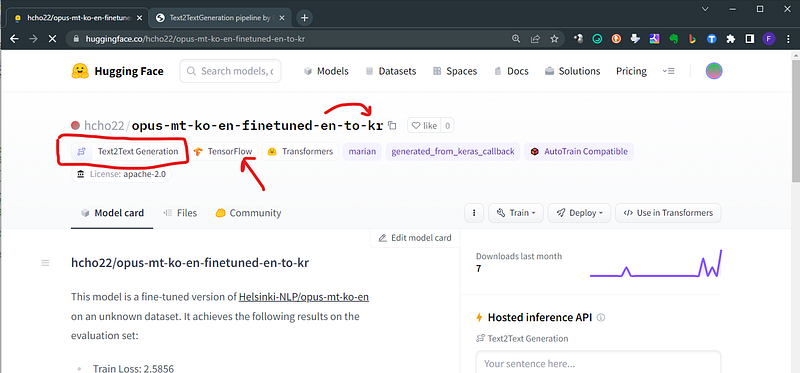
The model card is telling us a lot of things:
1. The base model: marian
2. The Machine Leraning framework: Tensorflow
3. The specialized task: Text2Text-generation
9. In case the weights of the model are in .h5 format you need to install tensorflow (like in the example above)
pip install tensorflow
Remember that you need to specify the tensorflow framework when you call your Model, with from_tf=True. It is something like this:
repo_id = “hcho22/opus-mt-ko-en-finetuned-en-to-kr”
model_ttKR = AutoModelForSeq2SeqLM.from_pretrained(repo_id, from_tf=True)
10. The models that are downloaded automatically when you declare them, are stored in a special cached directory on your Computer. This means that you can copy/paste them in your project folder! Run in your terminal this command to get the list and the paths of all cached models. Learn more here.
huggingface-cli scan-cache

4. 🦜🔗 LangChain and Text2Text-generation
LangChain is a library that helps developers build applications powered by large language models (LLMs). It provides a framework for connecting LLMs to other sources of data, such as the internet or personal files, and allows developers to chain together multiple commands to create more complex applications.
I whish I knew…
11. Start immediately to work with LangChain: the docs and tutorials are really good! 🦜🔗 can be used to build applications powered by LLMs such as chatbots, question-answering systems, summarization systems, and code generation systems. It is a powerful tool that is easy to use and provides a wide range of features.
12. Modern models (like the T5 family) have a pipeline called the Text2TextGeneration: this is the pipeline for text to text generation using seq2seq models. Text2TextGeneration is a single pipeline for all kinds of NLP tasks like Question answering, sentiment classification, question generation, translation, paraphrasing, summarization, etc.
Conclusions
Working with Hugging Face’s Language Models (LLMs) can be a challenging yet rewarding experience for AI enthusiast like you and me.
After exploring the 12 things I wish I knew before starting to work with Hugging Face LLMs, I hope you have some good swiss-knife hacks in your pockets. Enjoy testing the amazing resources of the Hugging Face ecosystem.
Ready to start?
You can check yourself how to do your first AI generation
If you want to start with a Google Colab project and learn cool NLP tasks with Hugging Face models, have a look here:
If you feel ready to run it on your computer, follow these 7 steps. Do not worry, CPU only is enough!
If this story provided value and you wish to show a little support, you could:
- Clap 50 times for this story (this really, really helps me out)
- Sign up for a Medium membership using my link — ($5/month to read unlimited Medium stories)
- Follow me on Medium
- Read my latest articles https://medium.com/@fabio.matricardi


