avatarMark Ellis

Free AI web copilot to create summaries, insights and extended knowledge, download it at here

2491

Abstract

.com/ive-finally-found-the-best-email-client-7c17d610bc2"> <div> <div> <h2>I’ve Finally Found the Best Email Client</h2> <div><h3>And no, it isn’t Apple Mail</h3></div> <div><p>medium.com</p></div> </div> <div> <div style="background-image: url(https://miro.readmedium.com/v2/resize:fit:320/1*LHxsjOoyYjdwgrD8AuMV6A.jpeg)"></div> </div> </div> </a> </div><h2 id="93cf">3. FaceTime</h2><p id="d2a4">I use FaceTime on the Mac occasionally, but it’s always rather fleeting and usually reserved for family calls on the iPad or iPhone.</p><p id="925d">This might change when macOS Monterey arrives later this year, where we’re going to be treated to a FaceTime update which looks set to bring it up-to-speed with the likes of Zoom and Teams.</p><p id="c36f">For now, though, it just clutters my dock. So it gets binned, immediately.</p><h2 id="e6d3">4. Maps</h2><p id="2e36">I’ve never used Apple Maps on the Mac.</p><p id="7dbd">Why would I?</p><h2 id="98a3">5. Contacts</h2><p id="28ea">This app feels like such a relic. Again, I can’t think of a single reason I’d ever need to head into Contacts.</p><p id="3398">When I want to email someone, I open Spark, start a new message and begin typing their name. If I want to call someone, I ask Siri or look through my recent calls list.</p><p id="2e69">Perhaps I’m missing some incredibly useful functionality within Contacts — or maybe it offers some kind of productivity-boosting capability I’m yet to discover. If so, let me know below, please.</p><h2 id="f1ae">6. Calendar</h2><p id="3d6e">If you haven’t used Fantastical yet, I really recommend giving it a go.</p><div id="f022" class="link-block"> <a href="https://readmedium.com/whats-on-my-mac-5-apps-i-couldn-t-live-without-3471c5b67e2b"> <div> <div> <h2>What’s on My Mac: 5 Apps I Couldn’t Live Without</h2> <div><h3>It took longer than I thought to narrow these essentials down.</h3></div> <div><p>medium.com</p></div> </div> <div> <div style="background-image: url(https://miro.readmedium.com/v2/resize:fit:320/1*aFAhPhirgBmm2AoYsVH0hQ.jpeg)"></div> </div> </div> </a> </div><p id="cacf">Once again, there’s nothing necessarily wrong with Apple’s defau

Options

lt Calendar app, but it just isn’t as nice to use as Fantastical. It feels clunky by comparison and lacks Fantastical’s brilliant quick entry feature and menu bar ‘widget’ (which I use <i>all of the time</i>).</p><h2 id="a02e">7. Podcasts</h2><p id="db35">I never listen to podcasts on my Mac.</p><h2 id="cdf6">8. Apple TV</h2><p id="e9cb">I never watch TV on my Mac.</p><h2 id="fd97">9. Numbers</h2><p id="c08a">Hands-up — I’m a Microsoft Office user.</p><p id="136f">Yeah, I know.</p><p id="3f21">Again, I have nothing against Numbers, and I quite like Apple’s approach to spreadsheets, but Excel reigns king when it comes to number manipulation (plus, let’s be honest — everyone else uses it).</p><h2 id="e516">10. Keynote</h2><p id="5c46">As you may have guessed by now, I use PowerPoint for presentations.</p><p id="e9f8">Keynote is actually a superb piece of software and arguably lets you create far more attractive presentations more quickly than you can with Microsoft’s alternative.</p><p id="3b23">Alas, everyone uses PowerPoint.</p><h2 id="2ce5">11. Pages</h2><p id="c35b">Yeah, you guessed it.</p><p id="806e">If I have to use a traditional word processor, I head into Microsoft Word, simply because a couple of my contracts require me to. Plus, again, it’s about as ubiquitous as software comes.</p><p id="8258">Despite that, the main reason I remove Pages from the dock is so that I can put Ulysses in its place.</p><div id="fdc5" class="link-block"> <a href="https://readmedium.com/why-you-should-stop-using-word-ulysses-vs-ia-writer-c55c3a2a5dd9"> <div> <div> <h2>Why You Should Stop Using Word: Ulysses vs iA Writer</h2> <div><h3>Let the ultimate text editor battle commence!</h3></div> <div><p>medium.com</p></div> </div> <div> <div style="background-image: url(https://miro.readmedium.com/v2/resize:fit:320/1*aC_GRMsT204UxpS1bgDrog.jpeg)"></div> </div> </div> </a> </div><p id="ef2a">That’s it. I don’t think I’m too brutal with the dock, am I?</p><h2 id="5170">Before you go</h2><p id="ce4c"><a href="https://markellisreviews.ck.page/newsletter"><b>Join my behind-the-scenes mailing list</b></a></p><p id="6bf1"><i>Originally published at <a href="https://markellisreviews.com/11-default-apps-i-remove-from-macos-and-why/">https://markellisreviews.com</a> on July 13, 2021.</i></p></article></body>

11 Default Apps I Remove From macOS (and Why)

More spring cleaning tips for your Mac
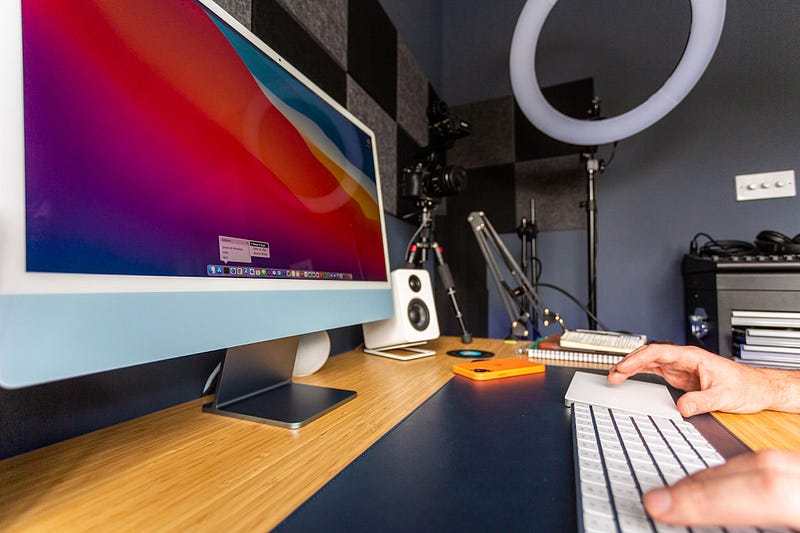
Image courtesy of author

As I revealed recently, I’m not much of a tinkerer when it comes to macOS. I have my favourite little tweaks, but they’re not particularly adventurous.

However, I know what I like, and over the many years I’ve used macOS as my main operating system, I’ve learned how to tweak it perfectly for my various use cases.

Since publishing my video where I revealed exactly how I customise macOS out of the box, I’ve had a few comments asking why I removed certain default apps from the dock.

So, here’s a definitive list of the apps that get immediately culled — and why.

1. Launchpad

I never use Launchpad. Do you?

I have two methods for opening apps. The first is via the dock for my most used apps, and the second is via spotlight when I need to head into something I use less often (or when I can’t be bothered to reach for the mouse).

The Launchpad was the result of Apple’s slightly odd ‘back to the Mac’ initiative a few years back when they inexplicably inserted a number of iPad-like features into their desktop operating system.

The Launchpad is one we really didn’t need, Tim.

2. Apple Mail

I don’t really have anything against Apple Mail — it’s a pretty decent email client which has improved considerably over the years.

It just doesn’t quite live up to some of the third-party competition — Microsoft’s venerable Outlook included.

3. FaceTime

I use FaceTime on the Mac occasionally, but it’s always rather fleeting and usually reserved for family calls on the iPad or iPhone.

This might change when macOS Monterey arrives later this year, where we’re going to be treated to a FaceTime update which looks set to bring it up-to-speed with the likes of Zoom and Teams.

For now, though, it just clutters my dock. So it gets binned, immediately.

4. Maps

I’ve never used Apple Maps on the Mac.

Why would I?

5. Contacts

This app feels like such a relic. Again, I can’t think of a single reason I’d ever need to head into Contacts.

When I want to email someone, I open Spark, start a new message and begin typing their name. If I want to call someone, I ask Siri or look through my recent calls list.

Perhaps I’m missing some incredibly useful functionality within Contacts — or maybe it offers some kind of productivity-boosting capability I’m yet to discover. If so, let me know below, please.

6. Calendar

If you haven’t used Fantastical yet, I really recommend giving it a go.

Once again, there’s nothing necessarily wrong with Apple’s default Calendar app, but it just isn’t as nice to use as Fantastical. It feels clunky by comparison and lacks Fantastical’s brilliant quick entry feature and menu bar ‘widget’ (which I use all of the time).

7. Podcasts

I never listen to podcasts on my Mac.

8. Apple TV

I never watch TV on my Mac.

9. Numbers

Hands-up — I’m a Microsoft Office user.

Yeah, I know.

Again, I have nothing against Numbers, and I quite like Apple’s approach to spreadsheets, but Excel reigns king when it comes to number manipulation (plus, let’s be honest — everyone else uses it).

10. Keynote

As you may have guessed by now, I use PowerPoint for presentations.

Keynote is actually a superb piece of software and arguably lets you create far more attractive presentations more quickly than you can with Microsoft’s alternative.

Alas, everyone uses PowerPoint.

11. Pages

Yeah, you guessed it.

If I have to use a traditional word processor, I head into Microsoft Word, simply because a couple of my contracts require me to. Plus, again, it’s about as ubiquitous as software comes.

Despite that, the main reason I remove Pages from the dock is so that I can put Ulysses in its place.

That’s it. I don’t think I’m too brutal with the dock, am I?

Before you go

Join my behind-the-scenes mailing list

Originally published at https://markellisreviews.com on July 13, 2021.

Technology
Tech
Apple
Mac
Apps
Recommended from ReadMedium