avatarUlvin Omarov

Free AI web copilot to create summaries, insights and extended knowledge, download it at here

6071

Abstract

hnology can be used more by UX/UI designers who want to create outstanding websites and applications.</p><p id="4002">AR is real-world-looking scenes augmented by graphics, sound, and other inputs generated by computer and mobile applications. A computer-generated simulation of the environment is called VR. Both are incredibly effective. It can be useful for businesses that want to create a unique experience for their customers.</p><figure id="fe1f"><img src="https://cdn-images-1.readmedium.com/v2/resize:fit:800/1*ZVBraQBVTqxUkaHqNmKoxg.gif"><figcaption>Dribbble</figcaption></figure><p id="488a">AR/VR technology is an exciting development that is already being commercialized to help create virtual interactions that merge with real life. This technology is already being used in areas such as education, retail, and healthcare. Therefore, its increased use in marketing, graphics, and UX/UI design is closer to reality in 2024.</p><h1 id="1cfd">7. Scrolly-telling</h1><p id="31f5">As I mentioned above, the trend in motion design will play a major role in the UX/UI of 2024. Normal page scrolling is boring because it is not dynamic, even if it includes video or animated content. UX/UI designers now use no-code and animation libraries to hierarchically control the visuality, order, and interface of content.</p><figure id="6ea0"><img src="https://cdn-images-1.readmedium.com/v2/resize:fit:800/1*T9sczE8CfIrX7d63BviJFw.gif"><figcaption><a href="https://dribbble.com/cuberto">Cuberto</a></figcaption></figure><p id="8d80">The scrolling in the question itself can be adjusted to display smoother and more specific behaviors. For example, it is possible to make transitions, zoom in and out of videos, and change the shape of images. Using this method, brands can display their products in a fluid and narrative way with the right strategy.</p><h1 id="5bd8">8. Digital well-being</h1><p id="b010">Covid has kept people in prison conditions at home for a long time. This, in turn, made people lazy and addicted to digital products. An average adult spends about 11 hours a day looking at a screen. This watch includes viewing on your smartphone, TV, laptop, etc. In some people, this period of time increases up to 19 hours a day. Of course, those big numbers lead to higher risks of depression, insomnia, and other bad things.</p><figure id="4839"><img src="https://cdn-images-1.readmedium.com/v2/resize:fit:800/0*IiQtueoE75DdiQe9"><figcaption><a href="https://dribbble.com/MOHADIN">MohammadHadi Ahmadian</a></figcaption></figure><p id="bee6">While some of us are hooked, some of us have already begun to focus on our digital well-being and screen time. It’s a good idea to add tracking tools to health mobile apps that help users gain control over their unhealthy habits. As an example, one solution is to push daily statistics to the user when the screen time limit is exceeded. It is difficult to break any habit and create a new one. The use of these types of awareness and health-focused apps will be widespread.</p><h1 id="7b0e">9. Accessibility</h1><p id="4b32">The UX is all about accessibility. Every designer wants all users to have an overall positive experience on their site and, to be able to navigate the site with ease.</p><figure id="b3bb"><img src="https://cdn-images-1.readmedium.com/v2/resize:fit:800/1*Js1BEecbJU4wzGjP5wQRvQ.png"><figcaption>The Greatest | Apple</figcaption></figure><p id="0dab">By starting with the below ideas, we can do that by increasing accessibility:</p><h2 id="4f24">Voice search</h2><p id="5686">One of the best ways to increase website accessibility is integrating voice search capabilities because it allows for a more hands-free user experience, so to speak. More than typing a query into the site’s search bar, users can easily speak it into whichever device they’re viewing the site from and search it from there. Voice search is a great tool that helps visually impaired users better navigate the site and offers easy usability for every user!</p><figure id="68da"><img src="https://cdn-images-1.readmedium.com/v2/resize:fit:800/1*xtMwdim38Xy-u_bvtkO9Cg.gif"><figcaption><a href="https://dribbble.com/shakuro">Shakuro</a></figcaption></figure><h2 id="de19">Mobile-first design</h2><p id="ad82">By making a mobile-first website, you create a seamless buying experience for customers no matter which device they view it from. Most people love their phones, and so do customers. Building a website that prioritizes users viewing it from a mobile device like a phone.</p><p id="a201">In 2024, you should also start to apply accessibility standards and guidelines across all your products and services.</p><h1 id="eb04">10. Dark mode</h1><p id="8524">If you are designing the product to be used only in low-light environments or by users with low vision, you should definitely only use dark mode. Also, you should definitely choose between a toggle button for dark mode and light mode as part of the 2024 UX/UI design trends!</p><figure id="f0ae"><img src="https://cdn-images-1.readmedium.com/v2/resize:fit:800/1*MP6CPA60tT8gGSY94qKDpQ.png"><figcaption><a href="https://dribbble.com/ChipsaDesign">Chipsa</a></figcaption></figure><p id="01d3">Users who prefer dark mode, have low vision, read in the sun or on the beach, and are in light mode should be able to just switch to dark mode.</p><h1 id="323d">Bonus: Bold and large font</h1><p id="f21b">Browsing the websites of the world’s top brands is a great way to identify new trends for the coming years.</p><figure id="6e1e"><img src="https://cdn-images-1.readmedium.com/v2/resize:fit:800/1*jlSJsHZRbssdInZHOFVO_Q.png"><figcaption></figcaption></figure><p id="5d44">According to user needs, they have switched to a more readable, less informative, and minimal design.</p><h2 id="dc26">Overview</h2><p id="25db">Knowing the latest trends is only half the battle. The key is to apply them correctly to our products. The digital user experience and interface trends we discuss in this blog will significantly influence software development in the coming years.</p><p

Options

id="8825">By embracing these trends, businesses will be able to both improve digital user experiences and produce superior products. We’re in the era of digital transformation, so businesses need to be aware of emerging user experience and interface trends. And as product designers, we should always provide our users with trending designs. Keep updated always 😎</p><h1 id="c45d">Wrap up</h1><p id="a629">Do you find this article helpful? Then clap me to motivate writing such another blog 😇</p><p id="07c5">Let’s be friends! You can connect with me on <a href="https://www.linkedin.com/in/ulvinomerov/"><b>Linkedin</b></a> and follow me on <a href="https://www.instagram.com/ulvin.omarov/"><b>Instagram</b></a><b>,</b> and don’t forget my <a href="https://medium.com/@ulvin.omarov"><b>Medium</b></a><b>, <a href="https://dribbble.com/ulvinomarov">Dribbble</a>, <a href="https://www.figma.com/@ulvinomarov">Figma community</a>, </b>and <a href="https://www.behance.net/ulvinomerov"><b>Behance</b></a></p><p id="9e1b">Check my <b><i>SALE</i></b><i> </i>design content on <a href="https://ui8.net/users/ulvin-omarov-4ddec9?status=6"><b>UI8.net</b></a> and <a href="https://ulvinomarov.gumroad.com/"><b>Gumroad</b></a> 😜</p><p id="988e">Sources I inspired: <a href="https://shakuro.com/blog/ui-ux-design-trends-for-2023">https://shakuro.com/blog/ui-ux-design-trends-for-2023</a> <a href="https://www.gmihub.com/blog/ui-ux-trends-2023-whats-new-and-whats-hot/">https://www.gmihub.com/blog/ui-ux-trends-2023-whats-new-and-whats-hot/</a> <a href="https://uiuxtrend.com/top-ui-ux-trends-2023-you-need-to-know/">https://uiuxtrend.com/top-ui-ux-trends-2023-you-need-to-know/</a> <a href="https://www.webfx.com/blog/web-design/ux-ui-trends/">https://www.webfx.com/blog/web-design/ux-ui-trends/</a> <a href="https://ttt.studio/blog/7-ux-ui-design-trends-to-look-out-for-in-2023/">https://ttt.studio/blog/7-ux-ui-design-trends-to-look-out-for-in-2023/</a></p><p id="3e6f">Maybe you like:</p><div id="3f9f" class="link-block"> <a href="https://medium.com/@ulvin.omarov/6-tips-to-set-up-your-linkedin-profile-as-a-ux-designer-421b66dc2f4"> <div> <div> <h2>6 tips to set up your Linkedin profile as a UX designer.</h2> <div><h3>For a UX/UI or Product designer, the first thing is a portfolio. And 2nd?)))</h3></div> <div><p>medium.com</p></div> </div> <div> <div style="background-image: url(https://miro.readmedium.com/v2/resize:fit:320/1*hskmxgciHAZng0q13r_SuA.png)"></div> </div> </div> </a> </div><p id="9ff3"><b><i>Get a multi-purpose design system with a 20% discount with promo code:</i></b></p><h1 id="18e0">MEDIUM20</h1><div id="7831" class="link-block"> <a href="https://ulvinomarov.gumroad.com/l/UIwin-all-in-one-atomic-design-system-uikits?layout=profile"> <div> <div> <h2>UI-win: All-in-One Atomic Design System & UI kits</h2> <div><h3>UI-win is your ultimate multipurpose Atomic Design System, featuring a comprehensive collection of UI kits. All these…</h3></div> <div><p>ulvinomarov.gumroad.com</p></div> </div> <div> <div style="background-image: url(https://miro.readmedium.com/v2/resize:fit:320/0*vLIk7UJSBGGHMcZ3)"></div> </div> </div> </a> </div><h1 id="4a52">Overview</h1><p id="f247">UI-win is your ultimate multipurpose Atomic Design System, featuring a comprehensive collection of UI kits. All these kits are designed with Figma auto layout that allows users to use fully responsive.</p><p id="dd94">Considering trends, the system is designed in both Light and Dark modes, so it is easy to use to drag and drop and change all of them to different modes.</p><p id="c57d">Web kits are separated into desktop and mobile, while App kits are in Material and iOS. At the same time, global styles are applied with variables.</p><p id="8ea0">The Design System consists of</p><p id="2e05">- Typography

  • Color palettes
  • Tooltips, Toasters
  • Button sets
  • Input-Text fields
  • Avatars
  • Tabs
  • Checkboxes
  • Radio boxes
  • Toggles
  • Switches
  • Steppers
  • Tags
  • Chips
  • Progress bars
  • Sliders
  • Emojis
  • Navbars-Menubars
  • Calendar
  • Date & Time pickers
  • Breadcrumbs
  • Upload files
  • Searches
  • Accordions
  • Paginations
  • Snack bars
  • Loading-Progress indicators
  • Notifications
  • Cards
  • Popup-Dialogues
  • Testimonial
  • Pricing
  • Order card
  • Filters
  • Sidebar (dashboard)
  • Table (dashboard)
  • Dashboard section
  • Headers
  • Footers
  • Mobile modals
  • Navigation drawer
  • Hero section samples
  • Signup, Login
  • Check out, Cart
  • Write review
  • FAQ (Q&A)
  • Team members
  • Product list
  • Fluid & Fixed grids
  • 4000 over icon set</p><p id="56bb">Supercharge your UI/UX workflow with UI-win and create stunning interfaces efficiently and precisely. Elevate your design projects with ready-to-use kits and unleash limitless creativity.</p><p id="19e7">Thank you for your purchase! We appreciate your support in every UI color: 💜🩵💙💚💛🧡❤️🩷🤍🩶🖤</p><p id="b804"><b><i>Get a multi-purpose design system with a 20% discount with promo code:</i></b></p><h1 id="ceac">MEDIUM20</h1><div id="9102" class="link-block"> <a href="https://ulvinomarov.gumroad.com/l/UIwin-all-in-one-atomic-design-system-uikits?layout=profile"> <div> <div> <h2>UI-win: All-in-One Atomic Design System & UI kits</h2> <div><h3>UI-win is your ultimate multipurpose Atomic Design System, featuring a comprehensive collection of UI kits. All these…</h3></div> <div><p>ulvinomarov.gumroad.com</p></div> </div> <div> <div style="background-image: url(https://miro.readmedium.com/v2/resize:fit:320/0*vLIk7UJSBGGHMcZ3)"></div> </div> </div> </a> </div></article></body>

Top 10 UX/UI Design Trends for 2024 + Bonus Insights
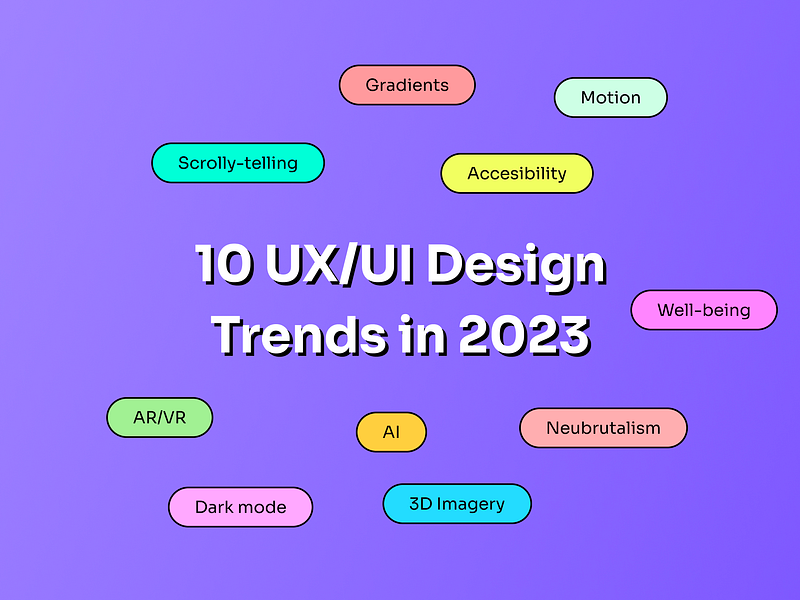
Trends follow us in every part of our lives: hobbies, fashion, daily lifestyle, social media, etc. Products that follow users always get a chance to win their hearts and stay in the market for a long time. The same goes for mobile and web design.

Some trends change every year according to people’s styles and desires. Experienced designers always follow these trends to keep their products current.

In this blog, we’ll discuss 10 plus one bonus UI/UX design trends that will be popular in 2024 for both mobile apps and websites. As a result, businesses will discover new ideas for their products, while UX/UI designers will discover inspiration, innovations, functionalities, and other important tips.

1. AI-based UX design

It is likely that as Machine Learning and AI technologies become more advanced, we will help companies create more effective websites and applications. Because AI-based user experience (UX) design tools will increase and we will use them. While most popular UX design tools currently focus on creating visual design and user flows, AI-powered UX tools will focus on making everything work seamlessly together in digital products.
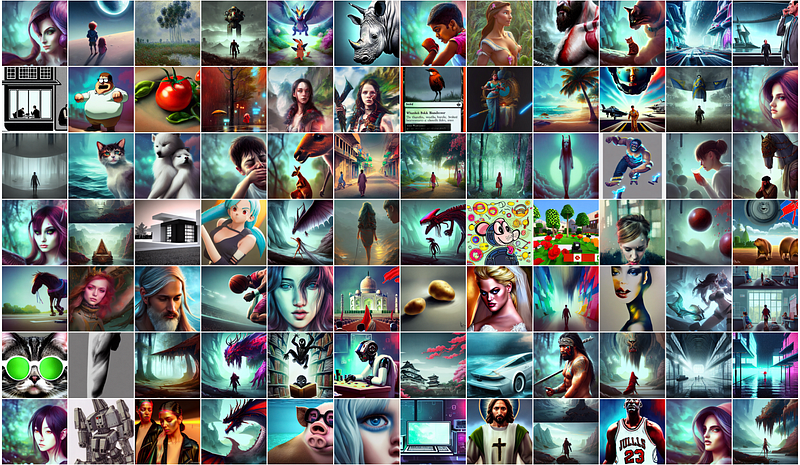
Hotpot — AI Art Gallery

This means that businesses will be able to implement user experience best practices from the ground up using artificial intelligence to ensure that their products meet user expectations. This system will make it easier to iterate and improve UX design as users provide feedback and input and resolve customer issues before they occur. Currently, AI-generated photos are popularly used on the web and mobile.

2. Motion Design (Animation)

Creating motion or animations for websites and mobile apps in previous years was a bit difficult. Because the internal development team had to reduce the quality of animations and limit the size of applications to increase the site's speed. A lot has changed since those years. Especially the 5G network. At the same time, the introduction of several animation-based libraries allowed designers to create stunning animations without sacrificing speed and efficiency.
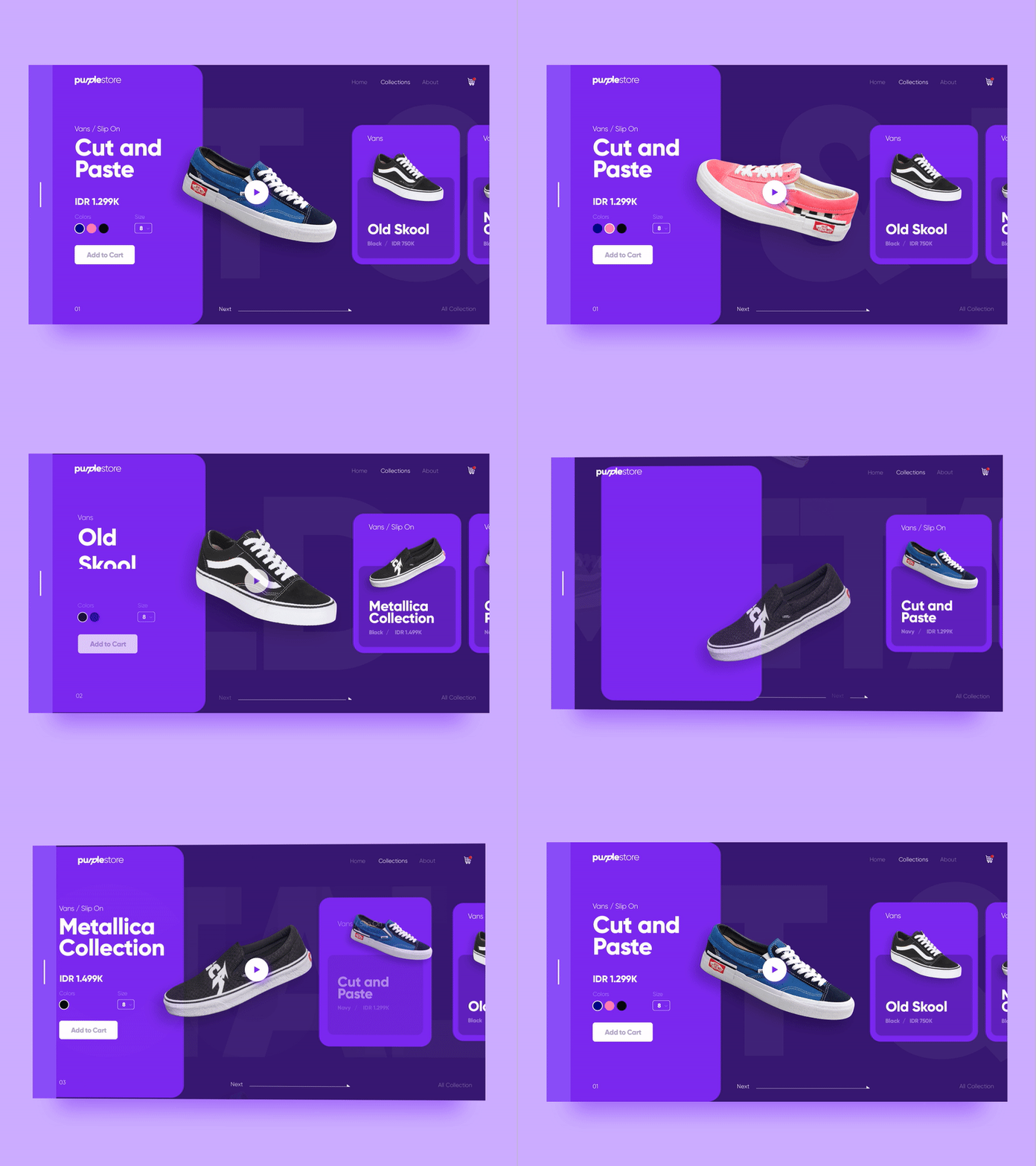
Dribbble.com

Even experienced designers can incorporate mobility into their design projects, thanks to the widespread use of these technologies. As a product designer, I predict that animations will be used more widely in the future not only to add vibrancy and beauty to designs but also to facilitate the user experience, surprise them and delight them with beautiful micro-interactions.

3. Neobrutalism

Another UX/UI design trend that has returned to our screens this year is Neobrutalism. I think it will stay with us in 2023 with a few sub-variants. With this wave of nostalgia, we’re also seeing things become more personal and less corporate, with nods to the past of web and mobile design. Neubrutalism takes the latest trends in UX/UI design to the next level. It retains its edge, while also combining an unusual style with more modern animation, illustration, and text standards. Although Neobrutalism is currently an unofficial term, it is already widely talked about in the world of web design, even big companies like Figma and Gumroad have developed and launched websites in this style. We can say that they gave a boost to the Brutalism style.
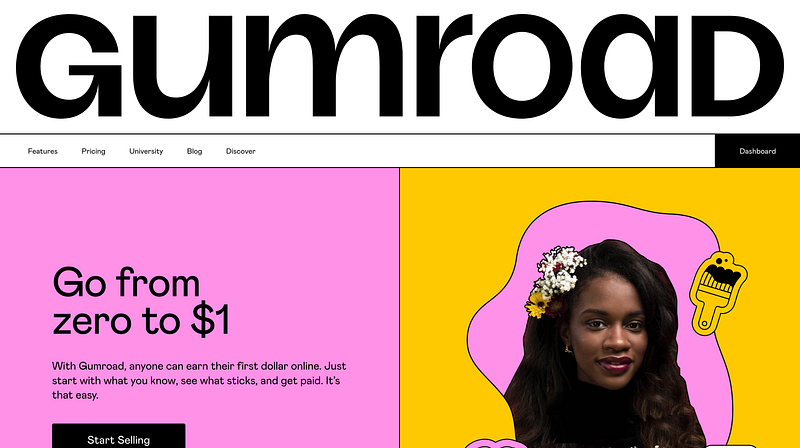
Gumroad.com

4. Gradients

As in recent years, gradients will once again play an important role in visualizing and telling stories in 2024, shifting to vibrant colors and complex shapes. The gradient trend will give creative designers more visual options to evoke certain emotions and feelings in the hearts of users. Many brands will use soft gradients to influence the public’s thinking and actions.
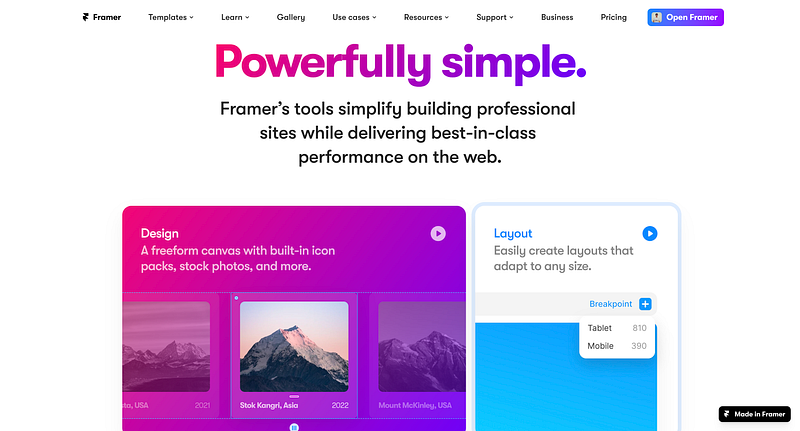
Framer.com

Vibrant colors will work well for fitness, businesses, and city styles. If one needs to keep people concentrated and uplifted, like in fitness or e-learning, one uses vivid gradients.
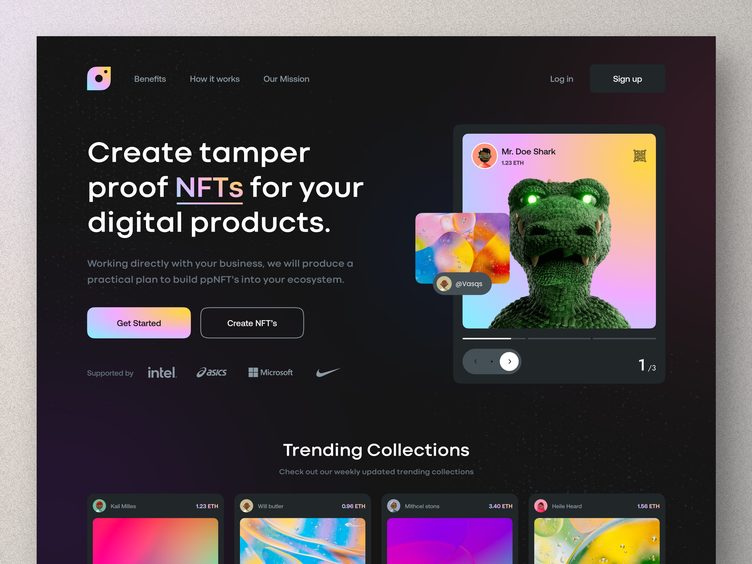
Tuhel Rana — Dribbble

5. 3D Imagery

3D images have almost always retained their power in terms of user vision. This style especially catches my eye through social media. The bland corporate illustration that was prevalent a few years ago will begin to fade away, paving the way for a new style. It seems that designers are increasingly coming back to photos by editing images to make them colorful and dynamic, decorating unusual illustrations or information, and trying to find more interesting ways to display images by using 3D objects on websites and apps. I believe this style will continue to grow over the next year as VR/AR technology continues to evolve.
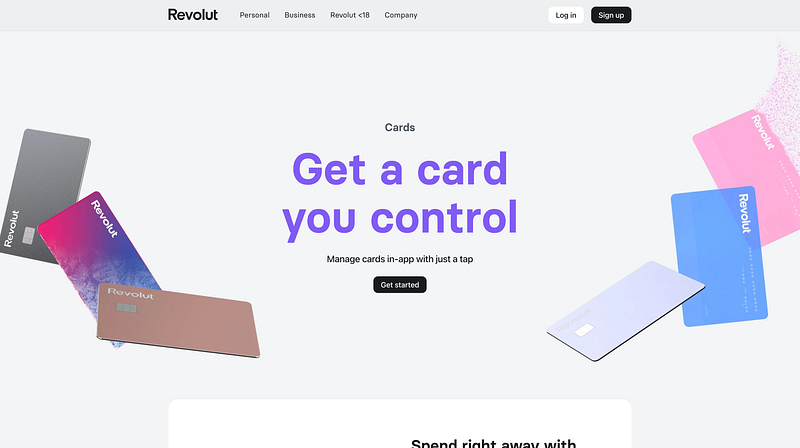
Revolut.com

6. VR/AR

Over the past years, Augmented Reality (AR) and Virtual Reality (VR) technologies have become increasingly available to most businesses. It is thought that AR/VR technology can be used more by UX/UI designers who want to create outstanding websites and applications.

AR is real-world-looking scenes augmented by graphics, sound, and other inputs generated by computer and mobile applications. A computer-generated simulation of the environment is called VR. Both are incredibly effective. It can be useful for businesses that want to create a unique experience for their customers.
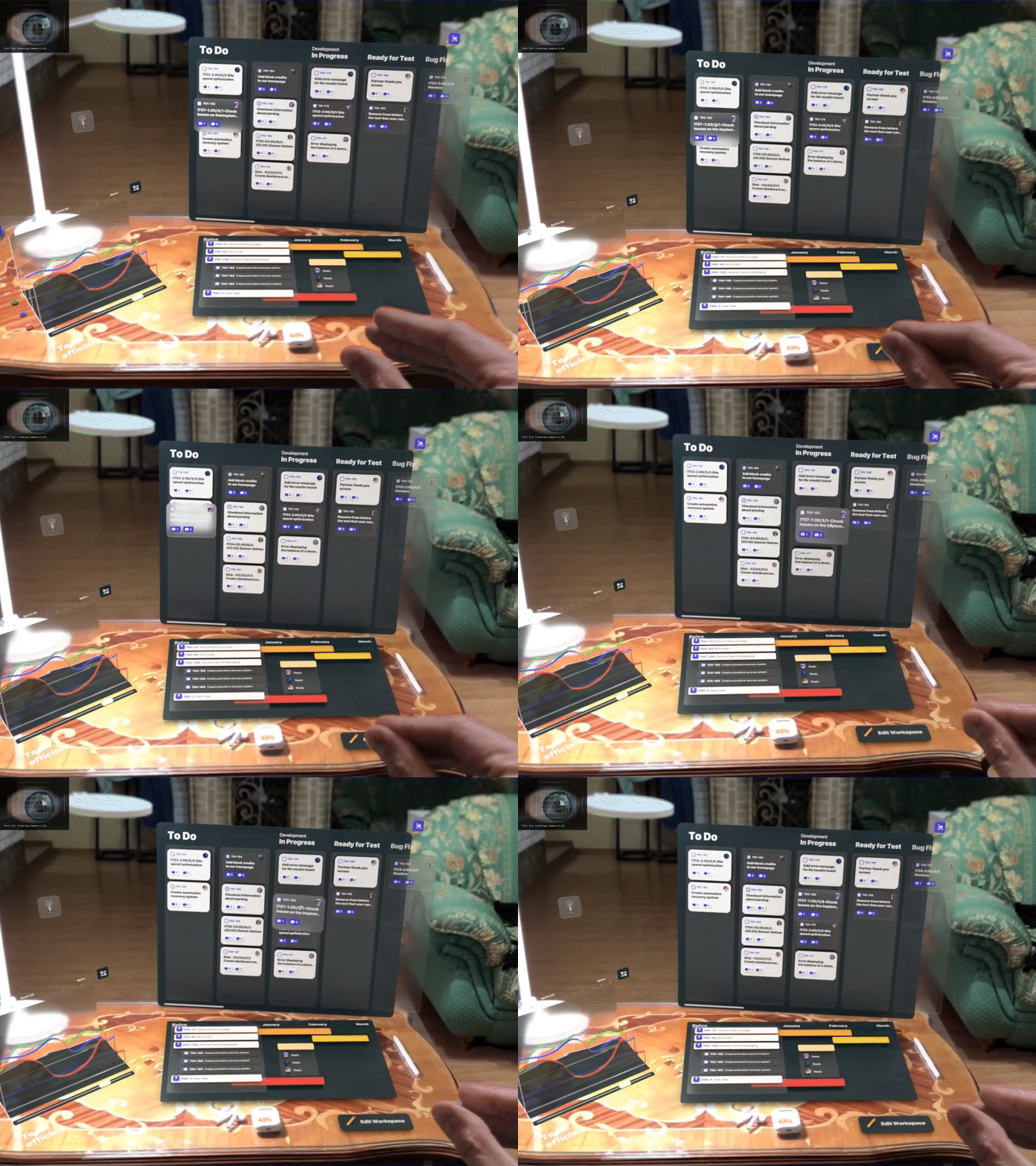
Dribbble

AR/VR technology is an exciting development that is already being commercialized to help create virtual interactions that merge with real life. This technology is already being used in areas such as education, retail, and healthcare. Therefore, its increased use in marketing, graphics, and UX/UI design is closer to reality in 2024.

7. Scrolly-telling

As I mentioned above, the trend in motion design will play a major role in the UX/UI of 2024. Normal page scrolling is boring because it is not dynamic, even if it includes video or animated content. UX/UI designers now use no-code and animation libraries to hierarchically control the visuality, order, and interface of content.
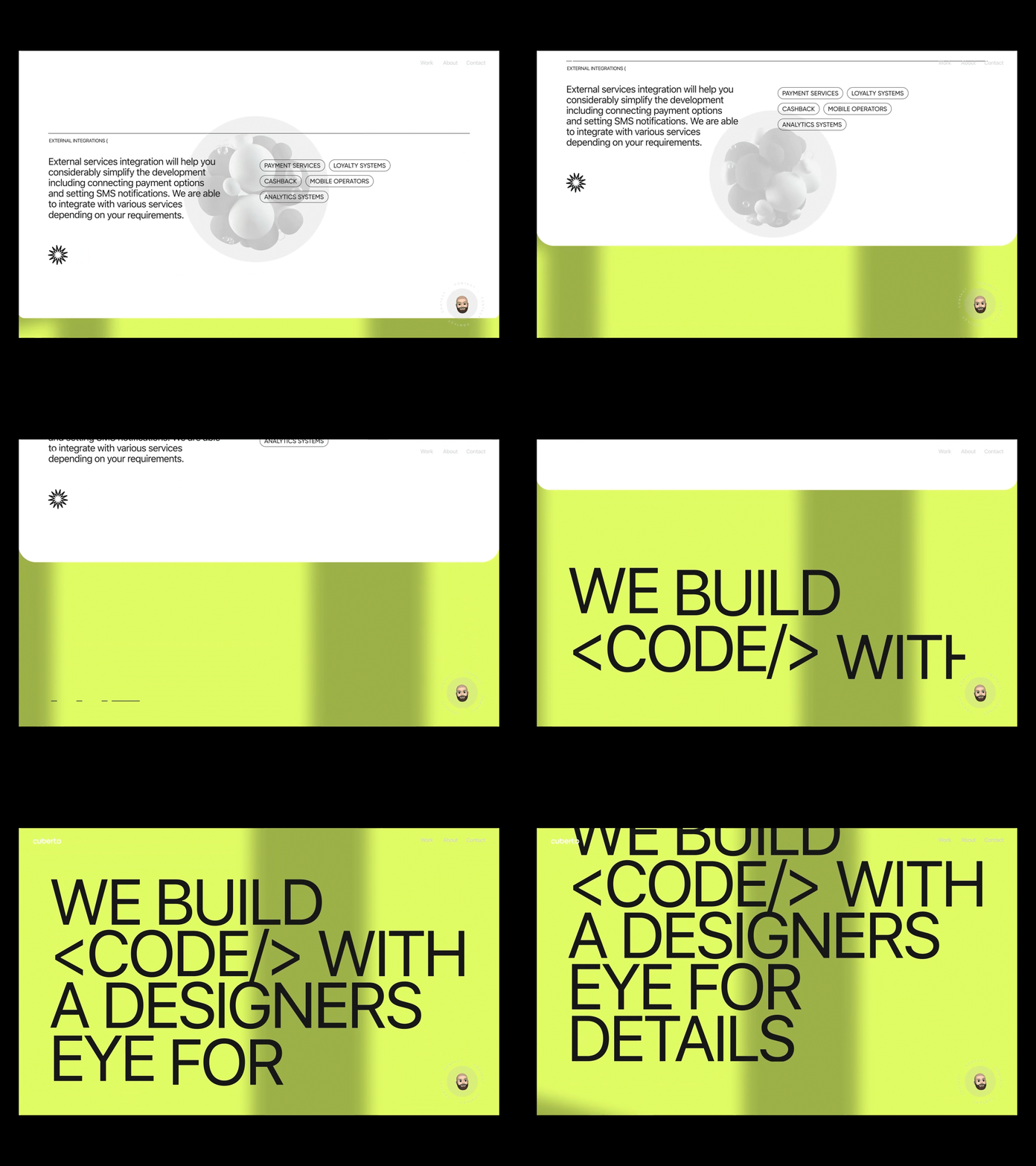
Cuberto

The scrolling in the question itself can be adjusted to display smoother and more specific behaviors. For example, it is possible to make transitions, zoom in and out of videos, and change the shape of images. Using this method, brands can display their products in a fluid and narrative way with the right strategy.

8. Digital well-being

Covid has kept people in prison conditions at home for a long time. This, in turn, made people lazy and addicted to digital products. An average adult spends about 11 hours a day looking at a screen. This watch includes viewing on your smartphone, TV, laptop, etc. In some people, this period of time increases up to 19 hours a day. Of course, those big numbers lead to higher risks of depression, insomnia, and other bad things.
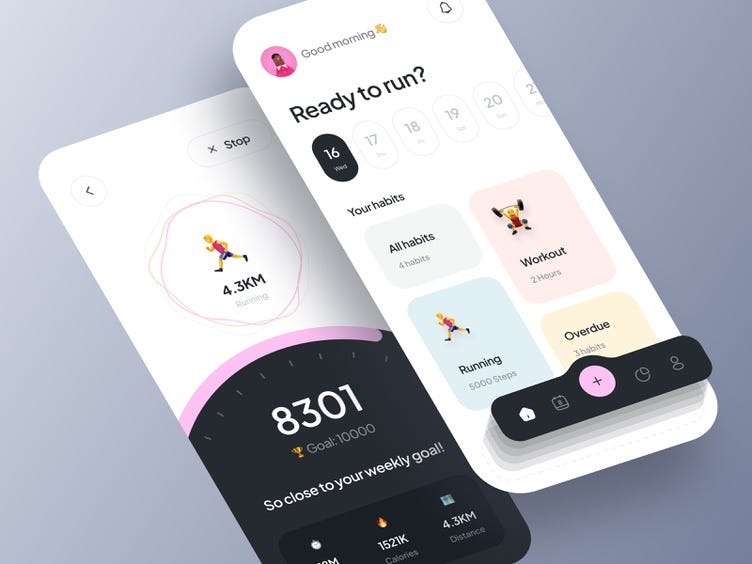
MohammadHadi Ahmadian

While some of us are hooked, some of us have already begun to focus on our digital well-being and screen time. It’s a good idea to add tracking tools to health mobile apps that help users gain control over their unhealthy habits. As an example, one solution is to push daily statistics to the user when the screen time limit is exceeded. It is difficult to break any habit and create a new one. The use of these types of awareness and health-focused apps will be widespread.

9. Accessibility

The UX is all about accessibility. Every designer wants all users to have an overall positive experience on their site and, to be able to navigate the site with ease.
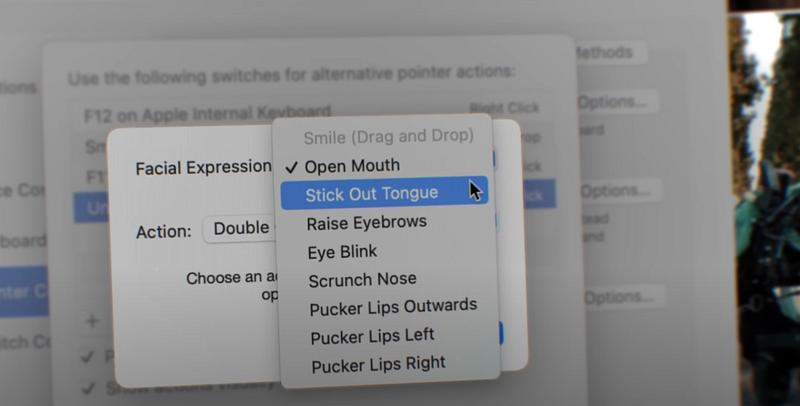
The Greatest | Apple

By starting with the below ideas, we can do that by increasing accessibility:

Voice search

One of the best ways to increase website accessibility is integrating voice search capabilities because it allows for a more hands-free user experience, so to speak. More than typing a query into the site’s search bar, users can easily speak it into whichever device they’re viewing the site from and search it from there. Voice search is a great tool that helps visually impaired users better navigate the site and offers easy usability for every user!
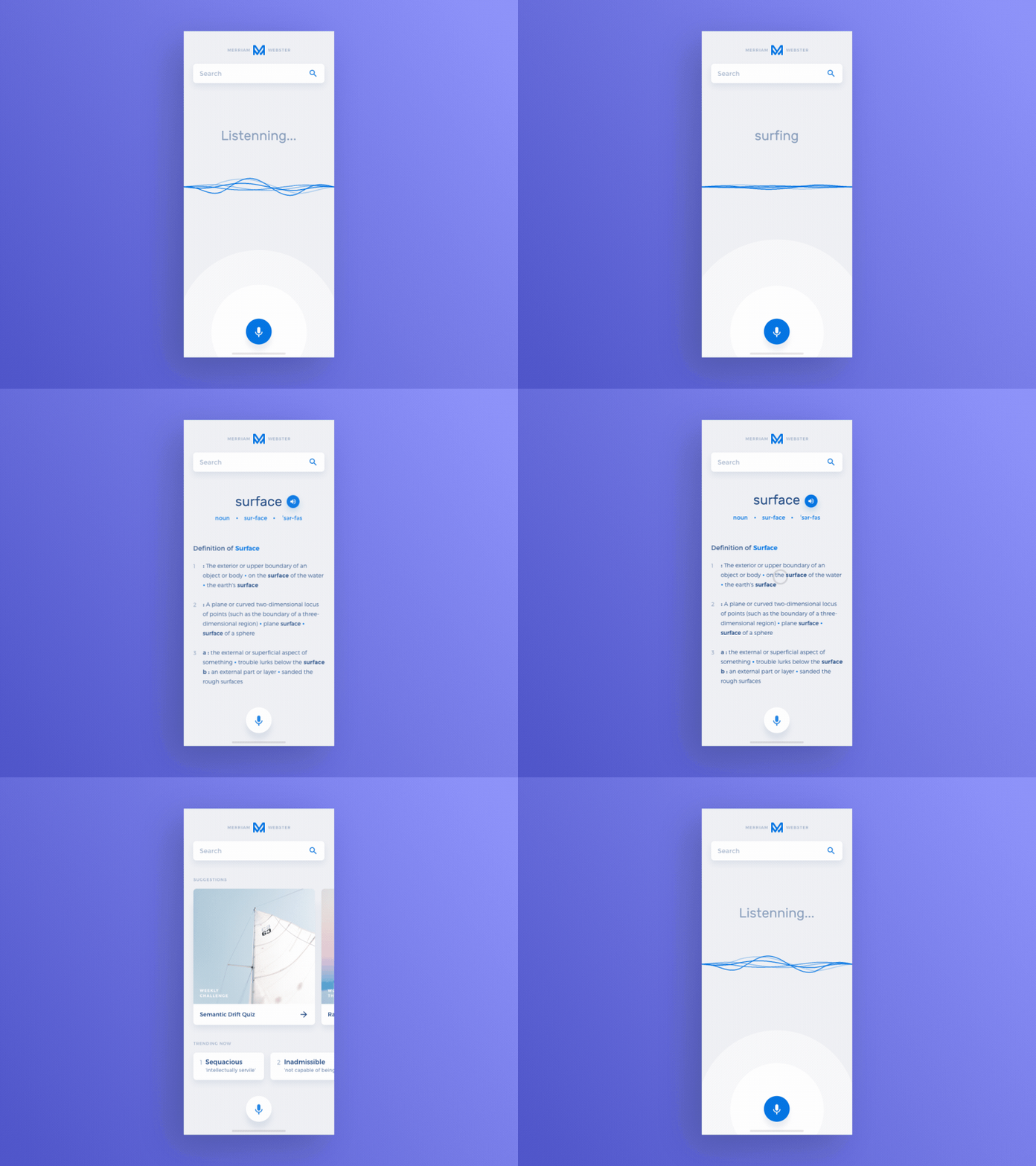
Shakuro

Mobile-first design

By making a mobile-first website, you create a seamless buying experience for customers no matter which device they view it from. Most people love their phones, and so do customers. Building a website that prioritizes users viewing it from a mobile device like a phone.

In 2024, you should also start to apply accessibility standards and guidelines across all your products and services.

10. Dark mode

If you are designing the product to be used only in low-light environments or by users with low vision, you should definitely only use dark mode. Also, you should definitely choose between a toggle button for dark mode and light mode as part of the 2024 UX/UI design trends!
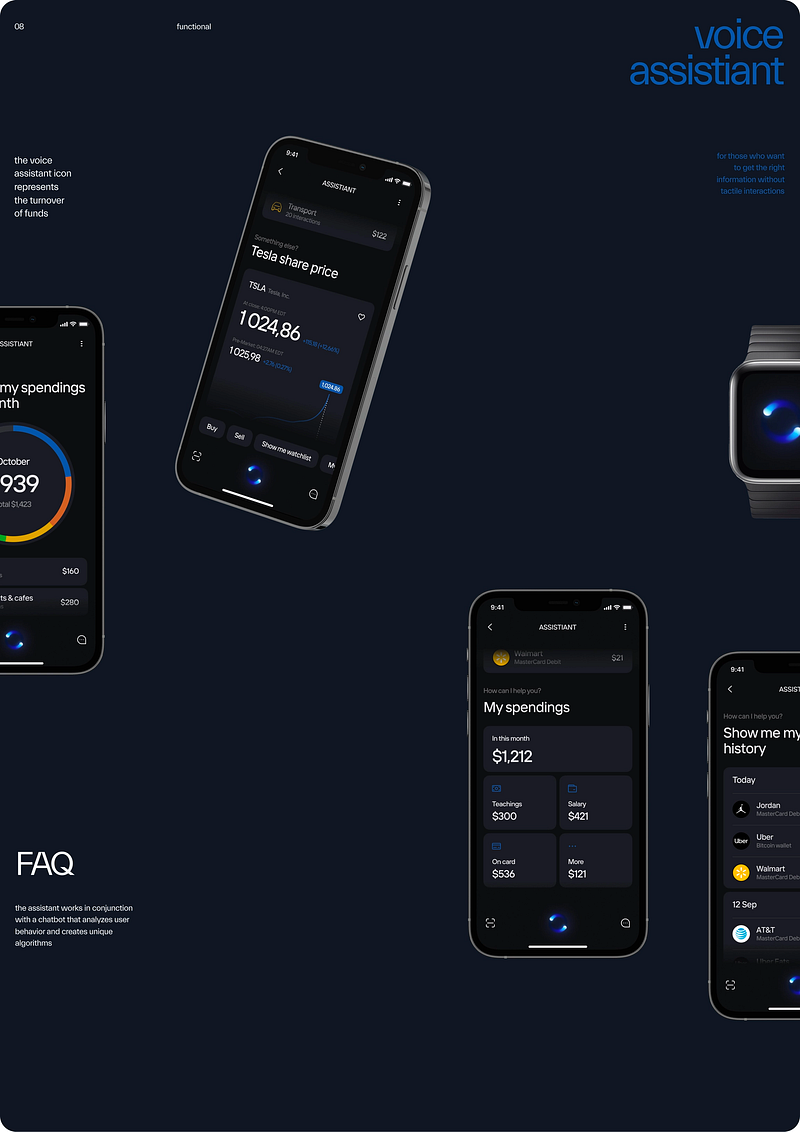
Chipsa

Users who prefer dark mode, have low vision, read in the sun or on the beach, and are in light mode should be able to just switch to dark mode.

Bonus: Bold and large font

Browsing the websites of the world’s top brands is a great way to identify new trends for the coming years.
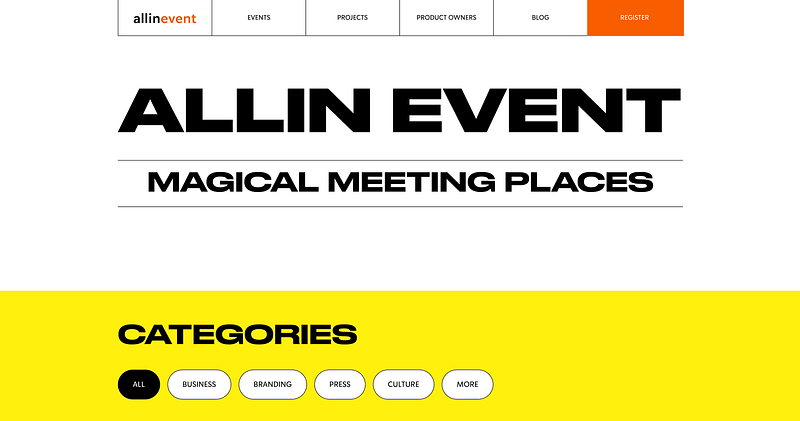
According to user needs, they have switched to a more readable, less informative, and minimal design.

Overview

Knowing the latest trends is only half the battle. The key is to apply them correctly to our products. The digital user experience and interface trends we discuss in this blog will significantly influence software development in the coming years.

By embracing these trends, businesses will be able to both improve digital user experiences and produce superior products. We’re in the era of digital transformation, so businesses need to be aware of emerging user experience and interface trends. And as product designers, we should always provide our users with trending designs. Keep updated always 😎

Wrap up

Do you find this article helpful? Then clap me to motivate writing such another blog 😇

Let’s be friends! You can connect with me on Linkedin and follow me on Instagram, and don’t forget my Medium, Dribbble, Figma community, and Behance

Check my SALE design content on UI8.net and Gumroad 😜

Sources I inspired: https://shakuro.com/blog/ui-ux-design-trends-for-2023 https://www.gmihub.com/blog/ui-ux-trends-2023-whats-new-and-whats-hot/ https://uiuxtrend.com/top-ui-ux-trends-2023-you-need-to-know/ https://www.webfx.com/blog/web-design/ux-ui-trends/ https://ttt.studio/blog/7-ux-ui-design-trends-to-look-out-for-in-2023/

Maybe you like:

Get a multi-purpose design system with a 20% discount with promo code:

MEDIUM20

Overview

UI-win is your ultimate multipurpose Atomic Design System, featuring a comprehensive collection of UI kits. All these kits are designed with Figma auto layout that allows users to use fully responsive.

Considering trends, the system is designed in both Light and Dark modes, so it is easy to use to drag and drop and change all of them to different modes.

Web kits are separated into desktop and mobile, while App kits are in Material and iOS. At the same time, global styles are applied with variables.

The Design System consists of

- Typography - Color palettes - Tooltips, Toasters - Button sets - Input-Text fields - Avatars - Tabs - Checkboxes - Radio boxes - Toggles - Switches - Steppers - Tags - Chips - Progress bars - Sliders - Emojis - Navbars-Menubars - Calendar - Date & Time pickers - Breadcrumbs - Upload files - Searches - Accordions - Paginations - Snack bars - Loading-Progress indicators - Notifications - Cards - Popup-Dialogues - Testimonial - Pricing - Order card - Filters - Sidebar (dashboard) - Table (dashboard) - Dashboard section - Headers - Footers - Mobile modals - Navigation drawer - Hero section samples - Signup, Login - Check out, Cart - Write review - FAQ (Q&A) - Team members - Product list - Fluid & Fixed grids - 4000 over icon set

Supercharge your UI/UX workflow with UI-win and create stunning interfaces efficiently and precisely. Elevate your design projects with ready-to-use kits and unleash limitless creativity.

Thank you for your purchase! We appreciate your support in every UI color: 💜🩵💙💚💛🧡❤️🩷🤍🩶🖤

Get a multi-purpose design system with a 20% discount with promo code:

MEDIUM20

Design Thinking
Product Design
Design Trends In 2024
Design Systems
Visual Design
Recommended from ReadMedium