
10 Steps to Organize Your Home Workspace
These simple steps will help you stay focused and effectively complete your work
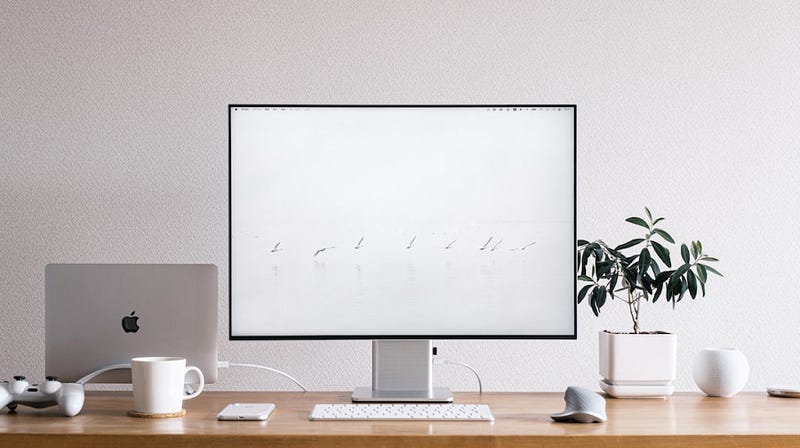
There are many guides on the internet about how to improve your workspace, making it cleaner and more conducive to focusing on what’s important to you.
Here, we have collected the most valuable information we could find to help you create the best workspace of your life.
So let’s get started.
1. Take Away All Your Stuff from Your Table
Before creating the right order, you should start from scratch. Clear your table and create an empty space with enough room for anything you want to put on it.
2. Clean Your Table
When your table and shelves are empty, take a rag and clean everything. You can even use detergent, but a wet rag should be enough.
3. Sort Trash And Important Stuff
In this step, you need to sort all your belongings into different groups. Some items should go in the trash, such as used paper and other things that take up space on your table. Dispose of them.
Also, if you have things from another room like a cup, keys, or a wallet, put them in their proper places. Learn how to keep all your stuff in the right places.
Then select what you really want and need to have on your table.
4. Clean Your Keyboard And Other Tools
Our tools often get dirty after long-term usage, especially a computer keyboard and a mouse. Cleaning them will make it pleasant for you to work with them.
5. Place All Your Tools And Paper With a Pen
Often, we only need the tools we use frequently. But in cases when we need to quickly write something like a reminder or phone number, the best tool for this is a plain piece of paper.
So, find a notepad and a pen to always have them within reach. Also, take only the necessary tools and gadgets for your work.
If you have a tablet but don’t use it during work, put it away to create a cleaner space.
6. Improve The Space Around You
It’s great to have a good workspace, but it’s not ideal if the surrounding area is not clean. Clean up the area around your workspace.
Additionally, if you work from home, consider buying a humidifier and other smart gadgets to create a healthier environment around you.
7. Organize Data and Files on Your Laptop
If you’re working on your laptop or PC, it needs to be clean. Take a look at your downloaded files and those on the desktop. Remove the ones you don’t need at all.
Also, clear your browser and organize tabs into folders for easy access. It’s good to update all the software you have installed and remove those that you don’t use.
A clean laptop will give you more pleasure and better focus during your work.
8. Set Up Notifications on Your Phone
Follow the same process of clearing and organizing that you did with your laptop. However, be aware that your smartphone can be the most disturbing thing in your workspace.
All the messages and marketing notifications can create noise and distract you from your work tools. Maintain your focus by turning off notifications when you’re busy.
You can also install additional applications to control them.
9. Use To-Do Lists
Your workspace is created for work, whether it’s your main job, a side hustle, or anything else. But you have to get things done.
If you spend most of your time thinking about your next steps, you lose time and energy. Instead, create a list of actions you need to take to achieve your goals and complete your work.
When you have a good backlog and a description for each next step, all you need to do is sit down and work. That’s why a to-do list is a really cool thing.
You can find applications on your phone or laptop or simply use a plain piece of paper.
10. (Bonus) Add Plants and Use Pomodoro Timer
Here’s a two-in-one tip, and they are pretty helpful. The first one is really good. Plants make the air cleaner and improve your mood.
You can choose any type you like and also read on the internet about the benefits of each plant. Another piece of advice is to use the Pomodoro Timer.
In simple terms, you work for 30–40 minutes and then take a rest for 5–15 minutes. The idea is to keep your brain fresh all the time.
With this approach, you won’t feel tired and will be able to work to the maximum capacity of your brain.
Hope this advice was helpful for you. If you liked it, please give some claps, and leave your comment below.
I appreciate it!