
10 Jetpack Compose: Best Practices for Building Complex Android UIs with Real-World Examples 🚀

Jetpack Compose has redefined how Android developers approach UI design, offering a declarative and intuitive way to build apps. But with great power comes great responsibility — especially when designing complex, feature-rich UIs. Ensuring smooth performance, maintainability, and scalability requires following best practices that take full advantage of what Compose has to offer.
My article is free for everyone. If you don’t have active subscription, you can read it here. Otherwise, please continue 😉
In this guide, we’ll explore 10 essential best practices that can help you master Jetpack Compose for building complex UIs. Whether you’re working on an e-commerce platform, a social media app, or a dashboard-heavy interface, these tips — accompanied by real-world examples — will empower you to create exceptional user experiences with confidence.
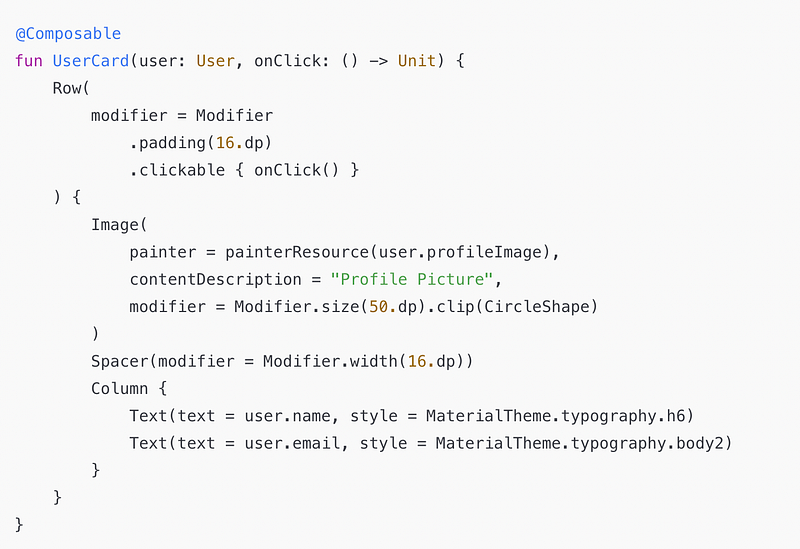
1. Use Stateless Composables
Best Practice: Separate UI state from your composables to make them reusable and testable. Pass the state and event handlers as parameters.
Example:
2. Break Down Complex UI into Small Composables
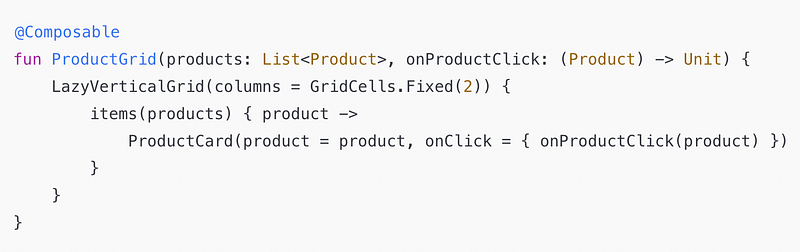
Best Practice: Divide large UI components into smaller, reusable composables to improve readability and modularity.
Example: For a shopping app, split a product listing screen into smaller composables like ProductCard, ProductGrid, and FiltersPanel.
3. Leverage Lazy Components for Large Data Sets
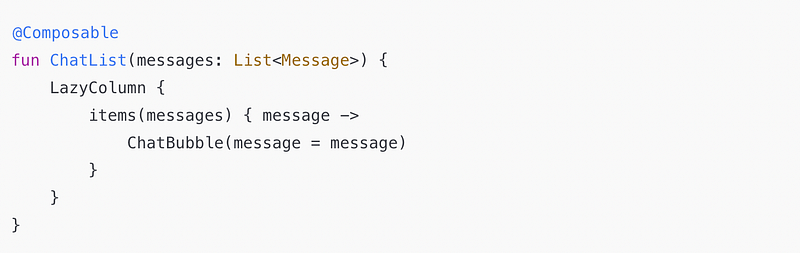
Best Practice: Use LazyColumn, LazyRow, and LazyGrid for rendering lists to improve performance by only rendering visible items.
Example: Displaying a large chat list:
4. Optimize Recomposition
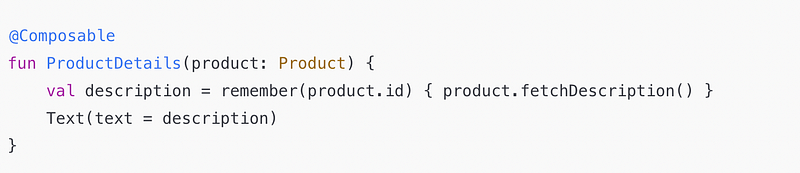
Best Practice: Avoid unnecessary recompositions by marking stable data types or using remember to cache values.
Example:
5. Use DerivedStateOf for Dependent States
Best Practice: Use derivedStateOf to manage expensive computations based on state changes.
Example:

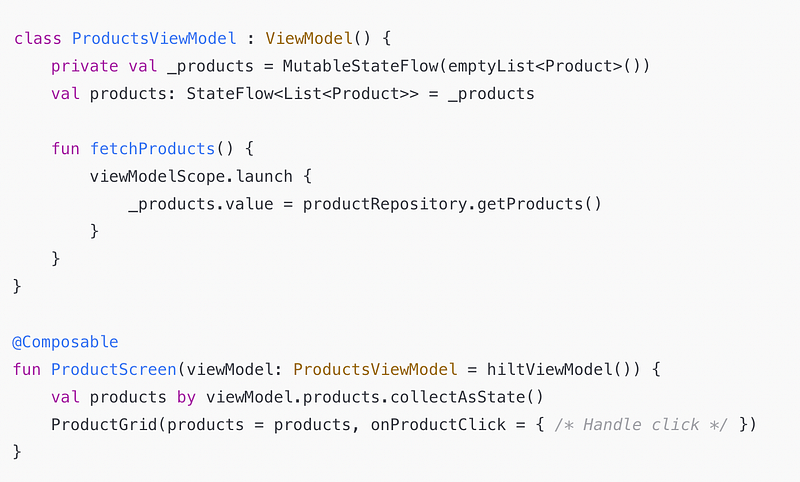
6. Handle State with ViewModel
Best Practice: Use ViewModel to handle business logic and expose UI state to your composables.
Example:
7. Use Preview for Faster Iteration
Best Practice: Create previews for individual composables and use @Preview annotations to visualize UI during development.
Example:
@Preview(showBackground = true)
@Composable
fun UserCardPreview() {
    UserCard(user = User("John Doe", "[email protected]", R.drawable.ic_profile)) {}
}
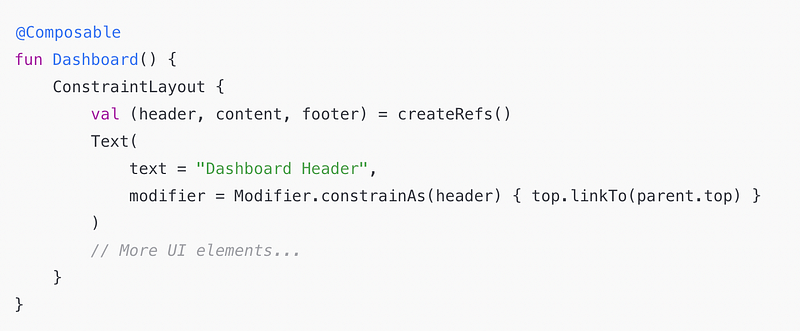
8. Avoid Deep Nesting
Best Practice: Avoid deeply nested composables by using appropriate layouts like Box, ConstraintLayout, or modularizing the UI.
Example: For a complex dashboard, use ConstraintLayout for flexibility.
9. Handle UI Performance with Keys
Best Practice: Use unique keys in lists to improve diffing and UI performance.
Example:

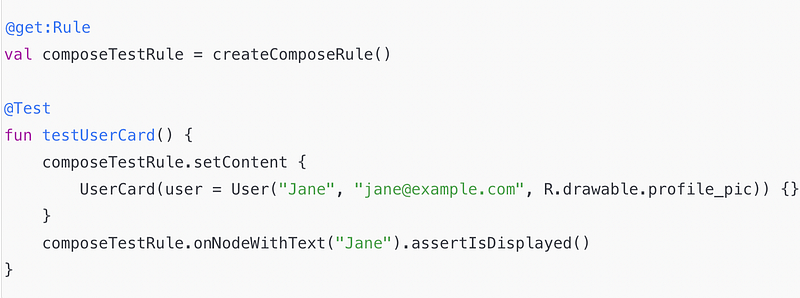
10. Test Composables
Best Practice: Write unit tests for your composables using the ComposeTestRule.
Example:
Real-Time Use Case: E-Commerce App UI
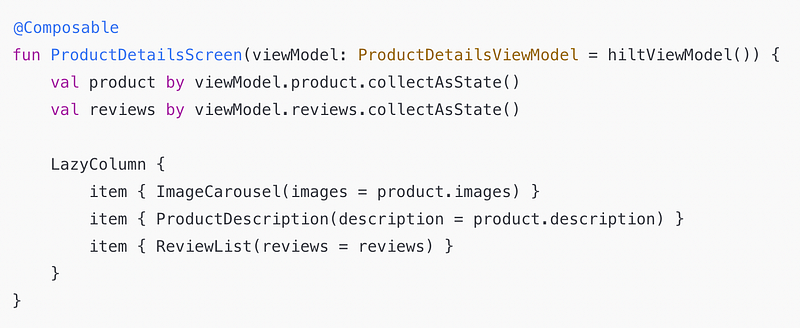
Scenario: Building a product details page in an e-commerce app.
- Use
LazyColumnto display the product's images, description, and reviews. - Break UI into smaller composables:
ImageCarousel,ProductDescription, andReviewList. - Use
ViewModelfor state management to fetch product details and reviews.
Code:
By following these best practices, you can build scalable, maintainable, and highly responsive UI with Jetpack Compose, even for complex apps.
Conclusion
Building complex UIs with Jetpack Compose is not just about writing code; it’s about writing the right code. By adopting these best practices — such as breaking down UI into reusable composables, optimizing recompositions, and leveraging lifecycle-aware patterns — you can create scalable, performant, and maintainable Android apps.
Jetpack Compose is a powerful tool, but its true potential lies in how effectively you use it. By applying these strategies and learning from real-world examples, you can take your Android development skills to the next level and deliver remarkable user experiences. Now it’s your turn — start implementing these best practices and share your journey with Compose! 🚀
Thank You for Reading! 🙌🙏✌
Don’t forget to clap 👏 and follow me for more articles about Android Development, Kotlin, Jetpack Compose and best practices.
If you need any help or have questions about Android or Kotlin, feel free to reach out. I’m always happy to help!
Follow me on:
Let’s connect and grow together as developers! 🚀


