
10 JavaScript Code Techniques To Manipulate Textures In Three.js
Explore envMap in Three.js materials
We have written about three.js fundamentals, 3D modeling, and textures. In the visual arts, texture is the perceived surface quality of a work of art. It is an element of 2D and 3D designs and is distinguished by its perceived visual and physical properties.
In three.js, texture is created by applying an image to a surface, or as a reflection or refraction map. Texture mapping is a method for defining high-frequency detail, surface texture, or color information on a computer-generated 2D graphic or 3D model.
Three’s material has a prop, map, which maps a texture image over a surface.
It also has a prop, envMap, which stands for the environment map. envMap uses a group of images to construct an environment.
THREE.CubeTextureLoader can be used to create a cube map for an imaginary surrounding cube. It loads six images, and each image attaches to an inner face of the cube. The 3D objects reveal the textured environment via reflection or refraction.
We reused the Create React App working environment in the last article, installed with the following packages:
- three.js (
three): It is a 3D JavaScript library that renders 3D content on a webpage. It aims to create an easy-to-use, lightweight, cross-browser, general-purpose 3D library. - react-three-fiber (
@react-three/fiber): It is a React renderer for three.js. It allows us to write three.js using JSX, which is more declarative. The React wrapper also handles a lot of things behind the scene, such as canvas resizing and disposing of unmounted objects. @react-three/drei: It is a collection of useful helpers for rendering react-three-fiber. It makes it easier to use many types of objects, such as cameras, controls, images, shapes, 3D models, environments, etc.
10 different scenes are explored in this article:
- A wireframe cube
- A hollow cube
- A wooden textured cube
- The cube inside a castle
- Seeing through night vision goggles
- The sphere inside a castle
- The sphere that refracts
- Create one image for the cube map
- Create six images for the cube map
- The abstract modern art
A Wireframe Cube
A wireframe drawing projects an object onto the screen space and renders edges and surfaces by lines. The term, wireframe, comes from those designers who use metal wire to represent the 3D shape of solid objects.
We use boxBufferGeometry to draw a cube, and the following is the underlining three’s definition:
BoxGeometry(width, height, depth, widthSegments, heightSegments, depthSegments);width: It is the width of the cube, along the x-axis. The default value is 1.height: It is the height of the cube, along the y-axis. The default value is 1.depth: It is the depth of the cube, along the z-axis. The default value is 1.widthSegments: It is the number of the segmented faces along the width. The default value is 1.heightSegments: It is the number of the segmented faces along the height. The default value is 1.depthSegments: It is the segmented faces along the depth. The default value is 1.
Here is src/App.js:
We have explained in detail what three.js is and how it works in React. A mesh is a type of object that is triangular polygon mesh based. It is the skeleton that makes up the figure of 3D objects. It is defined by geometry (shape), material (surface), and scene (placement).
In the above code, the Box component (lines 4–18) calls useFrame to perform rotation (lines 6–11). It defines a mesh (lines 13–16), which includes a box/cube (line 14) with width, height, and depth defined as [0.2, 0.2, 0.2]. Also, the segmented faces along each side are defined as [10, 10, 10].
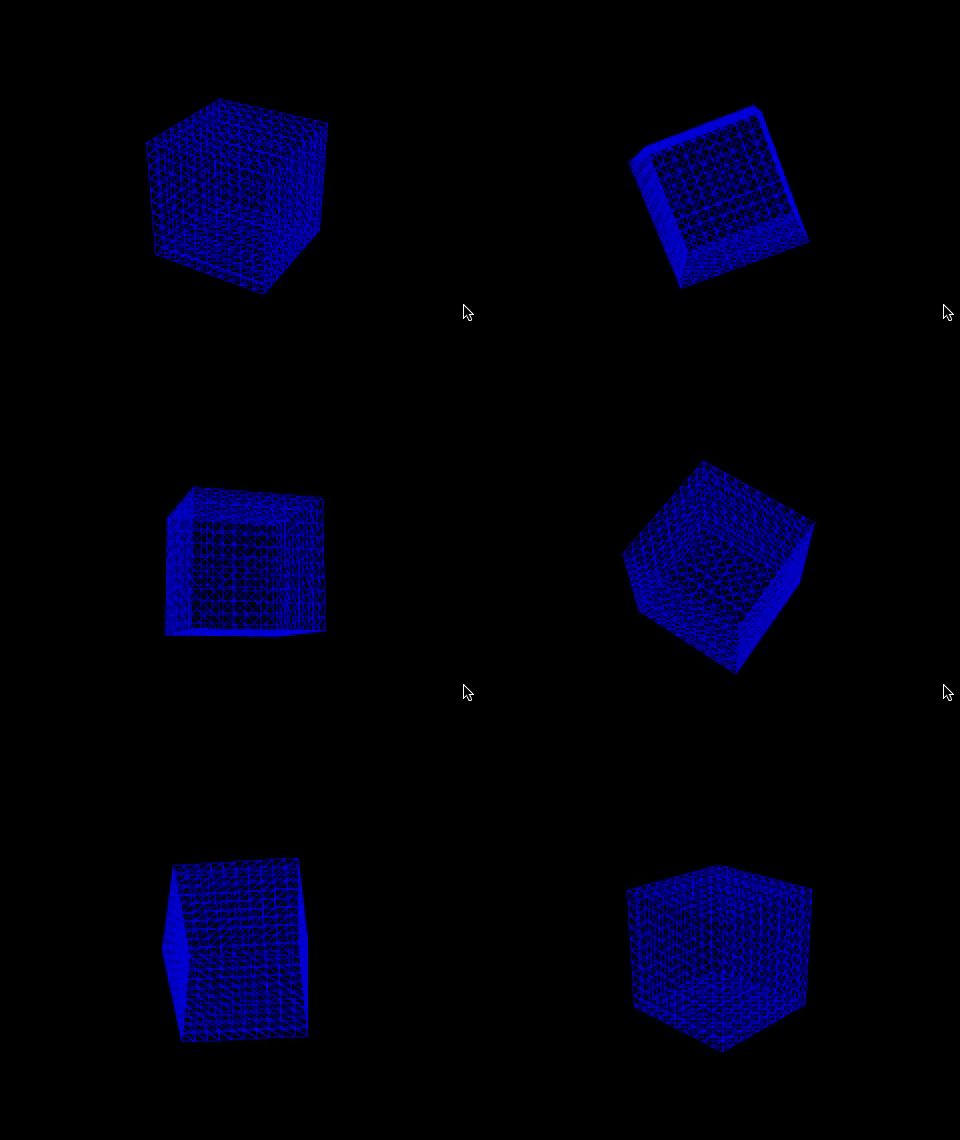
The material (line 15) is configured with wireframe to be true, and color to be blue. MeshBasicMaterial is a material for drawing geometries. This material is not affected by lights.
Box is displayed on Canvas (lines 22–27), which renders three’s components. Canvas sets the camera’s props to be { fov: 70, near: 0.01, far: 100, position: [0, 0, 2] } (line 23), and it occupies the whole viewport with a black background (line 24).
Execute npm start. We see a blue wireframe cube, which has no texture.
A Hollow Cube
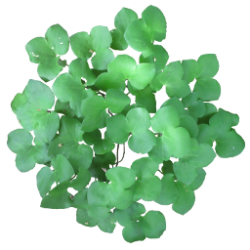
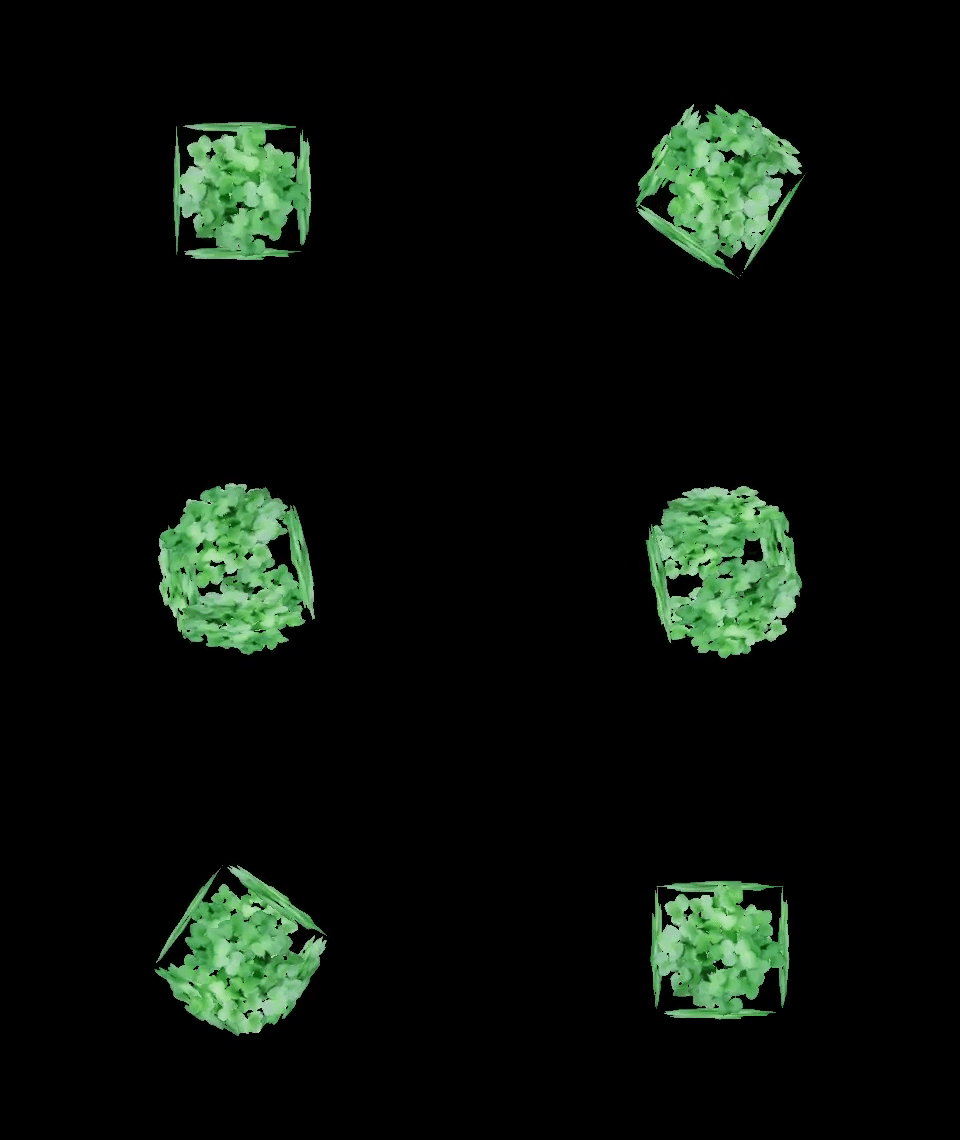
Strictly speaking, a wireframe cube is a hollow cube. But here we mean MeshBasicMaterial with a color map that has some holes (transparent pixels) that we can see through it.
We have downloaded the image from https://opengameart.org/node/10505, and placed it under the public/textures folder.
Here is src/App.js:
- At line 7, the image map is loaded for the texture, which is set to the
mapprop ofmeshBasicMaterial(line 18). - At line 17, the box sizes are defined. Compared to the previous example, there is no need for segmented faces.
- At line 18, besides the color map,
MeshBasicMaterialsetsalphaTestto0.5, which defines how transparent the material is. 0 is opaque (default), and 1 has the maximal transparency. In order to see the inside texture of the cube, the material is set to double-sided (THREE.DoubleSide). - Execute
npm start, and we see a hollow cube.
A Wooden Textured Cube
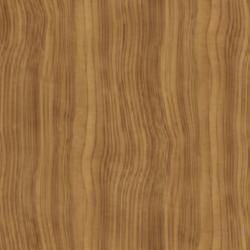
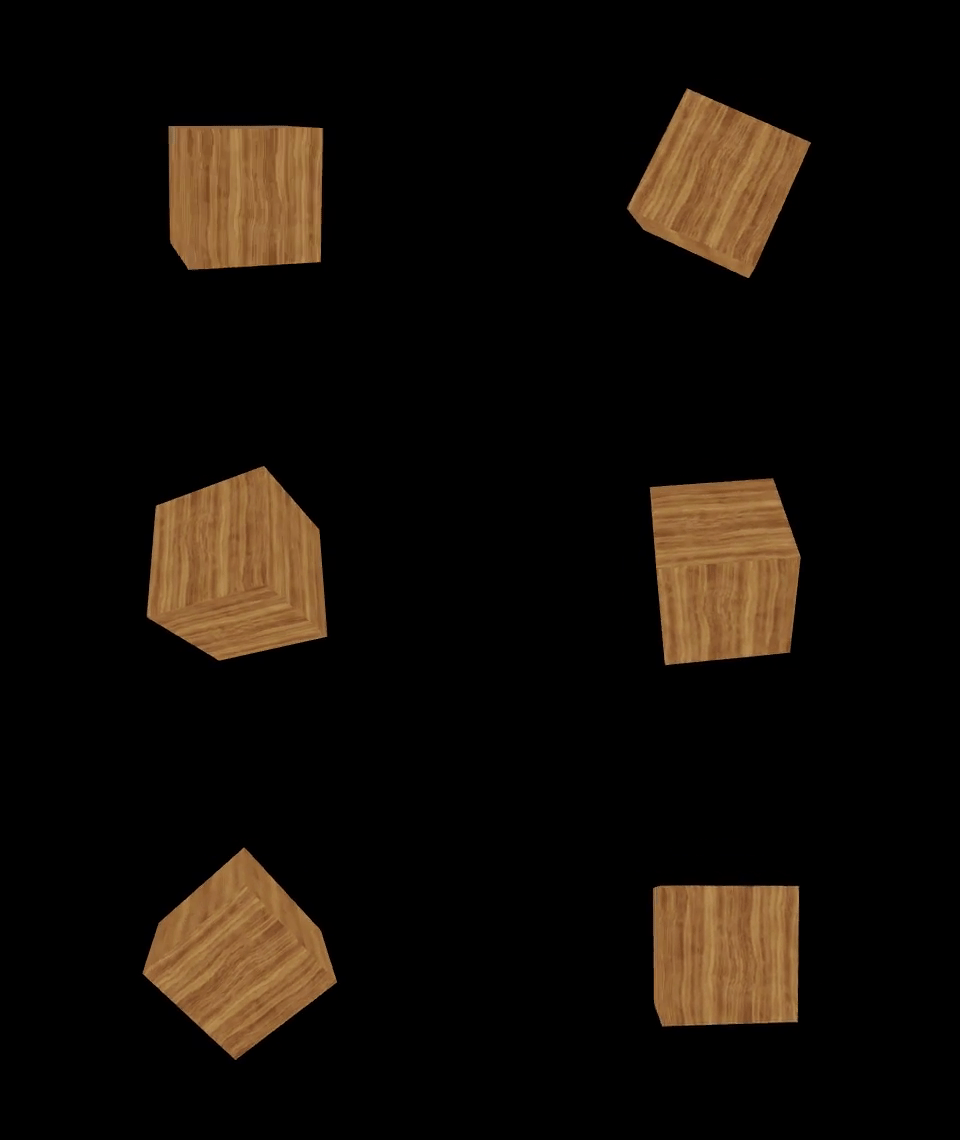
To show some “real” texture, we need to have the color map look like a texture, such as a wooden surface that we have downloaded from https://opengameart.org/node/21050. It is placed under the public/textures folder.
Here is src/App.js:
At line 6, the image map is loaded for the texture, which is set to the map prop of meshBasicMaterial (line 17).
Execute npm start, and we see a wooden textured cube.
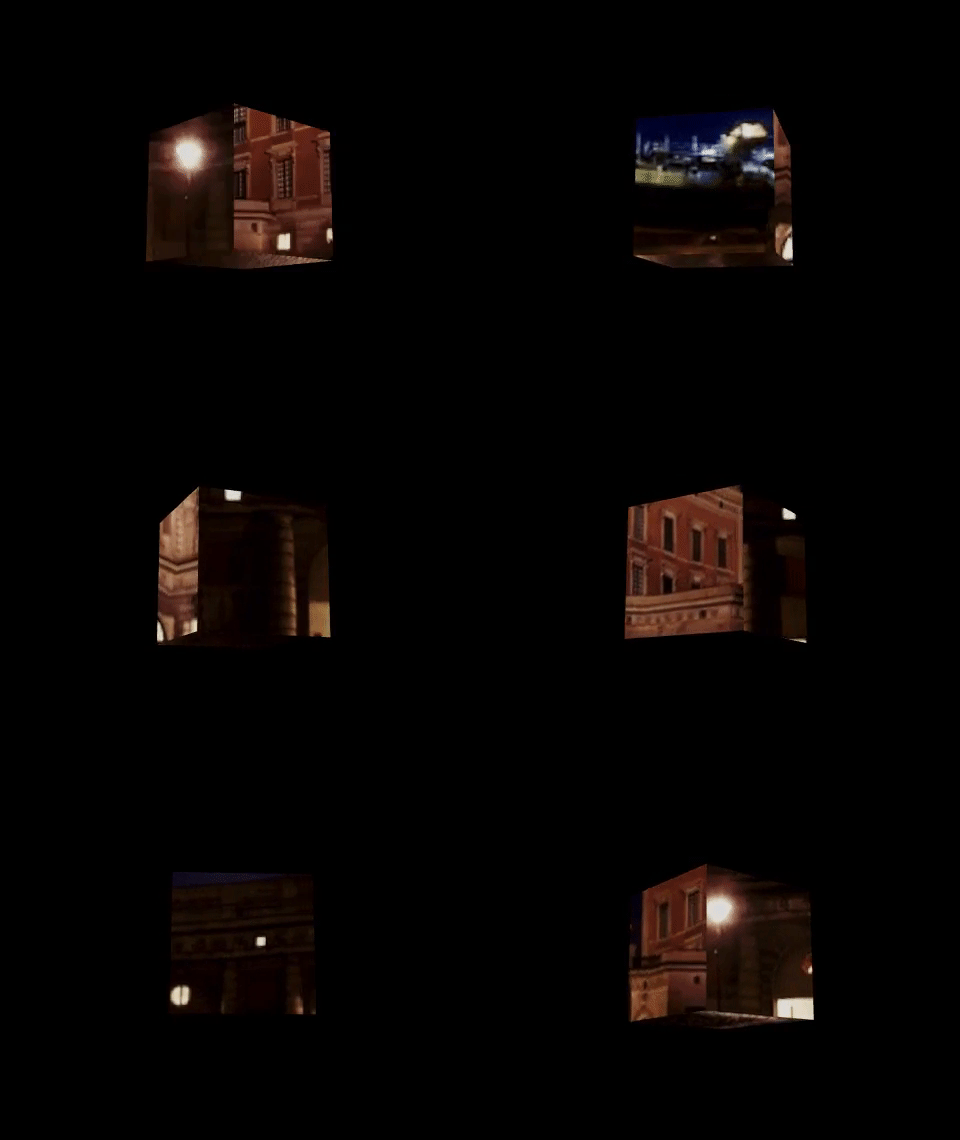
The Cube Inside a Castle
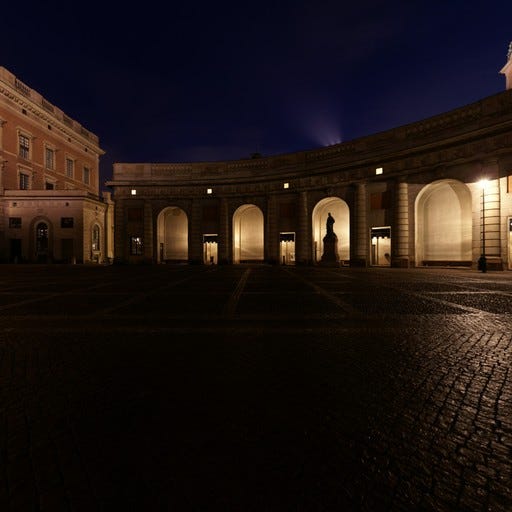
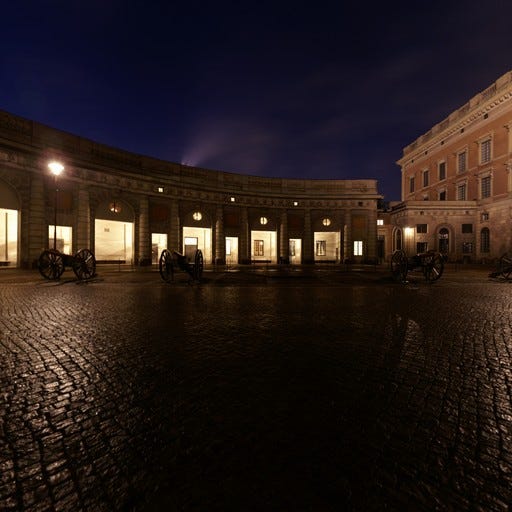
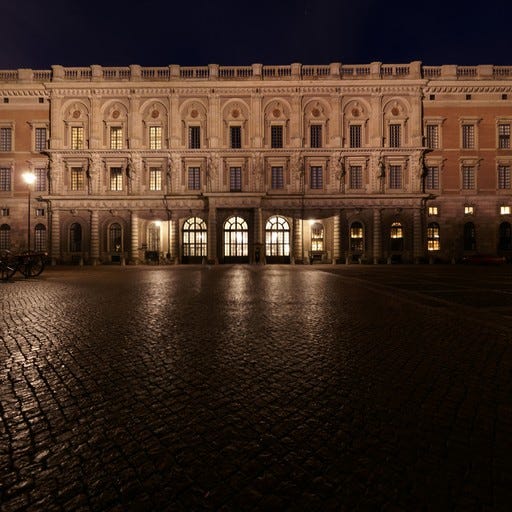
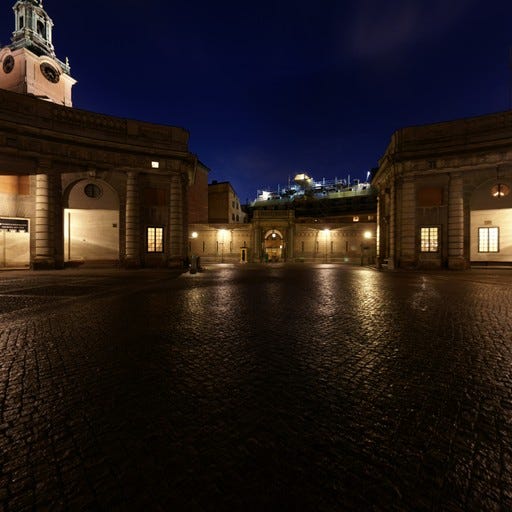
envMap defines the environment where the 3D objects are positioned. THREE.CubeTextureLoader is used to load six images to construct the imaginary environment. The images are specified in the following order: pos-x, neg-x, pos-y, neg-y, pos-z, and neg-z.
Download the Swedish Royal Castle images to the public/textures folder.
- Side view 1 (
textures/px.jpg):
- Side view 2 (
textures/nx.jpg):
- Top view (
textures/py.jpg):
- Bottom view (
textures/ny.jpg):
- Side view 3 (
textures/pz.jpg):
- Side view 4 (
textures/nz.jpg):
Here is src/App.js:
- At line 7,
THREE.CubeTextureLoaderis instantiated. - At line 8, the cube map is loaded.
- At line 27, the camera is lowered a bit to
[0, -0.2, 1]. - At line 33,
OrbitControlsfrom@react-three/dreiis added into theCanvaselement. It automatically rotates at speed of2. - Execute
npm start. The spinning cube reflects the Swedish Royal Castle.
Seeing Through Night Vision Goggles
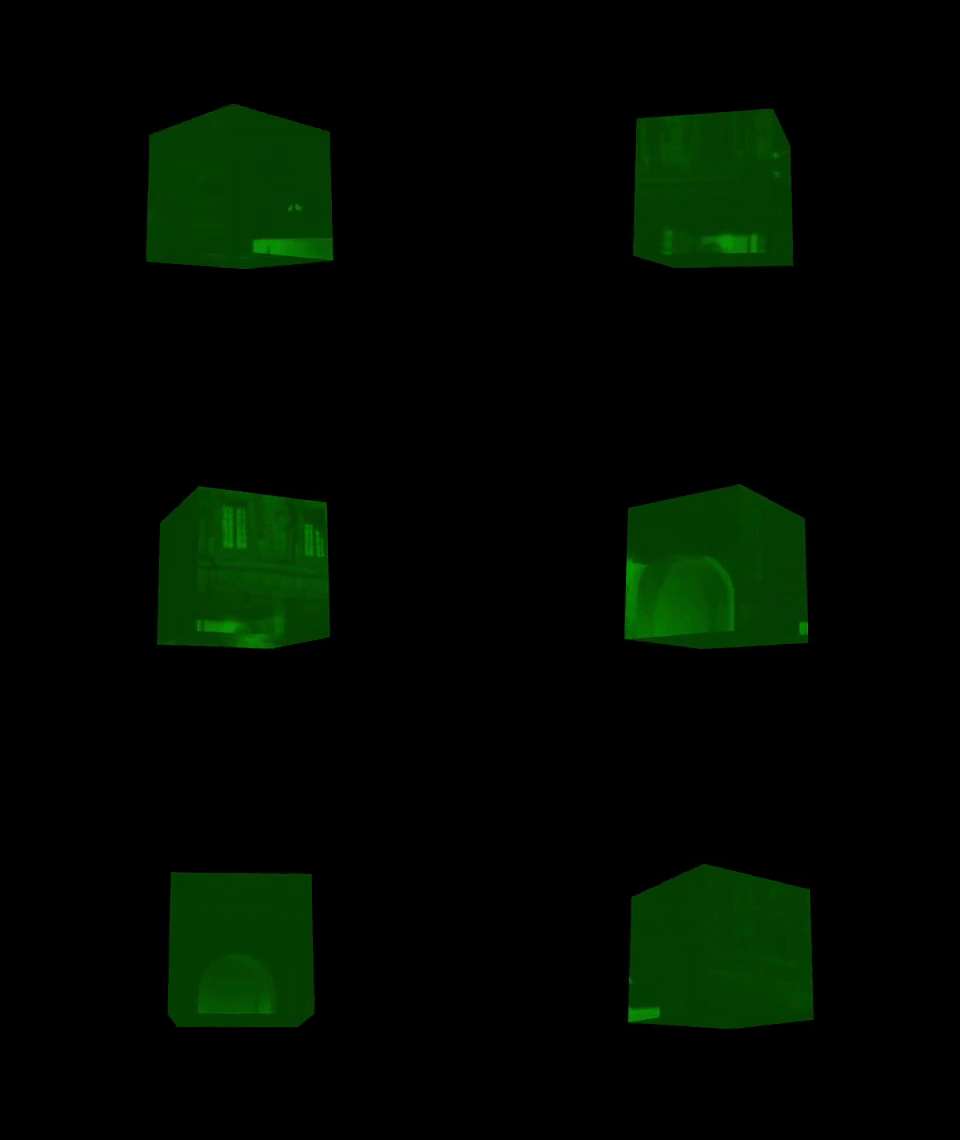
In many action movies, we have watched the greenish scenes through night vision goggles. We can easily simulate the effect.
Here is src/App.js:
- At line 19, the material sets
colortogreen, and setsreflectivityto0.7. Thereflectivityis in the range between 0 (no reflection) and 1 (full reflection), and the default value is 1. - Execute
npm start. We see the Swedish Royal Castle reflection through night vision goggles.
The Sphere Inside a Castle
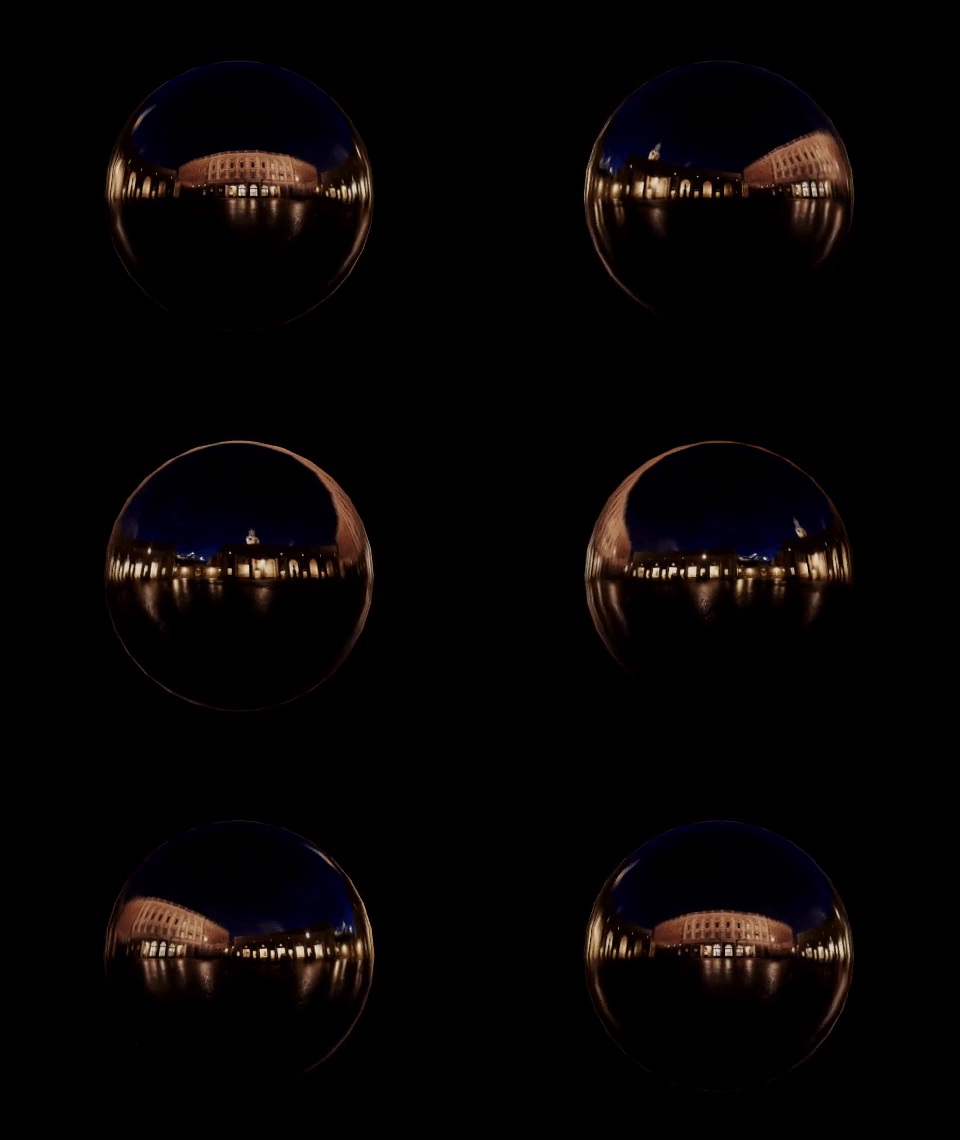
We have seen the spinning cube that reflects the Swedish Royal Castle. In fact, anything can be put inside the castle environment. We can put a sphere, instead of a box.
sphereBufferGeometry is used to draw a sphere, and the following is the underlining three’s definition:
SphereGeometry(radius, widthSegments, heightSegments, phiStart, phiLength, thetaStart, thetaLength);radius: It is the radius of the sphere. The default value is 1.widthSegments: It is the number of horizontal segments. The minimum value is 3, and the default value is 32.heightSegments: It is the number of vertical segments. The minimum value is 2, and the default value is 16.phiStart: It specifies the horizontal starting angle. The default value is 0.phiLength: It specifies the horizontal sweep angle size. The default value isMath.PI * 2.thetaStart: It specifies the vertical starting angle. The default value is 0.thetaLength:It specifies the vertical sweep angle size. The default value isMath.PI.
Here is src/App.js:
- At line 18,
sphereBufferGeometrysetsradiusto0.2. - Execute
npm start. The spinning sphere reflects the Swedish Royal Castle.
The Sphere That Refracts
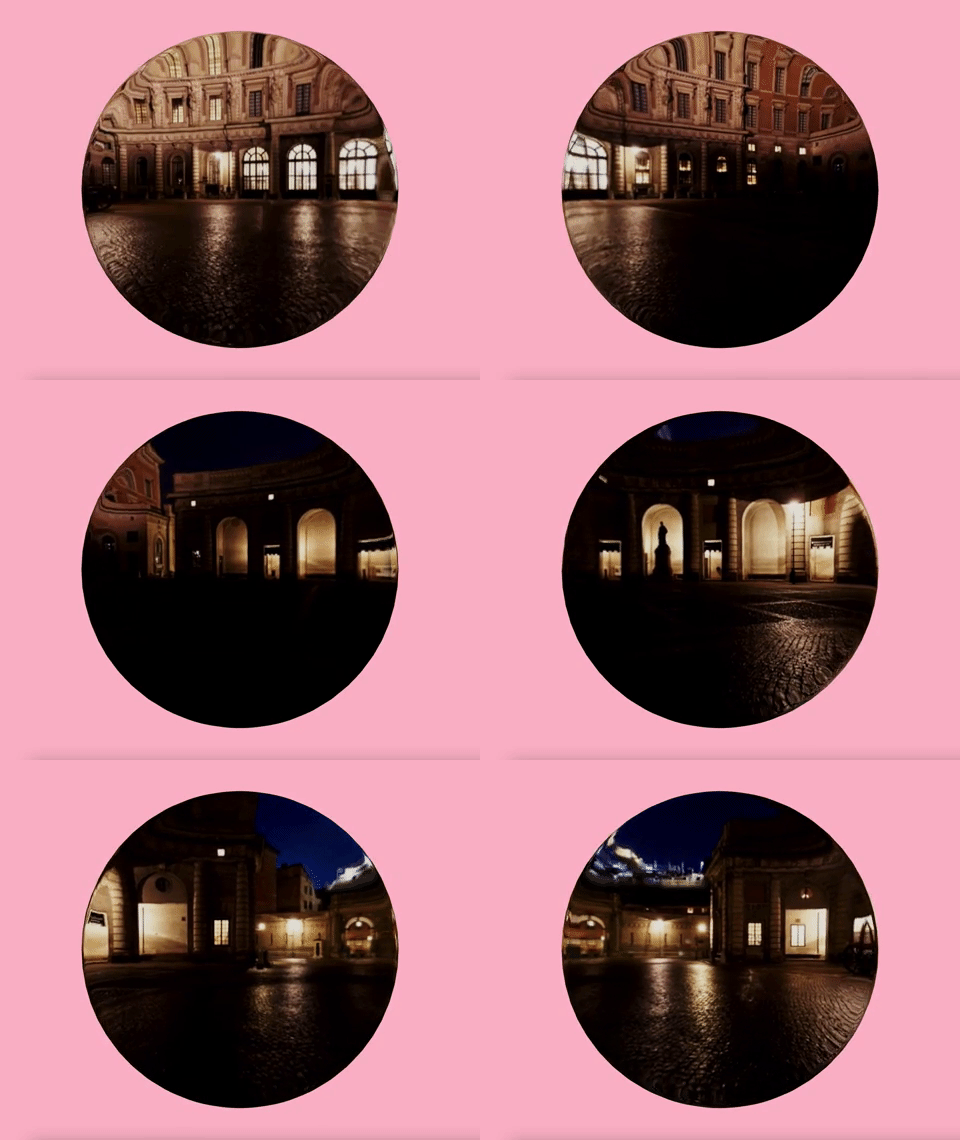
We have used THREE.CubeTextureLoader, which has a prop, mapping, that defines the mapping mode. The default mapping mode is THREE.CubeReflectionMapping.
The prop, mapping, can be defined as THREE.CubeRefractionMapping to make the 3D objects refract the environment.
Here is src/App.js:
- At line 16,
mappingis set toTHREE.CubeRefractionMapping. - At line 19, the sphere
radiusis set to0.5to be bigger than the previous example.widthSegmentsandheightSegmentsare increased to 64 and 32 to show smoother edges. - At line 29,
backgroundColoris set topinkfor more color contrast. - Execute
npm start. The spinning sphere refracts the Swedish Royal Castle.
Create One Image for the Cube Map
We have used a number of downloaded images. Let’s try to create our own images, starting with one image.
THREE.CubeTextureLoader requires that each image has equal width and height, and we take a square-sized picture. Name it cloud.jpg under the public/textures folder.
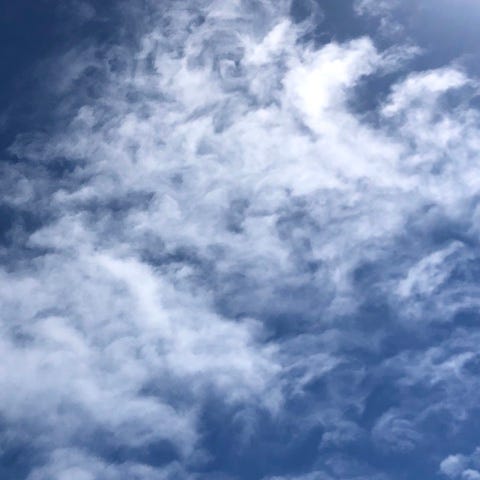
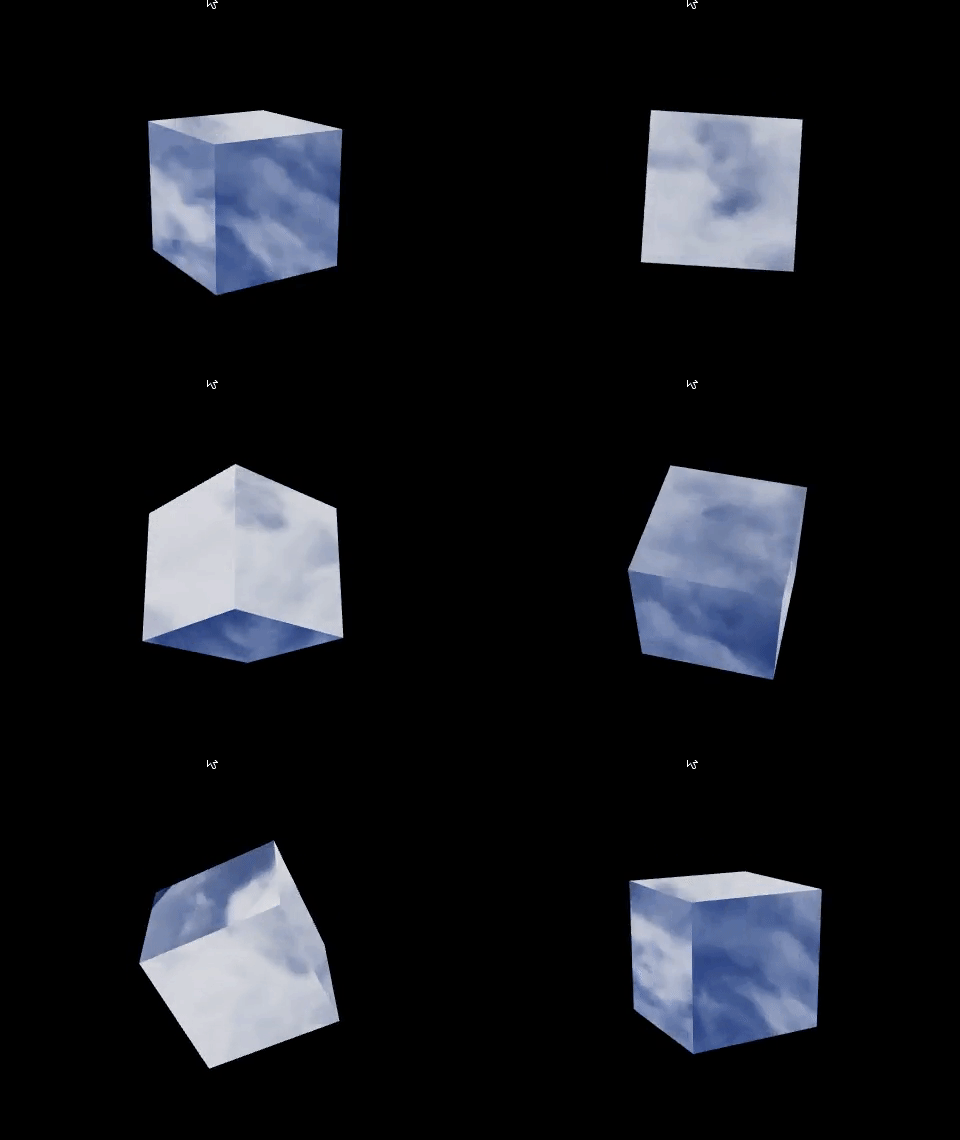
Here is src/App.js:
- At line 8, the cube map is loaded with the cloud image.
- Execute
npm start. The cloud reflection looks good.
Create Six Images for the Cube Map
How about six images for the cube map?
Without professional tools, it seems like a hard task.
But, it never hurts to try.
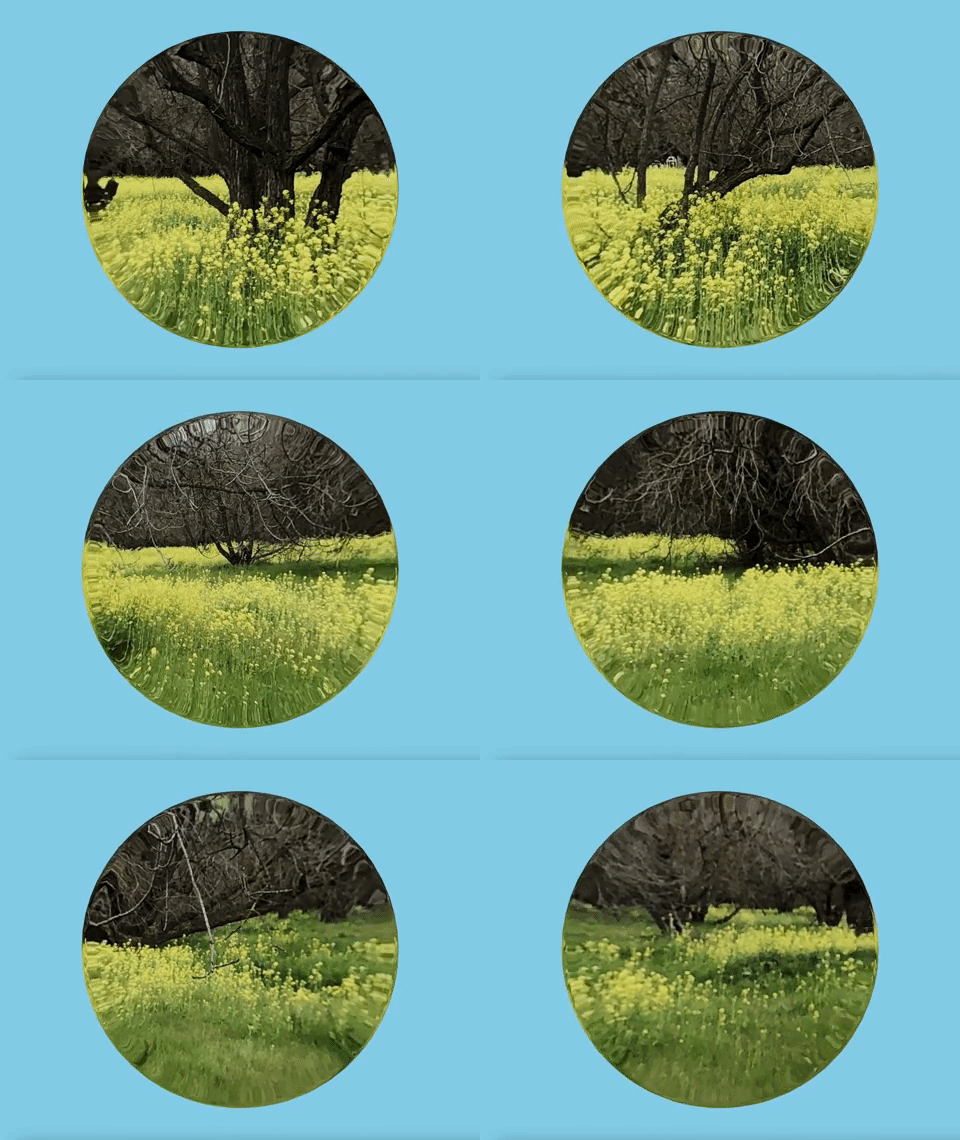
Take a look at the image of the mustard field.
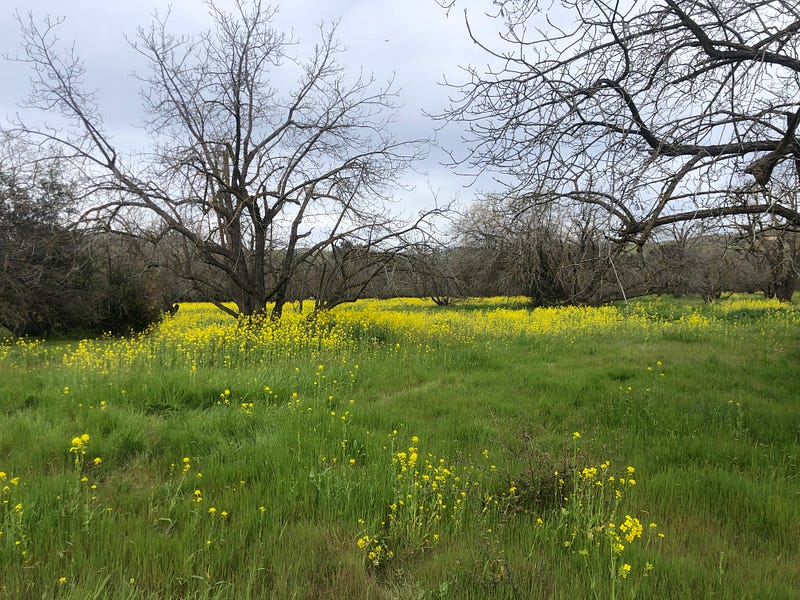
We can split it into four files, and name them mustard1.jpg, mustard2.jpg, mustard3.jpg, and mustard4.jpg. Put them under the public/textures folder.
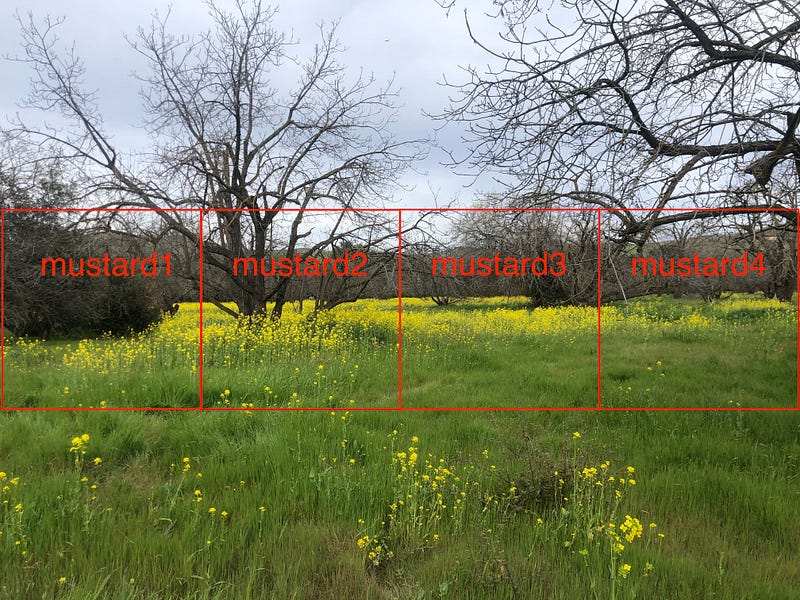
It is possible to take separate pictures of the sky and floor. However, they are not needed in this example, as they are not visible for the sphere refraction.
Here is src/App.js:
- At lines 8–13, the four mustard images (
textures/mustard*.jpg) along with two filler images (textures/could.jpg) are arranged in the order ofpos-x,neg-x,pos-y,neg-y,pos-z, andneg-z. - At line 28, the background color is set to sky blue.
- Execute
npm start. The spinning sphere refracts the mustard field.
What do you think?
There is an un-smooth change between textures/mustard1.jpg and textures/mustard4.jpg.
We should have taken the original photo with both ends matching as much as possible. You get the point, right?
The Abstract Modern Art
We have rendered objects as cubes and spheres. There is also a shape called torus knot, which is a special kind of knot that lies on the surface of an unknotted torus in R3.
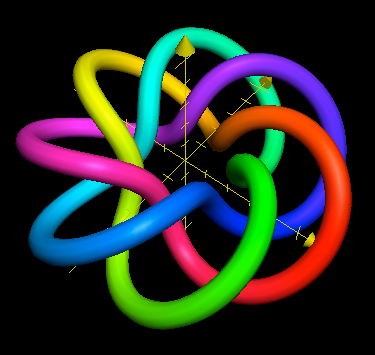
We use sphereBufferGeometry to draw a torus knot, and the following is the underlining three’s definition:
TorusKnotGeometry(radius: Float, tube: Float, tubularSegments: Integer, radialSegments: Integer, p: Integer, q: Integer);radius: It is the radius of the torus. The default value is 1.tube: It is the radius of the tube. The default value is 0.4.tubularSegments: It is the number of tubular segments. The default value is 64.radialSegments: It is the number of radial segments. The default value is 8.p: It is how many times the geometry winds around its axis of rotational symmetry. The default value is 2.q: It is how many times the geometry winds around a circle in the interior of the torus. The default value is 3.
Here is src/App.js:
- At line 8, the cube map is loaded with the cloud image.
- At line 11, the torus knot’s
radiusandtuberadius are set to0.2.tubularSegmentsandradialSegmentsare set to 5 and 7. - At line 12, the material sets
colortored. - Execute
npm start. The red spinning torus knot reflects the cloud environment.
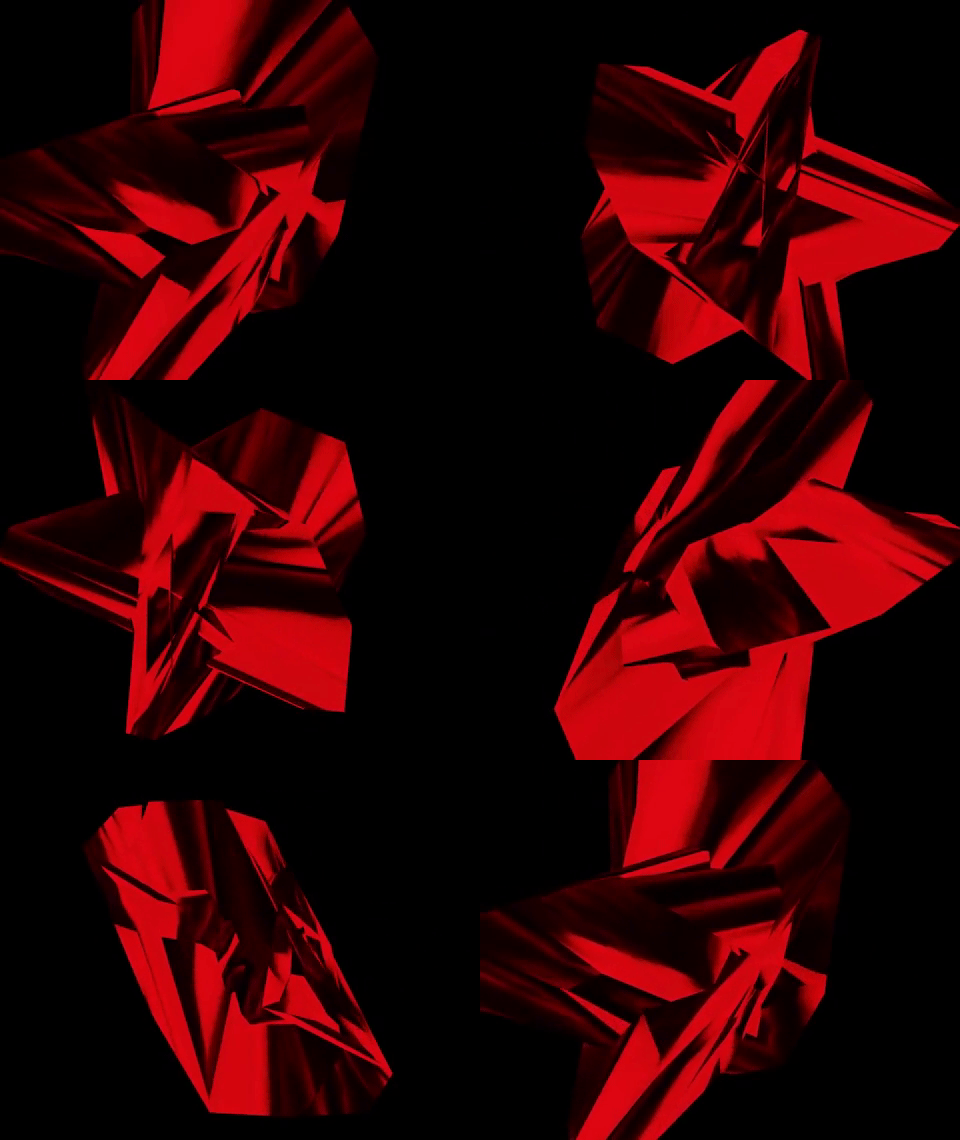
Since tubularSegments is set to a small number, the object looks sharper than a default torus knot.
Change lines 11 and 12 to use different parameters.
We have the purple spinning torus knot reflect the cloud environment.
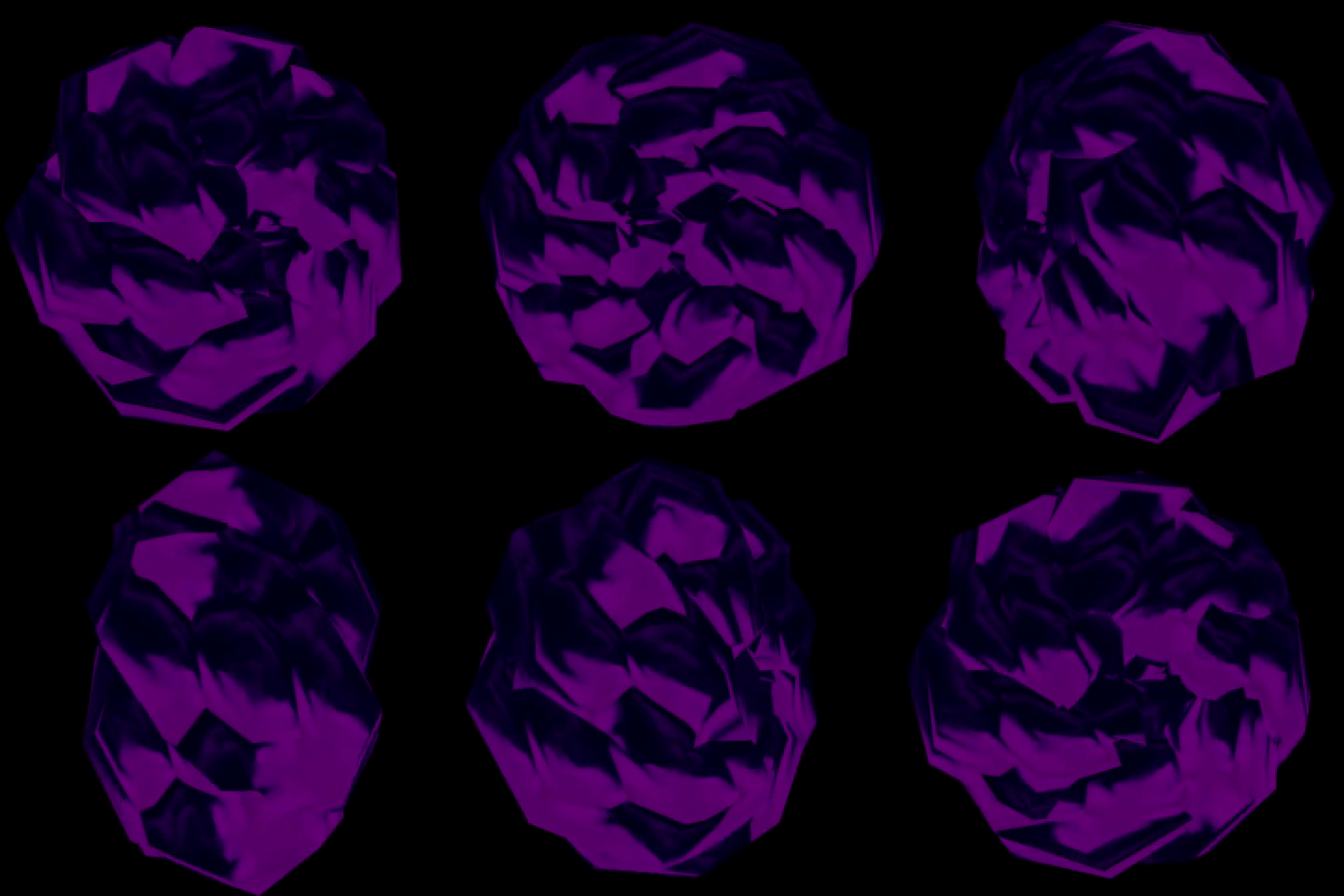
The abstract modern art uses a visual language of shape, form, color, and line to create a composition that may exist with a degree of independence from visual references in the world.
With the color and mood, does the three.js outcome resemble the abstract modern art?
The modification can be accomplished instantly.
Conclusion
We have shown ten code examples for manipulating textures, either directly on the surface or through reflection and refraction.
Three.js can render things to look as real as in real life, and it also can render things as abstract as the abstract modern art exhibited in museums.
In next article, we are going to apply textures outside and inside 3D objects, and explore examples to travel in and out of 3D objects.
Thanks for reading. I hope this was helpful. If you are interested, check out my other Medium articles.


