
10 Best Free Courses to Learn Microsoft Excel for Beginners in 2024
My favorite free online courses to learn Microsoft Excel or XLS for beginners from Udemy, FreeCodecamp, and other online portals
Hello guys, If you want to learn Microsoft Excel from scratch in 2024, one of the most popular productivity tools for IT professionals, and looking for free online courses then you have come to the right place.
In the past, I have shared the best Excel courses for beginners and advanced Excel courses for experienced programmers which are very liked by you guys but I also receive many requests to share some free resources to learn Microsoft Excel like free books, free online courses, and free tutorials and that’s why I am going to share best free Microsoft Excel courses from sites like Udemy in this article which you can use to learn this useful tool online.
There is no doubt that Microsoft Excel is a very useful tool for any IT professionals and Tech people like Software Developers, Data Scientists, Business Analysts, and Project managers. In fact, Excel is also very popular in other jobs where people need to work on computers.
There are thousands of jobs you will find in the just USA where excel skills are required. It’s one of those tools which is important for every people in this increasingly digital world That’s the reason many people are learning Microsoft Excel every day.
As a Java programmer and blogger, I use Microsoft Excel quite often. I use it to make a list of tasks, analyze data, automate things, and much more. If you ask me to learn a key tool or skill I would recommend you to learn Microsoft Excel as it will seriously help you in your day-to-day job and make you a more effective developer.
If you always also wanted to learn Microsoft Excel and looking for some awesome free online training course to kickstart your journey then you have come to the right place.
In this article, I am going to share 10 free Microsoft Excel courses that will not only teach you the basics but also master this useful and ubiquitous tool for life.
And, if you can spend around $10 to learn a valuable tool like Microsoft Excel then I highly recommend you check out Microsoft Excel — From Beginner to Expert course by Kyle Pew on Udemy. You can get this course for just $9.9 during Udemy sales.
10 Best Free Microsoft Excel Courses Beginners Can Join in 2024
Without wasting any more of your time, here is a list of free online courses to learn Microsoft Excel. These are free courses from Udemy and these courses are thought by Microsoft Excel experts and made free for the promotional and educational processes. You don’t need to pay any money to join these courses, all you need is a free Udemy account to join this course.
1. Useful Excel for Beginners [Udemy]
This is one of the best free courses to learn Microsoft Excel for beginners. With more than 9.5 hours of content, this course is way better than many paid Excel courses you will find on Udemy. Created by Ind Zara this course will teach you the fundamentals of Excel and become a power user of Microsoft Excel. The good thing about this course is that it shares the data files in which you will be working with data related to a bookstore in the exercises. The files are available for download and you can follow along with the videos while practicing. The course covers all the Excel topics that you would need to know, to become an effective user. Talking about social proof, this course is trusted by more than 275,915 students and it has on average 4.5 ratings from close to 28,445 participants. In short, one of the best courses to learn Microsoft Excel from scratch, particularly for beginners and new users.
Here is the link to join this free course — Useful Excel for Beginners
2. Everyday Excel, Part 1 [Free Coursera Course]
This is an amazing free course to learn Excel for Everyday tasks on Coursera. Created by Charlie Nuttleman and offered by the University of Colorado Boulder this free course is aimed at people who want to learn Excel from scratch.
This course is the first part of a three-part series and Everyday Excel Specialization that focuses on teaching introductory through very advanced techniques and tools in Excel.
Here are things you’ll learn in the first part of this course:
- how to effectively navigate around the Excel environment
- How to edit and format Excel worksheets
- How to implement basic to advanced Excel functions (including financial, logical, and text functions);
- How to learn how to manage data sets (filter, remove duplicates, consolidate data, sort data, and validate data);
- How to effectively visualize data through scatterplots, column charts, and pie charts.
Here is the link to join this free Excel course — Everyday Excel, Part 1
3. Microsoft Excel — Improve your skills quickly [Udemy]
This is a short course to learn some interesting features of Microsoft Excel like Pivot Tables, Charts, Sparklines, functions, formulas, and more — in just a couple of hours.
This course is created by Phillip Burton, one of my favorite Udemy instructors and creator of several best-selling Udemy courses like 70–461, 761: Querying Microsoft SQL Server with Transact-SQL, and it's completely free to take on Udemy. Here are the things you will learn in this course: 1. How to create Tables, PivotTables, PivotCharts, and Sparklines 2. How to add Conditional Formatting, Filters 3. How to use Visual Basic for Applications 4. How to use common Excel functions like SUM, SUMIF, VLOOKUP, OFFSET, and INDIRECT functions Do you need to know anything in advance? Well, it would be good if you have used Microsoft Excel before but even if you not, you can join this course. All you need is MS Excel (or Office) 2007, 2010, 2013, 2016, or 365 installed on your machine to try out the exercise.
Here is the link to join this free course — Microsoft Excel — Improve your skills quickly
Talking about social proof, more than 37,000 people have benefitted from this course and it has on average 4.4 ratings from close to 3282 people. Overall a nice little course to learn useful features like Pitval tables, charts, and conditional formatting on Excel.
4. Easy Excel Basics for Beginners — Get Started with Excel [Udemy]
This is another free online course on Udemy to learn about Excel basics for beginners from scratch. You will learn all essential Excel stuff from the beginning like Spreadsheets, shortcuts, and formulas in just 40 minutes. The course is also good for Excel 2010, 2013 & 2016.
This course is created by Steve McDonald, one of the better-known Excel experts and creators of many other best-selling Udemy courses on Microsoft Excel like this Ultimate Excel course. This course is completely free to join. Here are the things you will learn in this course: 1. How to Navigate through Excel quickly and easily 2. How to create a simple, effective spreadsheet 3. How to use Excel formulas for automating repetitive math calculations 4. How to format text and arrange it alphabetically 5. How to format numbers into the currency 6. How to adjust column and row size quickly and easily 7. How to get your feet wet with the basics of Excel in an easy, stress-free way This course will teach you the basics of how to use Excel, how to create a basic spreadsheet, how to navigate quickly through a spreadsheet, how to create simple mathematical formulas, and some shortcuts and keystrokes to save you lots of time.
Here is the link to join this course for FREE — Easy Excel Basics for Beginners — Get Started with Excel
Talking about social proof this course is trusted by more than 35,771 students and has 4.4 ratings from close to 2,536 rating participants which shows how useful this course is. If you are in a rush and want to learn Microsoft Excel quickly try out this course, you won’t lose anything as it’s free, in fact, you will learn a useful tool for your life.
5. Excel Quick Start Tutorial: 36 Minutes to Learn the Basics [Udemy]
This is another great free course to learn Microsoft Excel in a quick time. As the title suggests you will learn most of the useful Excel features like rows, columns, workbooks, worksheets, formulas, and shortcuts in just half an hour. In fact, you will go from a blank worksheet to pivot tables in 36 minutes. Here are the key things you will learn in this course: 1. How to enter and edit Excel data. Format numbers, fonts, and alignment. 2. How to make simple pivot tables and charts 3. How to create simple Excel formulas. 4. How to use common Excel Functions like COUNTIF and VLOOKUP 5. How to use a filter and sort lists of data like finding the “Top 10” values. 6. How to use Excel table functions to de-duplicate data and make totals. Created by Jeff Knowlton, this course is also great to understand how Excel is used in a business context to analyze data. You will also create a simple sales analysis report which means you have a clear outcome from the 36 minutes you are going to spend in this course. It’s also great for interview prep!
Here is the link to join this free Excel tutorial — Excel Quick Start Tutorial
6. Microsoft Excel — Basic Data Visualization in Excel [Udemy]
Recently I have met with many people who are learning Microsoft Excel or data visualization which is quickly becoming more and more an important skill given the data-centric and increasingly digital world we are living in. More and more businesses are making sense of their data and looking for insight to increase sales and profit and that’s why knowing Microsoft Excel can be very useful.
Here are things you will learn in this course: 1. How to create well-designed graphs in Excel 2. How to format graphs beyond the default settings in Excel 3. How to create “graph-worthy” data 4. How to use VLOOKUP and Pivot Tables to summarize data prior to graphing 5. How to Design graphs in Excel similar to the ones in today’s most respected publications Created by Sean. J. Thompson, in just 1 hour, this course will help you to use the Excel skills you already have and take them to the next level. You will also get Excel spreadsheets used throughout the course. You can also use these spreadsheets and documents as a resource after you complete the course.
Here is the link to join this free course — Microsoft Excel — Basic Data Visualization in Excel
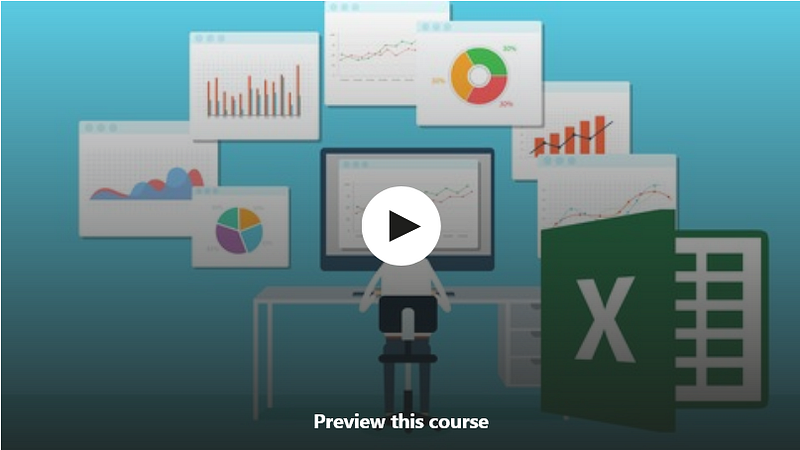
Talking about social proof, this course is trusted by more than 15,000 students and it has on average 4.1 ratings from close to 996 people which is amazing and talks a lot about the quality of the course.
7. Microsoft Excel Tutorial for Beginners — Full Course [FreeCodeCamp]
This is another awesome free online course to learn Microsoft Excel basics. This course is developed by Shad Sluiter and its available on FreeCodeCamp’s Youtube channel.
In this 2.5 hours long free course you will learn how to use Microsoft Excel from the beginning by creating 6 real-world projects. Most of the content applies to Google Sheets as well.
Here are things you will learn in this course:
- how to enter data,
- How to navigate through a spreadsheet
- How to create formulas to solve problems
- How to create charts and graphs
- How to understand relative vs absolute references
- How to import and export data
- How to implement VLOOKUP
- How to use pivot tables
- How to split and concatenate text, and more
As I said, this course is completely free and you don’t need any login to watch this course, You can watch it on Youtube or right here as shown below:
8. Excel Skills for Business: Essentials [Coursera Free Course]
This is one of the most popular Excel courses on Coursera, which you can audit for free. This course is offered by Macquarie University and is part of Coursera’s popular Excel Skills for Business Specialization, more than 500K people have already joined this course.
In this first course of the specialization, you will learn the essentials of Microsoft Excel. Within six weeks, you will be able to expertly navigate the Excel user interface, perform basic calculations with formulas and functions, professionally format spreadsheets, and create visualizations of data through charts and graphs.
The best way to learn Excel is to use Excel. In this course, learners will solve a broad range of business problems as they apply the Excel skills and techniques they learn along the way.
This course provides a lot of downloadable Excel workbooks and full data sets with applied examples and practical challenge exercises, which gives learners opportunities to practice their Excel skills while discovering new and useful productivity features of Excel for a variety of business contexts
Here is the link to join this Excel course — Excel Skills for Business: Essentials
9. Microsoft Excel Pivot Tables — The Beginner Course [Udemy]
If you are looking for a free online course or tutorial to learn Microsoft Excel pivot tables then this is the best free course for you. Created by Matt JackMann, this free Udemy course will teach you Pivot Tables in quick time.
Here are things you will learn in this 50-minute long free course:
- Use basic Pivot Tables in Excel
- Analyze large sets of information
- Use Excel more efficiently
- Structure information more effectively
Pivot Tables are one of the most powerful features in Excel. Once you learn how to use Pivot Tables, they’ll change the way you use Excel and I highly recommend using this free resource to learn this great skill.
here is the link to join this course — Microsoft Excel Pivot Tables — The Beginner Course
10. Excel: From beginner to intermediate [Free Udemy Course]
This is one of the most comprehensive free Excel courses you can get online. In this 11.5 hours long course, you will learn everything you need to know about Microsoft Excel for your analysis and everyday usage.
Created by Philip Burton, this 11.5 hours long course will teach you the following skills:
- How to create, configure and save Excel worksheets and workbooks.
- How to navigate through and format worksheets and workbooks.
- How to customize options and views for worksheets and workbooks.
- Configure Excel worksheets and workbooks to print (e.g. page setup).
- Insert data into and format cells and ranges, and create and modify tables.
- Highlight, filter, sort, and group cells, ranges, and tables.
- Create and format Excel charts.
- How to insert and format objects, including modifying images.
- How to create formulas in Excel, including using conditional logic and modifying text.
Overall a great course to learn Excel for free. It’s as good as any paid Excel course on Udemy and more importantly, Phillip is an excel guru and amazing teacher. His explanations are clear, in-depth, and very comprehensive.
Here is the link to join this free Excel course — Excel: From beginner to intermediate
That’s all about some of the best free courses to learn Microsoft Excel online for Beginners. You can join these free Udemy courses and then you can learn at your pace on your own schedule. Btw, sometimes, a free course on Udemy can be changed to a paid course so make sure you check the price before you enroll in the course. I also suggest you enroll now than later even if you are not going to learn immediately. This way you can keep the course free for life before it becomes paid and learn later when you have some free time or priority changes.
Btw, you would have noticed that the list contains only 6 courses but the title says 10 courses, yes, I have four more courses which I Am going to share with you shortly, just got tired of typing so stopping here for today. Other Useful Programming Resources you may like to explore
- 21 Free Websites to Learn Coding in 2024
- 5 Machine Learning and Data Science Courses in 2024
- 5 Free Course to Learn Big Data, Hadoop, and Spark
- The 2024 Web Developer RoadMap
- 5 Free Courses to learn Flutter in 2024
- 5 Free Courses to Learn Angular in 2024
- 5 Free Courses to learn Git and Github for Programmers
- 5 Free Courses to learn Amazon Web Services
- Top 5 Free Courses to Learn BlockChain in 2024
- 7 Free Courses to learn Nodejs in 2024
- 10 Free Docker Courses for Developers
- Top 5 Android Online Training Courses for Java Developers
- 7 Free Courses to learn Kubernetes in 2024
- 5 Free Courses to learn HTML and CSS for Beginners
- 5 Free Courses to learn JavaScript for Web Developers
- 10 Free Courses to learn Spring Boot for Beginners
- 10 Free Courses to learn Spring Framework in Java
Thanks for reading this article so far. If you like these best free Microsoft Excel courses for beginners then please share them with your friends and colleagues. If you have any questions or feedback then please drop a note.
P. S. — If you don’t mind spending a few bucks learning a valuable tool like Microsoft Excel then I also highly recommend you check out Microsoft Excel — From Beginner to Expert course by Kyle Pew on Udemy. It’s one of the best online courses to learn Excel in-depth and almost half a million people have already benefited from this course.


