
10 Fantastic iPhone Apps — Feb 2024
Enhance your iPhone in February with unique iOS and macOS apps
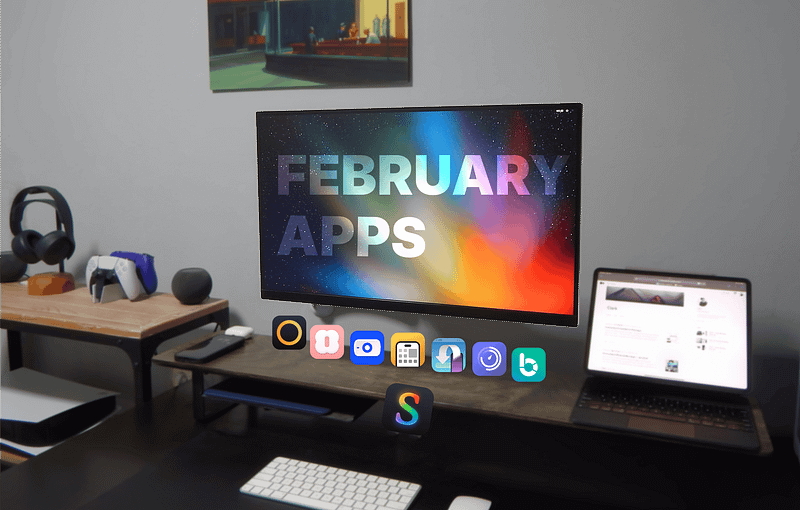
February is here, and I have prepared ten app recommendations for your Apple devices. These all work great on your iPhone and most of your Apple devices.
I intend to grow the user base of really cool apps, and I love it when those apps are from indie developers. Without any further ado, the following apps will help you:
- 🎨 Create and design app screenshots for your apps on the App Store.
- ↪️ Send download links to Mac, and it will automatically download files.
- ✅ Manage your tasks and make new to-do lists in a beautiful interface.
- 🎬 Add and organise your library of movies, books, games and more.
- 📆 Better utilise your calendar with powerful productivity features.
- ⌨️ Create and edit code in a powerful text editor with SSH support.
- ⏲️ Start multiple timers in one app and find timer templates.
- 💰 Manage your expenditure with a robust financial utility.
- ⚡️ Find out the quality of your network’s performance.
- 📷 Use your iPhone as a wireless or USB webcam for your Mac and PC.
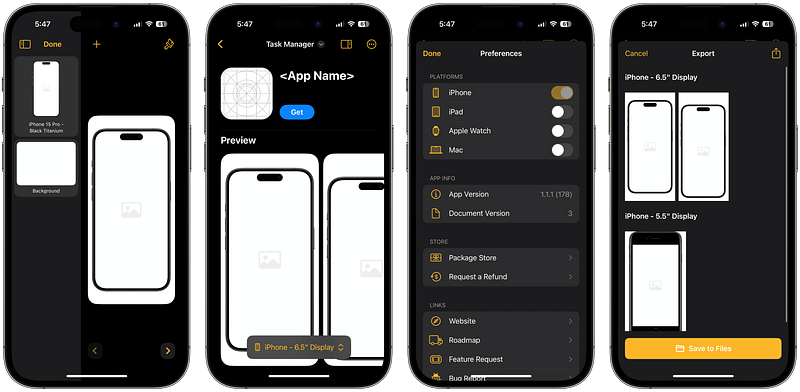
1. Picasso — App Screenshot Tool
I’m a visual learner, and it has become apparent when browsing the App Store that the first thing I see beside the app’s name is the screenshots. If the screenshots are captivating, I’ll become more interested in trying the app.
So, if you’re a developer and don’t have the time or the resources to design custom-tailored images for your App Store app submission, I suggest using Picasso.
I should be clear that I am not a developer, but if I were one, I’d start focusing on improving the UX with more time towards the design and use Picasso to make beautiful images for my app submission.
What I Love About It
- Picasso makes good use of iPadOS Split View by showing the Device Frame window at the side of your document, making it great for multi-tasking and seeing the changes instantly.
- It’s not a subscription, and you only pay for the features you use.
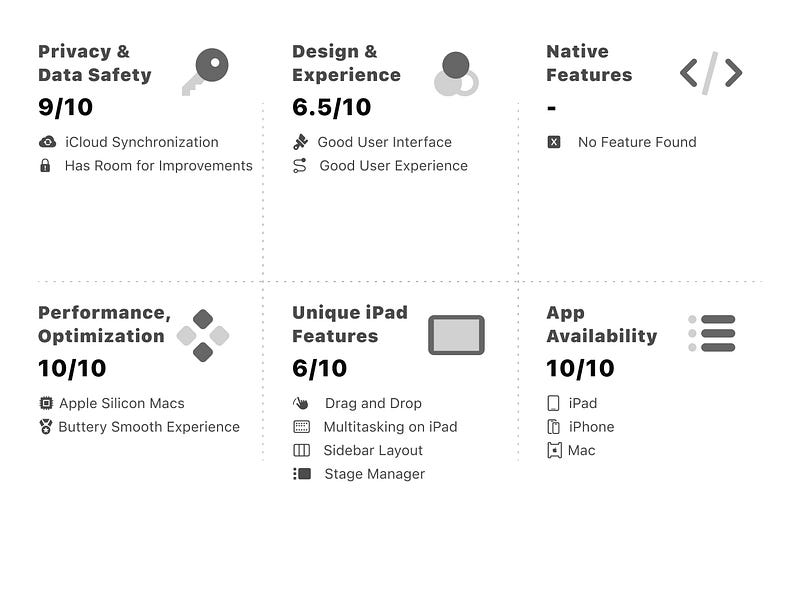
You can download the Picasso on the App Store for $9.99
⚡️ Tip: Export your screenshot in multiple languages by importing a .xcrstrings file. The option is in Preferences -> XCStrings File option.
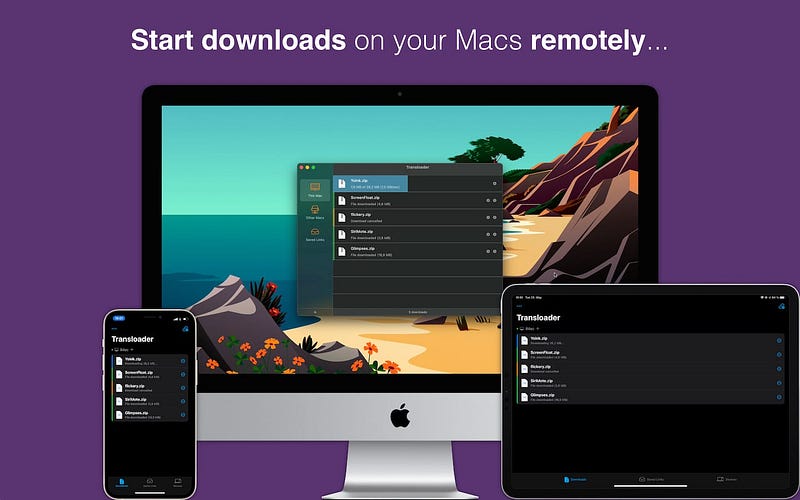
2. Transloader: Manage downloads on Macs
I use a Mac Mini at home, and it’s been a fantastic computer for reliable tasks. It’s powered on, and I rarely need to restart or reset the device.
Since I rely on it for my work and entertainment, It’s a great candidate for downloading many files, videos and visual assets.
When I’m not home and come across a file to download on my Mac, instead of saving the link or adding it as a task (often forgotten), I use Transloader to command my Mac to download it.
Since my home internet is more reliable than a 4G network, Transloaders download them and put the file in their appropriate directory. Yes, the app is flexible to the point of adding custom rules for the type of files it should download.
What I Love About It
- If you use a YouTube video downloader, you can add a rule in Transloader telling it to download all YouTube links in your specific app.
- The memory footprint of Transloader is low. My M1 Mac Mini has 8 GB of RAM, so it has minimal impact on my performance.
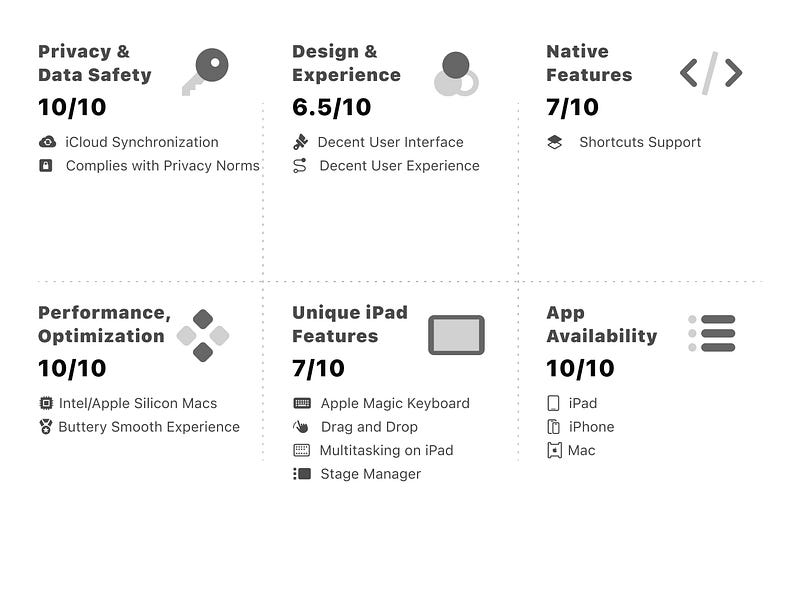
You can download the Transloader on the App Store for free
⚡️ Tip: Some websites require you to sign in before allowing the download process to begin. To resolve this issue, go to Transloader’s Preferences -> Login Cookies -> Login. This will open a web browser, which you can use to log in and let the download begin without encountering errors.
3. Today App: Daily To-Do List
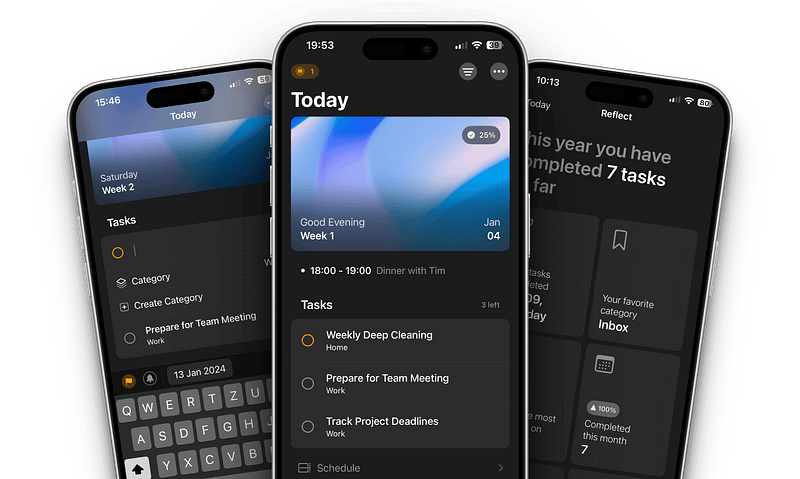
App Store doesn’t lack productivity apps for managing tasks, yet it lacks quality apps that utilise a minimalistic design alongside a simple interface to check off your to-do items.
I’ve tested plenty of task managers, and Today has one of the few designs that orient well with Apple Human Design guidelines.
The prominent feature of Today is its Auto-Clear feature, which disappears your tasks when the day ends. It’s a clever way to help you focus on what matters the most.
What I Love About It
- Swiping up on the Create bar brings the new task interface.
- Calendar synchronisation to display your events.
- A beautiful Reflect screen showing your accomplishments with insightful information.
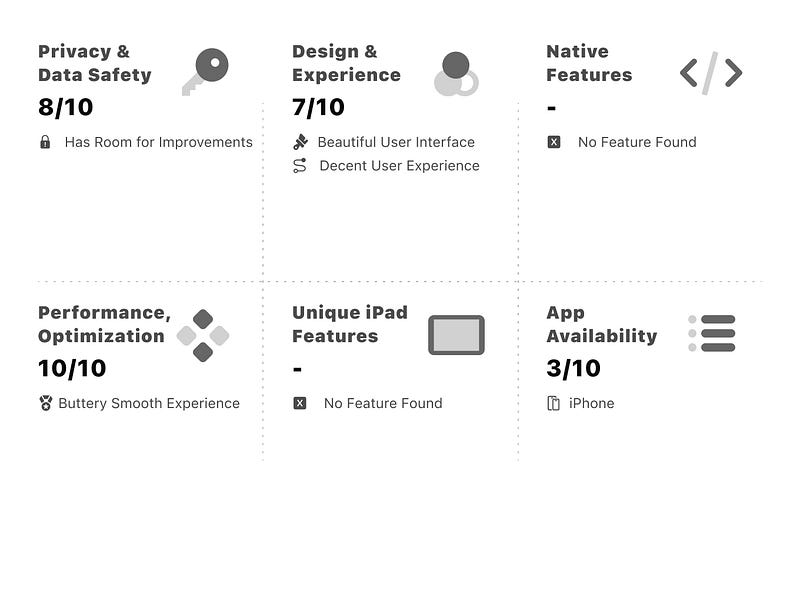
You can download the Today App on the App Store for $2.99
⚡️ Tip: You can tap and hold on the top card to bring the option of changing the background image.
4. Sequel: Track TV shows, games & more
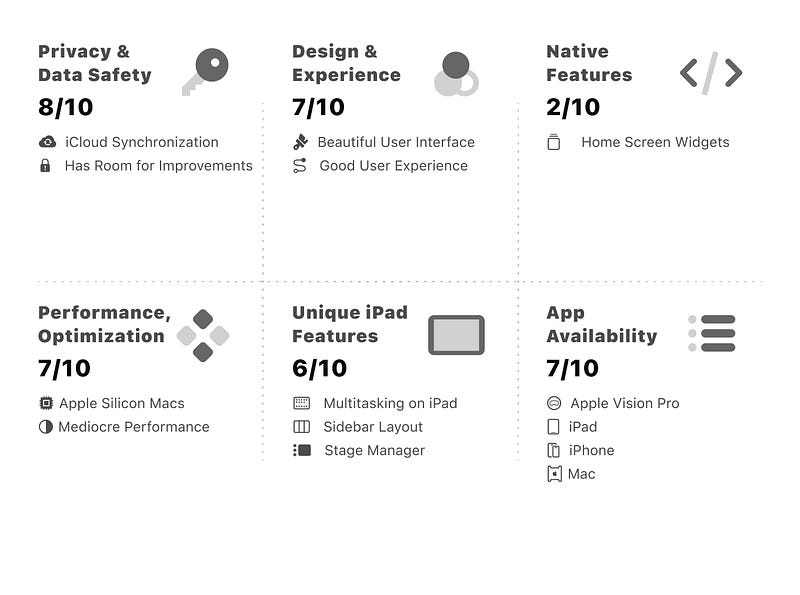
My logic for app payment is simple: Either pay all at once or ask for a reasonable subscription fee. Sequel meets such criteria.
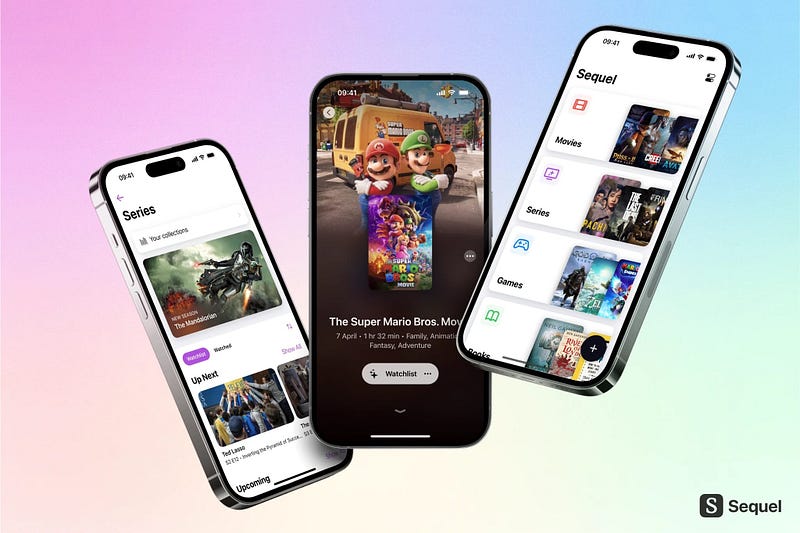
Sequel has a unique and (very) appropriate name. Moreover, it is an all-in-one tracker app to help me keep up with the latest movies, shows, books and more.
I can use it to make an item as seen/read or add it to a wishlist.
I use Sequel to track:
- Video games on PlayStation 5 and PC.
- Movies & TV Series on Streaming Services.
- Physical & Digital Books.
Honestly, I want it to track even more stuff, but since it can do all of that in just one app is pretty insane. Moreover, the UI is the most straightforward in any app I’ve used for this purpose.
What I Love About It
- A tap-and-hold on any item brings a context menu to alter their status. For example, to make a movie as Watched, Wishlist or Removed.
- While adding a movie, the search window shows the Trending movies alongside those about to be released.
- The iPadOS version makes good use of the iPad’s larger screen.
- The last update brings Sequel to the Apple Visio Pro headset; This shows the developer isn’t wasting time and actively working on the app.
You can download the Sequel on the App Store for $2.99 a month
⚡️ Tip: You can tap and hold on to any Collection (Books, Movies, etc) and drag the item to change its order. Mine is Movies, Series, Books, Games and Audiobooks.
5. Amie — Calendar and todos
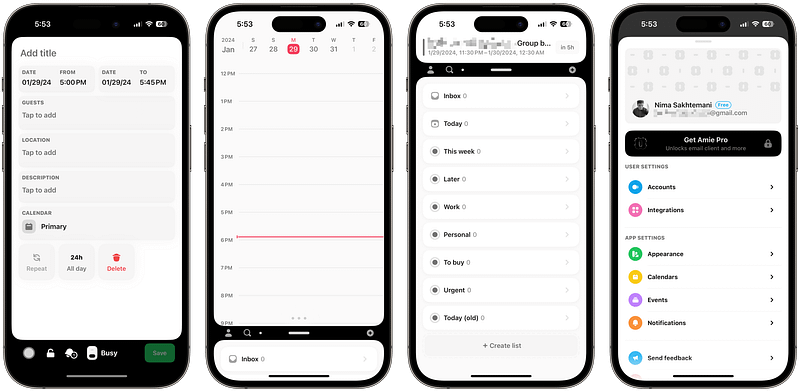
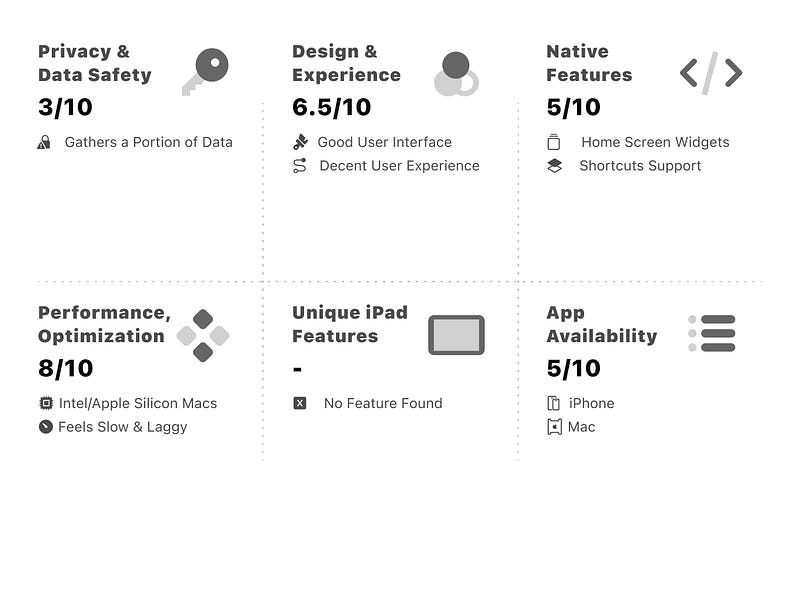
Amie is a new app with two purposes: Providing a unique interface for managing your calendar(s) and creating tasks.
Amie’s uniquely uncanny interface represents the marriage of calendar and task in a way I haven’t seen in other apps. However, it doesn’t feel mature enough to be considered complete in either category.
While I enjoy using Amie to keep track of my agenda, it’s most useful for teams due to its unique professional tools. Moreover, Amie is more complete and feature-rich on macOS than on iOS.
The Amie’s Mac app can connect to Notion, Things 3 and more productivity apps. This will result in more accessible options and better integration within Amie.
What I Love About It
- The
All Daybutton is both a switch option and an actual button — a unique design I haven’t seen before. - Colourising events makes Amie livelier than the alternative apps.
- The settings for the default event duration are visually impressive, especially since not many apps follow such a design.
You can download the Amie on the App Store for $12.99 a month.
⚡️ Tip: Amie provides six home screen widgets. One is called the Friends’ Birthday, which counts the days before your friends’ birthday arrives. I recommend adding it to the Widget Screen of your iPhone.
6. Textastic Code Editor: Text, Coding, SFTP Client, SSH
Ten years ago, I was a web developer. Back then, if you told me you could preview and run Markdown files on a phone, I wouldn’t believe you.
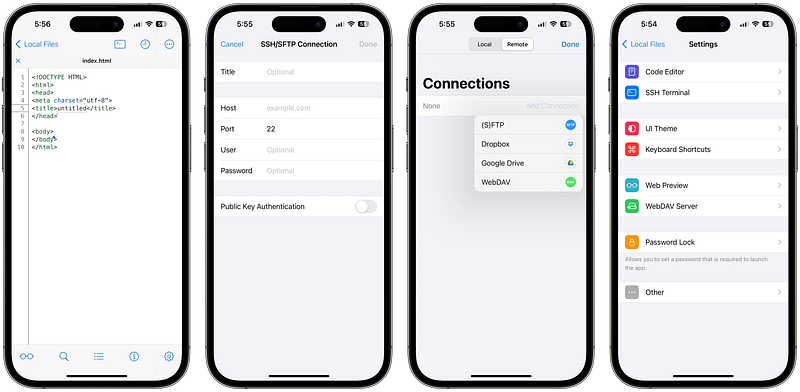
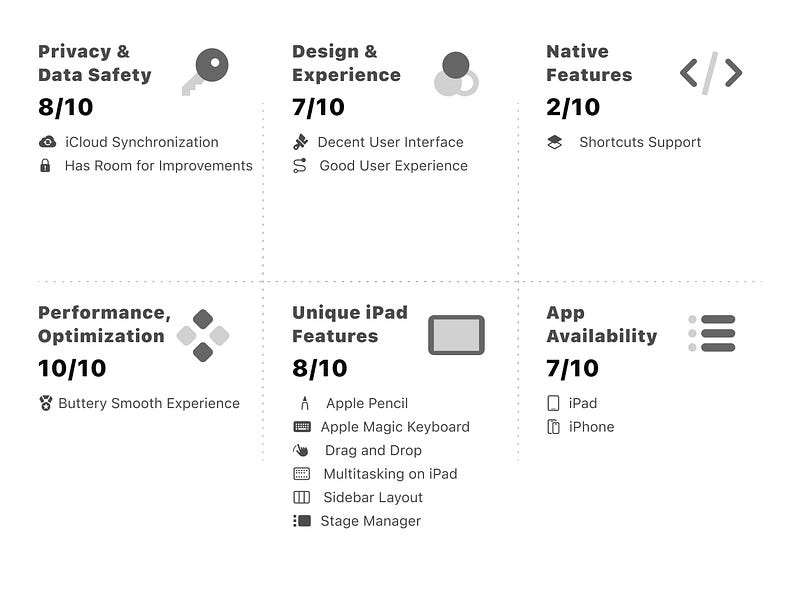
Textastic is an incredible text and code editor for your iPhone, and it packs plenty of powerful code editing features — stuff I didn’t know you could do on iOS.
Features like a powerful code editor supporting over 80 programming and markup languages. Moreover, it uses SSH to connect to your server and integrate with Git repositories.
This is the app if you’re a developer and need to use your iPhone to edit your code on the go. Also, if you’re an iPadOS user who prefers the comfort & versatility of an iPad, Textastic will provide a fantastic environment for your development needs.
What I Love About It
- The pricing model is great! No more subscriptions.
- Looks good on iPad as it utilises Apple HIG for its design.
- The Search & Replace brings extra keys to the iPad’s keyboard.
- The built-in SSH terminal makes Textastic more useful.
- Supports custom fonts and allows changing the encoding.
You can download the Textastic Code Editor on the App Store for $7.99
⚡️ Tip: Seamless cursor navigation is essential for an editor, so I suggest using the iOS Keyboard’s Space bar. It’s possible by holding down the Space bar and then moving your finger around the keyboard.
7. Interval Multi Timer: Timus
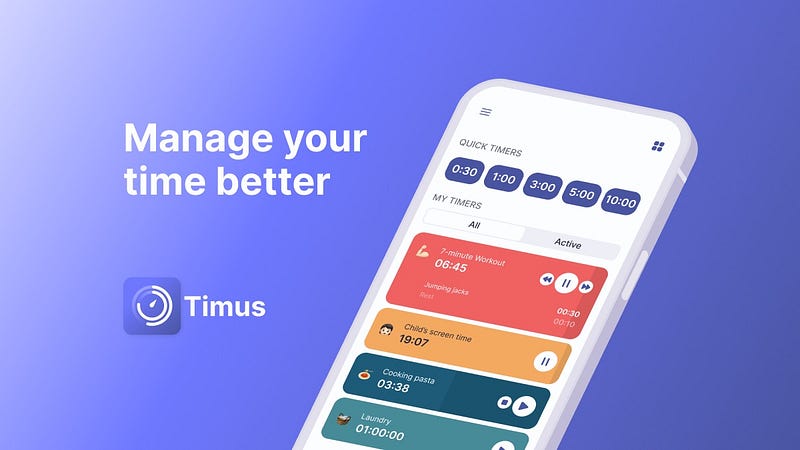
It took Apple years (as of iOS 14) to allow setting multiple timers, and it’s still not perfect, so I’m introducing Timus, an app for running timers, alongside a template of timers that ease your workflow.
Timus provides timers for running Pomodoro sessions, starting a HIIT exercise, fasting and more.
The default Clock app can run such timers but lacks features that make a timer useful.
For example, the dynamic Island only displays one active timer, and the app doesn’t allow customising the timer.
For me, little things such as drag-and-drop to reorder the timers prioritise using Timus over the default Clock app.
What I Love About It
- The animations are smooth on iPhones with a ProMotion display.
- Customising each timer with colour and icon makes them unique.
- The variety of different sounds for the timer’s completion.
- Creating timers for specific gym equipment using different time intervals, icons, titles and colours.
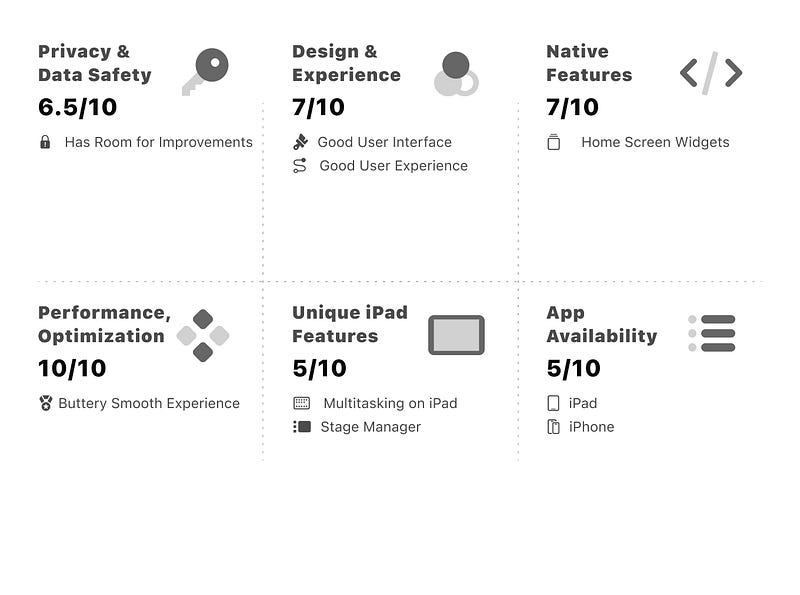
You can download the Timus on the App Store for free — including multiple in-app purchases.
⚡️ Tip: If you accidentally add a Timer on the New Timer page, you can swipe left, which will delete the timer. I hope Timus provide a delete button to make this section less confusing.
8. Budget Flow: Financial manager and planner
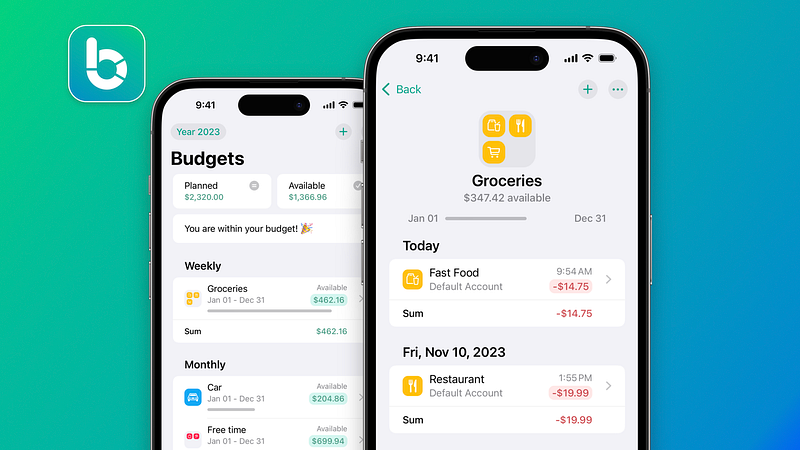
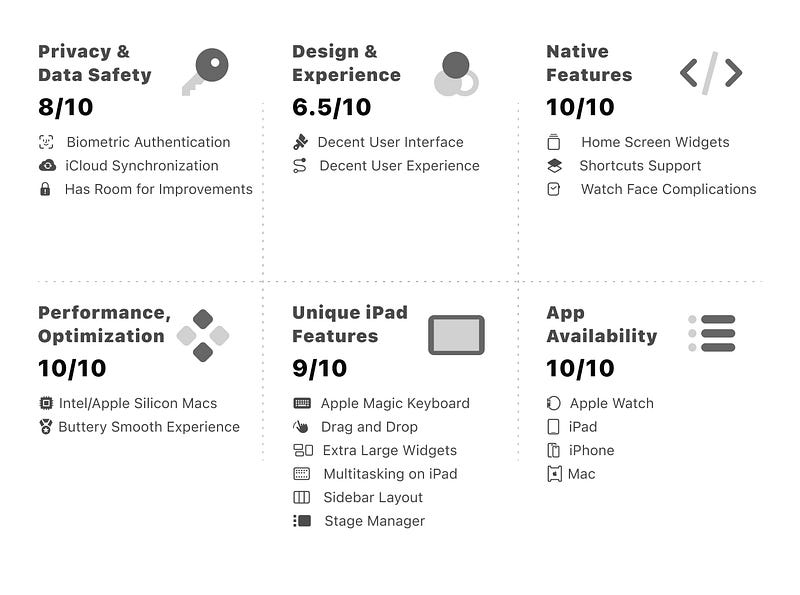
Budget Flow is one of a few expense tracker apps that you can use to replace the spreadsheet as it provides a feature-rich interface to manage your expenditures with ease.
I’m amazed by its charts and reports interface highlighting my financial behaviour, which is plenty insightful to understand what and how I pay for stuff.
If you’re a fan of Shortcuts, you’ll enjoy the experience of adding a new expense with a simple push of a button. Moreover, the Home Screen widgets provide easy access to track expenditures and access more functions.
While most expense tracker apps require access to your bank account to “automatically” track your expenditures, Budget Flow provides a secure platform with a decent interface to keep an eye on your accounts.
What I Love About It
- Data synchronisation over iCloud makes it easy to use Budget Flow on multiple devices.
- The ability to choose between over a hundred currencies.
- Adding photos to a transaction eases the way to capturing a receipt photo and recycling the paper.
- The app supports biometric authentication, which makes it extra secure.
You can download the Budget Flow on the App Store for free —including multiple in-app purchases.
⚡️ Tip: You can quickly add a new expense without opening the app and simply using the Shortcuts. I suggest setting the double-back-tap button on the iPhone’s accessibility section to open the Shortcut or use the Action Button on newer iPhone models.
9. OpenSpeedTest-Server: Network Speed Test Server
I wouldn’t rely on popular Speedtest utilities to test my network as they often provide inaccurate information.
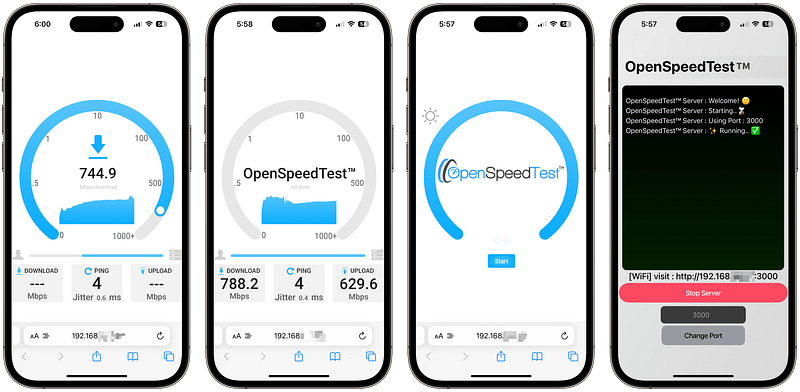
Most often, when you’re experiencing low internet speed, the internal network is at fault. This app can help you find out if your network is good enough.
OpenSpeedTest needs two devices. One to host a connection and the other to test the connection. So, a Mac and an iPhone will be a great choice. On your Mac, click on the Start Server, and you’ll receive an IP address with a port.
Enter the address on your iPhone’s Safari, and you’ll get an HTML page showing a blue Start button. Tap on that, and it’ll benchmark your network performance. The result will show your router’s true performance capabilities.
What I Love About It
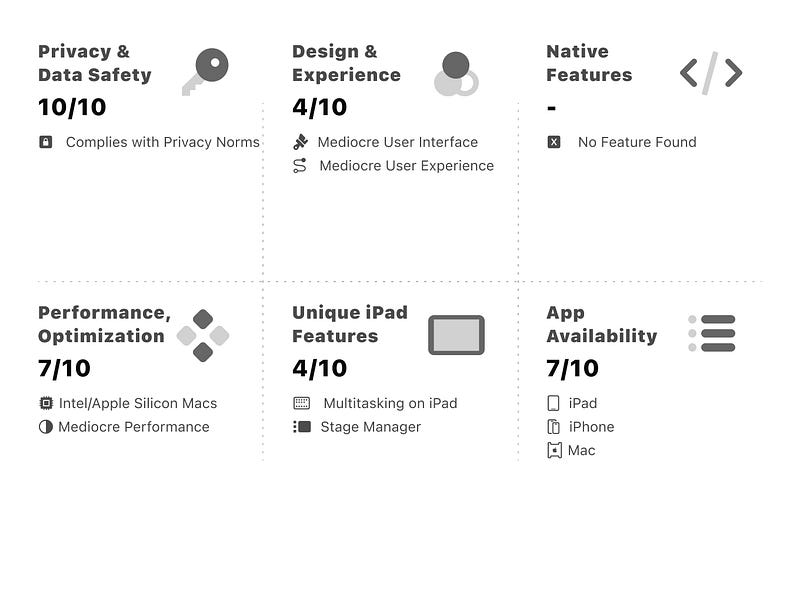
- Despite its colourless user interface, using the app is pretty simple.
- There are no ads or digital clutter in its user experience.
- You can use
?Stress=Lowcommand at the end of your URL to stress test the network for longer. - The OpenSpeedTest-Server app is available for Windows, Mac and Linux.
You can download the OpenSpeedTest-Server on the App Store for free
⚡️ Tip: You can pinpoint the weak Wi-Fi points around your house by testing the service on multiple rooms and adding your findings to a spreadsheet. The data you collect can help you decide on a better position for your access point to cover more areas around the house.

10. EpocCam Webcamera for Computer
EpocCam makes your iPhone into a webcam for your Mac and PC. All you need is a wireless (or wired) connection with the Elgato app to use your iPhone’s cameras as the webcam for your computer.
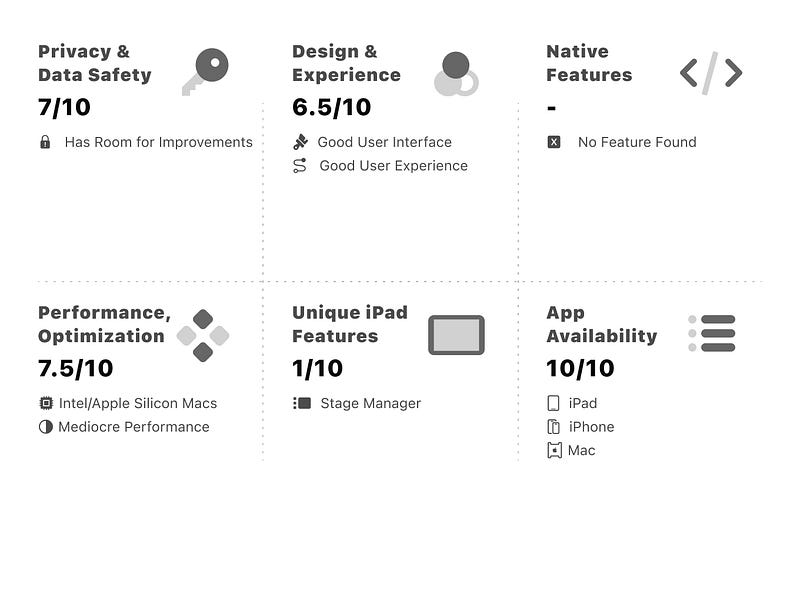
The quality is fantastic. Unlike any other webcam I’ve seen. I must mention that EpocCam is incredible for recording your Mac’s screen with the camera feed in it.
The Elgato software allows adjusting your exposure, white balance, contrast and many more properties. It also has AR lenses to modify your face to appear as if you’re in a cartoon, animé and more fun effects.
For me, a feature called Frame is most useful as it cropped the view into my preferred zone and zoomed onto the subject without moving the iPhone around.
The Continuity Camera of macOS allows using iPhone as the camera for FaceTime; However, I find its controls limiting and the picture quality inadequate, whereas Elgato’s software provides better quality and more options.
What I Love About It
- Quick wireless connection from the iPhone to the Mac.
- RAM consumption is below half a gigabyte on a high bitrate stream.
- The temperature control allows warming up the video to appear friendlier in Zoom calls.
- You can mirror the orientation of the video stream to fix the horizontally inverted viewfinder.
You can download the EpocCam Pro on the App Store for $7.99— A free version is also available.
⚡️ Tip: The Clear Lens AR effect makes the video stream more detailed. I’m not sure why it’s an AR effect, but I appreciate how it improves the picture quality.
Thank you for reading my story on Medium.
🖤 Become a Medium Member and help creators like me
📨 Receive my future stories in your inbox


