
10 Amazing Accessories for the M1 Macbook Pro
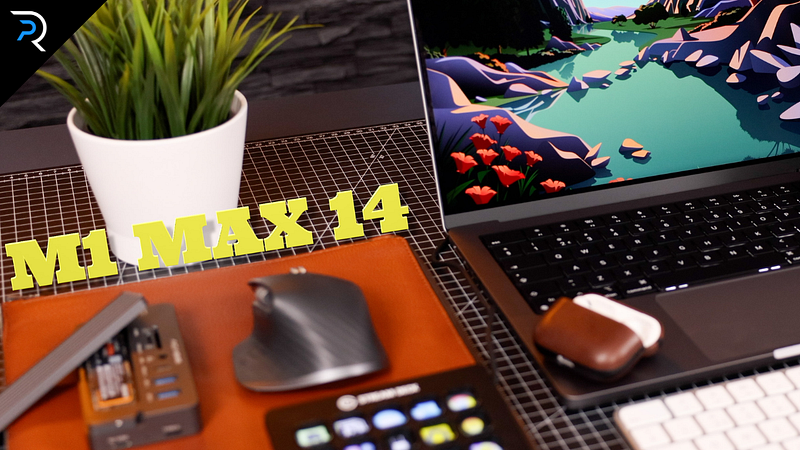
So I finally got my fully specced out M1 Max Macbook Pro 14 inch a while back and, man, it is such a pleasure to work with! There’s a couple of essential things I do and install every time I get a new Mac, I did a YouTube video on that if you’re interested.
But of course I am constantly trying to improve my workflow and make working on these machines even more efficient and enjoyable, so the next thing I will do is scour the internet for fun little add-ons to use with my main work horse. I love reading articles on the latest gadgets, and since you clicked on this article, I am guessing you do too! So I thought why not write one myself.
I have a great list of 10… well 11 accessories for you today, some of which you will be familiar with but they are such staples that I can’t in good conscience write a best accessories article without mentioning them, but I also made sure to put a few accessories in there you may have never heard of, so be sure to stick around for those.
Peak Design Everyday Backpack (20L)
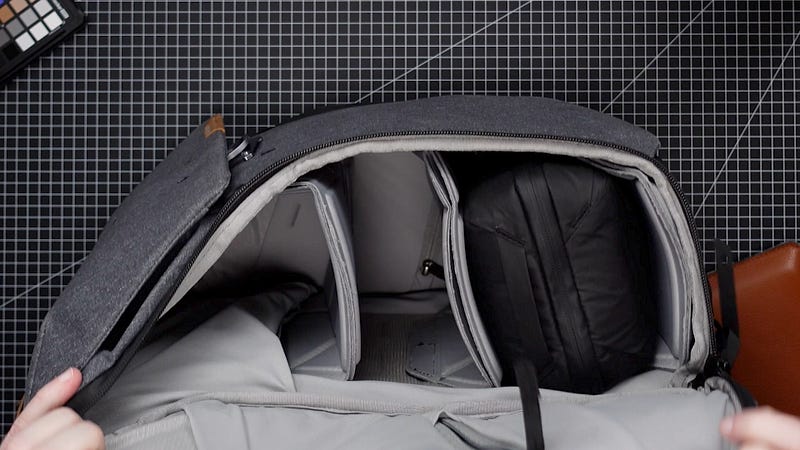
Alright so let’s start with the bag, every Macbook deserves a good home and my favorite bag is still the Everyday Backpack by Peak Design, this is the 20L version and it is just the perfect size for me. The Macbook slips in here easily and it sits very well protected, with plenty of padding to protect your back and shoulders.
The Peak Design is essentially a camera bag, so it also opens from the sides, and it has this shelving system for lenses and stuff, but you can take all of them out and just use it as a regular backpack if that’s what you prefer. I’ve reviewed this bag in more detail before. For now, I will just say that this is probably one of the best bags out there and I highly recommend it.
Peak Design Tech Pouch
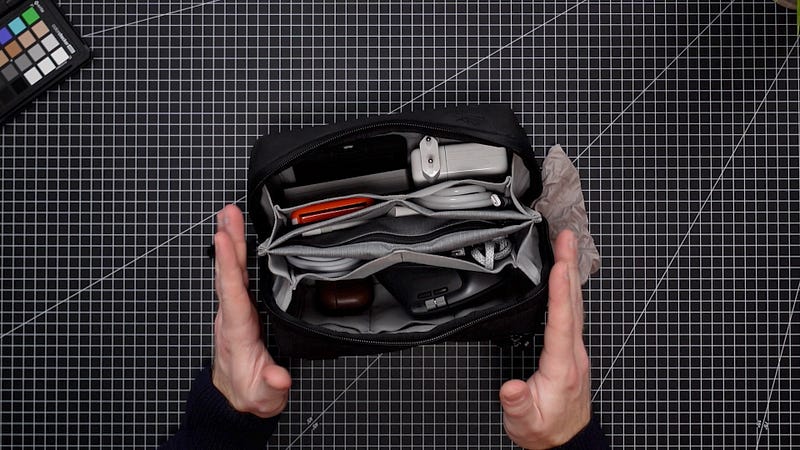
Inside my Peak Design backpack, I keep a smaller bag, or a Pouch rather, which is also made by Peak Design, and that thing excites me a little more than it probably should, but we are all nerds here, so I am sure you understand. Their accessories pouch holds all of my chargers, my mouse, and other little tech nicknacks I carry with me pretty much everywhere.
It has a pretty unique design, in that it folds open origami style, rather than flat on the table like most other tech organisers, and it can hold a surprising amount of gear. Got a little Spudz microfibre cloth attached to the outside zipper, for those sticky fingerprints . And inside the pouch I have a few more Macbook Accessories I will talk about later, but first I need to talk about this absolutely beautiful Macbook sleeve.
Woolnut Leather Macbook Sleeve
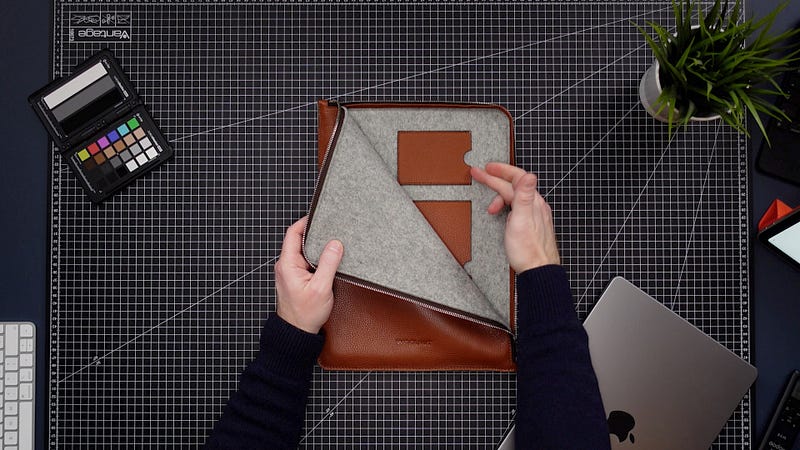
This was sent to me by a company called Woolnut, and they make the most stunning, high quality accessories for our beloved Apple gear. The company was founded in Stockholm Sweden, here in Europe, but do not worry, they ship all over the world. I am a firm believer in investing into a decent bag and case that both looks the part and also protects your devices. I never understood how someone can spend thousands of dollars on a top of the line piece of tech and then stick it in a 5 dollar neoprene case from Amazon.
This beautiful Macbook deserves a good home and just look at this case. Beautiful soft cognac brown full grain leather from Scandinavia, lined with 100% natural wool felt from Germany. It has these handy pockets for credit cards or business cards, and to top it off, it has YKK metal zippers that feel like they will last longer than the Macbook itself. Absolutely love this thing and a big thank you to Woolnut for sending this over to me for review.
Magic Keyboard with Touch ID
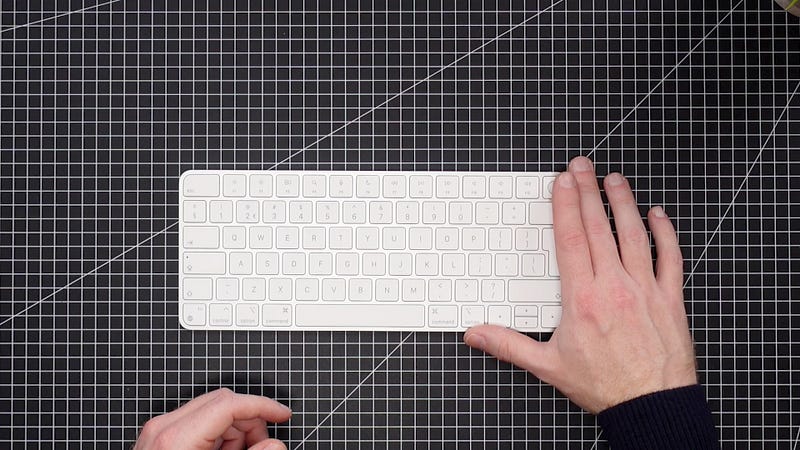
Right, back to hardware, we have the NEW Apple Magic Keyboard WITH touch ID. Not much to say about this, it’s pretty much the same as the old Magic Keyboard, but having touch ID to unlock your Macbook is super useful, especially if you’re like me and you use it in clamshell mode all the time, hooked up to an external monitor. This way you can still unlock it by using your finger print.
Alternatively, you can use your Apple Watch! Now, I am gonna be honest with you, I only found out last week that you can actually unlock your Mac using your Apple watch, and when I told some of my friends they looked at my like I was missing a few and they went like, yeah dude, that’s like the main reason I even bought an Apple Watch… OK… Anyway, if you’re like me and you didn’t know, all you have to do to activate this feature is go into system preferences, security and privacy, and check the box next to use your Apple watch to unlock apps and your Mac, and now you basically will never have to use your password again…
Airpods Pro and Nomad Leather Case
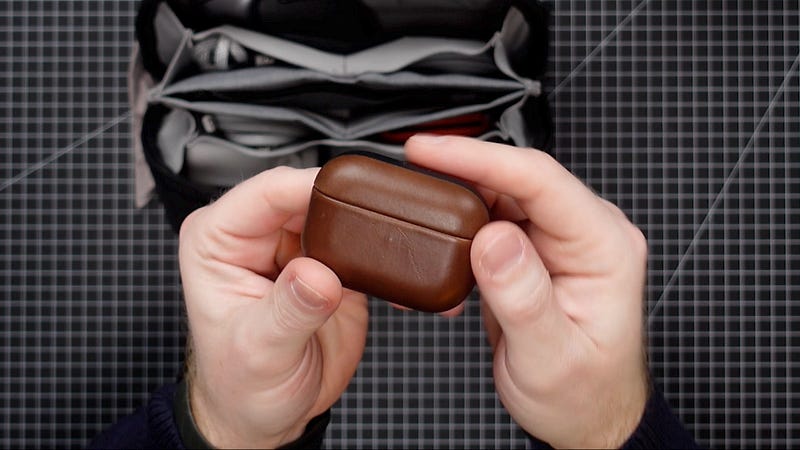
Next in line for the “I wish I’d known this earlier” accessories, are the Airpods Pro. For the longest time I have avoided Airpods, they would never stay in my ears and I didn’t think they sounded that great, so I stuck with my trusty old Jabra Elite t65s. But recently I was convinced to try the Airpods Pro that have the tips at the end, and these actually do stay in my ears and they sound amazing. I love spacial audio. The noise cancelling is pretty good, considering they are only earbuds, and of course they are made by Apple which means seamless integration with all of your Apple products. I can switch between by iPhone, my iPad and my Macbook and they will pair and switch instantly, without me having to do anything.
The leather case is by NOMAD by the way and shoutout to them for sending this over. If you like quality leather accessories, do check them out. These are now my favorite in-ear buds to use with the new Macbook Pro, and I can’t wait to see the new version of these when they come out (most likely) later this year.
MX Master 3
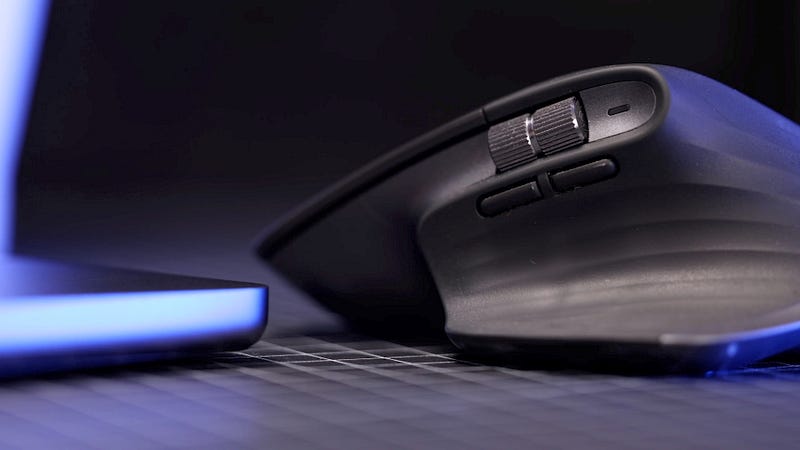
Another accessory that I just have to mention briefly is my trusty MX Master 3. This is just hands down the best mouse there is. Its ergonomic, efficient, the magnetic scroll wheel is ridiculously fast and if your’e into video editing, I don’t even know how you live without a side scrolling thumb wheel. If you’re on a Mac and you don’t already own this mouse, go order it right now. Don’t even finish the article, I won’t be mad, just do yourself a favor.
Anker Thunderbolt Hub
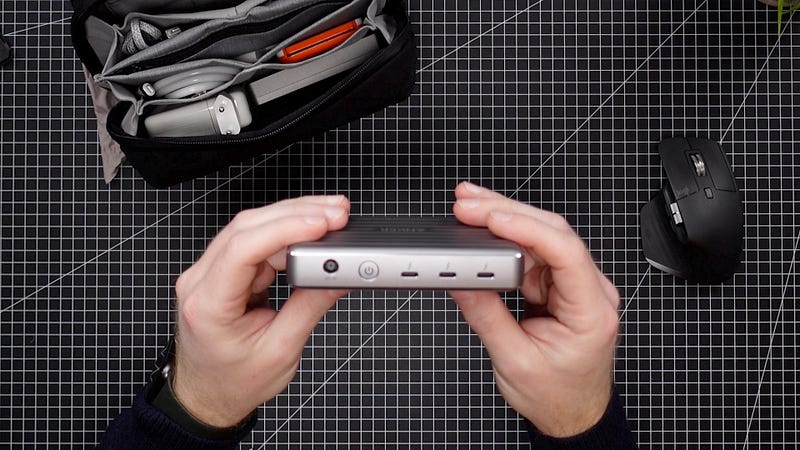
Moving on to hubs. Apple FINALLY brought back some of the IO, we finally have all the main ports back on the actual Macbook body, we have a couple of thunderbolt ports, HDMI, audio jack, the new Magsafe port, and of course the SD card slot which is a dream for us creators. However, we are all tech heads here and there is no such thing as enough ports.
I use two types of hubs to provide even more ports for the Macbook Pro. At my desk at home, I have two Thunderbolt 4 hubs by Anker. These are amazing value for money, they give you three extra thunderbolt ports and one USB a port which is very useful as it is not present on the Macbook itself. It comes with a huge power brick, which means it can easily power your Macbook as well, but it also means it is not ideal for travel.
Acasis HUB and SSD (BEST Accessory Ever)
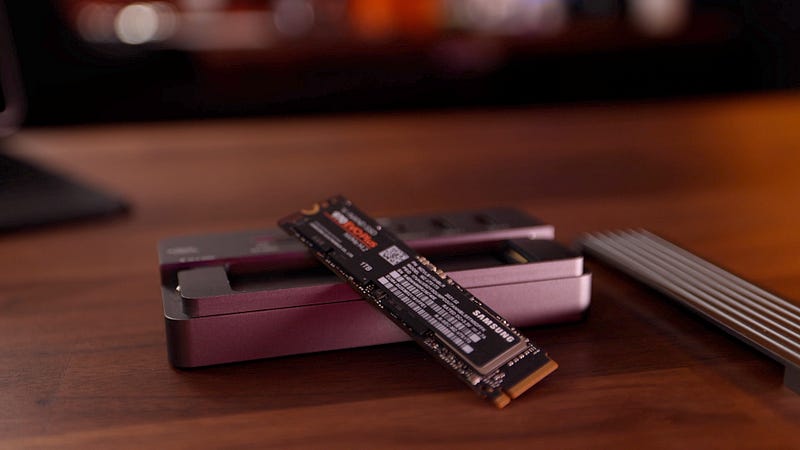
This little guy however, is. This is the Acasis HUB and if you happen to have been to my YouTube channel before, you’ve probably seen this thing in one of my vids. It is not a thunderbolt hub, but a USB C hub, but for travel this is absolutely perfect. Not only does it provide all the additional ports you might possibly need, this thing has one massive trick up its sleeve and that is that it doubles as a mass storage device. How? Well, I am glad you asked. When we pop off the lid, we see that this hub is actually a full blown NVME SSD enclosure. And as you may have noticed, NVME enclosures are becoming more and more popular as cheaper and more efficient alternatives to dedicated external SSDs.
The reason being that you can stick basically whatever internal SSD you want in here and make it external. That means you can get a 4TB drive for the price of say a 1 TB drive, without losing speed. If you want to know more about this thing, let me know, I am thinking of writing a full article on all of its features and benefits. Also, if you enjoy articles like this one, consider giving me a follow, I intend to post at least a couple of times a week on this platform, so plenty of fresh content coming your way.
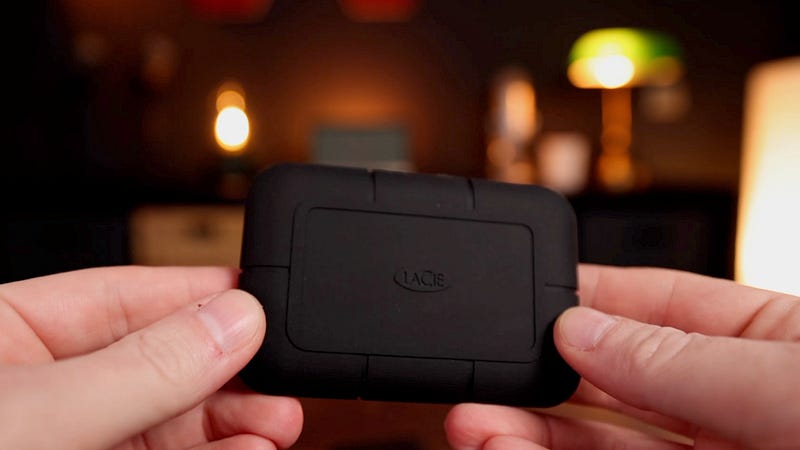
Just as a comparison, the Lacie Rugged SSD is my favorite external SSD, it is blazing fast with speeds of up to 2800 mbps, but it costs 400 dollars for 1TB. It is water proof though, and the Acasis most definitely isn’t. Anyway, you get my point, the Acasis is a very interesting alternative, especially since it is much more than just storage.
Elgato Stream Deck
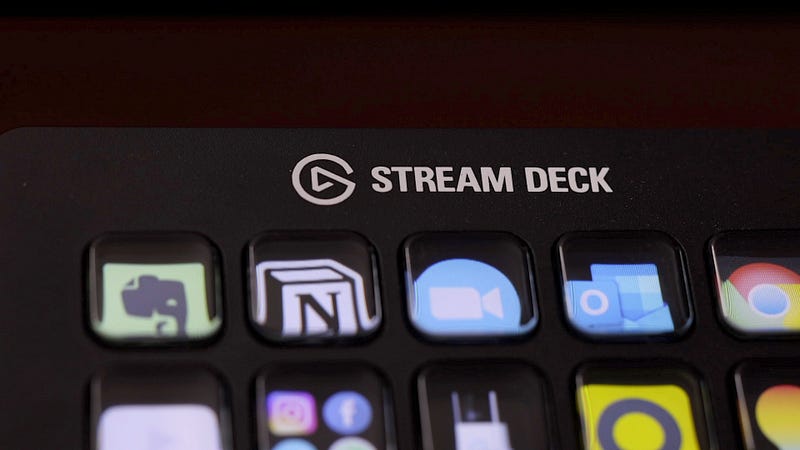
Now, for my most useful, most interesting accessory by far — the Elgato Streamdeck. Now hear me out because I can already hear thinking “I am not a streamer”. Neither am I, but what I learned recently is that you can actually program these things to become your ultimate productivity booster. The way I have set mine up has absolutely nothing to do with streaming but it has tremendously enhanced my workflow.
For those of you who not familiar with the Stream deck, it is basically a collection of programmable macro keys underneath little LED panels, which is nice because you can actually assign icons to your keys. It has 15 keys but every key can have sub folders or profiles, so in reality you will have far more keys than just the 15 physical ones. So without going into too much detail, because I could spend a whole series of videos just on this device, I set up my home screen to display hot keys to my favorite apps, like Evernote, Notion, Zoom, and email, as well as access to my Ring doorbell, my security cameras, the lights in my office and my most used emojis.
Each key has been programmed to do one or more actions. So if I press the notion key, it will open op my Notion app, as well as an instance of Notion in the chrome browser. Notion doesn’t allow you to open up two instances of the app, and this is a good way of circumventing that. The same goes for Zoom, if I press the allocated button, it will open up my Zoom app and it will navigate to another layer of buttons I programmed to do the main actions within zoom, like turn my camera on and off, mute and unmute the mic, or leave the meeting. I also added a row of keys that control my Elgato Keylight Air to light myself, and the lights in my office, to match the type of zoom call I am in.
I could go on and on about this thing, but if you are looking for a really unique Macbook accessory to boost your productivity, definitely give this a try. There is a smaller version, as well as a bigger one, I find that 15 keys is the sweet spot for me.