avatarSM Raiyyan

Free AI web copilot to create summaries, insights and extended knowledge, download it at here

4227

Abstract

tter</h1><p id="0372">You can conduct motion design on this website, you heard me right — a WEBSITE! You can easily do the After Effects stuff on your browser and make your viewers wonder “<i>how the heck did he do that?</i></p> <figure id="0399"> <div> <div> <img class="ratio" src="http://placehold.it/16x9"> <iframe class="" src="https://cdn.embedly.com/widgets/media.html?src=https%3A%2F%2Fwww.youtube.com%2Fembed%2Fh5QFqYZ3ses%3Ffeature%3Doembed&amp;display_name=YouTube&amp;url=https%3A%2F%2Fwww.youtube.com%2Fwatch%3Fv%3Dh5QFqYZ3ses&amp;image=https%3A%2F%2Fi.ytimg.com%2Fvi%2Fh5QFqYZ3ses%2Fhqdefault.jpg&amp;key=a19fcc184b9711e1b4764040d3dc5c07&amp;type=text%2Fhtml&amp;schema=youtube" allowfullscreen="" frameborder="0" height="480" width="854"> </div> </div> </figure></iframe></div></div></figure><h1 id="09e9">4. RunwayML Editor</h1><p id="e44f">RunwayML is a platform that allows artists to apply machine learning capabilities in simple, non-technical ways for media types ranging from text to audio to video. We can build and share pre-trained machine learning models on RunwayML for uses like producing realistic photos or image descriptions. We can also import new models directly from GitHub and train their own models.</p> <figure id="d20f"> <div> <div> <img class="ratio" src="http://placehold.it/16x9"> <iframe class="" src="https://cdn.embedly.com/widgets/media.html?src=https%3A%2F%2Fwww.youtube.com%2Fembed%2FfTqgWkHiN0k%3Ffeature%3Doembed&amp;display_name=YouTube&amp;url=https%3A%2F%2Fwww.youtube.com%2Fwatch%3Fv%3DfTqgWkHiN0k&amp;image=https%3A%2F%2Fi.ytimg.com%2Fvi%2FfTqgWkHiN0k%2Fhqdefault.jpg&amp;key=a19fcc184b9711e1b4764040d3dc5c07&amp;type=text%2Fhtml&amp;schema=youtube" allowfullscreen="" frameborder="0" height="480" width="854"> </div> </div> </figure></iframe></div></div></figure><h1 id="e6b4">5. FakeYou</h1><p id="9dff">When you want to prank your friends or produce creative material while using the voices of culturally significant characters, FakeYou is the ideal software to utilize. Also, it has a thriving community that will aid in the emergence of fresh, popular voices. Although the majority of the voices are merely impressions rather than the real thing, that is essentially what FakeYou is about.</p> <figure id="f90d"> <div> <div> <img class="ratio" src="http://placehold.it/16x9"> <iframe class="" src="https://cdn.embedly.com/widgets/media.html?src=https%3A%2F%2Fwww.youtube.com%2Fembed%2F6iBkSM_VEmg%3Fstart%3D49%26feature%3Doembed%26start%3D49&amp;display_name=YouTube&amp;url=https%3A%2F%2Fwww.youtube.com%2Fwatch%3Fv%3D6iBkSM_VEmg&amp;image=https%3A%2F%2Fi.ytimg.com%2Fvi%2F6iBkSM_VEmg%2Fhqdefault.jpg&amp;key=a19fcc184b9711e1b4764040d3dc5c07&amp;type=text%2Fhtml&amp;schema=youtube" allowfullscreen="" frameborder="0" height="480" width="854"> </div> </div> </figure></iframe></div></div></figure><h1 id="c5ac">6. PicsArt Image Generator</h1><p id="8190">If you want to show a man eating pizza underwater, you have 3 options:</p><ul><li>Try to find that on Google.</li><li>Drown a friend to death with the pizza.</li><li>Let this Image generator make that pic within seconds.</li></ul> <figure id="7848"> <div> <div> <img class="ratio" src="http://placehold.it/16x9"> <iframe class="" src="https://cdn.embedly.com/widgets/media.html?src=https%3A%2F%2Fwww.youtube.com%2Fembed%2FwYrIfFENcKc%3Ffeature%3Doembed&amp;display_name=YouTube&amp;url=https%3A%2F%2Fwww.youtube.com%2Fwatch%3Fv%3DwYrIfFENcKc&amp;image=https%3A%2F%2Fi.ytimg.com%2Fvi%2FwYrIfFENcKc%2Fhqdefault.jpg&amp;key=a19fcc184b9711e1b4764040d3dc5c07&amp;type=text%2Fhtml&amp;schema=youtube" allowfullscreen="" frameborder="0" height="480" width="854"> </div> </div> </figure></iframe></div></div></figure><h1 id="8903">7. InVideo</h1><p id="fd81">This can generate videos using only the Script. You just need

Options

to choose one of the many available social media templates and paste your video script into it. And in no time at all, this AI website will produce a video that is ready for posting.</p> <figure id="2aed"> <div> <div> <img class="ratio" src="http://placehold.it/16x9"> <iframe class="" src="https://cdn.embedly.com/widgets/media.html?src=https%3A%2F%2Fwww.youtube.com%2Fembed%2FWniy8vjcy70%3Ffeature%3Doembed&amp;display_name=YouTube&amp;url=https%3A%2F%2Fwww.youtube.com%2Fwatch%3Fv%3DWniy8vjcy70&amp;image=https%3A%2F%2Fi.ytimg.com%2Fvi%2FWniy8vjcy70%2Fhqdefault.jpg&amp;key=a19fcc184b9711e1b4764040d3dc5c07&amp;type=text%2Fhtml&amp;schema=youtube" allowfullscreen="" frameborder="0" height="480" width="854"> </div> </div> </figure></iframe></div></div></figure><h1 id="ae57">8. Renderforest</h1><p id="e5a3">It’s as easy to create animations as it is to write text. This AI website will turn any text you write into animated graphics. It features a ton of other visual templates that can be utilized to design eye-catching sales adverts.</p> <figure id="e865"> <div> <div> <img class="ratio" src="http://placehold.it/16x9"> <iframe class="" src="https://cdn.embedly.com/widgets/media.html?src=https%3A%2F%2Fwww.youtube.com%2Fembed%2FMPdYy_DRtuU%3Ffeature%3Doembed&amp;display_name=YouTube&amp;url=https%3A%2F%2Fwww.youtube.com%2Fwatch%3Fv%3DMPdYy_DRtuU&amp;image=https%3A%2F%2Fi.ytimg.com%2Fvi%2FMPdYy_DRtuU%2Fhqdefault.jpg&amp;key=a19fcc184b9711e1b4764040d3dc5c07&amp;type=text%2Fhtml&amp;schema=youtube" allowfullscreen="" frameborder="0" height="480" width="854"> </div> </div> </figure></iframe></div></div></figure><p id="7cad">Thank you for reading! If you have either used any of the above tools or know other tools that helped you a lot, please let me know in the comments.</p><figure id="bb6e"><img src="https://cdn-images-1.readmedium.com/v2/resize:fit:800/0*2BiNE4gjOezSfAdW.gif"><figcaption></figcaption></figure><p id="1455">My other writings —</p><div id="e327" class="link-block"> <a href="https://medium.com/@smraiyyan/list/6b5f19244ab3"> <div> <div> <h2>Awesome chatGPT prompts</h2> <div><h3>All parts</h3></div> <div><p>medium.com</p></div> </div> <div> <div style="background-image: url(https://miro.readmedium.com/v2/resize:fit:320/0*8ad8a80e0ad2481b33dc1412cbb578eb32abbdac.jpeg)"></div> </div> </div> </a> </div><div id="f718" class="link-block"> <a href="https://readmedium.com/the-handicap-of-ai-understanding-why-hands-remain-a-challenge-for-image-generation-b9b10cd752a2"> <div> <div> <h2>The Handicap of AI: Understanding Why Hands Remain a Challenge for Image Generation</h2> <div><h3>The quality of AI images has astounded the photographic community with its hyper-realism. But it seems that there is…</h3></div> <div><p>medium.com</p></div> </div> <div> <div style="background-image: url(https://miro.readmedium.com/v2/resize:fit:320/0*aDSkHJjGKu_-R728.jpg)"></div> </div> </div> </a> </div><div id="87d9" class="link-block"> <a href="https://ai.plainenglish.io/jailbreaking-chatgpt-the-dangerous-game-of-linguistic-manipulation-6158bf02e2d4"> <div> <div> <h2>Jailbreaking ChatGPT: The Dangerous Game of Linguistic Manipulation</h2> <div><h3>Using ChatGPT requires challenging assumptions. It means considering how something else might interpret language…</h3></div> <div><p>ai.plainenglish.io</p></div> </div> <div> <div style="background-image: url(https://miro.readmedium.com/v2/resize:fit:320/1*_Fth0fG_ov0_BwUgaAYJAA.gif)"></div> </div> </div> </a> </div></article></body>

Unlock Your Creativity: 8 Incredible AI Tools That Will Transform Your Projects in Seconds!

Welcome to the future of content creation. With the emergence of AI-powered tools, tasks that once took hours can now be accomplished in mere minutes. I’d love to share some really impressive AI tools that are revolutionizing the world of video and image editing. Ranging from transcribing videos to removing unwanted objects and even generating lifelike voices, these tools can take your content to new heights.
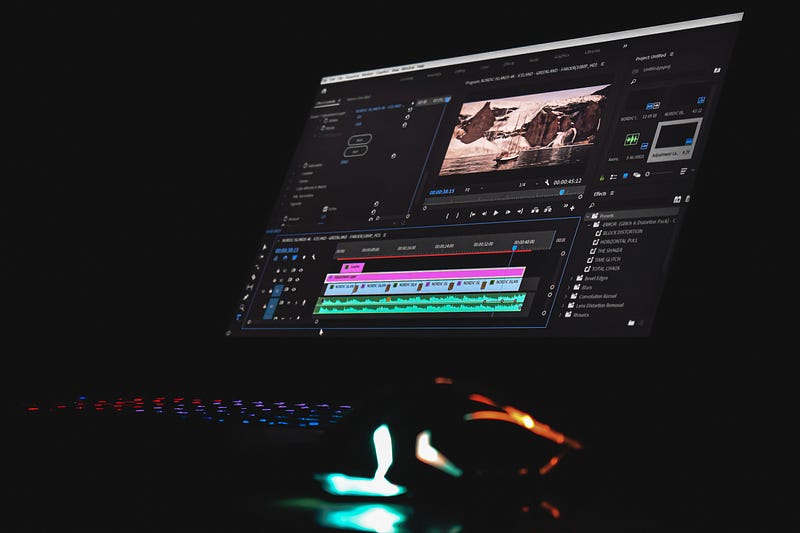
Photo by Sanjeev Nagaraj on Unsplash

If you asked me whether AI would take over the world of video editing 5 years ago, I’d have said NO (real bluntly), but AI has always found a way to prove people like me wrong. I’m actually curious to see what’s in store for the next coming years. With that said, let’s get into this article and check out these amazing tools that would surely save you a ton of time!

Join the Medium Membership Program for only 5$ to continue learning without limits. I’ll receive a small portion of your membership fee if you use the following link, at no extra cost to you.

1. Descript

1 hour, 2 hours? An entire day? Only an editor knows how much time it takes to Transcribe a video. And trust me when I say that, I have been there and trascribed that! When I found out about Descript, I was skeptical but then gave it a shot and guess what? I never looked back. If that doesn’t convince you, I don’t know what will (shrugs).

2. Adobe Sensei

Do you want to remove a person in the background, animate a character, and much more, but just in a single click? Then, Adobe Sensei is for you! If you’re already an Adobe user, this AI can change your life.

3. Jitter

You can conduct motion design on this website, you heard me right — a WEBSITE! You can easily do the After Effects stuff on your browser and make your viewers wonder “how the heck did he do that?

4. RunwayML Editor

RunwayML is a platform that allows artists to apply machine learning capabilities in simple, non-technical ways for media types ranging from text to audio to video. We can build and share pre-trained machine learning models on RunwayML for uses like producing realistic photos or image descriptions. We can also import new models directly from GitHub and train their own models.

5. FakeYou

When you want to prank your friends or produce creative material while using the voices of culturally significant characters, FakeYou is the ideal software to utilize. Also, it has a thriving community that will aid in the emergence of fresh, popular voices. Although the majority of the voices are merely impressions rather than the real thing, that is essentially what FakeYou is about.

6. PicsArt Image Generator

If you want to show a man eating pizza underwater, you have 3 options:

  • Try to find that on Google.
  • Drown a friend to death with the pizza.
  • Let this Image generator make that pic within seconds.

7. InVideo

This can generate videos using only the Script. You just need to choose one of the many available social media templates and paste your video script into it. And in no time at all, this AI website will produce a video that is ready for posting.

8. Renderforest

It’s as easy to create animations as it is to write text. This AI website will turn any text you write into animated graphics. It features a ton of other visual templates that can be utilized to design eye-catching sales adverts.

Thank you for reading! If you have either used any of the above tools or know other tools that helped you a lot, please let me know in the comments.

My other writings —

AI
Artificial Intelligence
Video Editing
Technology
Creativity
Recommended from ReadMedium