
הולי פאק — Holy F — K!
My PC thinks I’m Jewish
Arabic
As part of my way of dealing with an active mind and unhealthy level of ADHD, I got into Duolingo, starting with Arabic. Somehow, focusing on the screen, learning how to write and read the Arabic alphabet, and building words methodically had me completely absorbed. I found it relaxing and addictive.
The inspiration for Arabic had come from watching the hard-hitting Israeli series, set in the Occupied Territories, Fauda. I studied Islam over a decade ago, and as part of that process, I learned to recite several surahs (chapters) from the Qu’ran, but I didn’t convert (or revert as Muslims call it).
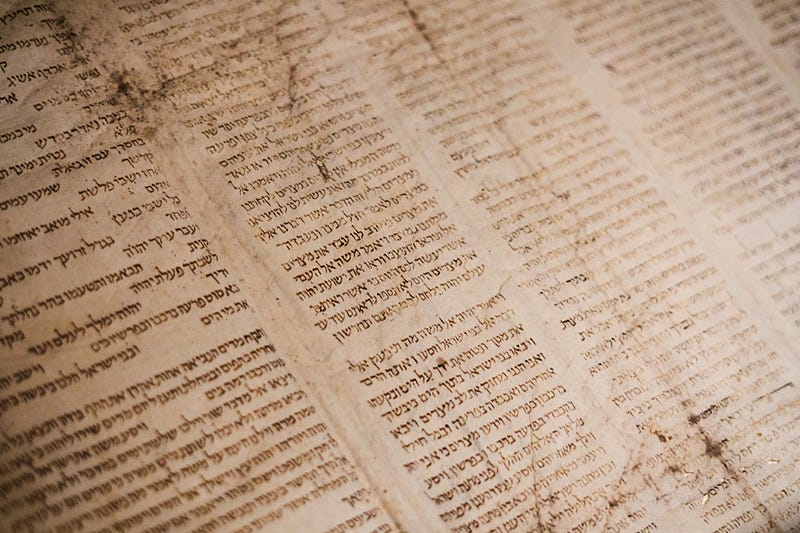
Hebrew
I was flying with the Arabic and loving the journey. Why not learn Hebrew? I mean these two languages are as old as it gets, and I have this fascination with things that connect the present with the past. So, I went with the urge and took on Hebrew.
At first, the Hebrew alphabet appeared to be easier than the Arabic. I wasn’t having to think about whether it was at the start, middle, or end of a word, or how the letters contracted when the word was formed. Hebrew looked so regular, and the distinctive look captured my imagination. How wrong I was!
Hebrew became increasingly challenging. At one point, I almost felt like throwing in the towel, but then something clicked, and it felt as though I had broken through a pain barrier. Let’s carry on, I said to myself.
Let’s take on Chinese and Welsh
Meanwhile, I took on Mandarin Chinese and Welsh, another couple of very old and distinctive languages. Welsh is spoken by fewer than one million people worldwide, and the government of Wales is keen to keep the language alive, so I’m doing my bit. Chinese is easier than I expected it to be (still bloody tough). Back to the story…
Write this in Hebrew
Just as I was beginning to think I had nailed it, Duolingo started asking me to write words and sentences in Hebrew. Fine, I thought. I am happy to get it wrong until I get it right. But there was a major problem. It wasn’t supplying me with a virtual on-screen Hebrew keyboard. How the hell was I supposed to write the script?
Where there’s a will, there’s often a big mistake
I decided that if Duolingo wasn’t going to give me a keyboard to use, I’d have to build my own. There must be a way to do this, I figured. I started by going to settings and getting an on-screen keyboard. It seemed straightforward enough. Where’s the Hebrew?
Again, I went to settings, dived into the part for inputting language, and downloaded a Hebrew pack. Almost there! That’s when I made one of the biggest f — kups that almost left me without a PC.
In order for me to switch the computer to Hebrew, I was going to have to reboot. As you and every other sane, sensible person with an IQ greater than a mosquito’s would be able to guess, when my computer restarted, it was set to Hebrew mode. That meant the display had flipped (Hebrew is written from right to left), and my keyboard was set to write Hebrew…
It asked for a password.
I typed it.
Incorrect. Try again.
Holy F — k or should I say, ‘הולי פאק’. Of course, it wouldn’t accept my password. I was trying to write English letters with a Hebrew keyboard. The situation was dire. How was I going to switch it back if I was locked out?
First attempt to fix it
I did what anyone would do, threw a wobbler, shouted for my late mother, and imagined what kind of aggravation I was facing — can they repair this at the shop, should I just buy a new PC, where will I get the money…?
Once I’d calmed down, I consulted the University of Google and found a possible solution. If I could interrupt a reboot and get the options to enter safe mode or undo updates, I’d be able to undo the Hebrew change or restore the PC to a previous state.
I found the option to undo the update, and it listed it, so I was optimistic that things were going my way. But it wanted a very long key code, which I had to log onto my Microsoft account on a separate device to obtain. Once I had done that and entered the code, I pressed the ‘Uninstall Latest Updates’ button and watched with anticipation. It took a while, but I eventually saw those wonderful words — “Uninstall Complete” (or similar).
On the restart, it looked good. The screen was the right way round, and it was displaying the day in English. I was about to celebrate when all the letters on the screen flipped to Hebrew again. Oh. Dear!
A bit of curiosity
Have you ever been looking for something in the home, and in your efforts to find it, you came across a wide range of weird and wonderful items you never knew you owned? That was me yesterday, analysing every square millimetre of the screen for a solution.
When you are locked out, if you look at the bottom right-hand corner of the screen, there’s a strange shape, which looks a bit like the Real Leather symbol you see on shoes and bags. I clicked on it to see what it was and discovered that it was for ‘Accessibility’.
There, my friends, in the Accessibility menu, as clear as day, was a keyboard symbol. It was an on-screen keyboard switch. Yes, please! Click. In an instant, I had options. In an instant, I had so much more to play with. There, in all its (Jewish) heavenly glory, was an on-screen keyboard with all the Hebrew symbols showing. More to the point, I could also see the English letters. That’s when it struck me.
I had activated the Hebrew setting, not deleted the English. There had to be a way of toggling between the two without having to go to settings. Time for Google again.
After a bit of research, I found the answer — push shift, fn, Windows, and space bar simultaneously. The keyboard switched to the English version, and I was finally able to access my PC again.
Almost there
There was still one tiny snag. Even though the keyboard was working, my PC was still in Hebrew mode, so I had to go to settings to reverse it. Once there, of course, everything was written in Hebrew, so I opened up my laptop and went to settings to see what was there. Somehow, I found the right settings and was presented with manna from Heaven — English (United Kingdom).
I rebooted, and the problem was solved.
Success where others failed
I can’t help but wonder if this article ends up saving someone else’s backside if they lock themselves out of their PC. For the record, I didn’t find the correct solution on Google, and when I called a professional IT consultant (one of my Tai Chi students), he didn’t know how to fix the problem.
It makes me feel quite proud that I managed to figure it out for myself. Where there’s a will, there’s a way, but you should also be prepared for getting it wrong, very wrong, as I did. At least, I now have a Hebrew keyboard for Duolingo!
Thanks for reading. I’m a British writer, based in West Yorkshire, England, and also the founder of Bouncin’ and Behavin’ Poetry. Feel free to pop over there and take a look. Everybody’s welcome, and we have over 100 awesome writers. Don’t forget to scroll all the way to the bottom of this page, so Medium acknowledges your visit as a full read.